Is your car stereo cutting out at the worst moments? You’re not alone.
When your music or calls suddenly drop, it’s more than just annoying—it can ruin your drive. But why is your car stereo losing connection? Understanding the common causes can save you time and frustration. Keep reading to discover what might be behind those frustrating interruptions and how you can fix them quickly.

49% off Today's Exclusive Deals
Limited-time Exclusive Deals. Check current discount on Amazon.
Check Price on Amazon As an Amazon Associate I earn from qualifying purchases.
Common Connection Issues
Car stereo connection problems can be frustrating. Often, these issues arise from common connection faults. Understanding these faults helps to fix the problem faster. Here are the usual suspects behind connection loss.
Loose Wiring
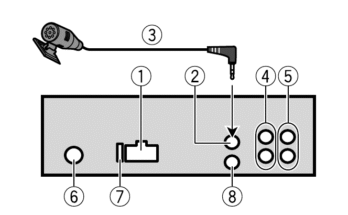
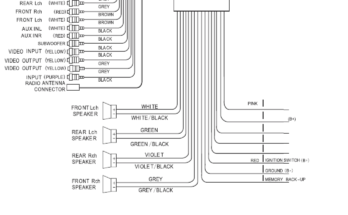
Loose wiring is a frequent cause of connection problems. Wires may come undone due to vibrations or poor installation. This breaks the link between your stereo and power source. Check all wires for secure connections. Tighten any loose wires carefully to restore sound.
Faulty Antenna
A faulty antenna can weaken radio signals. Cracks or breaks in the antenna reduce reception quality. This causes static or loss of signal. Inspect the antenna for damage. Replace or repair it to improve connection stability.
49% off Today's Exclusive Deals
Limited-time Exclusive Deals. Check current discount on Amazon.
Check Price on Amazon As an Amazon Associate I earn from qualifying purchases.Bluetooth Interference
Bluetooth interference often disrupts wireless stereo connections. Other devices nearby can cause signal clashes. This leads to dropped connections or poor audio. Keep other Bluetooth devices away from your car stereo. Turn off unused devices to reduce interference.
Damaged Connectors
Damaged connectors affect the stereo’s ability to stay connected. Bent pins or corrosion block proper contact. This results in intermittent sound loss. Examine connectors for visible damage or dirt. Clean or replace them to ensure a firm connection.
Diagnosing The Problem
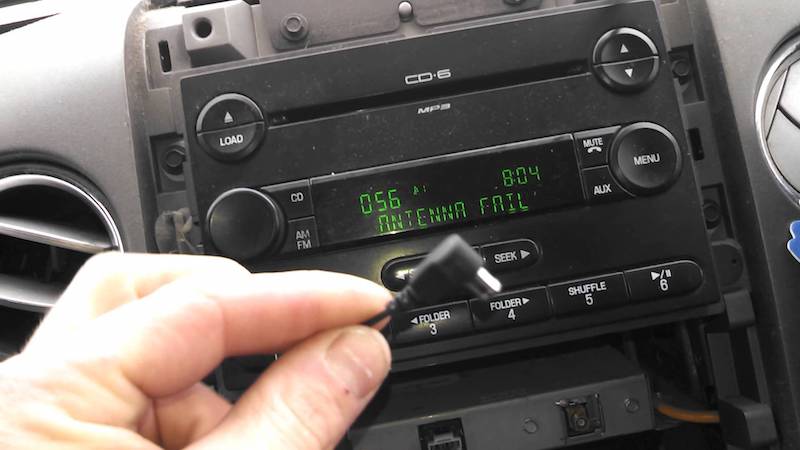
Diagnosing why your car stereo keeps losing connection takes a step-by-step approach. Start with the basics. Small issues often cause big problems. This guide helps you find the source of the trouble fast.
Checking Power Supply
First, make sure your stereo has steady power. Look at the fuse and battery connections. Loose or blown fuses can cut power and stop your stereo from working right. Check if the stereo turns on without flickering or shutting off unexpectedly.
49% off Today's Exclusive Deals
Limited-time Exclusive Deals. Check current discount on Amazon.
Check Price on Amazon As an Amazon Associate I earn from qualifying purchases.Inspecting Wiring And Connectors
Next, examine all wires and connectors. Worn or loose wires cause connection drops. Pull out the stereo and check the back for damaged or disconnected cables. Secure any loose plugs and replace wires that look worn or frayed.
Testing Bluetooth Settings
Bluetooth issues often cause connection loss. Turn off Bluetooth on your phone and stereo. Restart both devices and pair them again. Clear old paired devices. Make sure the stereo’s Bluetooth is in pairing mode and within range of your phone.
Evaluating Antenna Condition
Your car antenna plays a big role in signal quality. Look for bent, broken, or loose antennas. A damaged antenna can cause weak radio signals and dropouts. Tighten loose antennas or replace them if damaged for better connection stability.
Quick Fixes For Connection Loss
Connection loss in your car stereo can be frustrating. Quick fixes help restore sound fast. These simple steps can save time and money. Try these easy methods before seeking professional help.
Reconnecting Loose Wires
Loose wires often cause connection problems. Check the back of your stereo for any unplugged cables. Firmly push all wires into their ports. Wires may come loose from bumps or vibrations. Secure connections improve sound quality immediately.
Resetting The Stereo System
Resetting clears minor glitches in the stereo system. Find the reset button or remove the stereo’s fuse. Wait a few minutes before turning it back on. This can fix temporary software errors. Your stereo will start fresh and work better.
Updating Firmware
Firmware controls how your stereo works. Outdated software causes connection issues. Visit the manufacturer’s website for updates. Follow the instructions to install new firmware. Updates fix bugs and improve system stability.
Replacing Faulty Components
Damaged parts often cause connection loss. Inspect cables, connectors, and the stereo unit itself. Replace any broken or worn components. New parts ensure proper function and sound quality. This step might require help from a technician.
Preventive Measures
Preventive measures help keep your car stereo connection stable and clear. Small actions can stop many common issues before they start. These steps protect your stereo and improve your listening experience. Focus on regular care, avoiding interference, and correct installation.
Regular Maintenance Tips
Check your stereo and wires often for damage. Clean connectors to remove dust and dirt. Tighten loose wires to avoid weak signals. Replace worn cables to keep sound clear. Keep your car interior dry to prevent rust and corrosion.
Protecting Against Interference
Keep your stereo away from strong electronic devices. Avoid parking near power lines or radio towers. Use shielded cables to reduce noise from other devices. Turn off devices that cause static when using your stereo. Choose a frequency free from local radio interference.
Proper Installation Practices
Secure all wires tightly during installation. Use quality connectors and cables for better signal. Follow the stereo manual for correct setup. Avoid routing wires near engine parts or heat sources. Test the connection before finalizing the installation.
Frequently Asked Questions
Why Does My Car Stereo Lose Bluetooth Connection?
Bluetooth interference or outdated firmware often causes connection drops. Check for device compatibility, update software, and keep devices close to improve stability.
How Can I Fix Frequent Car Stereo Disconnections?
Restart your car and device, reset Bluetooth settings, and ensure no signal interference. Regularly update your stereo’s firmware for better performance.
Could Wiring Issues Cause My Car Stereo Connection Loss?
Yes, loose or damaged wiring can disrupt connection. Inspect cables and connectors for wear or poor contact and repair or replace them as needed.
Does My Phone Affect Car Stereo Connection Stability?
Yes, outdated phone software or low battery can cause disconnections. Keep your phone updated and charged to maintain a stable connection.
Conclusion
Car stereo connection problems can be frustrating. Loose wires, weak signals, or software glitches often cause issues. Regular checks help keep your stereo working well. Cleaning contacts and updating software may solve many problems. Sometimes, professional help is needed to fix complex faults.
Staying patient and trying simple fixes first saves time. Enjoying music without interruptions is possible with basic care. Keep your car stereo in good shape for better drives.