Have you ever wondered if your dash cam can be tracked? Whether you use it for safety, evidence, or peace of mind, knowing if someone can locate your device matters.
This isn’t just about privacy—it’s about control over your own information. You’ll discover how dash cams work, the technology behind them, and what it means for your security. Keep reading to find out if your dash cam is truly private or if it’s leaving a digital trail you didn’t expect.
How Dash Cams Work
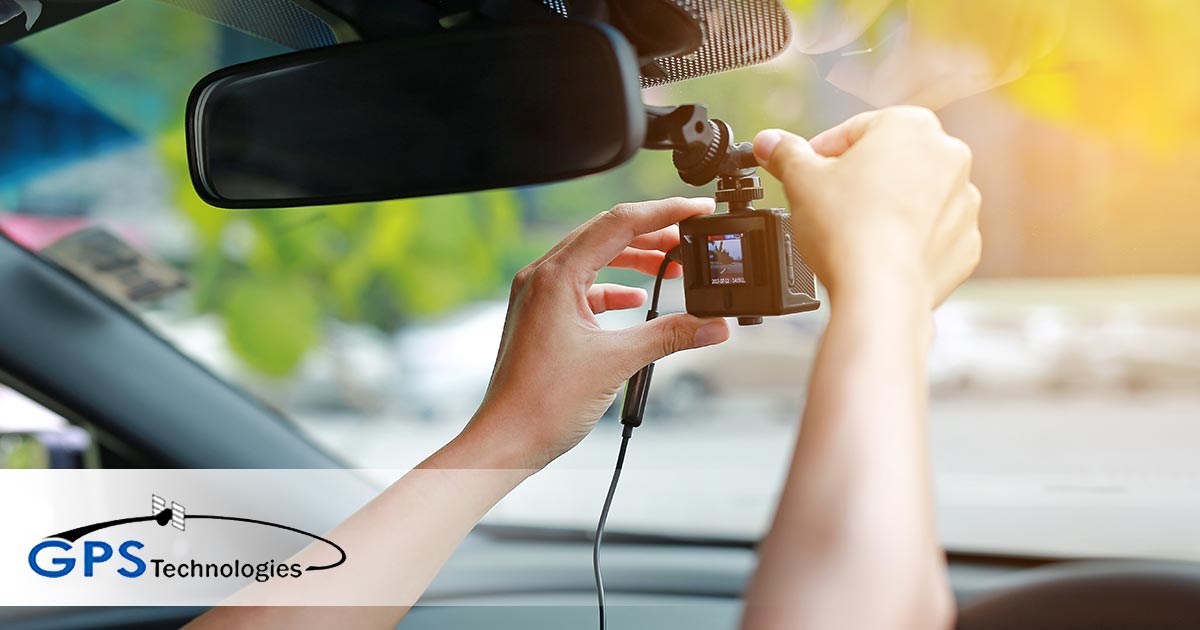
Dash cams are small cameras installed in vehicles. They record everything happening on the road. Understanding how these devices work helps explain if they can be tracked.
Basic Features
Dash cams capture video and audio inside and outside the car. They usually have a wide-angle lens to cover more area. Many models include motion detection and loop recording. These features help save important footage automatically.
Recording And Storage
Most dash cams store videos on memory cards like microSD. They record continuously but overwrite old files when storage is full. Some cameras upload videos to the cloud for extra safety. This backup option depends on the camera model and connection.
Power Sources
Dash cams need power to work. They usually connect to the car’s cigarette lighter or fuse box. Some have built-in batteries for short use without power. A constant power source ensures the camera runs during trips and parking.

Tracking Capabilities
Dash cams often have tracking features that record your car’s location and movement. These features help keep a record of routes and speeds. Some dash cams provide live tracking to see your car in real time. Tracking can be useful for safety and evidence after accidents. It depends on the dash cam model and its technology.
Built-in Gps Functionality
Many dash cams include GPS chips. These chips log the car’s exact position on a map. GPS data shows routes taken and speed at different points. This information saves with the video footage. It helps prove where and how fast the car was moving. GPS tracking works without internet connection. It only needs clear sky to catch satellite signals.
Wi-fi And Bluetooth Connections
Some dash cams connect to phones using Wi-Fi or Bluetooth. This allows easy access to videos and location data. You can download files directly to your phone. Bluetooth works at short distances, usually inside the car. Wi-Fi can reach farther and offers faster transfer. These connections do not provide real-time tracking outside the car.
Cloud Storage And Remote Access
Advanced dash cams upload videos and location info to the cloud. This lets owners access data from anywhere using apps. Remote access means you can check your car’s location live. Cloud storage keeps files safe if the camera is stolen or damaged. It requires constant internet connection in the dash cam. This feature is common in premium dash cam models.
Privacy Concerns
Dash cams offer safety and evidence during driving. Yet, their use raises privacy concerns. Many wonder if these devices can be tracked and what happens to the data collected. Understanding these issues helps users protect their privacy better.
Data Collection
Dash cams often record video and audio inside and outside the car. Some models also collect location, speed, and time data. This information helps in accidents but creates a digital record of your movements. Storing such data raises questions about who can access it.
Potential For Unauthorized Tracking
Some dash cams connect to the internet or apps. This connection can allow others to track the device’s location remotely. Hackers or unauthorized users might access this data without permission. This risk makes it important to choose secure devices and update software regularly.
User Control Over Data
Users should check how their dash cam handles data. Many devices offer settings to limit data sharing or delete stored files. Knowing how to control these options helps keep personal information safe. Always read privacy policies and manage settings carefully.
Benefits Of Tracking Dash Cams
Tracking dash cams offers many benefits for drivers and businesses. It helps keep vehicles safer and provides useful data. Tracking technology connects dash cams to GPS or mobile networks. This allows real-time location updates and footage access from anywhere. The benefits improve security, provide clear accident evidence, and support fleet management.
Enhanced Security
Tracking dash cams adds an extra layer of security. Owners can see their vehicle’s location in real time. It helps find stolen cars faster. Dash cam footage can also alert drivers about suspicious activity. This makes it easier to protect vehicles from theft or damage.
Accident Evidence
Tracking helps capture important evidence during accidents. Dash cams record video and location data. This information proves what happened and who caused the accident. It saves time and reduces arguments with insurance companies. Clear evidence makes claims fair and faster.
Fleet Management
Businesses use tracking to manage vehicle fleets better. They monitor routes, speed, and driver behavior. This helps improve efficiency and reduce fuel costs. Managers can spot issues early and plan maintenance. Tracking dash cams keep the fleet safe and productive.
Limitations And Risks
Dash cams offer many benefits, but they also come with limits and risks. Understanding these helps users make smart choices about their devices. Some risks affect the device’s performance. Others involve privacy and legal issues.
Battery Drain And Technical Issues
Dash cams need power to work well. Many rely on the car battery or built-in batteries. Constant use can drain the battery fast. This may cause the camera to shut off unexpectedly. Technical problems like freezing or poor video quality can also occur. These issues reduce the camera’s reliability.
Vulnerabilities To Hacking
Some dash cams connect to Wi-Fi or apps. These connections can be weak points for hackers. Hackers might access videos or location data. They could even control the camera remotely. Keeping software updated helps, but risks remain. Choosing secure devices is important for protection.
Legal Considerations
Using dash cams involves legal rules that differ by place. Some areas restrict recording inside or outside the car. Privacy laws may limit video use in court. Drivers must know local laws to avoid fines. Ignoring rules can cause legal trouble and lost evidence.
How To Protect Your Dash Cam Data
Protecting your dash cam data keeps your videos safe from theft or loss. Your dash cam records important moments that might be useful later. Taking simple steps can secure your data and privacy. Let’s explore how to keep your dash cam files protected.
Secure Settings
Set a strong password for your dash cam system. Change default usernames and passwords right away. Disable remote access if you do not need it. Enable encryption on your device if available. These steps reduce the risk of unauthorized access to your files.
Regular Updates
Keep your dash cam software updated often. Manufacturers release updates to fix bugs and security issues. Check for updates every few weeks or as recommended. Updated software helps prevent hacking and improves device performance.
Safe Storage Practices
Store your recorded videos on a secure memory card. Use a high-quality SD card from a trusted brand. Back up important footage to a computer or cloud storage. Remove your memory card when not in use to avoid data theft. Proper storage keeps your data safe and easy to access.
Frequently Asked Questions
Can Dash Cams Be Tracked Through Gps?
Yes, some dash cams have built-in GPS that allows tracking. This feature records location and speed data. However, not all dash cams include GPS tracking.
Do Dash Cams Send Real-time Location Data?
Most standard dash cams do not send live location data. Only advanced models with cellular connectivity offer real-time tracking features.
How Can I Disable Dash Cam Tracking?
You can disable GPS tracking by turning off the GPS feature in settings. Alternatively, choose dash cams without GPS if privacy is a concern.
Is Dash Cam Footage Accessible Remotely?
Remote access depends on the dash cam model and connectivity options. Wi-Fi or cellular-enabled dash cams may offer remote footage viewing.
Conclusion
Dash cams can sometimes be tracked through GPS or connected apps. Not all models have tracking features, so check before buying. Knowing if your dash cam can be tracked helps protect your privacy. Always read the device’s manual and settings carefully.
Choose a dash cam that fits your needs and comfort level. Stay safe on the road and keep your information secure. A dash cam is useful, but understanding its tracking ability is important. Make smart choices to use your device wisely.




