Have you ever wished you could see your iPhone screen right on your car’s display while driving? Imagine having your favorite apps, maps, and media all within easy reach without picking up your phone.
If you’ve asked yourself, “Can I mirror my iPhone screen on Apple CarPlay? ” you’re not alone. This question is more common than you might think, and the answer could change the way you use your phone on the road.
Keep reading to discover what’s possible, what’s safe, and how to get the most out of your Apple CarPlay experience.

Apple Carplay Basics
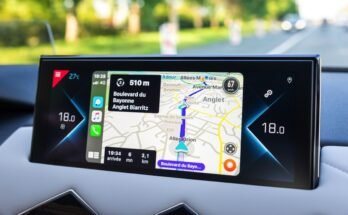
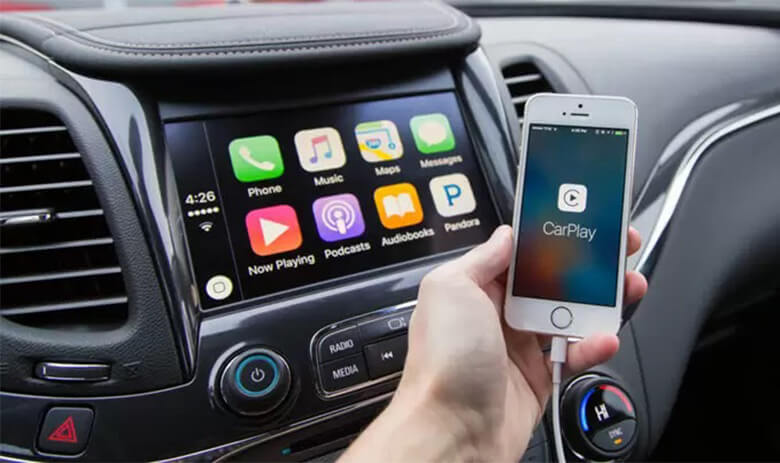
Apple CarPlay is a smart and safe way to use your iPhone in the car. It shows your phone’s screen on the car’s display. This lets you control apps, make calls, send messages, and get directions. All without picking up your phone. It helps you stay focused on driving.
CarPlay works with many popular apps. These include maps, music, and messaging. It uses voice commands through Siri for hands-free control. This makes driving safer and easier. Understanding the basics helps you get the most from CarPlay.
What Is Apple Carplay
Apple CarPlay is a system that connects your iPhone to your car’s screen. It mirrors some apps and functions from your phone. You use the car’s touchscreen, buttons, or voice to control it. CarPlay keeps your phone’s important features easy to access while driving.
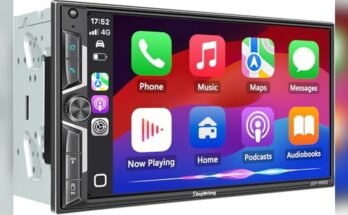
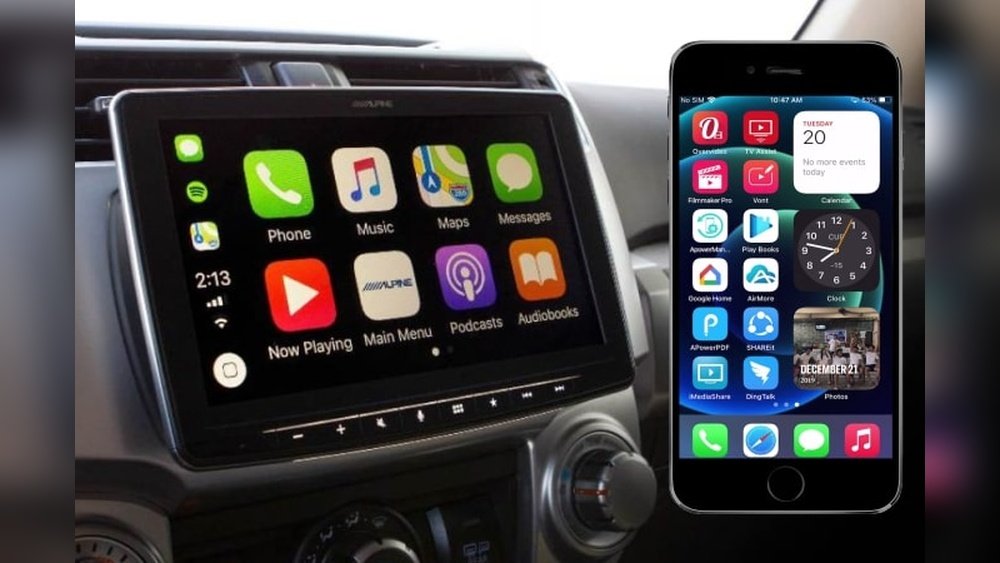
It supports apps like Phone, Messages, Maps, Music, and Podcasts. Siri helps by taking your voice commands. This means less distraction and more focus on the road. CarPlay does not mirror your entire iPhone screen, only selected apps.
Compatible Devices And Vehicles
CarPlay works with iPhones running iOS 7.1 or later. This includes models from iPhone 5 and newer. Your car or aftermarket stereo must support CarPlay too. Many car brands and models from recent years have CarPlay built-in.
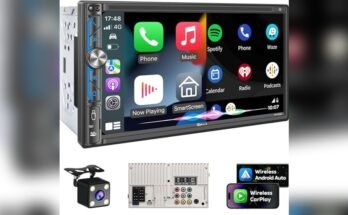
You can also add CarPlay by installing a compatible aftermarket head unit. Check your car manual or dealer for compatibility. Wireless CarPlay is available in some vehicles, letting you connect without cables. Wired connection uses a Lightning cable for a stable link.

Screen Mirroring And Apple Carplay
Screen mirroring and Apple CarPlay are two different ways to use your iPhone in the car. Both let you see your phone’s content on the car’s display. Many people wonder if they can mirror their iPhone screen through Apple CarPlay. Understanding how each works helps you use your iPhone safely while driving.
Screen mirroring shows everything on your iPhone screen on the car’s display. Apple CarPlay offers a special interface made for driving. It shows apps and features designed for easy use on the road. These two technologies serve different purposes and work differently.
Native Screen Mirroring Support
Apple CarPlay does not support native screen mirroring. You cannot mirror your iPhone screen directly through CarPlay. CarPlay only shows apps approved by Apple. This design helps keep the driver focused and safe.
Some cars may have their own screen mirroring features. These are separate from Apple CarPlay. They often use different methods like Miracast or third-party apps. These options depend on your car’s system, not CarPlay.
Differences Between Mirroring And Carplay
Screen mirroring copies your entire phone screen to the car display. You see everything, including notifications and non-driving apps. This can distract you while driving.
Apple CarPlay shows a limited set of apps. It includes maps, calls, messages, and music. The interface is simple and safe for driving. CarPlay also uses voice commands for hands-free control.
Mirroring offers full control of your phone on the car screen. CarPlay offers safer, easier access to important apps. Both have their uses but serve different needs.
Ways To Mirror Iphone Screen
Mirroring your iPhone screen on Apple CarPlay is not a built-in feature. Yet, several methods let you share your screen safely. These ways help you enjoy apps and content while driving. Understanding how to mirror your screen helps improve your driving experience.
Using Third-party Apps
Third-party apps offer easy ways to mirror your iPhone screen. Apps like ApowerMirror and CarPlay Mirror allow screen sharing. They work by connecting your iPhone to the car system. You must install the app on both your phone and car. These apps usually require a Wi-Fi or USB connection. They send your screen content to the car display in real-time. Some apps may need a small fee or subscription. Always check app reviews before downloading.
Wireless Vs Wired Connections
Wireless connections use Wi-Fi or Bluetooth to mirror your screen. They provide more freedom of movement inside the car. Wireless mirroring can sometimes lag or have lower quality. Wired connections use a USB cable to connect your iPhone. They offer faster and more stable screen mirroring. Wired connections drain less battery than wireless ones. Choose the connection type based on your car and needs. Both methods have pros and cons to consider.
Limitations And Risks
Mirroring your iPhone screen on Apple CarPlay comes with several limits and risks. Understanding these can help you decide if it is worth trying. This section covers important safety and technical concerns.
Safety Concerns While Driving
Mirroring your screen can distract you from the road. Bright videos or apps can take your eyes off driving. This increases the chance of accidents. Apple CarPlay is designed to show only safe apps. Using screen mirroring bypasses these safety features. It can lead to dangerous situations. Keeping focus on driving is always the safest choice.
Potential Compatibility Issues
Not all iPhones or car systems support screen mirroring on CarPlay. Some older models may not connect properly. Software updates can also cause problems. This can make the mirroring unstable or unusable. You might experience lag or crashes. Certain apps might not display correctly on the car screen. Checking compatibility before trying is important to avoid frustration.
Alternative Solutions
Mirroring your iPhone screen on Apple CarPlay is not directly supported. This limitation can be frustrating for many users. Yet, some alternative ways let you share content from your phone to your car’s display. These solutions may not mirror everything but offer useful options.
Using Airplay With Car Displays
AirPlay is Apple’s wireless streaming feature. It lets you send video, music, and photos from your iPhone to other screens. Some car displays support AirPlay through third-party apps or built-in systems. This option allows you to play videos or show photos on your car screen.
Setup is simple. Connect your iPhone and car display to the same Wi-Fi network. Then select your car’s screen in the AirPlay menu. Note, not all car systems support AirPlay. Check your car’s manual or manufacturer website for compatibility.
Other In-car Entertainment Options
Many cars support Bluetooth or USB connections. These let you play music or podcasts from your iPhone. You can also use apps like Spotify or Apple Music through the car’s audio system. These apps provide rich entertainment without screen mirroring.
Some vehicles come with their own apps or platforms. They offer navigation, music, and calls directly on the car’s display. These options improve safety by reducing phone use while driving. Explore your car’s features for more ways to enjoy content safely.
Tips For Best Experience
Mirroring your iPhone screen on Apple CarPlay can enhance your driving experience. To get the best results, follow some simple tips. These tips help keep your connection smooth and your use safe and legal.
Optimizing Connection Stability
Use a high-quality Lightning cable for wired connections. Cheap cables cause dropouts and lag. For wireless CarPlay, keep your iPhone close to the car’s receiver. Avoid metal objects or cases that block signals. Restart your iPhone and car system if the connection drops. Keep your iPhone’s software up to date for better performance.
Ensuring Legal Compliance
Check your local laws about screen mirroring while driving. Some places ban video or app use on CarPlay during driving. Use mirrored apps only for navigation or hands-free tasks. Avoid watching videos or typing messages while driving. Focus on the road to stay safe and follow the law.
Frequently Asked Questions
Can I Mirror My Iphone Screen On Apple Carplay?
No, Apple CarPlay does not support full iPhone screen mirroring. It only displays compatible apps designed for driving safety and convenience.
Why Doesn’t Apple Carplay Mirror My Iphone Screen?
Apple CarPlay restricts screen mirroring to prevent driver distraction and ensure safety. It only shows approved apps optimized for in-car use.
Are There Apps To Mirror Iphone On Carplay?
No official apps allow full iPhone mirroring on CarPlay. Some third-party workarounds exist but are not recommended due to safety and reliability issues.
How Can I Use Iphone Apps On Apple Carplay?
You can access select apps like Maps, Music, and Messages directly through CarPlay’s interface, designed for easy and safe use while driving.
Conclusion
Mirroring your iPhone screen on Apple CarPlay is not officially supported. Apple designs CarPlay to keep driving safer and simpler. Some third-party apps claim to offer screen mirroring, but they may not work well. Using these apps can also distract you while driving.
The best choice is to use CarPlay’s built-in features. They show important apps like Maps, Music, and Messages clearly. Keeping focus on the road matters most. Stay safe and enjoy the features Apple provides without extra risks.