Have you ever wondered if your dash cam is quietly draining your car’s battery while you’re away? When your dash cam stays on in parking mode, it’s meant to keep your vehicle safe, but could it be putting your battery at risk?
You rely on your car every day, and the last thing you want is to be left stranded with a dead battery. You’ll discover the truth about dash cams and battery drain, learn how to protect your battery, and find out what features to look for to keep your dash cam working without compromising your car’s power.
Keep reading to make sure your dash cam is helping—not hurting—your vehicle.
How Dash Cams Work In Parking Mode
Dash cams offer a valuable feature called parking mode. This mode keeps the camera active while the car is parked and turned off. It records any unusual activity around the vehicle. Understanding how dash cams work in parking mode helps address concerns about battery drain.
Power Sources For Dash Cams
Dash cams get power from different sources in parking mode. Most use the car’s battery through the cigarette lighter socket. Some models connect directly to the fuse box for a steady power supply. Others have built-in batteries that last for a short time. The power source affects how long the dash cam can run without draining the car battery.
Features Activated In Parking Mode
Parking mode activates specific features to protect the vehicle. Motion detection triggers recording when it senses movement near the car. Impact sensors start recording if the vehicle is hit or shaken. Some dash cams record in low power to save battery life. These features ensure the camera only records important events, reducing power use.
Battery Drain Risks Explained
Dash cams offer security by recording your vehicle even when parked. But they need power to work. This raises a concern about battery drain. Understanding the risks helps you protect your car battery.
Some dash cams use very little power. Others might drain the battery faster. It depends on the model and settings. Knowing the details helps you choose and use dash cams wisely.
Typical Power Consumption
Most dash cams use about 100 to 200 milliamps in parking mode. This is low compared to other devices. Many cars have batteries that can handle this drain for days. But continuous use will slowly reduce the battery charge.
Some models have energy-saving modes. They record only when motion or impact is detected. This lowers power use and extends battery life. Without this feature, dash cams stay active and use more power.
Factors Increasing Battery Usage
High screen brightness, frequent recording, and extra features raise battery use. Features like GPS and Wi-Fi also add to power consumption. Older car batteries or those with low charge drain faster.
Extreme temperatures affect battery performance too. Cold weather slows down battery capacity. Long parking periods without starting the car increase risk. These factors make it easier for dash cams to drain the battery.
Types Of Dash Cams And Battery Impact
Dash cams come in different types. Each type affects your car battery differently. Understanding these types helps you choose the best option for parking mode use.
Some dash cams draw power directly from the car battery. Others have their own built-in battery. The way they get power changes how much they drain your car’s battery.
Hardwired Vs. Battery-powered Dash Cams
Hardwired dash cams connect to your car’s electrical system. They draw power continuously, even in parking mode. This can drain the car battery if the dash cam uses a lot of energy.
Battery-powered dash cams have internal batteries. They record in parking mode without using the car battery. But their recording time depends on their own battery life. Once the dash cam’s battery dies, it stops working until recharged.
Hardwired models offer longer recording times but risk draining the car battery. Battery-powered models protect the car battery but need regular charging.
Energy-saving Models
Some dash cams have energy-saving features. They reduce power use during parking mode. Motion detection and low-power standby modes help save battery life.
Energy-saving dash cams record only when needed. This reduces unnecessary battery drain. Choosing these models helps protect your car battery while keeping your car safe.
Preventing Battery Drain
Dash cams in parking mode can use your car battery. This use might cause battery drain if not controlled. Preventing battery drain helps keep your car ready to start anytime. There are simple ways to stop your dash cam from draining the battery too much. Understanding these steps saves you from unexpected battery problems.
Using Voltage Cutoff Devices
Voltage cutoff devices stop the dash cam from using power below a set level. These devices protect the battery by cutting power when it gets low. They help avoid a dead battery after parking for a long time. Installing a voltage cutoff device is a smart way to protect your car battery. It works automatically without needing you to turn it on or off.
Adjusting Settings To Save Power
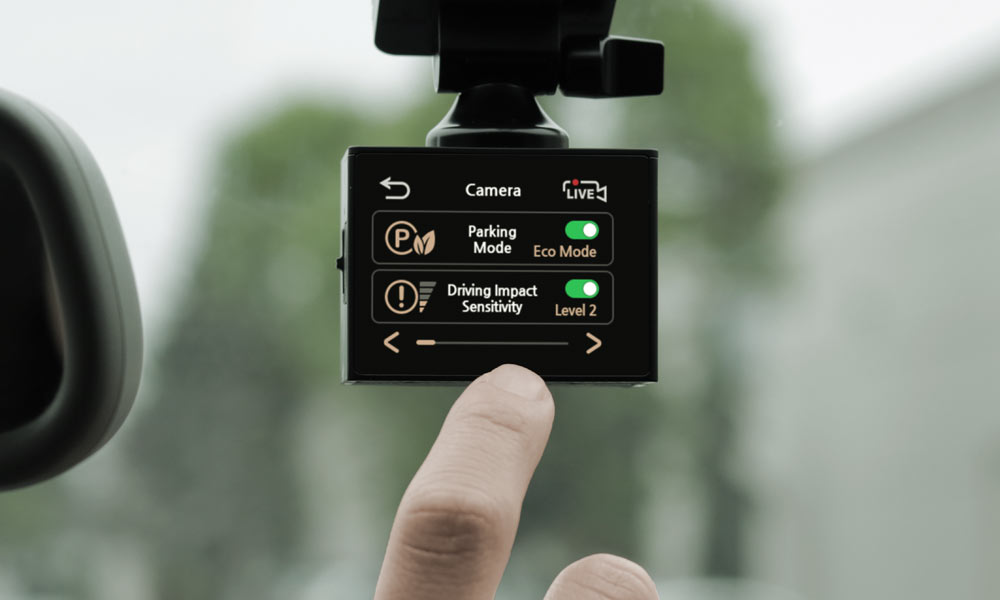
Many dash cams have settings to reduce power use in parking mode. Lowering video quality or shortening recording time saves battery. Some dash cams switch to motion detection, recording only when movement is sensed. Turning off Wi-Fi or GPS during parking mode also reduces power use. Adjusting these settings helps your dash cam last longer on battery power.
Real-life Experiences And Tests
Many drivers worry if dash cams drain the car battery when parked. Real-life experiences and tests show how much power these devices use. Understanding actual user reports and test results helps to know what to expect. This section shares useful insights from real situations and controlled tests.
User Reports On Battery Life
Some users say their dash cams run all night without problems. Others report their car battery dies after a few hours. Battery life depends on the dash cam model and its parking mode settings. Low power consumption models can stay on for days. Older or high-power models may drain the battery faster. User reviews often mention how long their battery lasts with parking mode on. Many suggest turning off the dash cam or using a battery saver to avoid issues.
Independent Battery Drain Tests
Tests by independent reviewers measure how much battery power dash cams use. These tests connect the dash cam to a car battery and watch the drain over time. Results show most dash cams use very little power in parking mode. Some models use less than 50 milliamps, which is quite low. Tests also show that constant recording or motion detection can increase battery use. Experts recommend using a hardwire kit with a low-voltage cutoff. This helps protect the car battery from deep discharge during parking mode.
Alternatives To Protect Your Battery
Dash cams in parking mode can drain your car battery over time. Finding ways to protect your battery helps you avoid unexpected car troubles. Several alternatives exist to keep your battery safe while your dash cam records. These options help maintain power without sacrificing security.
External Battery Packs
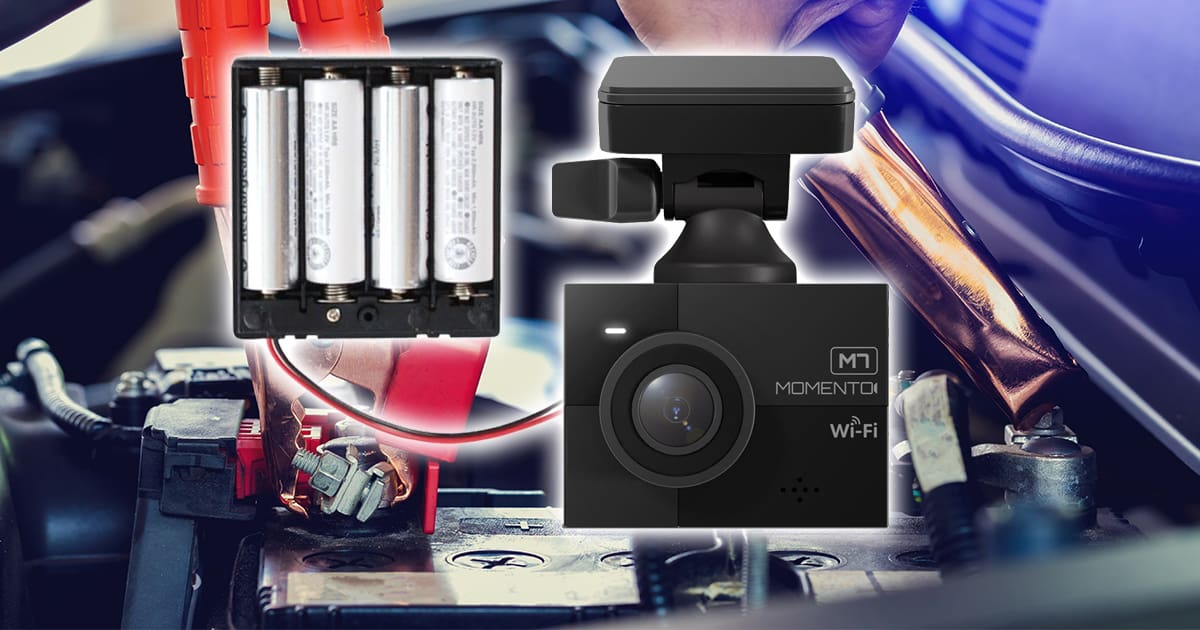
External battery packs are a popular choice for dash cam users. They connect directly to your dash cam, providing power without using your car battery. These packs charge separately and supply steady energy. This way, your dash cam stays on while your car battery stays safe.
Many external packs come with features that stop power flow when the battery is low. This prevents complete battery drain. You can find packs that fit different dash cam models and power needs. Using an external battery pack reduces battery wear and ensures continuous recording.
Professional Installation Tips
Proper installation is key to protecting your car battery. Professionals can set up your dash cam to draw minimal power in parking mode. They may install a voltage cutoff device. This device stops power to the dash cam when battery voltage drops too low.
Experts also ensure wiring is neat and secure. This reduces risks of short circuits or power loss. A professional setup can include connecting the dash cam to a fused circuit. This adds safety and prevents battery damage.
Consulting a professional ensures your dash cam works efficiently. It also extends your car battery’s life while recording in parking mode.

Frequently Asked Questions
Do Dash Cams Drain Car Battery In Parking Mode?
Yes, dash cams can drain the battery in parking mode. They continuously draw power to monitor your vehicle. Using low-voltage cutoff or a hardwire kit with battery protection helps prevent battery drain and ensures your car starts reliably.
How Long Can Dash Cams Run On Car Battery?
Dash cams can run on a car battery for several hours in parking mode. However, the exact time depends on battery capacity and dash cam power consumption. Using a battery saver or low-voltage cutoff extends battery life and prevents complete discharge.
Can I Use Dash Cam Without Draining Battery?
Yes, using dash cams with built-in battery protection or low-voltage cutoff reduces battery drain. Some models feature motion detection or timed recording to limit power use. Proper installation and settings help avoid battery issues while keeping your vehicle monitored.
What Features Prevent Battery Drain In Dash Cams?
Features like low-voltage cutoff, motion detection, and timed recording help prevent battery drain. Low-voltage cutoff stops power draw when battery is low. Motion detection activates recording only when movement is detected, saving battery life during parking mode.
Conclusion
Dash cams in parking mode can use some battery power. The amount depends on the camera and car battery size. Some dash cams have low power modes to save energy. It helps prevent the battery from draining too fast. Still, long parking times might cause battery issues.
Using a separate battery pack is one solution. Checking your car battery health is smart too. Choose a dash cam that suits your parking needs. This way, you protect your car and keep recording. Simple steps make parking mode safe and effective.




