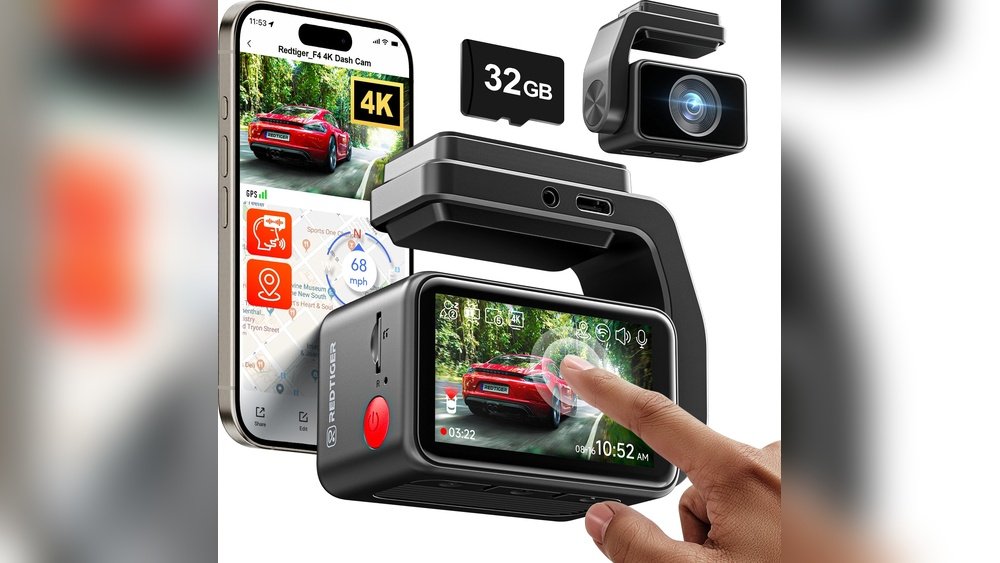
Have you ever wished your dash cam could listen and respond while you keep your eyes on the road? Imagine starting your recording, taking snapshots, or even saving important clips just by speaking a simple command.
Voice control in dash cams isn’t just a cool feature—it can make your driving safer and more convenient. But do dash cams really have voice control? Let’s dive in and find out how this technology could change the way you capture your drives.
Dash Cam Voice Features
Dash cams with voice features offer hands-free control for safer driving. These features let drivers operate the camera using simple voice commands. This means no need to press buttons or take eyes off the road. Voice control adds convenience and helps capture important moments quickly. Many modern dash cams include these smart functions.
Common Voice Commands
Common voice commands let you start or stop recording easily. Commands like “Start recording” or “Take photo” are standard. You can also say “Save video” to protect important footage. Some dash cams respond to “Turn off microphone” or “Switch mode.” These commands keep the camera ready without distractions. Simple words work best for quick responses.
Activation Methods
Activation methods vary between dash cams. Most use a wake word such as “Hey Dash” or “OK Camera.” This wakes the device to listen for commands. Others activate by pressing a button before speaking. Some models detect a loud noise or sudden movement. These methods help avoid accidental triggers. Clear activation improves user experience and safety.
Popular Dash Cam Models
Dash cams are popular for capturing driving moments and ensuring safety. Many models offer different features. Some include voice control, making operation easier and safer. Others focus on video quality and simple controls without voice commands.
Knowing which dash cam suits your needs helps in choosing the right one. Here are some popular models and their voice control options.
Models With Voice Control
Several dash cams have built-in voice control. These allow hands-free commands like starting and stopping recording. Examples include the Garmin Dash Cam 66W and the Nextbase 622GW. These models respond to simple voice commands. This feature adds convenience and promotes safer driving.
Models Without Voice Features
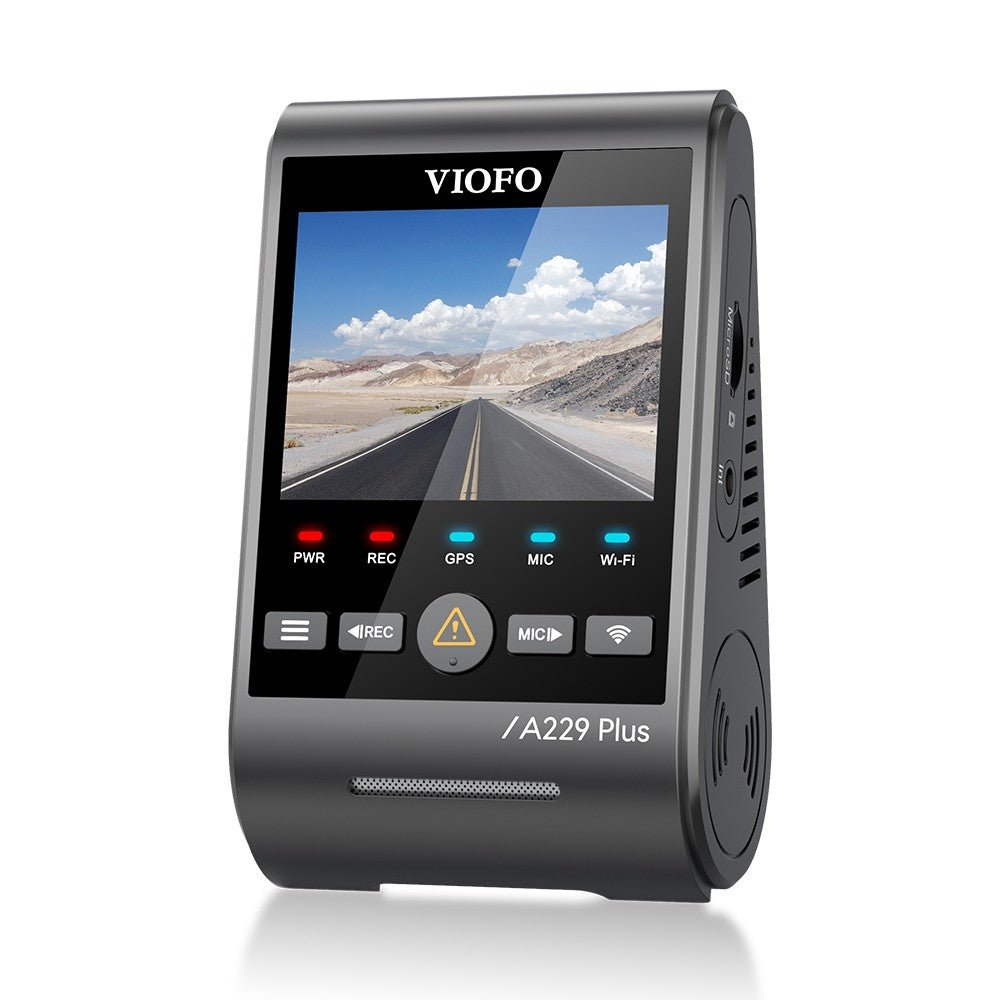
Many dash cams focus on video quality and basic functions. Models like the Viofo A119 V3 and the Rexing V1 do not include voice control. These dash cams rely on buttons and touchscreens. They offer reliable recording and easy setup without voice commands.
Benefits Of Voice Control
Voice control in dash cams offers clear advantages. It allows drivers to operate the device without using their hands. This feature makes using dash cams easier and safer. The following sections explain these benefits in detail.
Hands-free Operation
Voice control lets drivers start or stop recordings with simple commands. No need to press buttons or touch the screen. This keeps the driver’s hands free for steering and other tasks. It also helps adjust settings without distraction. Voice commands are quick and easy to use. This improves the overall driving experience.
Safety Advantages
Keeping hands on the wheel reduces the risk of accidents. Voice control helps drivers stay focused on the road. It prevents distractions caused by manual dash cam use. This can be especially useful in busy traffic or bad weather. Voice commands support safer driving habits. They help maintain attention and improve road safety.

Limitations And Challenges
Voice control in dash cams offers convenience but also faces several challenges. These limitations can affect the overall user experience and the reliability of the device. Understanding these challenges helps in setting realistic expectations.
Accuracy Issues
Voice recognition technology in dash cams may not always understand commands correctly. Background noise or unclear speech can cause mistakes. Some commands may be misheard or ignored. This can lead to frustration while driving. The system may struggle with different accents or speech speeds. Small errors can make the feature less useful.
Environmental Factors
Outside noise like wind, traffic, and rain can interfere with voice control. Loud environments make it hard for the dash cam to hear commands. Car vibrations or music may also disrupt the system. Temperature extremes might affect the microphone quality. These factors reduce the device’s ability to respond accurately. Voice control works best in quiet, stable conditions.
Setting Up Voice Control
Setting up voice control on your dash cam makes driving safer and easier. Voice commands let you start recording or take snapshots without touching the device. The setup is simple and fast. This guide shows how to activate and customize voice control features.
Activation Steps
First, check if your dash cam supports voice control. Most newer models do. Turn on the dash cam and access the settings menu. Find the voice control or voice recognition option. Switch it on. Some devices need you to download an app for setup. Follow the on-screen instructions to complete activation. Test the voice command by saying the wake word. The dash cam should respond or beep. If it does not, try restarting the device.
Customization Options
Many dash cams allow you to customize voice commands. You can change the wake word or command phrases. Adjust the microphone sensitivity to avoid false triggers. Some models let you set commands for specific actions like saving a video or taking a photo. You may also turn off voice feedback sounds. Custom settings help make voice control more accurate and personal. Explore your dash cam’s app or settings menu for all options.
Alternatives To Voice Control
Voice control is not the only way to operate dash cams. Many models include other simple and reliable control options. These alternatives work well for users who prefer manual or app-based commands. They ensure easy access to important features without voice commands.
Physical Buttons
Physical buttons offer direct control over dash cam functions. You can start and stop recording with a simple press. Buttons also let you take snapshots or change settings quickly. This method is easy to use, even while driving. It does not rely on voice recognition or internet connection.
Mobile App Integration
Many dash cams connect to smartphones via mobile apps. These apps allow remote control of the camera. You can view live footage, adjust settings, and download videos. Apps also make it easy to update the dash cam’s software. This option adds convenience without needing voice commands.

Frequently Asked Questions
Do Dash Cams Support Voice Control Features?
Many modern dash cams include voice control for hands-free operation. This feature allows drivers to start recording, take photos, or save clips using simple voice commands, enhancing safety and convenience during driving.
Which Dash Cam Brands Offer Voice Control?
Popular brands like Garmin, Nextbase, and Vantrue offer dash cams with voice control. These models provide easy, hands-free interaction, making it simpler to manage recordings without distraction.
How Reliable Is Voice Control On Dash Cams?
Voice control on dash cams is generally reliable but may struggle in noisy environments. Clear, simple commands work best, and most devices require a quiet cabin for optimal performance.
Can Voice Control Improve Driving Safety With Dash Cams?
Yes, voice control reduces the need to touch the device while driving. This hands-free operation minimizes distractions, helping drivers keep their focus on the road and enhancing overall safety.
Conclusion
Dash cams with voice control make driving safer and easier. You can start recording or take pictures without touching buttons. This feature helps keep your focus on the road. Not all dash cams have voice control, so check before buying.
Voice control adds convenience, but basic dash cams still work well. Choose a model that fits your needs and budget. Voice commands can improve your driving experience. Simple and practical technology at your fingertips.




