Have you ever wondered if your dash cam really needs an SD card to work? You might think it’s just an extra accessory, but the truth is, the SD card plays a key role in capturing and storing your important driving footage.
Without it, your dash cam could miss out on saving those crucial moments that protect you on the road. Keep reading to find out why an SD card is essential and how it impacts your dash cam’s performance. This knowledge could make all the difference the next time you’re behind the wheel.
Purpose Of A Dash Cam
A dash cam records video footage while driving. Its main purpose is to capture events on the road. This helps protect drivers in case of accidents or disputes.
Dash cams also help monitor driving habits. They can provide evidence in insurance claims or legal matters. Some drivers use dash cams to record scenic trips or unusual events.
Recording Evidence During Accidents
Dash cams capture real-time video during crashes. This footage shows what really happened. It helps prove who caused the accident and supports insurance claims.
Monitoring Driving Behavior
Dash cams record how a driver behaves on the road. This can improve safety by spotting risky actions. Parents and fleet managers use them to track drivers.
Capturing Unexpected Events
Dash cams can record surprising moments on the road. This includes road rage, wild animals, or strange weather. These videos can be shared or saved for memories.
Providing Security When Parked
Some dash cams record even when the car is off. They catch thieves, vandals, or hit-and-run drivers. This adds extra protection for parked vehicles.
Role Of An Sd Card
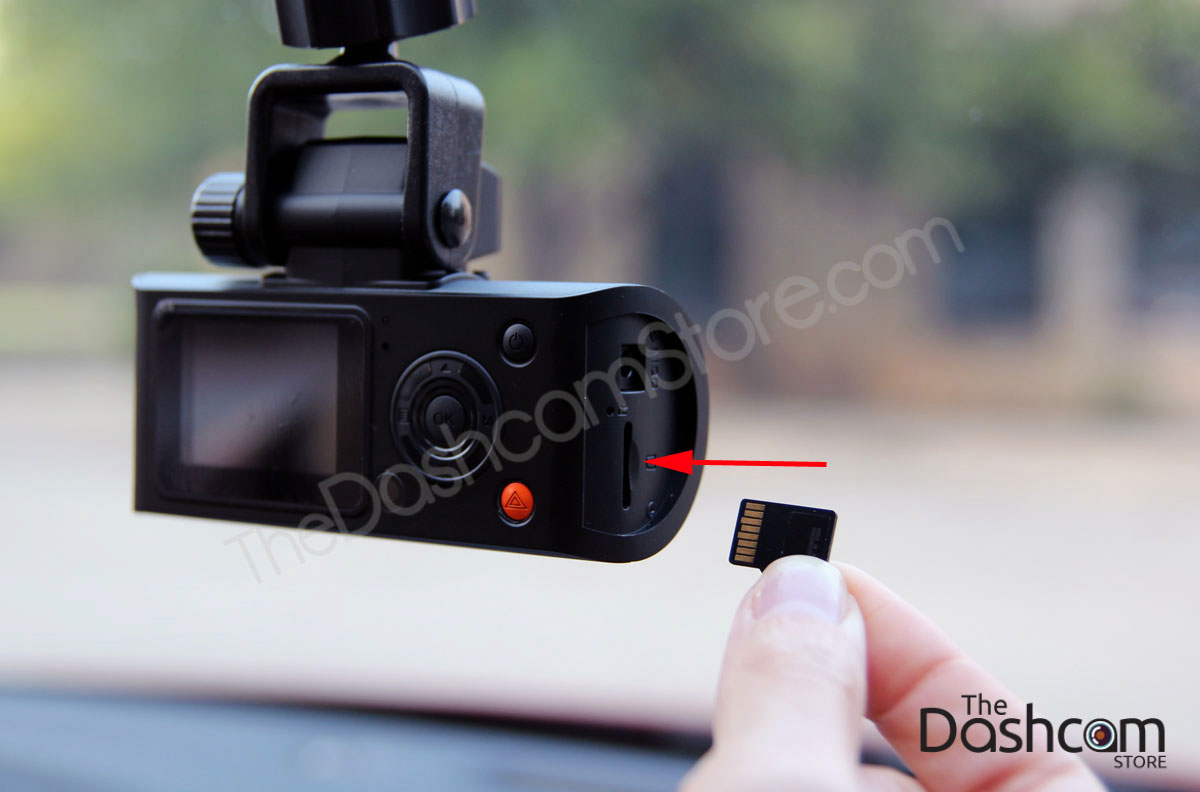
An SD card plays a key role in a dash cam’s function. It stores all recorded videos and important footage. Without an SD card, a dash cam cannot save any recordings. The camera might turn on but has no place to keep data.
Understanding the role of the SD card helps to use a dash cam properly. It acts as the device’s memory. The size and quality of the card affect video storage and performance. Choosing the right SD card ensures smooth recording and easy access to videos.
Storage Of Video Footage
The SD card stores all videos captured by the dash cam. It saves files in small sections to avoid data loss. When the card is full, the dash cam overwrites old videos. This loop recording keeps space free for new footage. Without an SD card, the camera cannot keep any video files.
Speed And Performance
SD card speed impacts how well the dash cam records. A slow card can cause lag or drop frames. A fast card writes data quickly and smoothly. Choosing a card with a good write speed is important. It helps the dash cam capture clear and continuous video.
Data Security And Recovery
Important events are saved on the SD card securely. Many dash cams lock videos during accidents to prevent overwriting. This protects evidence for insurance or legal use. The SD card allows easy transfer of files to other devices. It makes video review and sharing simple.
Types Of Storage Options
Dash cams need a place to save video files. Different dash cams use different types of storage. Choosing the right storage affects how much video you can keep and how easy it is to access. Here are the common types of storage options for dash cams.
Built-in Memory
Some dash cams have built-in memory. This means the device saves videos inside itself. Built-in memory usually has limited space. It may fill up quickly if you record a lot. You cannot remove or upgrade this memory. Built-in memory is simple but less flexible.
Cloud Storage
Cloud storage saves videos online. Videos upload using Wi-Fi or mobile data. You can watch videos from any device. Cloud storage keeps videos safe if the camera is damaged. It may require a subscription fee. Cloud storage needs a good internet connection.
Sd Card Storage
Many dash cams use SD cards to save videos. SD cards are small and removable. You can use different sizes to store more or less video. SD cards are easy to swap out and upgrade. They work without internet and offer good flexibility for storage.
Choosing The Right Sd Card
Choosing the right SD card is important for your dash cam’s performance. The card stores all video files and data. Picking the wrong type can cause recording issues or lost footage. Focus on three key features: capacity, speed, and durability. These factors help your dash cam work smoothly and keep your videos safe.
Capacity Considerations
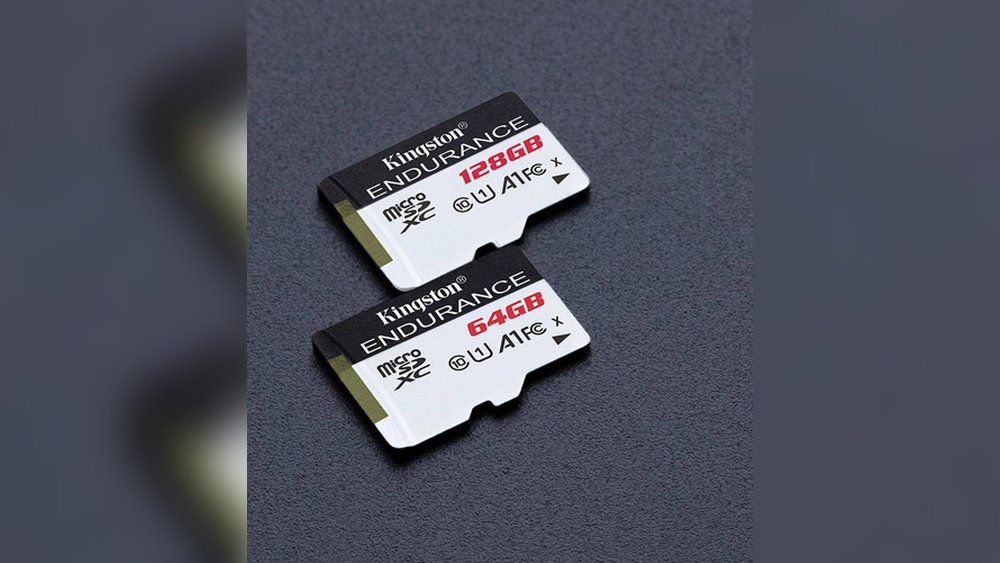
Capacity shows how much video your SD card can hold. Dash cams record constantly, so larger cards last longer. Common sizes include 32GB, 64GB, and 128GB. Choose a size based on how much footage you want to save. Bigger cards reduce the need to delete old videos often.
Speed Class Importance
Speed class tells how fast the card can write data. Dash cams need quick writing to avoid skipped frames. Look for cards marked Class 10 or UHS-I for smooth recording. Slow cards may cause video lag or corruption. Always pick a card with a high write speed.
Durability And Reliability
Your SD card faces heat, cold, and vibrations inside the car. Choose cards built to withstand tough conditions. Look for shockproof, waterproof, and temperature-resistant features. Reliable cards protect your footage even in harsh weather or accidents. This ensures you never lose important video evidence.
How Sd Cards Affect Performance
SD cards play a key role in how a dash cam works. They store all the video files and help the device run smoothly. The type and quality of the SD card affect the dash cam’s performance in several ways. Choosing the right card can improve video clarity and the ease of managing files. It also impacts how the dash cam handles storage space and old videos.
Recording Quality
The speed of an SD card influences video recording quality. Faster cards can save high-definition videos without lag. Slow cards may cause choppy or blurry recordings. A good SD card supports smooth and clear footage. This ensures that important moments are captured well.
File Management
SD cards help organize video files efficiently. They allow the dash cam to save clips in order. Proper file management prevents data loss. It also makes it easier to find specific videos later. A reliable card supports quick access and easy playback.
Data Overwriting
Dash cams often use loop recording, which overwrites old files. The SD card’s capacity affects how much footage is saved before overwriting. Larger cards store more videos before deleting old ones. Quality cards handle overwriting smoothly without file corruption. This keeps your recordings safe and intact.
Common Issues Without An Sd Card
Dash cams need an SD card to work properly. Without one, many problems can happen. These problems affect how the dash cam records and saves videos. Understanding these issues helps you use your dash cam better.
No Video Recording
Without an SD card, the dash cam cannot save any videos. It may show live footage, but it cannot record it. This means you lose all important video evidence in case of an accident or incident. Recording is the main job of a dash cam. No SD card means no recording.
Limited Features
Many dash cam features depend on the SD card. Without it, features like loop recording stop working. Some cameras also disable motion detection or parking mode. The SD card stores all the data these features need. Without storage, the dash cam’s abilities shrink.
Data Loss Risks
Using an SD card reduces the risk of losing videos. Without it, any saved data can be lost if the camera resets or turns off. The SD card keeps videos safe and easy to access. No SD card means a higher chance of losing important footage.
Tips For Maintaining Your Sd Card
Maintaining your SD card is key to keeping your dash cam working well. A well-kept SD card stores videos safely and lasts longer. Simple care steps prevent data loss and card damage. Follow these tips to protect your recordings and the card itself.
Regular Formatting
Format your SD card often to clear old files and errors. Use the dash cam’s built-in format option for best results. This keeps the card clean and ready for new recordings. Avoid formatting on a computer, as it may cause compatibility issues.
Avoiding Corruption
Turn off your dash cam before removing the SD card. Do not fill the card completely; leave some space free. Use high-quality SD cards designed for dash cams. Avoid sudden power loss to the dash cam during recording.
Safe Removal Practices
Always stop recording before taking out the SD card. Remove the card gently without forcing it. Store the card in a safe place when not in use. Avoid touching the metal contacts to prevent damage.
When An Sd Card Is Not Needed
Many dash cams need an SD card to store videos. Yet, some models work without one. Knowing these options helps choose the right dash cam. Below are cases when an SD card is not needed.
Dash Cams With Internal Storage
Some dash cams come with built-in storage. These devices save footage inside the camera itself. No need to buy an SD card. The storage size varies by model. Usually, it holds enough video for daily use. Internal storage also protects footage from card failure. It offers simple setup and less hassle. Great for drivers who want easy use.
Models Supporting Cloud Backup
Cloud backup means videos upload online automatically. These dash cams connect to Wi-Fi or mobile data. Videos save on secure servers, not on an SD card. This method frees up camera storage space. It also allows easy access from anywhere. Cloud backup keeps files safe even if the camera is damaged. Perfect for those who want remote video access.
Frequently Asked Questions
Does A Dash Cam Require An Sd Card To Function?
Yes, most dash cams need an SD card to store recorded videos. Without an SD card, the dash cam cannot save footage for later review.
What Type Of Sd Card Is Best For Dash Cams?
High-speed, high-capacity microSD cards with Class 10 or UHS-I ratings work best. They ensure smooth video recording and reliable storage.
Can Dash Cams Work Without An Sd Card Inserted?
Generally, dash cams won’t record videos without an SD card. Some models may power on but won’t save any footage.
How Much Sd Card Storage Does A Dash Cam Typically Need?
A 32GB to 64GB SD card is usually sufficient. It provides hours of continuous video recording before overwriting old files.
Conclusion
A dash cam needs an SD card to save videos and photos. Without an SD card, the dash cam cannot store any footage. Choosing the right SD card helps keep your recordings safe and clear. Always check the dash cam’s requirements before buying an SD card.
This small step ensures your device works well and protects your drive. Simple, but important.




