Are you wondering if Apple CarPlay uses your mobile data? You’re not alone.
Many drivers want to know how this handy feature affects their data plan. Understanding how CarPlay works with your phone’s connection can help you avoid unexpected charges and keep your drive smooth. You’ll discover the truth about Apple CarPlay and mobile data—so you can use it smartly without any surprises.
Keep reading to find out exactly what happens behind the scenes when you connect your iPhone to your car.
How Apple Carplay Connects
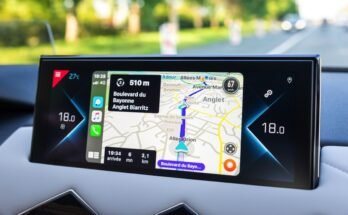
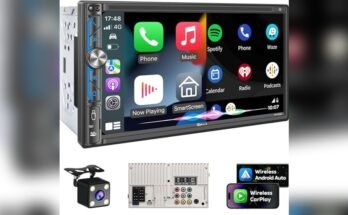
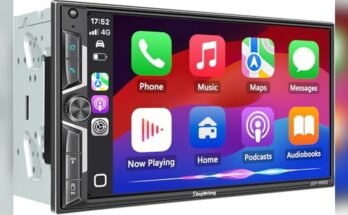
Apple CarPlay links your iPhone to your car’s infotainment system. It allows you to use apps, make calls, and get directions on your car screen. The connection can be wired or wireless, depending on your car model and iPhone.
Understanding how CarPlay connects helps you manage data use and enjoy a smooth experience. Let’s explore the connection types and the role of your iPhone.
Wired Vs Wireless Connection
Wired CarPlay uses a USB cable to link your iPhone to the car. This connection is stable and does not drain your phone’s battery quickly. It works in most cars with a USB port.
Wireless CarPlay connects via Bluetooth and Wi-Fi. It offers more freedom without cables but may use more battery. Some older cars do not support wireless CarPlay.
Each connection type has pros and cons. Wired is reliable but less flexible. Wireless is convenient but may face interference.
Role Of Iphone In Carplay
Your iPhone is the main device running CarPlay. It sends apps and data to the car screen. The iPhone processes everything, not the car’s system.
CarPlay uses your iPhone’s internet connection for maps and streaming. It does not have its own data plan. Your phone’s data is key to CarPlay’s functionality.
Keeping your iPhone charged and connected ensures smooth CarPlay use. The phone’s settings also control how CarPlay works.

Data Usage Basics
Apple CarPlay connects your iPhone to your car’s display. It helps you use apps safely while driving. Understanding how it uses mobile data is important. Knowing when data is needed can help you manage your phone plan. Some features work offline, saving your data.
This section explains the basics of data use in CarPlay. It shows which tasks require data and which do not. This helps you avoid unexpected data charges.
When Mobile Data Is Needed
CarPlay uses mobile data when apps need internet access. Streaming music or podcasts requires data. Navigation apps like Apple Maps use data to get live traffic updates. Voice commands that need online servers also use data. Checking messages or emails through CarPlay may use data too. Data use depends on the app you open on CarPlay.
Offline Features In Carplay
Some CarPlay functions work without mobile data. You can use offline maps that are already downloaded. Playing music stored on your iPhone does not use data. Making phone calls through your cellular connection does not use extra data. Siri can perform some tasks offline, like setting reminders. These features help reduce your mobile data use while driving.
Apps That Use Mobile Data
Apple CarPlay connects your iPhone to your car’s display. Many apps on CarPlay need mobile data to work. Knowing which apps use data helps you manage your phone’s data plan.
Navigation And Maps
Apps like Apple Maps and Google Maps use mobile data. They download real-time traffic updates, directions, and route changes. Without data, maps may not update or show traffic info. Some apps let you download maps to use offline. But live navigation needs a data connection.
Streaming Music And Podcasts
Music and podcast apps like Apple Music, Spotify, and Podcasts use data. They stream songs and episodes directly from the internet. Streaming uses a lot of mobile data, especially in high quality. Downloading songs or podcasts before driving saves data. Playing offline files does not use mobile data.
Messaging And Calls
Apps like Messages, WhatsApp, and FaceTime use data for sending texts and calls. Text messages with images or videos use more data. Voice and video calls use a steady data connection. Regular texting uses little data but calls can use more. Using Wi-Fi reduces your mobile data use.

Managing Data Consumption
Managing data consumption is important when using Apple CarPlay. It helps avoid unexpected charges and keeps your mobile data lasting longer. CarPlay uses data for apps like maps, music, and messages. Controlling this use can save your data plan.
Settings To Limit Data Use
Adjust your iPhone settings to reduce data use with CarPlay. Turn off background app refresh to stop apps from using data in the background. Disable automatic downloads and updates while on mobile data. Limit app permissions for CarPlay to only essential apps. These steps help lower data consumption without losing key features.
Using Wi-fi To Save Mobile Data
Connect your iPhone to Wi-Fi before using Apple CarPlay. Wi-Fi helps run apps without using mobile data. Download music and maps over Wi-Fi to use them offline. Use Wi-Fi for updates and app refreshes. This method saves your mobile data and improves app performance.
Common Misconceptions
Many people confuse Apple CarPlay with other car systems. This confusion leads to wrong ideas about data use. Clearing these up helps users avoid surprises in their mobile data bills. Let’s explore some common misconceptions about Apple CarPlay and mobile data.
Carplay Vs Car Infotainment Data
Apple CarPlay itself does not use mobile data. It acts as a bridge to your iPhone. The apps you use through CarPlay may use data, but CarPlay does not add extra usage. Your car’s built-in infotainment system may use its own data if it has a SIM card. This is separate from CarPlay. Knowing this stops the mix-up between CarPlay and the car’s own system.
Data Usage Myths
Some believe CarPlay constantly uses mobile data. It only uses data when an app on your phone needs it. Navigation apps like Apple Maps or Spotify will use data to update routes or stream music. If your phone is offline, CarPlay cannot use data. It does not drain your data by itself. Understanding this helps manage your mobile data better.
Tips For Data-efficient Use
Using Apple CarPlay can consume mobile data, especially for maps and streaming apps. Managing your data helps avoid extra charges and slow speeds. These tips help you use CarPlay without wasting data.
Download Content Before Driving
Save music, podcasts, and audiobooks to your phone before your trip. This way, you can play them without using mobile data. Many apps let you download files for offline use. It keeps your data safe and your entertainment uninterrupted.
Use Offline Maps
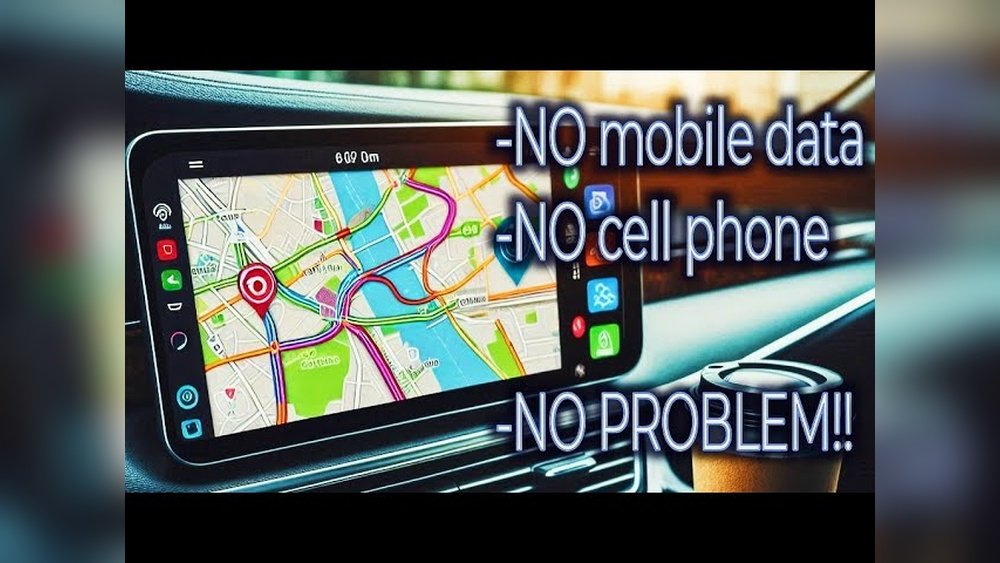
Download maps for your route before starting your drive. Offline maps work without an internet connection. They help you avoid using data for navigation. Apps like Apple Maps and Google Maps offer offline options. This is useful in areas with weak signals.
Monitor Data Usage Regularly
Check your mobile data use often to stay in control. Your phone shows which apps use the most data. Stop or limit data-heavy apps while using CarPlay. Monitoring helps prevent unexpected data overages. Adjust settings to save data and avoid extra costs.
Frequently Asked Questions
Does Apple Carplay Consume Mobile Data?
Yes, Apple CarPlay uses mobile data when accessing online apps like Maps, Music, or Podcasts. It relies on your iPhone’s cellular connection for real-time updates and streaming services.
Can Apple Carplay Work Offline Without Mobile Data?
Apple CarPlay can work offline for basic functions like calling or playing downloaded music. However, navigation and streaming services require mobile data to function properly.
How Does Apple Carplay Use Mobile Data For Navigation?
Apple CarPlay uses mobile data to download live traffic, map updates, and route information. Without data, navigation features may not provide accurate real-time directions.
Will Apple Carplay Drain My Phone’s Data Plan?
Yes, using CarPlay with streaming apps or live navigation can use significant mobile data. Monitoring your data usage helps prevent unexpected charges on your phone plan.
Conclusion
Apple CarPlay does use mobile data for some features. Streaming music, maps, and apps need an internet connection. Offline features work without data but are limited. Data use depends on the apps you open. Watching your data helps avoid extra charges.
Knowing this helps you plan your driving better. CarPlay makes driving easier but uses your phone’s data. Stay aware and enjoy a smooth, connected drive.