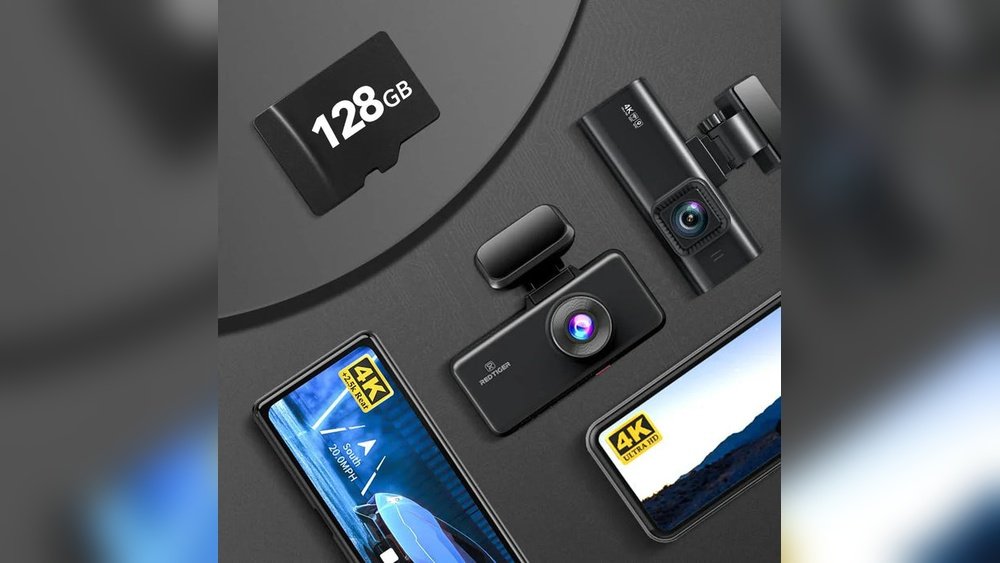
Are you wondering how much storage you need for your 4K dash cam? Choosing the right storage size can be tricky, but it’s crucial to make sure you don’t miss any important footage.
Too little space means your videos might get overwritten too quickly. Too much, and you could be wasting money on storage you don’t need. You’ll discover exactly how to find the perfect balance for your dash cam’s storage. By the end, you’ll know how to keep your recordings safe without any hassle.
Keep reading to make the best choice for your 4K dash cam!
Factors Affecting Storage Needs
Choosing the right storage size for your 4K dash cam depends on several important factors. These factors influence how much space your videos will need. Understanding them helps you pick the right memory card or storage device. Let’s break down the main elements that affect storage needs.
Resolution And Bitrate
Higher resolution means more detail in videos. 4K resolution creates large files because it captures more pixels. Bitrate controls video quality and file size. A higher bitrate makes videos clearer but uses more storage. Lower bitrate reduces quality and saves space. Both resolution and bitrate directly impact storage size.
Recording Duration
The longer your dash cam records, the more storage it requires. Continuous recording fills up space quickly. Some dash cams record in short segments or loops to save space. Consider how many hours of footage you want to keep before overwriting. More recording time means bigger storage needs.
Frame Rate Impact
Frame rate measures how many frames the camera captures per second. A higher frame rate produces smoother video. Common frame rates are 30fps and 60fps. Higher frame rates increase file size. Lower frame rates save storage but may reduce video smoothness. Frame rate choice affects storage demand.
Video Compression Formats
Compression reduces video file size without much quality loss. Different formats compress data differently. H.264 is common and offers good quality with reasonable size. H.265 compresses better, saving more space but needs newer devices. The format used influences how much storage your videos consume.

Estimating Storage For 4k Footage
Estimating storage for 4K dash cam footage is important for smooth recording. 4K video files are large and need more space than lower resolutions. Knowing how much storage you need helps avoid running out of memory. This section breaks down the storage calculations for 4K dash cam videos.
Calculating File Size Per Minute
4K videos use more data than HD or Full HD. The file size depends on the bitrate of your dash cam. Most 4K dash cams record between 30 and 60 Mbps. To calculate, use this formula:
File size per minute (MB) = (bitrate in Mbps × 60) ÷ 8
For example, a 40 Mbps bitrate means:
(40 × 60) ÷ 8 = 300 MB per minute of video.
Daily Storage Requirements
Think about how many minutes you drive daily. Multiply your driving time by the file size per minute. For example, 60 minutes of driving at 300 MB per minute equals 18 GB daily storage.
This helps you plan how much space your dash cam will need each day.
Weekly And Monthly Estimates
Multiply your daily storage needs by seven for a weekly estimate. For example, 18 GB daily means 126 GB for a week. For monthly use, multiply the daily amount by 30. That equals 540 GB for 30 days.
These numbers show why large storage cards or cloud options matter for 4K footage.
Storage Options For Dash Cams
Choosing the right storage for your 4K dash cam matters a lot. It affects how long videos save and how easy they are to access. Several storage options fit different needs and budgets. Understanding each helps you pick the best one for your dash cam.
Microsd Cards
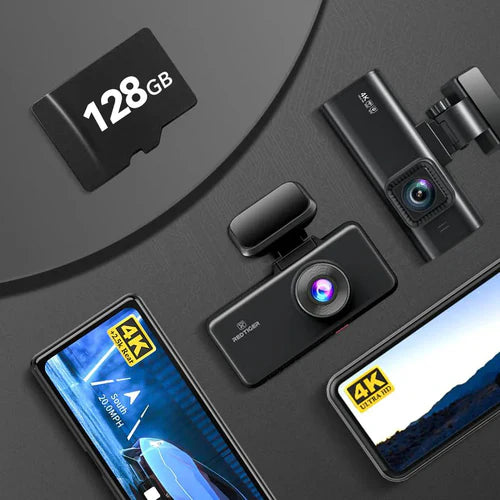
MicroSD cards are the most common storage for dash cams. They are small, easy to use, and affordable. Cards come in different sizes, like 32GB, 64GB, or 128GB. Bigger cards store more footage before overwriting old files. Look for cards with fast write speeds for smooth recording. Class 10 or UHS-I cards work well with 4K videos. Replace cards every year to avoid data loss from wear.
Internal Storage
Some dash cams have built-in internal storage. This option is convenient because it does not need extra parts. Internal storage size varies, usually between 16GB and 64GB. It stores footage safely but fills up faster than microSD cards. Once full, the dash cam overwrites the oldest videos. Internal storage is good for short trips or daily use. It limits recording time compared to external cards.
Cloud Storage Solutions
Cloud storage saves dash cam videos online. It protects videos from damage or theft of the car. Many dash cams offer cloud plans with monthly fees. Videos upload automatically using Wi-Fi or mobile data. Cloud storage lets you watch footage on your phone or computer. It provides extra security but depends on internet access. Choose cloud plans carefully based on your budget and needs.
Managing Storage Efficiently
Managing storage for a 4K dash cam is key to keeping your footage safe. High-resolution videos take up much space quickly. Good storage management keeps your camera running without interruptions. It helps avoid losing important videos due to full memory.
Using smart techniques can save space and extend recording time. These methods keep your dash cam organized and efficient. Understanding these tips makes your storage last longer and work better.
Loop Recording Benefits
Loop recording lets your dash cam record continuously. When the memory card is full, it deletes the oldest files first. This way, you never run out of space. It keeps recent videos without manual cleaning. Loop recording suits daily drivers and busy roads.
Auto Deletion Settings
Auto deletion removes old or unwanted videos automatically. You can set rules for how long to keep footage. This prevents your card from filling up fast. Some dash cams delete non-event videos first. This saves space for important accident clips.
Using Multiple Memory Cards
Using more than one memory card increases your total storage. Swap cards to store more videos without erasing. It also acts as a backup for your footage. You can keep one card in the dash cam. The other cards stay safe for later use.
Choosing The Right Storage Capacity
Choosing the right storage capacity for a 4K dash cam is key for smooth recording. The storage size affects how long videos save before they overwrite. A balance between cost and space keeps your setup efficient. Consider how often you record and plan for future needs. This helps avoid running out of memory or paying too much.
Balancing Cost And Space
Storage cards with large capacity cost more. Smaller cards are cheaper but fill up fast. Decide how much video you want to keep before deleting. A 64GB card suits casual drivers well. Frequent drivers may need 128GB or more. Choose storage that fits your budget and storage needs.
Considering Recording Frequency
How often your dash cam records affects storage use. Continuous recording uses space quickly. Cameras that save only when triggered use less storage. Think about your driving habits. Long trips need more space than short drives. Adjust storage size based on recording habits.
Future-proofing Your Setup
Buying extra storage helps avoid frequent upgrades. Future dash cams might use more space due to better quality. Larger storage cards keep your videos longer. It also helps if you start recording more often. Investing in bigger storage now saves hassle later.

Tips To Extend Storage Life
Extending the life of your 4K dash cam storage is important. It saves money and keeps your videos safe. Small habits can protect your memory card. Follow these tips to make your storage last longer.
Proper Card Handling
Handle your memory card with care. Avoid touching the metal contacts. Keep the card in a safe place when not in use. Insert and remove the card gently from the dash cam. Rough handling can damage the card and cause data loss.
Regular Formatting
Format the memory card in the dash cam regularly. This clears old files and errors that slow the card down. Do not format the card on a computer. Formatting in the dash cam keeps the file system compatible and healthy.
Avoiding Overheating
Dash cams can get hot during use. Overheating harms the memory card and reduces its lifespan. Park your car in the shade when possible. Avoid leaving the dash cam running nonstop for long hours. Cool conditions help your storage last longer.
Frequently Asked Questions
How Much Storage Does A 4k Dash Cam Need?
A 4K dash cam typically requires 64GB to 256GB of storage. Higher resolution videos consume more space. For daily use, 128GB is often sufficient for several hours of footage.
Can I Use A Microsd Card For 4k Dash Cams?
Yes, microSD cards are standard for 4K dash cams. Use high-speed cards rated UHS-I U3 or higher. Cards with 128GB or more storage are recommended for optimal performance.
How Long Can 4k Footage Be Stored On 128gb?
A 128GB card stores roughly 4 to 6 hours of 4K footage. Exact time varies by video compression and frame rate. Loop recording overwrites old files automatically.
Does Higher Storage Improve 4k Dash Cam Performance?
Higher storage allows longer recording time but doesn’t boost camera quality. Fast write speeds on the card ensure smooth video capture. Choose storage based on recording needs.
Conclusion
Choosing the right storage for your 4K dash cam is important. It keeps your videos safe and easy to access. Bigger storage means more footage saved without deleting. But, too much storage can be costly and unnecessary. Think about how long you want to keep videos.
Daily drivers may need more space than occasional users. A balance between size and price works best. Remember, good storage helps you capture every important moment on the road. Plan your storage size well to avoid surprises later. Your dash cam will serve you better with the right memory.




