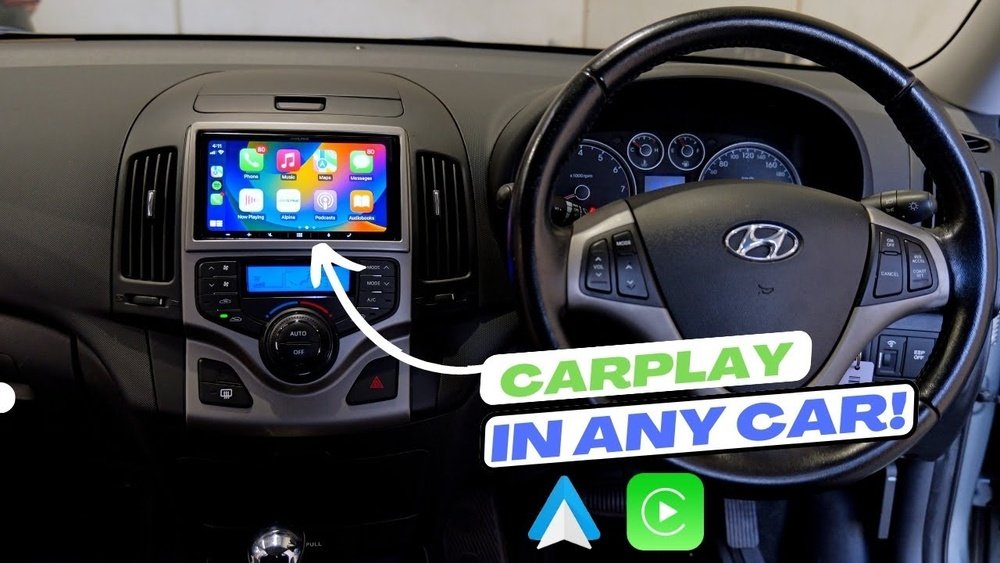
Do you wish your old car had the smart features of a new one? Imagine using your phone hands-free, getting directions, and playing your favorite music—all through your car’s dashboard.
Adding CarPlay to your older vehicle can make this a reality. It’s easier than you think, and you don’t need to buy a new car to enjoy modern tech. Keep reading to discover simple steps that will transform your driving experience and keep you connected on the road.
Benefits Of Adding Carplay
Adding CarPlay to an old car brings many benefits. It updates the car’s technology. It makes driving safer and easier. This simple upgrade connects your phone to the car’s screen. You get access to apps, maps, music, and calls without touching your phone.
CarPlay helps you stay focused on the road. It uses voice commands and a clear display. The system is easy to use, even for beginners. It improves the driving experience without a big cost.
Enhanced Safety
CarPlay reduces distractions while driving. You can use voice commands to send messages or make calls. Your eyes stay on the road and hands on the wheel. This lowers the chance of accidents caused by phone use.
Easy Access To Navigation
CarPlay offers real-time GPS and traffic updates. It shows clear maps on your car’s screen. You get turn-by-turn directions without holding your phone. This helps you reach your destination faster and with less stress.
Entertainment On The Go
CarPlay lets you play music, podcasts, and audiobooks easily. It connects to apps like Apple Music and Spotify. You can control playback with simple voice commands. Long drives become more enjoyable and less boring.
Hands-free Communication
With CarPlay, making calls or sending texts is simple. Voice control reads messages aloud and types replies for you. This keeps your focus on driving safely. Staying connected is easier without distractions.
Simple And Intuitive Interface
The CarPlay interface is clean and easy to navigate. Icons are large and clear on the car display. You don’t need to learn complex menus or controls. This makes the upgrade friendly for all drivers.
Check Compatibility
Checking compatibility is the first step to add CarPlay to an old car. Not every vehicle supports CarPlay technology. You must confirm your car can work with it. This saves time and ensures a smooth upgrade.
Identify Your Car Model
Know your car’s make, model, and year. This information helps find compatible CarPlay systems. Some older models may need special adapters. Write down this information before shopping for a CarPlay unit.
Review Existing Audio System
Look at your car’s current audio setup. Check if it has a touchscreen or just buttons. See if it supports Bluetooth or USB connections. This affects the type of CarPlay system you can install.
Older radios might need complete replacement. Others allow simple add-ons or adapters. Understanding your audio system helps pick the right CarPlay solution.
Choose The Right Carplay System
Choosing the right CarPlay system is the first step to upgrade your old car. It affects how well you use Apple CarPlay while driving. Pick a system that matches your car’s style and your needs. This helps you stay safe and enjoy your drive with ease.
Wired Vs Wireless Options
Wired CarPlay connects your iPhone using a USB cable. This provides a stable and fast connection. It usually charges your phone while connected. Wired systems are often less costly and easy to set up.
Wireless CarPlay uses Wi-Fi and Bluetooth to connect. It lets you use CarPlay without cables. This option gives more freedom and less clutter. Wireless systems may need more power and can be a bit slower to connect.
Think about how you want to use CarPlay. Choose wired if you want reliability and charging. Choose wireless for convenience and cable-free use.
Popular Aftermarket Units
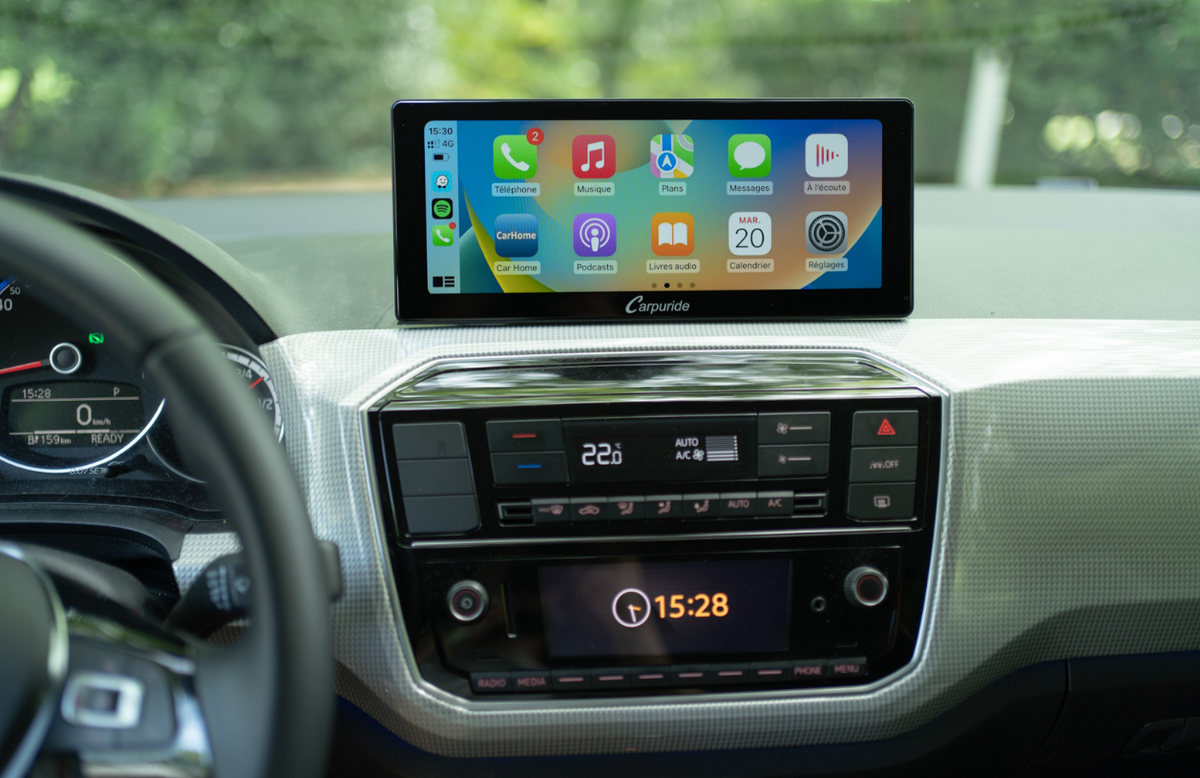
Many brands offer good CarPlay systems for old cars. Pioneer, Kenwood, and Alpine are popular choices. These brands provide clear screens and easy controls. They fit many car models and are widely available.
Look for units with touchscreens and voice control. These features improve safety and ease of use. Check if the system supports your iPhone model. Also, consider the installation process and cost.
Read reviews and compare features. Pick a unit that fits your budget and needs. This ensures a good CarPlay experience in your old car.
Gather Required Tools And Materials
Gathering the right tools and materials is the first step to add CarPlay to an old car. Having everything ready makes the process smooth and faster. Missing parts or tools can cause delays and frustration.
Prepare all items before you start. This helps avoid interruptions and ensures a clean installation. The tools and materials listed here fit most car models and CarPlay systems.
Carplay-compatible Head Unit
Choose a head unit that supports Apple CarPlay. This device replaces your old stereo. It connects your iPhone to the car’s display and controls.
Wiring Harness Adapter
The wiring harness adapter connects the new head unit to the car’s wiring. It prevents cutting factory wires. This adapter fits your car model and the new stereo.
Dash Kit
A dash kit helps the new head unit fit properly in the dashboard. It fills gaps and secures the device. Buy one designed for your car model and stereo size.
Basic Tools
Gather screwdrivers, wire strippers, and pliers. These tools help remove the old stereo and install the new one. A panel removal tool can prevent damage to the dashboard.
Electrical Tape And Connectors
Use electrical tape to secure wire connections. Connectors make wiring easier and safer. They prevent shorts and loose connections during driving.
Optional: Bluetooth Microphone
Some CarPlay systems include a Bluetooth microphone. This improves voice commands and hands-free calls. Check if your head unit requires one or has it built-in.
Step-by-step Installation Guide
Adding CarPlay to an old car can make driving safer and more fun. This guide shows each step clearly. Follow along to install your new CarPlay system easily. You do not need to be an expert. Just take your time and work carefully.
Remove Old Stereo
First, disconnect the car battery to avoid electric shocks. Use tools to remove the dashboard panel. Unscrew the old stereo unit carefully. Pull the stereo out slowly to avoid damage. Disconnect the wiring harness and antenna cable from the back. Set the old stereo aside safely.
Connect Wiring Harness
Match the new wiring harness with your car’s cables. Use wire connectors or crimp tools for strong connections. Connect power, ground, speaker wires, and antenna adapter. Double-check each connection to avoid errors. Wrap wires with electrical tape for safety. This step ensures your new unit gets power and signals properly.
Install New Carplay Unit
Slide the new CarPlay unit into the dashboard slot. Secure it with screws included in the kit. Attach the dashboard panel back carefully. Make sure no wires are pinched or loose. Connect any USB or auxiliary cables needed. The unit should fit snugly and look clean.
Test The System
Reconnect the car battery. Turn on the ignition and power up the new unit. Check if the screen lights up and CarPlay starts. Test audio through speakers and microphone. Try connecting your iPhone to confirm CarPlay works. Adjust settings for sound and display as needed. This step confirms everything works perfectly.

Troubleshooting Common Issues
Adding CarPlay to an old car can improve your driving experience. Sometimes, you may face issues after installation. Troubleshooting common problems helps you enjoy CarPlay smoothly. Below are solutions for frequent issues users report.
Connectivity Problems
CarPlay may fail to connect to your iPhone. Check your USB cable for damage or try a different one. Use an Apple-certified cable for best results. Restart your phone and the car’s system to refresh connections. Make sure Bluetooth and Wi-Fi are turned on. Disable any VPN or firewall apps on your phone. Reset network settings on your iPhone if problems persist. Check for software updates on both devices.
Audio Quality Fixes
Audio issues reduce the CarPlay experience. Start by adjusting the car’s volume and balance controls. Ensure your phone’s volume is set correctly. Clean the USB port and connectors to remove dust. Interference from other devices can cause static; move them away. Try disconnecting and reconnecting CarPlay to reset the audio. Update the car stereo’s firmware for improved sound support. Use high-quality audio files for better playback.
Alternative Solutions For Carplay
Adding CarPlay to an old car may seem tough. Some cars do not support CarPlay natively. Still, there are ways to enjoy similar features without a full system upgrade. Alternative solutions can make your drive smarter and safer. These options offer hands-free calling, music, and navigation.
Smartphone Mounts
Smartphone mounts hold your phone within easy reach. They keep your device visible and stable while driving. Use your phone’s built-in apps for maps, calls, and music. Voice commands help minimize distraction. Mounts come in many styles, like dashboard or vent clips. They are affordable and easy to install. This is the simplest way to mimic CarPlay functions.
Bluetooth Adapters
Bluetooth adapters connect your phone to your car’s stereo wirelessly. They let you stream music and make hands-free calls. Some adapters include a microphone for better voice clarity. Setup usually involves plugging the adapter into the car’s AUX or USB port. Bluetooth adapters improve audio quality and reduce cable clutter. They work well with your existing car system without big changes.
Frequently Asked Questions
What Is Carplay And Why Add It To An Old Car?
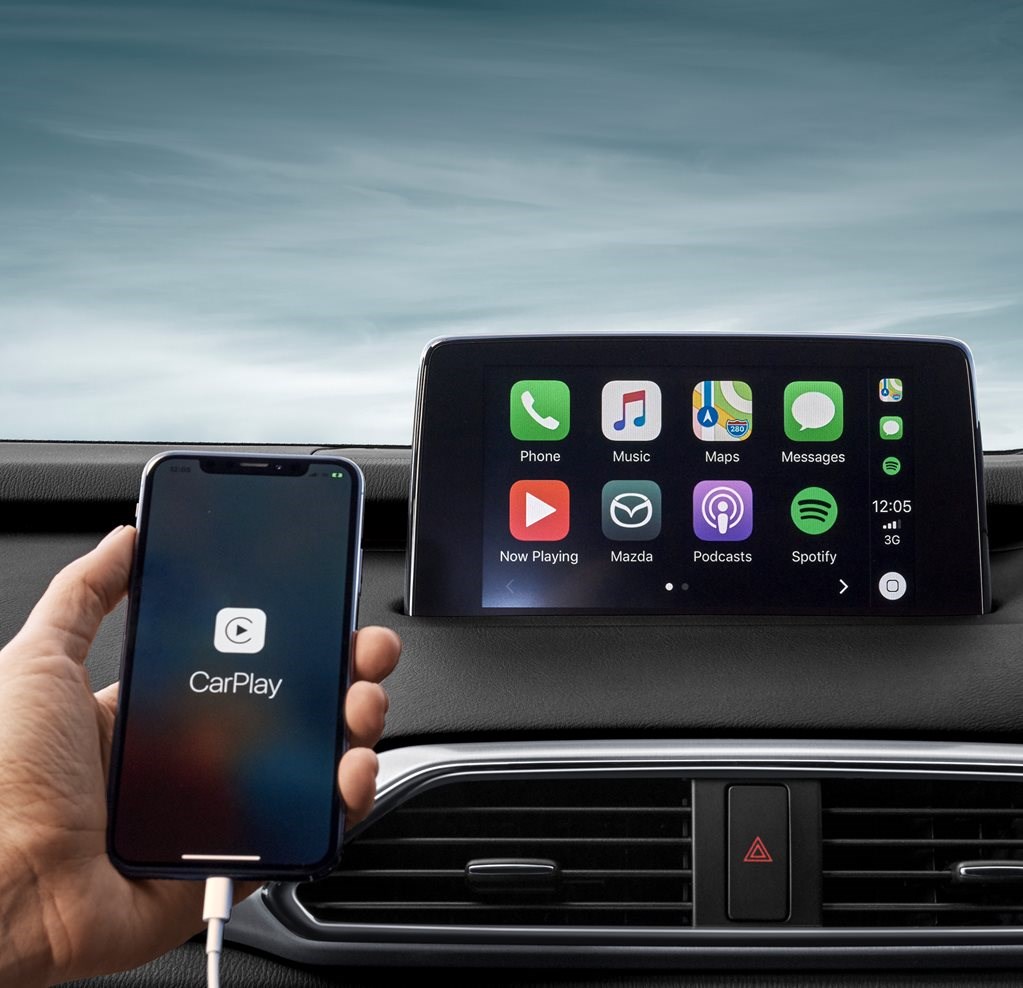
CarPlay is Apple’s interface for iPhones in cars. It offers safer navigation, music, and calls. Adding it modernizes your old car’s dashboard and enhances driving convenience.
Can I Install Carplay Myself In An Old Car?
Yes, you can install CarPlay yourself if you have basic tools and skills. Many aftermarket CarPlay head units come with detailed instructions for DIY installation.
What Are The Best Carplay Head Units For Older Cars?
Popular CarPlay head units include brands like Pioneer, Kenwood, and Alpine. Choose one compatible with your car’s dashboard size and wiring for a smooth upgrade.
Does Adding Carplay Require Professional Installation?
Professional installation is recommended for complex wiring or custom dashboards. Experts ensure proper fit and function, minimizing installation issues and protecting your vehicle’s electronics.
Conclusion
Adding CarPlay to an old car makes driving safer and more fun. It helps you use maps, music, and calls hands-free. You can choose from different devices to fit your budget. Installation is easier than many think. A small upgrade brings modern tech to your ride.
Enjoy smart features without buying a new car. Start your project today and drive with confidence.




