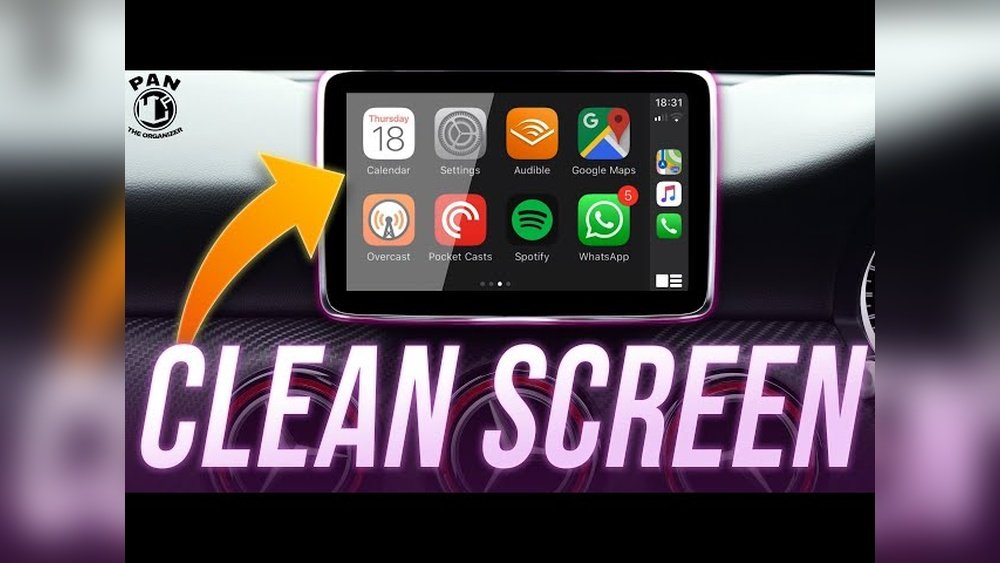
Is your Apple CarPlay screen looking smudged or dirty? A clean screen not only makes your display clearer but also keeps your driving experience safer and more enjoyable.
You might think cleaning it is tricky or that you could damage it if you’re not careful. But don’t worry—this guide will show you simple, effective steps to clean your Apple CarPlay screen without any hassle. Keep reading to discover the easy way to get your screen spotless and crystal clear in no time!
Preparing To Clean
Preparing to clean your Apple CarPlay screen is essential for a safe and effective process. Taking time to gather the right tools and follow simple steps helps protect the screen from damage. A clean screen improves visibility and keeps your device working well.
Gathering Cleaning Materials
Start by collecting soft, lint-free cloths. Microfiber cloths work best for screens. Avoid rough or abrasive materials. Prepare a small amount of distilled water or a screen-safe cleaner. Never use paper towels or tissues. These can scratch the screen easily.
Powering Off The Screen
Turn off your Apple CarPlay screen before cleaning. This step prevents accidental inputs during cleaning. It also reduces the risk of electric shock. Make sure the car’s ignition is off or the system is in standby mode. This keeps the screen safe while you clean.
Avoiding Harmful Cleaners
Do not use alcohol, ammonia, or harsh chemicals. These substances can damage the screen’s coating. Stick to water or cleaners made for electronic screens. Check labels to ensure they are safe for LCD or OLED displays. Using the wrong cleaner can cause permanent harm.

Cleaning Techniques
Keeping your Apple CarPlay screen clean improves visibility and touch response. Using the right cleaning techniques protects the screen from damage. Gentle methods remove dirt without scratching or harming the display.
Follow these easy steps to clean your screen safely and effectively.
Using A Microfiber Cloth
Choose a soft microfiber cloth for cleaning. It lifts dust and fingerprints without scratching. Avoid paper towels or rough fabrics that can damage the screen. Keep the cloth dry or slightly damp for best results.
Applying Gentle Cleaning Solutions
Use mild cleaning solutions made for electronics. Mix water with a small amount of dish soap or use screen cleaner sprays. Never spray liquid directly on the screen. Apply the solution to the cloth first, then wipe the screen gently.
Wiping With Circular Motions
Clean the screen using small, circular motions. This technique removes smudges evenly and avoids streaks. Apply light pressure to prevent damage. Repeat until the screen looks clear and shiny.
Removing Stubborn Smudges
Stubborn smudges on your Apple CarPlay screen can make it hard to see. These marks often come from fingerprints, dust, or oily residues. Cleaning them properly restores clear visibility and keeps the screen looking new.
Some smudges need more than a quick wipe. Using the right tools and methods helps remove these tough spots without damaging the screen.
Damp Cloth Method
Start with a soft, lint-free cloth. Lightly dampen it with water—never soak it. Gently wipe the screen in small circles. Avoid pressing too hard. This method lifts dirt and smudges safely. Repeat if needed, always keeping the cloth damp, not wet. Dry the screen with a dry part of the cloth afterward.
Using Isopropyl Alcohol Safely
Isopropyl alcohol can remove stubborn smudges well. Use a solution with 70% or less alcohol. Dampen a microfiber cloth slightly with the solution. Never pour alcohol directly on the screen. Wipe gently to avoid damage. Test on a small area first to check for any effects. This method kills germs and cleans tough spots without harming your device.

Preventing Future Smudges
Keeping your Apple CarPlay screen clean means fewer smudges later. Dirt and fingerprints build up over time. Preventing smudges helps the screen stay clear and easy to read. Simple habits can make a big difference. Protect your screen and enjoy a better driving experience.
Regular Cleaning Schedule
Clean the screen often. Make it a habit to wipe the screen once a week. Use a soft, lint-free cloth. Avoid harsh chemicals that can damage the screen. Light cleaning prevents heavy dirt buildup. Small efforts keep the screen clear and smooth.
Screen Protectors Benefits
Use a screen protector to guard the surface. It stops scratches and reduces fingerprints. A protector is easy to clean and replace. It keeps the screen looking new longer. Investing in one saves time and effort in cleaning.
Troubleshooting Display Issues
Troubleshooting display issues on your Apple CarPlay screen helps keep it clear and responsive. Dirt, smudges, or damage can affect visibility and touch. Simple steps can fix many common problems. Clean carefully and check the screen’s condition before using more advanced methods.
Follow these tips to handle common display troubles. Proper care extends the screen’s life and improves your driving experience.
Dealing With Screen Streaks
Screen streaks appear after cleaning with the wrong cloth or liquid. Use a soft microfiber cloth to wipe the screen gently. Avoid paper towels or rough fabrics that scratch the surface. Spray a small amount of water or screen cleaner on the cloth, not directly on the screen.
Wipe in one direction to reduce streaks. If streaks remain, repeat with a dry part of the cloth. Avoid excess moisture that can damage the screen or cause streaks. Regular gentle cleaning prevents buildup and keeps the display clear.
When To Seek Professional Help
Persistent display problems need expert care. Cracks, dead pixels, or unresponsive touch require professional attention. Do not try to fix hardware issues yourself. Incorrect handling can cause more damage or void warranties.
Contact a certified technician if cleaning does not improve the screen. They can diagnose and fix underlying problems safely. Early professional help saves money and ensures your CarPlay works properly.

Frequently Asked Questions
How Do I Safely Clean My Apple Carplay Screen?
Use a soft microfiber cloth to wipe the screen gently. Avoid harsh chemicals or abrasive materials. Lightly dampen the cloth with water or screen cleaner designed for electronics. Always power off the system before cleaning to prevent damage.
What Cleaning Products Are Best For Apple Carplay Screens?
Use alcohol-free, ammonia-free screen cleaners or a mix of water and vinegar. Avoid window cleaners and household chemicals. These can damage the screen’s coating. Always check product labels for safe use on electronic displays.
How Often Should I Clean The Apple Carplay Screen?
Clean your CarPlay screen once a week or as needed. Frequent cleaning prevents buildup of dust, fingerprints, and smudges. Regular maintenance keeps the screen clear and responsive for better usability.
Can I Use Paper Towels To Clean The Screen?
No, avoid paper towels or tissues. They can scratch the screen surface. Use a soft microfiber cloth instead. Microfiber is gentle and effective at removing dirt without causing damage.
Conclusion
Cleaning your Apple CarPlay screen keeps it clear and easy to use. Use a soft cloth and gentle cleaner for best results. Avoid harsh chemicals that can damage the screen. Regular cleaning stops smudges and dust from building up. A clean screen helps you drive safely and enjoy your device.
Keep these simple tips in mind for long-lasting screen care. Your CarPlay will look fresh and work smoothly every day. Easy steps make a big difference in screen quality. Give your screen the attention it deserves.