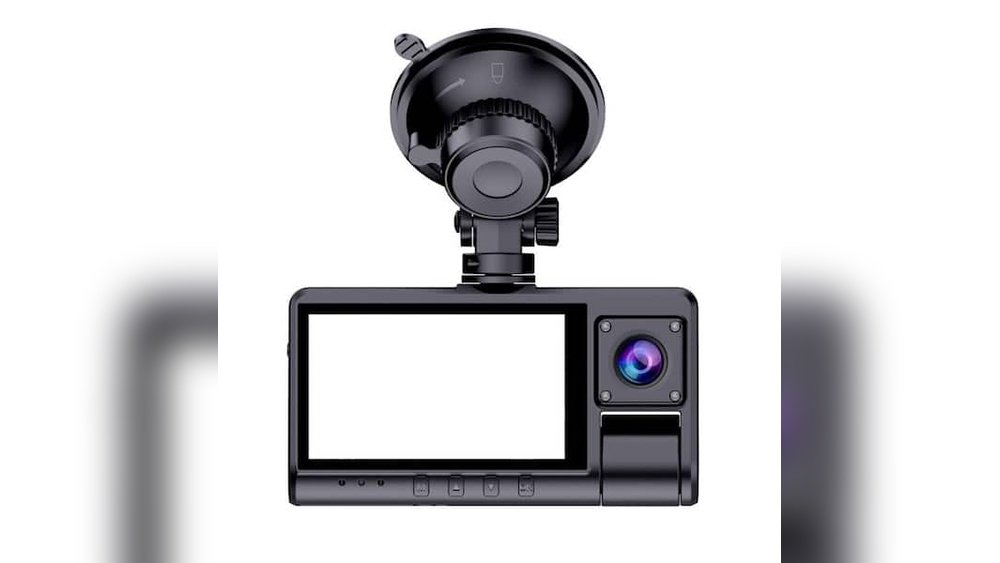
Are your dash cam videos blurry or dark when you drive at night? You’re not alone.
Many people struggle to get clear, sharp footage after the sun goes down. But what if you could improve your dash cam’s night footage with a few simple tweaks? Imagine having crystal-clear videos that capture every detail, even in low light.
You’ll discover easy and effective ways to enhance your night recordings. Keep reading to make sure your dash cam works perfectly, no matter the time of day.
Choosing The Right Dash Cam
Choosing the right dash cam is key to getting clear night footage. Not all dash cams work well in the dark. Some models capture better details and colors at night. Picking a dash cam with strong night performance helps record important moments. It can make a big difference in safety and evidence.
Importance Of Low-light Performance
Low-light performance tells how well a dash cam records in the dark. Cameras with good sensors capture more light. This results in clearer images at night. Look for dash cams with infrared or night vision features. These help improve visibility on dark roads. A strong low-light camera shows details like license plates and road signs.
Resolution And Frame Rate Considerations
Resolution affects how sharp the video looks. Higher resolution means more detail, but also larger files. Choose at least 1080p for clear night videos. Frame rate controls how smooth the video plays. A frame rate of 30 fps is usually enough for dash cams. It captures motion without blurring. Balanced resolution and frame rate improve night footage quality.
Lens Quality And Sensor Size
Lens quality impacts how much light enters the camera. Wide-aperture lenses let in more light, improving night shots. Sensor size also matters. Larger sensors catch more light and reduce noise. This leads to brighter and clearer images. Select dash cams with good lenses and bigger sensors for better night video.
Optimal Installation Techniques
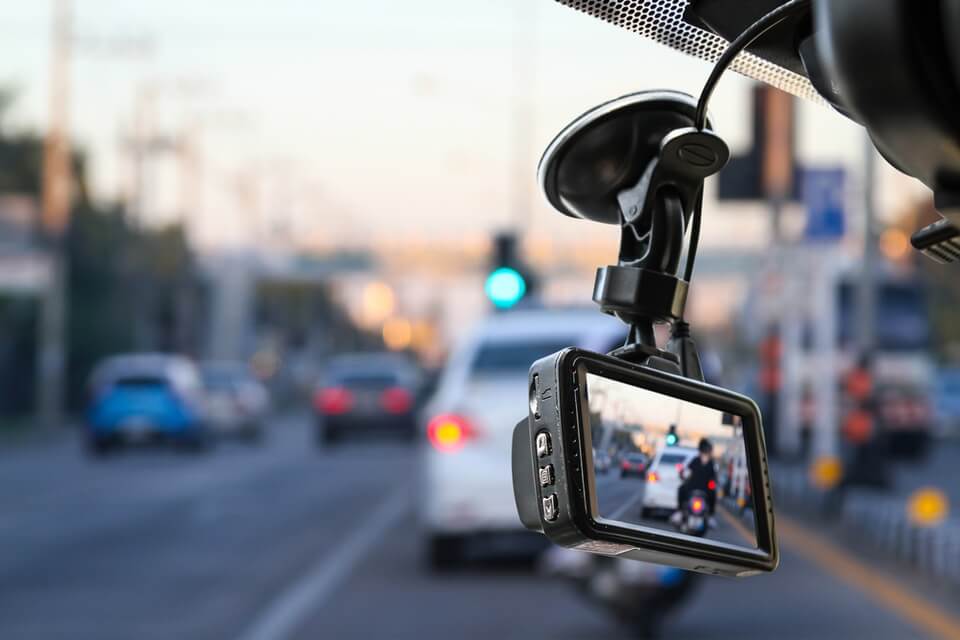
Improving night footage from your dash cam starts with the right installation. Proper setup helps capture clear videos in low light. Focus on where and how you mount the camera. Also, manage reflections and power carefully. These steps make your night recordings sharper and more reliable.
Ideal Mounting Position
Place the dash cam high on the windshield. Near the rearview mirror is best. This spot gives a wide view of the road. Avoid areas that block the driver’s vision. Keep the camera steady to reduce shaking. A stable position helps capture clear images at night.
Avoiding Glare And Reflections
Glare can blur or wash out your footage. Position the camera away from dashboard lights. Use a polarizing filter if possible. Clean the windshield inside and out. Dirt or smudges increase reflections and glare. Angle the camera slightly to avoid bright lights from cars or street lamps.
Securing Stable Power Supply
Power interruptions cause video loss or corruption. Use a reliable cable and power source. Connect directly to the car’s fuse box for constant power. Avoid loose plugs or cheap adapters. A stable power supply ensures continuous recording during night drives.
Adjusting Camera Settings
Adjusting your dash cam’s settings is key to better night footage. Small changes can make a big difference. You can reduce glare, improve clarity, and capture more details. Each setting controls how your camera reacts to low light. Spend a few minutes tuning them for clearer, brighter videos at night.
Exposure And Iso Settings
Lower the exposure to avoid too much light. High exposure makes images look bright but blurry. ISO controls how sensitive the camera is to light. Use a moderate ISO to reduce grain and noise. Too high ISO can cause a lot of grain in videos. Balance these settings for sharp and clear night clips.
White Balance Adjustment
White balance helps your camera show true colors. Auto white balance may add a yellow or blue tint. Set white balance manually for better color accuracy. Use presets like “tungsten” or “incandescent” for streetlights. This adjustment makes your footage look more natural and easy to view.
Using Night Mode Features
Night mode enhances low-light recording automatically. It adjusts brightness and contrast for darker scenes. Some dash cams have special night filters too. Turn on night mode to improve visibility without extra settings. This feature helps capture clearer footage during night drives.

Enhancing Footage With Accessories
Enhancing dash cam night footage improves safety and clarity. Accessories help capture sharper, clearer videos in low light. Small tools can reduce glare and brighten scenes. Proper use of accessories brings better details in the dark.
Using Polarizing Filters
Polarizing filters reduce reflections from wet roads and glass. They cut glare from headlights and street lamps. Filters help the camera focus on real objects. This makes the footage clearer and easier to see. Polarizing filters fit easily on many dash cams.
Adding External Lighting
External lights add brightness to dark areas. Small LED lights are perfect for dash cams. They do not distract other drivers. Extra light helps the camera capture road signs and obstacles. Use lights with adjustable brightness for best results.
Cleaning And Maintaining The Lens
A clean lens is key to good video quality. Dirt, dust, and smudges blur night footage. Clean the lens regularly with a soft cloth. Avoid harsh chemicals that can damage the lens. Proper maintenance keeps your dash cam ready for any drive.
Post-processing Tips
Post-processing can greatly improve dash cam night footage. It helps fix issues like low light, noise, and poor contrast. Editing the video after recording makes details clearer and the overall image sharper.
Here are some tips to enhance your night videos using simple post-processing steps. These techniques work well even for beginners.
Video Editing Software Options
Choose easy software to edit dash cam videos. Free tools like Shotcut, DaVinci Resolve, or iMovie offer good features. These programs support brightness, contrast, and noise adjustments. Pick one that fits your computer and skill level. Start with basic editing and explore advanced features later.
Noise Reduction Techniques
Night videos often have grain or noise. Use noise reduction filters to clean the footage. Most video editors include this tool under effects or filters. Apply it lightly to avoid losing details. Balancing noise reduction improves video clarity without blurring important parts.
Brightness And Contrast Enhancement
Adjust brightness to make dark areas visible. Increase contrast to define shapes and edges better. Small changes can make night scenes easier to see. Use sliders in your editing software for these settings. Check the video after each change to keep it natural.
Common Mistakes To Avoid
Improving dash cam night footage requires avoiding common mistakes. Many users face issues because of small errors. These mistakes reduce video quality and make footage unclear. Knowing what to avoid helps you capture clear, sharp night videos.
Overexposure Issues
Overexposure happens when bright lights wash out the video. Streetlights, headlights, or reflections cause this problem. This makes details hard to see in the footage. Adjusting the camera’s exposure settings can fix this. Lowering brightness or using night mode helps balance light.
Ignoring Firmware Updates
Firmware updates improve camera performance and fix bugs. Old software can cause glitches and poor video quality. Check for updates regularly on the manufacturer’s website. Installing updates keeps your dash cam working well at night.
Neglecting Regular Maintenance
Dirt and smudges on the lens blur night footage. Cleaning the lens often keeps images clear. Also, check the camera’s position and secure it properly. Loose mounts cause shaky or angled videos. Regular care extends your dash cam’s life and quality.
Frequently Asked Questions
How Can I Enhance Dash Cam Night Video Quality?
Use a dash cam with a large aperture and high ISO. Clean the lens regularly and park in well-lit areas. Adjust exposure settings to reduce glare and improve clarity during night drives.
What Settings Improve Dash Cam Footage At Night?
Increase the ISO for better light sensitivity and lower shutter speed to capture more light. Enable HDR or WDR features if available. These settings help balance brightness and reduce noise in night videos.
Does Using Infrared Help Dash Cam Night Recording?
Yes, infrared enhances visibility in complete darkness. Some dash cams come with IR LEDs to improve night footage by illuminating nearby objects without glare or distraction.
How Does Lens Quality Affect Night Dash Cam Footage?
A high-quality lens with a wide aperture allows more light to enter. This results in clearer, brighter night videos with less grain and better detail in low-light conditions.
Conclusion
Improving dash cam night footage takes simple steps. Use good lighting and clean your lens often. Adjust your camera settings for better clarity. Position the dash cam to reduce glare. Try different angles to find the best view. Regular checks keep your footage clear and useful.
Clear night videos help with safety and proof. Small changes make a big difference in quality. Keep these tips in mind for better recordings. Safe driving and clear footage go hand in hand.




