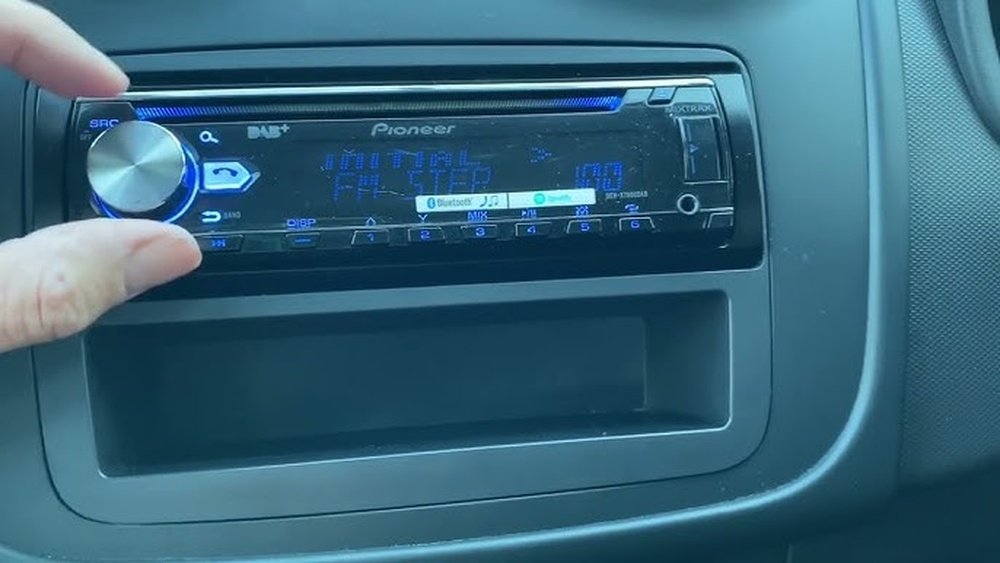
Have you ever been frustrated when your car stereo suddenly stops working or acts glitchy? You’re not alone.
A quick reset can often fix these issues and get your music playing smoothly again. But how exactly do you reset a car stereo without causing more problems? You’ll discover simple, step-by-step methods to reset your car stereo easily and safely.
Keep reading, and you’ll be back to enjoying your favorite tunes in no time.
Reasons To Reset Your Car Stereo
Resetting a car stereo can solve many common problems quickly. It clears errors and restores settings to default. This simple step often fixes issues without needing repairs or new parts.
Understanding why and when to reset helps you save time and money. Knowing the signs that point to a reset can keep your stereo working well.
Common Stereo Issues
Car stereos sometimes stop working correctly. The screen might freeze or show no display. Sound may cut out or become distorted. Buttons may stop responding or work wrongly. Bluetooth or radio may fail to connect or play music. These problems often result from software glitches or small errors.
When Resetting Helps
Resetting your car stereo can clear bugs and software faults. It restores the system to factory settings, removing faulty data. This often fixes frozen screens and unresponsive buttons. It can also solve connection issues with Bluetooth and radio. Resetting helps when the stereo acts strangely without physical damage. It is a quick and easy first step before seeking help.

Types Of Car Stereo Resets
Car stereos sometimes stop working correctly. A reset can fix many problems quickly. There are different types of resets depending on the issue. Each reset type clears errors in a specific way. Knowing these types helps you choose the right fix.
Soft Reset
A soft reset restarts the stereo without deleting settings. It clears small bugs and glitches fast. Usually, it involves holding down a button or unplugging the stereo briefly. This reset does not erase saved stations or preferences. It is the safest and simplest reset type.
Hard Reset
A hard reset clears more data than a soft reset. It can remove stored errors and minor system faults. Sometimes, you press a combination of buttons or disconnect the stereo’s power source longer. This reset may erase temporary data but keeps your main settings intact. Use this when a soft reset does not work.
Factory Reset
A factory reset returns the stereo to its original settings. It deletes all custom settings, saved stations, and paired devices. This reset fixes serious problems that other resets cannot solve. You usually access it through the stereo’s menu or a specific button. Use this option as a last resort.
Tools Needed For Resetting
Resetting a car stereo needs the right tools. Using proper tools makes the process safe and quick. It helps avoid damage to the stereo or car. Some tools are basic, while others are special. Knowing what to prepare saves time and effort.
Basic Tools
Start with simple tools you may have at home. A flathead screwdriver helps remove the stereo faceplate. A Phillips screwdriver is useful for screws holding the unit. A small flashlight can help see tight spaces. Keep a cloth nearby to protect surfaces from scratches. Basic tools handle most common reset tasks.
Special Equipment
Some car stereos need special tools for reset. A stereo removal key fits specific car models. It releases the stereo without damage. A multimeter checks electrical connections and power supply. A small plastic pry tool removes panels gently. These tools ensure a smooth reset process for complex stereos.
Step-by-step Reset Guide
Resetting a car stereo can solve many common problems. This step-by-step guide helps you reset your stereo quickly. Follow these simple steps to fix issues or clear settings. The process is easy and does not need special tools.
Preparing Your Car
Turn off your car engine before starting. Remove the key from the ignition. This prevents any electrical issues during reset. Check your car manual for specific instructions. Gather any necessary tools like a small screwdriver if needed.
Performing A Soft Reset
Locate the reset button on your stereo. It is often small and may need a pin to press. Hold the reset button for about 5 seconds. Release the button and wait for the stereo to restart. This clears minor glitches without losing your settings.
Executing A Hard Reset
Turn off your car and stereo completely. Disconnect the car battery by removing the negative cable. Wait for 10 to 15 minutes to drain power. Reconnect the battery and start your car. This reset removes deeper errors but may erase saved data.
Restoring Factory Settings
Access the stereo menu using the control buttons. Find the “Settings” or “System” option. Select “Factory Reset” or “Restore Defaults.” Confirm your choice to erase all custom settings. The stereo returns to original factory condition after this.
Troubleshooting After Reset
Resetting a car stereo can fix many issues, but sometimes problems remain. Troubleshooting after a reset helps find and solve these issues quickly. This step is important to get your stereo working well again.
Checking Connections
Start by checking all wires and plugs. Loose or damaged connections cause many stereo problems. Make sure every cable fits tightly. Look for broken wires or corrosion. Fix or replace any faulty parts you find.
Updating Firmware
Old firmware can cause errors or glitches. Check your stereo’s manual for update instructions. Download the latest version from the manufacturer’s website. Follow steps carefully to install the update. This can improve performance and fix bugs.
When To Seek Professional Help
Some problems need expert attention. If the stereo still does not work after checking connections and updating firmware, call a professional. Avoid trying complex repairs yourself. A technician has the tools and knowledge to fix it safely.
Tips To Avoid Future Stereo Issues
Keeping your car stereo in good shape saves time and money. Small habits help avoid common problems. Follow simple tips to keep your stereo working well for a long time.
Regular Maintenance
Clean the stereo and buttons often with a soft cloth. Dust and dirt can cause buttons to stick or fail. Check the wiring behind the stereo for loose connections. Loose wires can lead to sound issues or the stereo not working. Update your stereo’s software when updates are available. Updates fix bugs and improve performance. Avoid exposing the stereo to water or extreme heat. Protecting the system helps avoid damage and malfunctions.
Safe Usage Practices
Turn off the stereo before removing it from the car. This prevents electrical shorts and data loss. Use the stereo controls gently to avoid damage. Avoid changing settings while driving to stay safe. Do not play music at very high volumes for long times. Loud sound can harm speakers and reduce stereo life. Keep liquids and food away from the stereo area. Spills can cause serious damage to internal parts.

Frequently Asked Questions
How Do I Reset My Car Stereo Quickly?
To reset your car stereo, locate the reset button or remove the fuse. Press or pull it for a few seconds. This clears errors and restores factory settings safely.
Why Does My Car Stereo Need Resetting?
Resetting fixes software glitches, frozen screens, and unresponsive buttons. It helps restore normal function and clears temporary errors in the system.
Will Resetting Erase Saved Radio Presets?
Yes, resetting usually deletes stored presets and custom settings. You will need to reprogram your favorite stations and preferences after the reset.
Can I Reset The Stereo Without Tools?
Some stereos have a small reset button accessible without tools. Others may require removing the fuse or disconnecting the battery briefly.
Conclusion
Resetting your car stereo can solve many common issues quickly. Follow the simple steps carefully to avoid mistakes. A reset often restores sound and settings to normal. Keep your car manual handy for specific instructions. Remember, patience helps when troubleshooting electronics.
Try resetting before seeking professional help. This small task can save time and money. Enjoy clear sound and smooth music again. Stay calm, and your stereo will work well soon.




