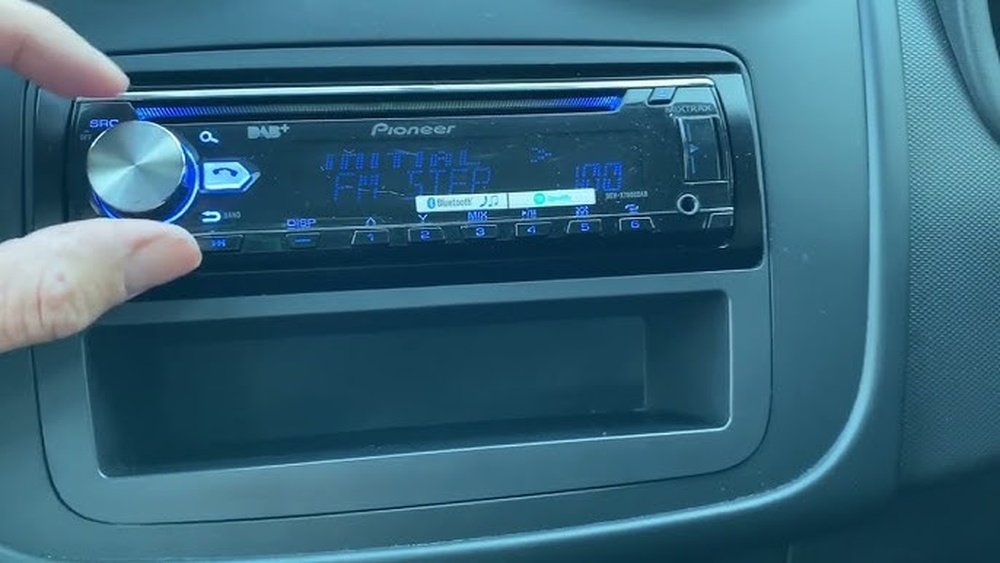
Have you ever faced a glitch with your car stereo, leaving you frustrated and unsure what to do next? Knowing how to reset your factory car stereo can be the simple fix that gets your music and settings back on track.
Whether your system is frozen, unresponsive, or acting strangely, a quick reset might be all you need. In this guide, you’ll discover easy, step-by-step methods to reset your car stereo without any hassle. Keep reading, and you’ll be back to enjoying your favorite tunes in no time.
Signs You Need To Reset Your Car Stereo
Car stereos sometimes act up without warning. They might stop working right or lose saved settings. These problems can be signs your stereo needs a factory reset. Resetting can clear errors and restore normal function.
Common Issues With Factory Stereos
Factory car stereos can freeze or become unresponsive. Buttons might stop working or the screen may go black. Sound quality can drop with static or no sound at all. Radios can lose saved stations or have trouble tuning. Bluetooth or USB connections might fail to pair or play music. These problems often point to software glitches inside the stereo.
When A Reset Can Help
A reset fixes many common stereo issues fast. It clears stuck software and removes temporary errors. Lost settings and saved stations return to default but work properly again. Resetting helps if the stereo freezes or stops responding. It can also restore sound and connection features that suddenly fail. A reset does not harm the stereo. It refreshes the system and often fixes problems without repair.
Preparation Before Resetting
Before resetting your car stereo to factory settings, some preparation is important. It helps avoid problems and saves time. Taking a few steps first makes the reset process smooth and safe.
Preparation protects your saved data and ensures you have the right tools. These small actions keep your stereo working well after the reset.
Gathering Necessary Tools
Get all tools before starting the reset. Common tools include a small screwdriver and the car stereo manual. Some models need a special reset pin or paperclip.
Check your car stereo manual for specific tools needed. Having these ready prevents delays or damage during the reset.
Backing Up Your Settings
Your stereo may have saved stations, equalizer settings, or Bluetooth connections. Back up these settings if possible. Write down important information or take photos.
Backing up saves time later. You can restore your preferences quickly after the reset. It stops frustration and keeps your listening experience consistent.
Methods To Reset Factory Car Stereo
Resetting a factory car stereo can fix many common issues. It restores the system to its original settings. Several easy methods exist to reset your stereo safely. Choose the method that fits your car model and comfort level.
Using The Reset Button
Many car stereos include a small reset button. It is often hidden behind the faceplate or near the display. Press this button with a pointed object like a pen or paperclip. Hold it for a few seconds until the stereo restarts. This method is quick and does not affect your car’s battery.
Disconnecting The Car Battery
Disconnecting the battery cuts power to the stereo. This forces the system to reset fully. First, turn off the car and open the hood. Use a wrench to remove the negative battery cable. Wait at least 10 minutes before reconnecting it. This process clears all settings but may reset other systems too.
Resetting Through The Stereo Menu
Some stereos allow resetting through their settings menu. Press the “Menu” or “Setup” button on your stereo. Navigate to “Factory Reset” or “Restore Default” options. Confirm your choice to start the reset process. This method keeps your battery intact and is simple to follow.
Step-by-step Reset Instructions
Resetting a car stereo to factory settings can fix many issues. It clears errors and restores original sound settings. Follow these simple steps to reset your car stereo safely. Each step helps you understand the process clearly and avoid mistakes.
Locate The Reset Button
Look closely at your car stereo’s faceplate. The reset button is usually very small. It may be hidden inside a tiny hole. Use a pen tip or a paperclip to press it. Check your stereo manual if you cannot find it. Some models place the reset button behind the volume knob or near the power button.
Performing A Soft Reset
Turn on your car stereo first. Press and hold the power button for about 10 seconds. Release the button when the screen goes blank. The stereo will restart automatically. This soft reset clears minor glitches without deleting your saved settings. Try this step before a hard reset.
Performing A Hard Reset
Make sure your car stereo is off. Press and hold the reset button with a paperclip. Keep it pressed for 5 to 10 seconds. Release the button and turn on the stereo. The system resets to factory defaults. This step deletes all saved data and settings. Use hard reset only if soft reset does not work.
Troubleshooting After Reset
Resetting your car stereo to factory settings can solve many issues. Sometimes, new problems appear after the reset. Troubleshooting helps fix these problems quickly. Follow these tips to get your stereo working properly again.
Stereo Won’t Turn On
Check the car battery first. A weak battery may stop the stereo from powering up. Look at the fuse for the stereo. Replace it if it is blown. Make sure all cables are connected tightly. Sometimes, the reset may need a second try.
Sound Issues Persist
Check the volume level after the reset. Sometimes it is set very low or muted. Inspect speaker connections for any loose wires. Try playing different audio sources. If sound problems stay, update the stereo firmware if possible. Resetting does not fix hardware damage.
Reconnecting Bluetooth And Devices
Reset clears all paired devices. Open your phone’s Bluetooth settings. Remove the old stereo connection if still listed. Search for your car stereo and pair it again. Enter the code if the stereo asks for one. Test the connection by playing music or making a call.

Tips To Maintain Your Car Stereo
Maintaining your car stereo ensures it works well for a long time. Simple care steps keep sound clear and avoid technical issues. Small actions can prevent big problems later. Here are useful tips to keep your car stereo in top shape.
Regular Software Updates
Car stereos with smart features need software updates. Updates fix bugs and add new functions. Check your stereo’s settings or manual for update instructions. Updating keeps your system running smoothly and securely. Set reminders to update regularly, about once every few months.
Proper Usage Habits
Avoid loud volumes for long times to protect speakers. Use clean hands when touching the screen or buttons. Keep the stereo dry and away from dust. Turn off the stereo before starting engine or switching off power. Gentle use helps parts last longer and work better.
When To Seek Professional Help
Strange noises or no sound are signs to call a technician. Don’t try fixing wiring or internal parts yourself. Professionals have tools and knowledge to fix problems safely. Visit a trusted car audio shop for repairs or upgrades. Early help prevents bigger damage and saves money.

Frequently Asked Questions
How Do I Reset My Factory Car Stereo?
To reset your factory car stereo, locate the reset button or use the stereo menu settings. Press and hold the reset button for 10 seconds or select the “Factory Reset” option in the settings. This restores default settings and clears any customizations.
Will Resetting My Car Stereo Delete Saved Presets?
Yes, resetting your car stereo will erase all saved presets and custom settings. You will need to reprogram your favorite stations and audio preferences after the reset.
Can I Reset My Car Stereo Without A Manual?
Yes, you can reset your car stereo without a manual by searching online for your stereo model instructions. Most factory stereos have a small reset button or a menu option for factory reset.
Why Is My Car Stereo Asking For A Code After Reset?
Your car stereo may ask for a security code after a reset to prevent theft. You must enter the original code provided in your car manual or contact the dealer for assistance.
Conclusion
Resetting your car stereo can fix many common problems quickly. Just follow the steps carefully and keep your manual nearby. Most resets only take a few minutes. This simple process can restore sound and settings to normal. Remember to check your car’s battery if issues persist.
A reset helps refresh your stereo without costly repairs. Stay patient and try again if it doesn’t work the first time. Enjoy clear music and better sound after the reset. Your car stereo will feel like new again.




