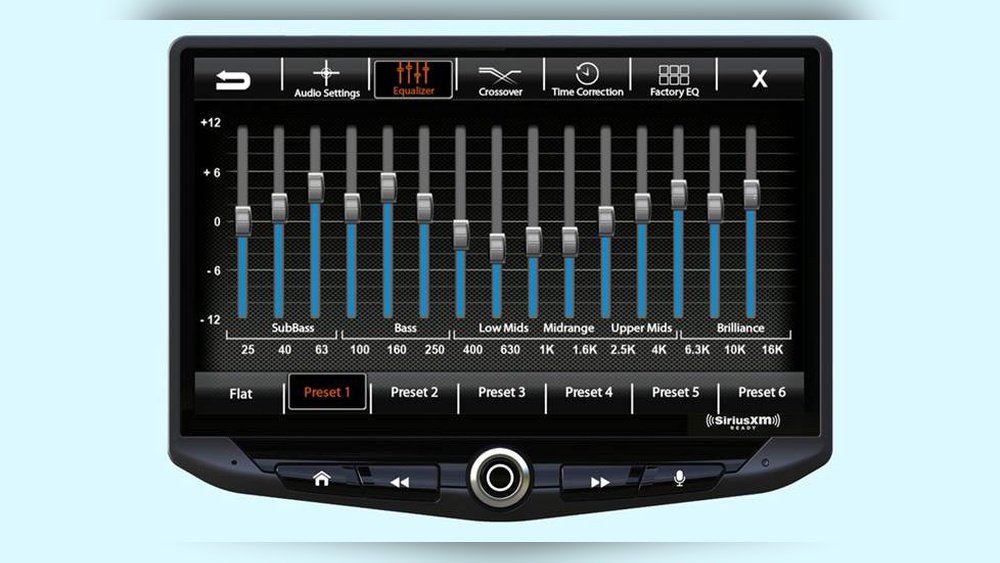
Do you want your car’s music to sound just right every time you drive? Setting up the equalizer on your car stereo can make a huge difference in how your favorite songs come to life.
Whether you love deep bass, clear vocals, or balanced sound, adjusting your equalizer lets you control the music exactly how you like it. In this guide, you’ll learn simple steps to get the perfect sound from your car stereo, so every ride feels like a concert.
Ready to unlock the full potential of your music? Let’s dive in.
Car Audio Basics
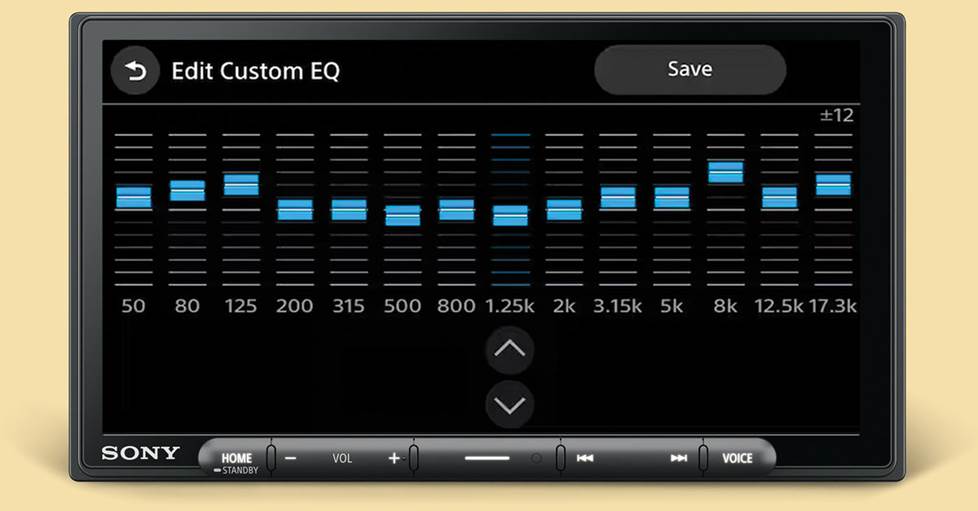
Understanding the basics of car audio is important before setting up the equalizer. Car audio systems vary in design and features. Knowing the parts helps you adjust sound better. Equalizers play a key role in shaping audio quality inside your car.
Sound in a car is affected by many factors. These include speaker type, car size, and stereo settings. Learning how these elements work together improves your listening experience. Let’s explore the types of car stereos and the role of equalizers.
Types Of Car Stereos
Car stereos come in several types. The most common is the single-DIN stereo. It fits in a small slot and offers basic functions. Double-DIN stereos are larger. They often have touchscreens and more features.
Some stereos come with built-in equalizers. Others require an external device for sound control. There are also digital stereos with advanced sound settings. Choosing the right stereo depends on your needs and budget.
Role Of Equalizers
Equalizers adjust sound frequencies to improve audio quality. They let you boost bass, midrange, or treble tones. This helps match sound to your car’s acoustics. Equalizers fix problems like muffled voices or weak bass.
Using an equalizer can make music clearer and more balanced. It allows personal sound preferences. Some cars have simple equalizers with a few bands. Others have graphic or parametric equalizers with detailed controls.
Equalizer Controls Explained
Understanding equalizer controls is key to improving car audio quality. Each control helps shape the sound to fit your taste. Learning these controls makes tuning easier and more effective.
Here is a simple guide to the main equalizer controls.
Frequency Bands
Frequency bands divide sound into parts. Each band controls a range of tones, from bass to treble. Adjusting these bands changes how the sound feels. For example, lowering low frequencies reduces bass. Raising high frequencies boosts the treble. Most car stereos have 5 to 10 bands. This range covers all basic sound areas.
Gain And Bandwidth
Gain controls how much volume a frequency band has. Increase gain to make that sound louder. Decrease gain to reduce it. Bandwidth controls how wide or narrow the sound range is. A narrow bandwidth focuses on a small frequency area. A wide bandwidth affects a larger range. Changing bandwidth can make sound more natural or sharp.
Preset Vs. Manual Settings
Presets are ready-made sound settings. They work well for most music styles. Manual settings let you adjust each band yourself. This gives full control over sound quality. Use presets for quick setup. Choose manual for fine-tuning and personal sound. Both methods help improve your car audio experience.
Preparing Your Car Stereo
Preparing your car stereo is the first step to enjoy better sound quality. Proper setup helps you control bass, treble, and balance. It also ensures clear and balanced audio while driving.
Start by understanding your stereo system. Knowing how to access and adjust settings makes the process easier. Also, choosing the right audio source gives the best sound experience.
Accessing The Equalizer Settings
Most car stereos have an equalizer menu in the settings. Look for buttons labeled “Menu,” “Sound,” or “Audio.” Press these to open the sound settings. Use the dial or touchscreen to find the equalizer option.
Some newer models allow control via a smartphone app. Check your stereo manual for exact steps. This access lets you adjust bass, midrange, and treble levels easily.
Choosing The Right Audio Source
Pick the audio source that provides the best sound quality. CDs and USB drives often give clear sound. Streaming apps or Bluetooth can vary in quality due to connection speed.
Use higher quality files like MP3s at 320 kbps or lossless formats. Avoid low-quality streams or compressed files. This choice helps your equalizer settings work better.
Step-by-step Equalizer Setup
Setting up the equalizer on your car stereo can change how your music sounds. This step-by-step guide helps you adjust the sound to fit your taste. Follow each step carefully for the best results.
Start by understanding the basic settings. Then, adjust the bass, midrange, and treble for a clear and balanced sound. This process makes your music more enjoyable during every drive.
Starting With Flat Settings
Begin by setting all equalizer bands to flat or zero. This means no frequencies are boosted or cut. It creates a neutral starting point. You hear the music as it was originally recorded. This helps you notice changes as you adjust each band.
Adjusting Bass Frequencies
Bass controls the low sounds like drums and bass guitar. Increase bass slightly to add depth and power. Avoid boosting too much, which causes distortion. Lower the bass if the sound feels muddy or unclear. Small changes make a big difference in sound quality.
Tweaking Midrange Sounds
Midrange covers vocals and most instruments. Boost midrange to make voices clearer and more present. Reduce midrange if the sound feels harsh or too sharp. Adjust slowly and listen carefully to each change. Balanced midrange gives a natural, full sound.
Enhancing Treble Levels
Treble controls the high frequencies like cymbals and high notes. Increase treble to add brightness and detail to music. Too much treble can make the sound sharp or tinny. Lower treble if you notice unwanted hiss or noise. Fine-tune treble for crisp and clear audio.
Optimizing Sound For Different Music Genres
Different music genres have unique sound styles. Adjusting your car stereo equalizer helps you enjoy each genre better. Each type of music needs different equalizer settings to sound clear and full.
Setting the equalizer for one genre might not work well for another. Changing the bass, mid, and treble frequencies can improve the listening experience. This section explains how to tune your equalizer for popular music genres.
Rock And Pop
Rock and pop music often have strong vocals and electric guitars. Raise the mid frequencies to make vocals clear. Increase the bass slightly for a fuller sound. Boost the treble to highlight guitars and cymbals. Avoid too much bass to keep the sound balanced.
Classical And Jazz
Classical and jazz focus on instruments and smooth sounds. Lower the bass to avoid overpowering soft tones. Increase midrange to bring out instruments like piano and saxophone. Keep treble moderate to keep the sound warm and natural. This setting preserves the music’s subtle details.
Hip-hop And Electronic
Hip-hop and electronic music rely on strong beats and bass. Boost the bass frequencies to emphasize the rhythm. Raise the treble for clear hi-hats and synth sounds. Midrange can stay neutral or slightly reduced to avoid crowding. These adjustments make the music punchy and lively.
Troubleshooting Common Issues
Setting up an equalizer on your car stereo can improve your music experience. Sometimes, issues arise that affect sound quality. Troubleshooting these common problems helps you enjoy clear and balanced audio. This section covers typical problems and easy fixes.
Distortion Problems
Distortion happens when sound becomes unclear or harsh. It often occurs if volume or bass is too high. Lower the bass and volume to reduce distortion. Check speaker connections for loose wires. Faulty speakers can also cause distortion. Replace damaged speakers for better sound.
Uneven Sound Balance
Uneven sound means some speakers sound louder than others. Adjust the balance settings in your stereo menu. Make sure all speakers get equal sound output. Check if speakers are blocked or damaged. Move speakers if needed to improve sound spread. Proper balance creates a pleasant listening experience.
Interference And Noise
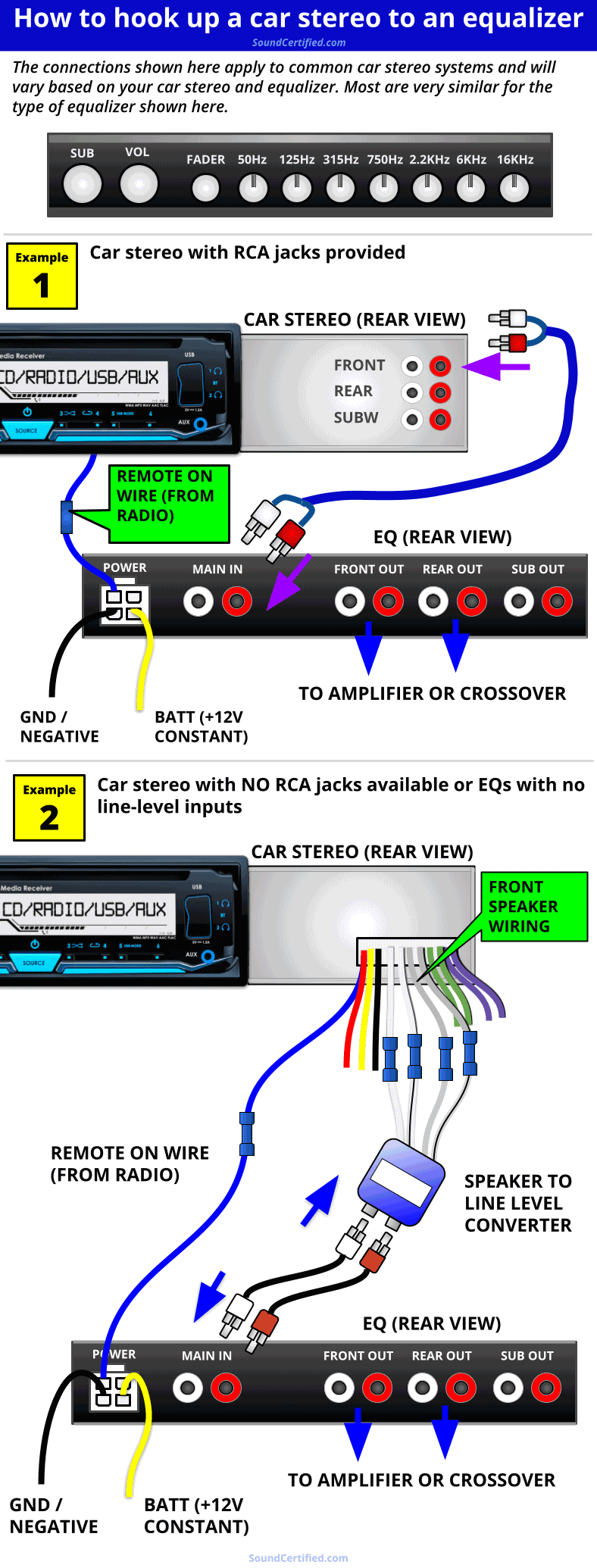
Interference causes unwanted sounds like buzzing or static. It may come from nearby electronic devices or bad wiring. Keep power cables and audio cables separate. Replace damaged cables with shielded ones. Grounding issues can also cause noise. Ensure your stereo system is properly grounded.
Tips For Best Sound Experience
Getting the best sound from your car stereo needs more than just setting the equalizer. Some simple tips can make your music clearer and more enjoyable. Paying attention to speaker placement, volume levels, and regular maintenance helps you get the most from your sound system.
Speaker Placement
Place your speakers where sound can travel freely. Avoid blocking them with seats or objects. Front speakers should aim towards your ears. Rear speakers work best when balanced on both sides. Good placement makes voices and instruments sound clear.
Volume Levels
Keep volume at a moderate level to avoid distortion. Very high volume can damage speakers and reduce sound quality. Adjust volume based on music type and road noise. Find a level that is loud but clear. Protect your ears and your stereo.
Regular Maintenance
Clean your speakers and stereo controls often. Dust and dirt can harm sound quality. Check wires and connections for damage. Fix any loose parts to avoid sound problems. A well-maintained system lasts longer and sounds better.
Frequently Asked Questions
How Do I Access The Equalizer On My Car Stereo?
To access the equalizer, turn on your car stereo and navigate to the audio settings menu. Look for the “EQ” or “Equalizer” option. Select it to open preset modes or manual frequency adjustments. This allows you to customize sound based on your preferences.
What Are The Common Equalizer Settings For Car Audio?
Common settings include Bass, Midrange, and Treble adjustments. Bass controls low frequencies, Midrange adjusts vocals and instruments, and Treble enhances high frequencies. Use presets like Rock, Jazz, or Pop to quickly optimize sound. Manual tweaking helps achieve the best listening experience.
How Can I Improve Sound Clarity Using An Equalizer?
Boost midrange frequencies slightly to enhance vocals and instrument clarity. Avoid excessive bass or treble boosts, which can distort sound. Adjust settings incrementally and test by playing familiar music. Proper balance ensures clear, crisp audio without distortion or muffling.
Is It Necessary To Reset Equalizer Settings Before Adjusting?
Resetting to default ensures a neutral starting point for adjustments. This helps avoid cumulative distortions from previous settings. Most car stereos offer a “Reset” or “Default” option in the equalizer menu. Starting fresh allows precise tuning tailored to your current audio system.
Conclusion
Setting up the equalizer on your car stereo improves sound quality. It helps balance bass, midrange, and treble for better music. Start with a flat setting and adjust step by step. Trust your ears to find what sounds best. Small changes can make a big difference.
Enjoy clearer, richer sound on every drive. Keep experimenting until you feel happy with the result. A good equalizer setup makes your car music more fun. Try it today and hear the difference yourself.




