Are you torn between using cloud recording or an SD card for your important videos? Choosing the right storage method can make a big difference in how safe and accessible your recordings are.
You might think an SD card is simple and reliable, but cloud recording offers some surprising advantages that could change the way you store your files forever. Keep reading to discover which option truly protects your memories and fits your needs best.
Don’t make a choice before you know the facts!
Cloud Recording Basics
Cloud recording stores your videos on the internet instead of a physical device. This method lets you access files from anywhere. It removes the need for SD cards or local storage. Understanding cloud recording basics helps you choose the best option for your needs.
Cloud services offer many benefits. They provide easy sharing, backup, and space-saving features. Knowing how cloud storage works and its security is key to making an informed decision.
How Cloud Storage Works
Cloud storage saves your files on remote servers. These servers are managed by companies with large data centers. When you record a video, it uploads to the cloud automatically. You can access it using the internet on any device.
This process frees up space on your camera or phone. It also keeps your files safe from damage or loss. Cloud storage uses internet connections to sync data quickly.
Popular Cloud Storage Providers
Several companies offer cloud storage for recordings. Google Drive, Dropbox, and Microsoft OneDrive are common choices. They provide free and paid plans based on storage size. Many security features protect your files on these platforms.
Some providers focus on video and media storage. Examples include Vimeo and YouTube for video content. Choosing a provider depends on your storage needs and budget.
Data Security In The Cloud
Cloud providers use encryption to protect your data. Encryption changes your files into unreadable codes. Only authorized users can unlock the information with keys.
Providers also maintain strong firewalls and secure servers. These tools help prevent hacking and unauthorized access. Regular backups ensure your files remain safe even if problems occur.
Always use strong passwords and two-factor authentication. These steps add extra layers of security to your cloud account.
Sd Card Storage Essentials
SD cards remain a popular choice for storing videos and photos. They offer a simple way to save files directly on a device. Understanding the basics of SD card storage helps in making the right choice. This section covers key points about SD cards used for recording and storing data.
Knowing the types, capacity, speed, and durability of SD cards can improve your storage experience. These factors affect how well the card performs and how long it lasts.
Types Of Sd Cards
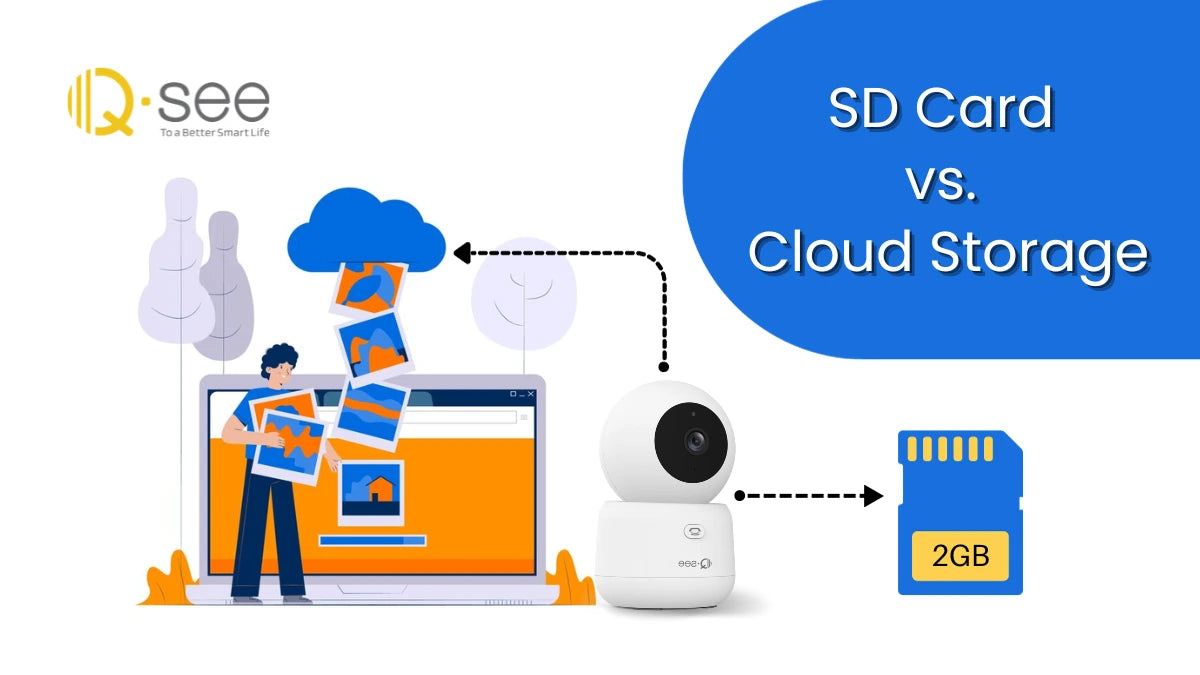
There are three main types of SD cards. SD, SDHC, and SDXC differ in storage limits and format. SD cards hold up to 2GB of data. SDHC cards support between 4GB and 32GB. SDXC cards can store from 32GB up to 2TB. Choosing the right type depends on your device and storage needs.
Storage Capacity And Speed
Storage capacity tells how much data the card can hold. Speed determines how fast data is written or read. Look for cards with higher speed classes for better performance. Class 10 and UHS-I or UHS-II cards offer faster transfers. Fast cards reduce lag during recording and help save large files quickly.
Durability And Lifespan
Durability affects how well the card withstands physical damage. Many SD cards are water, shock, and temperature resistant. Lifespan depends on how many write and erase cycles the card can handle. Over time, cards may slow down or fail. Using high-quality cards improves reliability and protects your data.
Accessibility And Convenience
Accessibility and convenience play a big role in choosing between cloud recording and SD cards. How easily you can reach your files and use them affects your daily tasks. Both methods store data but differ in how you access and handle the recordings. This section looks at key points about access and ease of use.
Remote Access Benefits
Cloud recording lets you access files from anywhere with internet. No need to be near the device or carry storage. Just log in and watch or download your videos. This is helpful for users who travel or manage multiple locations.
SD cards require physical access to the device. You must remove the card and use a reader to see files. This limits access and slows down the process.
Offline Availability
SD cards allow offline use anytime. You do not need internet to view or copy recordings. This is useful in places with poor or no internet connection. Files stay safe on the card until you move them.
Cloud recordings need internet to access. Without a connection, you cannot view or download files. This can be a problem during outages or in remote areas.
Ease Of Sharing Files
Sharing cloud recordings is simple. You can send links or give permissions to others. Recipients can watch without downloading large files. This saves time and space on devices.
With SD cards, sharing means copying files manually. You must transfer data to another device or send it through email or drives. This takes longer and may be less secure.
Cost Comparison
Cost comparison is key when choosing between cloud recording and SD card storage. Each option has different expenses that affect your budget. Understanding these costs helps you pick the right solution for your needs.
Initial Investment
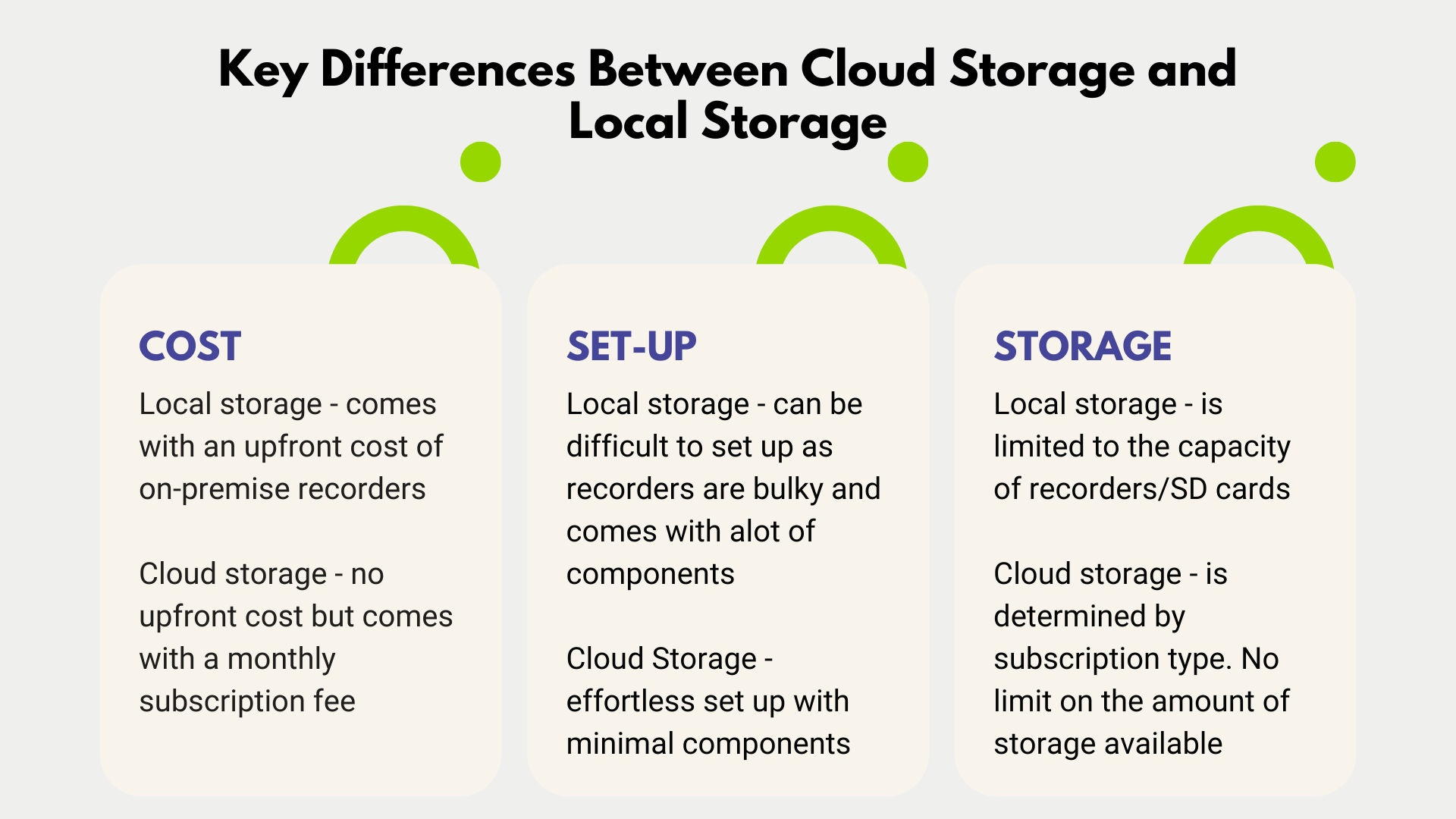
SD cards require a one-time purchase. You pay upfront for the card and any needed hardware. Prices vary by storage size and speed. Cloud recording needs less hardware but may require a good internet setup. The starting cost can be low or high depending on your internet and camera system.
Ongoing Fees
Cloud recording usually charges monthly or yearly fees. These fees cover data storage and access. The cost depends on how much video you save and for how long. SD cards have no regular fees. You store video locally, so no extra charges come up after purchase.
Hidden Expenses
Cloud services can add costs like overuse charges or upgrade fees. Downtime or slow internet might affect your video access. SD cards can fail or get full, needing replacement or manual backup. Both options may require maintenance or support costs over time.
Reliability And Performance
Reliability and performance are key factors when choosing between cloud recording and SD cards. Both methods store video data but work very differently. Understanding how each handles risks, speed, and failures helps pick the right option.
Data Loss Risks
SD cards can fail or get damaged easily. Physical damage or corruption can cause permanent data loss. Cloud recording stores files on remote servers. These servers use multiple backups to keep data safe. Losing video from cloud storage is less common than from SD cards.
Speed And Latency
SD cards offer fast, direct recording with low delay. This suits real-time needs like live monitoring. Cloud recording depends on internet speed. Slow connections cause delays in saving and viewing videos. Cloud might be slower but allows access from anywhere.
System Failures And Backup
SD cards rely on the local device. If the device fails, data may be lost. Cloud systems have strong backup setups. Even if one server fails, data copies remain safe elsewhere. Cloud provides higher chances to recover files after failures.
Privacy And Security Concerns
Privacy and security are top concerns when choosing between cloud recording and SD cards. Both options store your data differently, which affects how safe your information remains. Understanding these differences helps protect your videos from unauthorized access or loss.
Encryption Standards
Cloud services often use strong encryption to protect your videos. This means data is scrambled during upload and storage. Only authorized users can decode and view the content. SD cards, however, usually lack built-in encryption. Anyone with physical access can copy or view the files easily. Encryption is a key factor in keeping your recordings safe online.
Vulnerabilities And Threats
Cloud storage faces risks like hacking and server breaches. Attackers may try to access large amounts of data remotely. SD cards can be lost, stolen, or damaged physically. Each method carries unique threats to your data. Knowing these risks helps you choose the safer option for your needs.
User Control Over Data
With SD cards, you have full control over your recordings. You decide when and how to access or delete files. Cloud storage providers manage your data on their servers. This means you trust them to handle your privacy correctly. Some users prefer local control to avoid potential misuse.
Use Case Scenarios
Choosing between cloud recording and SD cards depends on how you plan to use them. Different situations call for different storage solutions. This section looks at common scenarios to help decide which option fits best.
Home Security Systems
Cloud recording offers easy access to video from anywhere. It stores footage safely offsite, protecting against theft or damage. Many systems send instant alerts with video clips. SD cards save data locally and work without internet. But they risk loss if the camera is stolen or damaged.
Professional Video Recording
SD cards provide fast write speeds needed for high-quality videos. They allow immediate access to raw footage during shoots. Professionals often prefer SD cards for reliability and control. Cloud recording can be slower and depends on internet speed. It suits projects needing remote sharing and backup.
Travel And Outdoor Use
SD cards are handy for travel due to no internet need. They store video locally and avoid extra data costs. Cloud recording relies on stable internet, hard to get in remote areas. SD cards work in any location and offer quick file transfers. Cloud backup can add safety if internet is available.
Making The Right Choice
Choosing between cloud recording and SD card storage depends on your needs. Both have clear advantages and some limits. Understanding these can help you pick the best option for your videos and data.
Think about how you use your recordings and what matters most to you. Storage space, access, cost, and safety all play a role in making the right choice.
Factors To Consider
Storage space is a key factor. Cloud services often offer more space than SD cards. Yet, SD cards give you direct control over your files.
Access is another point. Cloud recording allows you to watch videos from anywhere with internet. SD cards need physical access to the device.
Cost should also influence your choice. SD cards require a one-time purchase. Cloud storage may need monthly or yearly fees.
Data security matters too. Cloud storage usually includes backups and encryption. SD cards can be lost or damaged easily.
Combining Both Solutions
Some users combine cloud and SD card storage. This gives extra security and flexibility. You can save important clips in the cloud and keep backups on SD cards.
Using both helps avoid losing data. It also allows quick local access and remote viewing. This mix suits users who want the best of both worlds.
Future Trends In Storage
Cloud storage keeps improving in speed and reliability. Prices continue to drop, making it more affordable. Advanced features like AI-based video search may become common.
SD cards are also evolving with higher capacity and faster speeds. New types like NVMe cards promise better performance. Still, physical damage risk remains.
Hybrid solutions may grow popular. Combining local and cloud storage will offer more options. This trend aims to meet the changing needs of users.
Frequently Asked Questions
What Are The Key Benefits Of Cloud Recording Over Sd Cards?
Cloud recording offers remote access, automatic backups, and scalable storage. It reduces data loss risks and allows easy sharing. SD cards are limited by physical space and can be damaged or lost.
Is Cloud Recording More Secure Than Sd Card Storage?
Cloud recording often includes encryption and secure data centers, enhancing security. SD cards can be physically stolen or corrupted, posing higher security risks without additional safeguards.
How Does Cloud Recording Affect Video Quality Compared To Sd Cards?
Both methods can support high-quality video. However, cloud recording depends on internet speed for uploads, which may affect real-time quality, while SD cards store data locally without speed constraints.
Can Cloud Recording Save Money Compared To Using Sd Cards?
Cloud recording may have subscription costs but reduces hardware expenses and maintenance. SD cards have upfront costs and possible replacement expenses. The best choice depends on usage and budget.
Conclusion
Cloud recording offers easy access and more storage space. SD cards provide quick offline use and no internet needed. Both have clear benefits depending on your needs. Choose cloud for safety and remote viewing. Pick SD cards for simple, local storage.
Think about your budget and internet speed. Decide what fits your lifestyle and tech comfort. Both options help you save important videos. The best choice depends on how you use your device.




