Have you ever wished your car stereo could do more than just play music? Imagine having your favorite apps, navigation, and calls all right at your fingertips while driving—without taking your eyes off the road.
That’s exactly what Apple CarPlay brings to your car’s stereo system. If you want to make your driving experience safer, smarter, and more connected, understanding what Apple CarPlay is and how it works is a must. Keep reading, and you’ll discover how this technology can transform your time behind the wheel.
Apple Carplay Basics
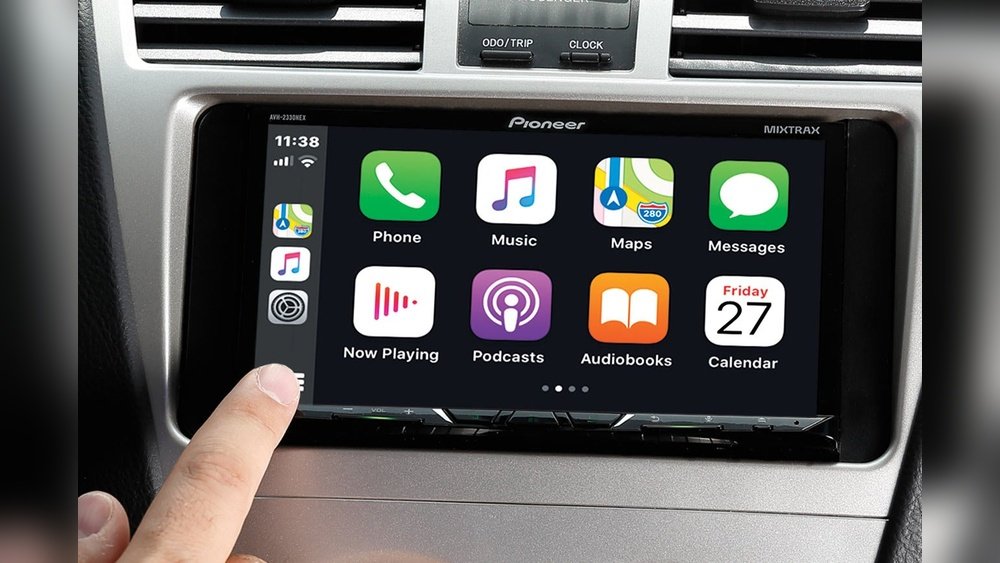
Apple CarPlay is a smart system that connects your iPhone to your car stereo. It makes driving safer and easier. You can use your phone’s apps on the car’s display. This helps you stay focused on the road while still accessing music, maps, and messages.
Understanding the basics of Apple CarPlay will help you use it better. Here are some key points about how it works, which devices and cars support it, and how to set it up.
How Apple Carplay Works
Apple CarPlay mirrors your iPhone screen on the car’s display. It uses either a USB cable or a wireless connection. You can control it using the car’s touchscreen, buttons, or voice commands with Siri. It supports apps for navigation, calls, messages, and music.
Compatible Devices And Vehicles
Apple CarPlay works with iPhones running iOS 7.1 or later. Most iPhone models from iPhone 5 and up are compatible. Many car brands support CarPlay in new models. You can check your car’s manual or the manufacturer’s website to see if it supports CarPlay.
Setting Up Apple Carplay
To set up CarPlay, connect your iPhone to the car using a USB cable or Bluetooth. Follow the instructions on the car’s display. You might need to enable CarPlay in your iPhone’s settings under “General.” After setup, you can start using CarPlay immediately.

Core Features
Apple CarPlay brings smart features directly to your car stereo. It makes driving safer and more fun. The core features let you use your iPhone easily while on the road. They cover phone calls, messages, navigation, music, and voice commands. These features work together to keep your focus on driving.
Phone And Messaging Integration
With CarPlay, you can make calls without holding your phone. It reads your messages aloud and lets you reply by voice. This keeps your hands on the wheel and eyes on the road. You can also see recent calls and contacts on your car screen. Staying connected is simple and safe.
Navigation With Apple Maps
Apple Maps shows clear directions on your car display. It offers real-time traffic updates and suggests faster routes. You get easy-to-read maps and voice guidance. It helps you reach your destination without distractions. You can also search for places using your voice.
Music And Audio Playback
CarPlay lets you play music from your iPhone or apps. You can listen to your favorite songs, podcasts, and audiobooks. The interface is simple and easy to use. You can switch tracks or pause with just a tap or voice command. Enjoy clear sound and endless entertainment.
Voice Control With Siri
Siri works as your hands-free assistant in CarPlay. You can ask Siri to call, send messages, or play music. It understands natural speech and responds quickly. This helps you stay focused on driving. Voice control makes using CarPlay safe and convenient.
Supported Apps
Apple CarPlay supports many apps that make driving safer and more fun. These apps work through your car stereo. They help you listen, talk, and get things done while driving. The apps are divided into three main types: entertainment, communication, and productivity.
Entertainment Apps
Entertainment apps let you enjoy music, podcasts, and audiobooks. Apple Music and Spotify are popular for streaming songs. Podcasts apps like Apple Podcasts keep you updated on topics you like. Audiobook apps provide stories you can listen to on the road. All these apps have simple controls for safe use while driving.
Communication Apps
Communication apps help you stay connected without using your hands. Phone calls and text messages can be managed with voice commands. Apps like Messages and WhatsApp work well with CarPlay. They read your messages aloud and let you reply by voice. This keeps your eyes on the road and hands on the wheel.
Productivity Apps
Productivity apps assist with navigation and reminders. Apple Maps and Google Maps help you find the best routes. Calendar apps show your schedule and notify you of appointments. Voice memo apps allow quick notes during your drive. These apps keep you organized and focused on driving safely.
Benefits Of Apple Carplay
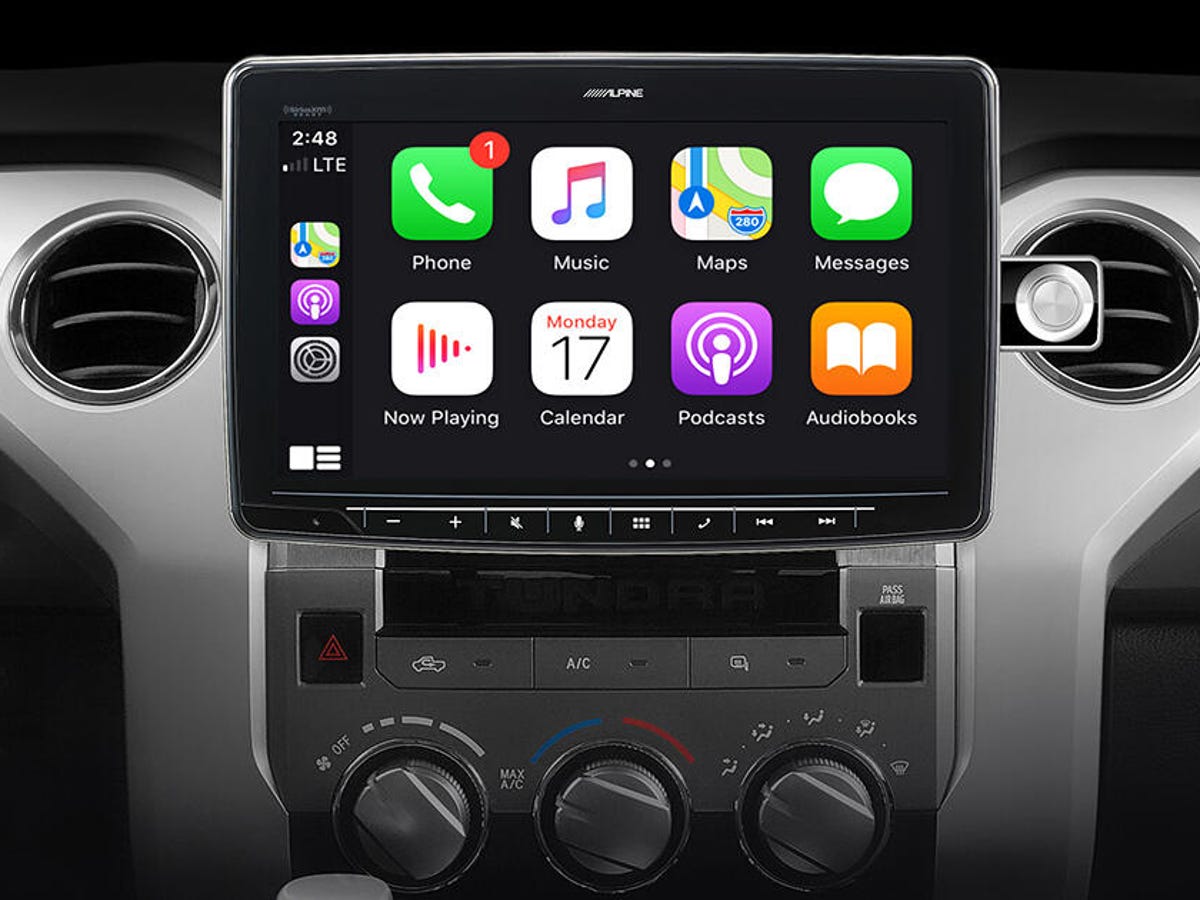
Apple CarPlay brings many benefits to your car stereo system. It makes driving safer and more enjoyable. The system connects your iPhone to your car’s display. This connection allows easy access to apps, music, maps, and calls. Drivers find it easier to stay focused on the road. The interface is simple and clear, reducing distractions.
Safety Enhancements
Apple CarPlay helps keep your eyes on the road. It uses voice commands with Siri to control apps. You can make calls, send texts, and get directions hands-free. The system minimizes the need to touch your phone. This reduces the chance of accidents caused by distractions. Alerts and notifications appear clearly on the car screen. The system also supports Do Not Disturb mode while driving.
User-friendly Interface
The interface is easy to navigate with large icons. It shows only essential apps while driving. Menus are simple and do not overload the screen. You can access music, maps, and messages quickly. The design matches the iPhone’s look, so it feels familiar. Touchscreen and steering wheel controls work smoothly with CarPlay. This ease of use helps drivers stay confident behind the wheel.
Seamless Connectivity
Connecting your iPhone to the car is quick and simple. CarPlay works through a USB cable or wireless connection. It syncs your contacts, music, and apps automatically. The system updates in real-time, so information is always current. Navigation apps use live traffic data to find the best routes. Audio streaming stays clear without interruptions. This seamless link keeps you connected without hassle.
Troubleshooting Common Issues
Troubleshooting common issues with Apple CarPlay helps keep your drive smooth. Many users face problems that stop CarPlay from working well. Simple fixes often solve these problems quickly.
Connection Problems
CarPlay may not connect if the USB cable is damaged or loose. Try a different cable or port to see if it works. Restart your iPhone and car stereo. Make sure Bluetooth and Wi-Fi are on. Check for software updates on your iPhone and car system.
App Compatibility Issues
Not all apps work with Apple CarPlay. Some apps may not show or open. Update your apps to the latest version. Use only apps supported by CarPlay. If an app still does not work, try reinstalling it.
Audio And Display Glitches
Sound may cut out or the display may freeze. Restart your phone and car stereo to reset the system. Check volume settings on both devices. Clear any dust or debris from ports and screens. Update your device software to fix bugs.
Future Updates And Trends
The future of Apple CarPlay promises exciting changes for drivers. Updates aim to improve safety and ease of use. New trends show deeper connections between your car and daily life.
Apple focuses on making CarPlay smarter and more helpful. These improvements will make in-car technology feel more natural. The system will become a bigger part of your driving experience.
Upcoming Features
Apple plans to add more apps to CarPlay. These apps will cover navigation, music, and communication. Voice control will get better to reduce distractions. Customization options will help users tailor the interface. Expect faster response times and clearer displays.
Integration With Smart Home Devices
CarPlay will connect more with smart home gadgets. You can control lights, thermostats, and locks from your car. This link allows for a smooth transition between home and driving. The system will sync with Apple HomeKit devices easily. Managing your home while on the road will be simple.
Expansion Beyond Vehicles
Apple CarPlay might move beyond cars soon. It could appear in motorcycles, trucks, and boats. This expansion will bring CarPlay’s benefits to more vehicles. The system may also integrate with other Apple products. A seamless experience across devices is the goal.

Frequently Asked Questions
What Is Apple Carplay In Car Stereo?
Apple CarPlay is a smart interface that connects your iPhone to your car stereo. It lets you use apps safely while driving. You can make calls, send messages, and use navigation hands-free. CarPlay improves your driving experience by integrating iPhone features seamlessly.
Which Cars Support Apple Carplay Technology?
Most new cars from major brands support Apple CarPlay. This includes models from Ford, Honda, BMW, and more. You can check your car’s manual or manufacturer website to confirm compatibility. Some aftermarket stereos also offer Apple CarPlay support for older vehicles.
How Does Apple Carplay Improve Driving Safety?
Apple CarPlay minimizes distractions by enabling voice control via Siri. It allows hands-free calls, texting, and navigation. The interface is simple and easy to use while driving. This helps drivers keep their eyes on the road and hands on the wheel.
Can I Use Apple Carplay Without An Internet Connection?
Basic Apple CarPlay features work without internet, like phone calls and music playback. However, apps like Maps and streaming services require a data connection. Your iPhone’s cellular network or a Wi-Fi hotspot enables these functions while driving.
Conclusion
Apple CarPlay makes driving safer and more fun. It connects your phone to your car screen. You can use maps, music, and calls easily. It keeps your hands on the wheel and eyes on the road. Many car stereos support it today.
Using CarPlay helps you stay focused while driving. It’s a simple way to add smart features to your car. Try it to enjoy a better driving experience.




