
Have you ever worried about missing important moments while recording video? Whether it’s capturing your driving or keeping an eye on your home, storage space can quickly run out.
That’s where loop recording comes in. It’s a simple but powerful feature that ensures your recordings never stop, even when your memory card is full. If you want to learn how loop recording can make your life easier and protect what matters most, keep reading.
You’ll discover exactly what it is, how it works, and why it’s a game-changer for your recording needs.
Loop Recording Basics
Loop recording is a smart way to record video or audio continuously. It saves space by recording over old files. This method is common in devices like dash cams and security cameras.
Loop recording helps capture ongoing events without stopping. It makes sure the most recent moments are always saved. Understanding its basics will show why it is useful.
How Loop Recording Works
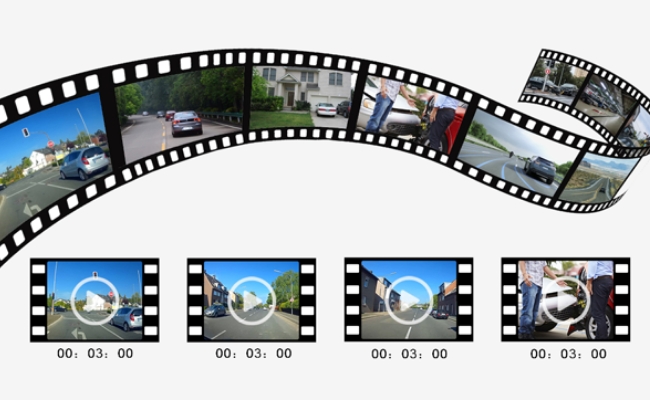
Loop recording records in small segments or files. Each segment has a fixed length, such as five minutes. When storage is full, the device deletes the oldest file.
The device then records new video or audio in its place. This process repeats automatically without user action. It ensures continuous recording without running out of space.
Key Features Of Loop Recording
Loop recording uses limited storage efficiently. It keeps only the latest footage or sound. Older data is removed to free space for new files.
The system works automatically, requiring little user control. It is useful for long hours of recording. Some devices allow protection of important segments from deletion.

Benefits Of Continuous Video Capture
Continuous video capture offers many benefits. It ensures that every moment is recorded without gaps. This is important for security, events, or any situation needing full coverage. Loop recording helps manage video storage smartly and keeps footage always available.
Efficient Storage Management
Continuous recording uses storage space wisely. It saves only the latest footage while deleting old files. This prevents storage from filling up quickly. It also avoids the need to stop recording manually. The result is smooth, ongoing video capture without storage issues.
Uninterrupted Footage
Loop recording provides constant video without breaks. There are no missing moments or sudden stops. This is key for security cameras and dashcams. You get a complete timeline of events. Continuous footage helps review incidents clearly and fully.
Automatic Overwrite Function
The automatic overwrite feature deletes the oldest videos first. It keeps the newest videos safe. This means no need to delete files yourself. Your device keeps recording endlessly without running out of space. This feature ensures video capture never stops.
Common Devices With Loop Recording
Loop recording is a useful feature found in many devices. It helps by saving video continuously without running out of space. The device records over the oldest files first. This way, you always have the latest footage available.
Several common devices use loop recording. These devices capture important moments and keep your storage organized. They work in different settings, from driving to home security to outdoor adventures.
Dash Cams
Dash cams are popular for recording while driving. Loop recording lets them save video nonstop. When the memory card is full, old videos get replaced automatically. This ensures the dash cam always records the latest trips. It helps capture accidents or road events without worrying about storage.
Security Cameras
Security cameras use loop recording to monitor homes or businesses. They record video all day and night. The oldest footage is deleted first to save space. This keeps the camera running without interruption. It helps catch any unusual activity and provides recent evidence if needed.
Action Cameras
Action cameras use loop recording during sports or adventures. They record continuously to capture all the action. The oldest clips get overwritten when the card is full. This allows users to focus on their activity without stopping to clear storage. It ensures no important moment gets missed.
Setting Up Loop Recording
Setting up loop recording is essential for continuous video capture. It helps save space by overwriting old files automatically. Proper setup ensures smooth operation without losing important footage. Follow these steps to configure your device correctly for loop recording.
Choosing The Right Storage
Select a memory card with enough capacity for your needs. A high-speed card ensures smooth writing of video files. Check the device manual for recommended storage types and sizes. Avoid low-quality cards to prevent recording errors or data loss.
Configuring Recording Length
Set the length of each video segment based on your preference. Typical options include 1, 3, or 5 minutes per file. Shorter segments make it easier to find specific moments. Longer segments reduce file numbers but may be harder to manage.
Managing File Formats
Choose a file format compatible with your playback devices. Common formats include MP4 and AVI. MP4 offers good quality and smaller file size. Ensure your editing or viewing software supports the chosen format.
Troubleshooting Loop Recording Issues
Troubleshooting loop recording issues can help keep your device working well. Loop recording saves video in small clips. It replaces old files with new ones when storage is full. Problems can stop recording or cause errors. Understanding common issues helps fix them fast.
Storage Full Problems
Loop recording needs enough free space on the memory card. If storage is full, the device may stop recording. Check your card’s free space often. Delete old or unwanted files manually if auto-delete fails. Use a high-quality memory card for better performance. Always format the card in the device before use.
File Corruption
File corruption can happen if the device turns off during recording. It may also occur if the card is removed suddenly. Corrupt files may not play or save properly. Avoid removing the memory card while recording. Keep the device’s battery charged to prevent sudden shutdowns. Use reliable memory cards to reduce corruption risk.
Recording Interruptions
Recording interruptions break the video clips or stop recording. Poor power supply or weak connections cause interruptions. Loose cables or faulty card slots may also create problems. Check all connections and power sources before recording. Restart the device if recording stops unexpectedly. Regular device updates can fix bugs causing interruptions.
Tips For Optimizing Video Capture
Optimizing video capture enhances the quality and reliability of loop recording. Small changes can improve your footage and save storage space. These tips help you get the best results from your device.
Regular File Backup
Backing up files often prevents data loss. Save important videos to a computer or cloud service. This keeps your recordings safe even if the device fails. Regular backups free up space for new footage.
Adjusting Resolution And Frame Rate
Lower resolution reduces file size but may affect video clarity. Choose a balance that fits your needs. Adjust the frame rate to save storage or capture smoother motion. A stable frame rate keeps videos clear and easy to watch.
Using Quality Storage Media
Use high-quality memory cards or hard drives for better performance. Cheap storage can cause errors or slow recording. Check the storage speed rating before buying. Reliable media ensures continuous recording without interruptions.
Frequently Asked Questions
What Is Loop Recording In Video Surveillance?
Loop recording continuously records video by overwriting the oldest footage. It ensures uninterrupted recording without manual deletion, making it ideal for security cameras and dashcams.
How Does Loop Recording Work On Dashcams?
Dashcams save video in segments. When storage is full, loop recording overwrites the oldest files automatically. This keeps recent footage available without running out of space.
Why Is Loop Recording Important For Security Cameras?
Loop recording prevents storage issues by recycling old footage. It guarantees constant video capture, helping to monitor and review incidents without interruptions.
Can Loop Recording Be Customized For Storage Size?
Yes, many devices allow adjusting loop recording settings. Users can set file size or recording length to balance storage use and video retention.
Conclusion
Loop recording keeps your footage updated without manual effort. It records continuously, saving space by deleting old files. This feature is useful for security cameras and dash cams. You always have the latest video ready to review. It helps capture important events without missing anything.
Simple to use and reliable, loop recording is a smart choice. Understanding it helps you pick the right device for your needs. Keep your recordings fresh and organized with loop recording.




