Have you ever wished you could see your phone’s screen right on your car’s stereo? Imagine having your favorite apps, maps, and music all displayed clearly without fumbling with your device while driving.
That’s exactly what screen mirroring in car stereos can do for you. It makes your driving experience safer and more enjoyable by bringing everything you need right to your dashboard. Curious how it works and why it’s becoming a must-have feature?
Keep reading to discover how screen mirroring can transform your time on the road.
Screen Mirroring Basics
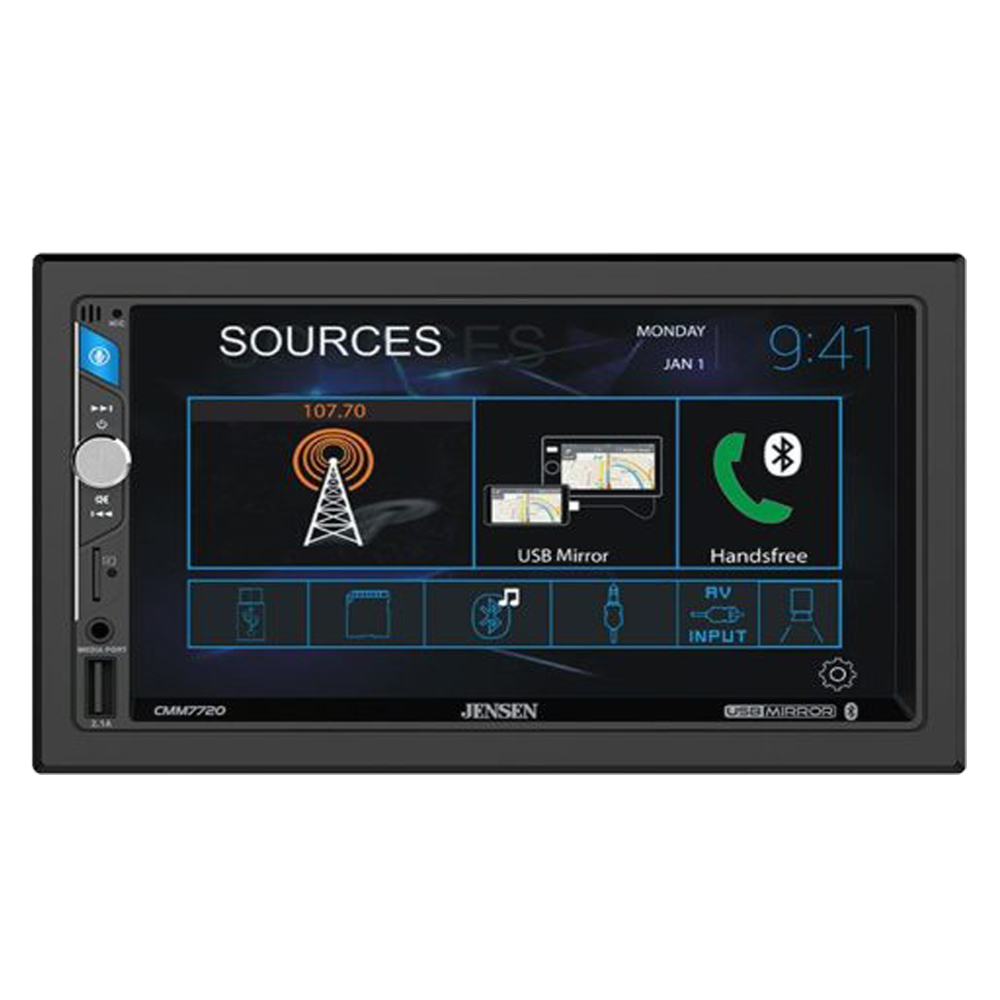
Screen mirroring in car stereos lets you show your phone’s screen on the car’s display. It helps you use apps, maps, and videos safely while driving. This technology makes your drive easier and more fun. Understanding the basics of screen mirroring is important before using it.
How Screen Mirroring Works
Screen mirroring sends your phone’s screen to the car stereo wirelessly or by cable. The car stereo acts like a second screen for your phone. It copies everything from your phone’s display. This way, you can control apps and see content on a larger screen.
Compatible Devices
Most smartphones and tablets support screen mirroring. Android and iPhone devices work well with many car stereos. Some older phones may not support this feature. Check your phone and car stereo manuals to confirm compatibility.
Common Technologies Used
Wi-Fi and Bluetooth are the main ways screen mirroring connects devices. Wi-Fi offers better video quality and speed. Bluetooth helps with simple connections but may lag. Technologies like Miracast, AirPlay, and Google Cast are popular options.

Setting Up Screen Mirroring
Setting up screen mirroring in your car stereo lets you view your phone’s screen on the car display. This feature helps you access apps, maps, music, and more safely while driving. The setup process is simple and requires just a few steps. Follow these instructions to connect your smartphone and start mirroring quickly.
Connecting Your Smartphone
First, check if your car stereo supports screen mirroring. Turn on Bluetooth and Wi-Fi on your phone. Open the car stereo’s menu and find the screen mirroring option. Select it to make the car visible to your phone. On your phone, go to the screen mirroring or cast option in settings. Choose your car stereo from the list of available devices. Confirm the connection on both devices if asked. Your phone screen will appear on the car display.
Using Wi-fi Vs. Usb
Screen mirroring works through Wi-Fi or USB. Wi-Fi gives you a wireless connection and more freedom. It can sometimes cause slight delays in the display. USB offers a stable and faster connection. It charges your phone while mirroring. Choose Wi-Fi for convenience or USB for better speed and reliability. Some car stereos support both methods. Check your car manual for compatibility.
Troubleshooting Tips
Screen mirroring may fail to connect sometimes. Restart your phone and car stereo. Make sure both devices are on the same Wi-Fi network if using Wi-Fi. Check that your phone’s screen mirroring is enabled. Update the software on your phone and car stereo. Clear any old paired devices from the car stereo’s memory. Try a different USB cable if using USB connection. These steps fix most common issues.
Key Benefits
Screen mirroring in car stereo offers several useful benefits. It lets drivers use smartphone apps directly on the car’s display. This improves safety and convenience during drives. The main advantages include better navigation, entertainment options, and hands-free communication.
Enhanced Navigation
Screen mirroring displays your phone’s map apps on the car screen. This makes directions easier to follow. Drivers can see routes clearly without holding their phone. It helps avoid distractions and keeps eyes on the road. Real-time updates and traffic alerts show right on the stereo.
Entertainment On The Go
You can watch videos or listen to music from your phone. Screen mirroring brings your media apps to the car stereo. Passengers enjoy movies or playlists during long trips. It makes travel time more fun and relaxing. No need to connect separate devices for entertainment.
Hands-free Communication
Answer calls and send messages safely through the car display. Screen mirroring supports voice commands and touch controls. Drivers stay connected without taking hands off the wheel. This lowers the risk of accidents caused by phone use. Clear calls and quick replies keep you in touch.
Popular Car Stereo Models
Screen mirroring is a popular feature in many car stereos today. It lets you display your phone’s screen on the car’s display. This helps you use apps, maps, and media easily while driving. Different car stereo models offer this feature with various qualities and prices. Here are some popular car stereo models that include screen mirroring.
Top Brands With Screen Mirroring
Several top brands include screen mirroring in their car stereos. Pioneer, Kenwood, and Sony lead the market. These brands focus on quality and user experience. Their models support both Android and iPhone devices. You get smooth and clear screen sharing with these brands.
Affordable Options
Affordable car stereos with screen mirroring exist for budget buyers. Brands like Boss and JVC offer good options. These models cover basic screen mirroring needs. They provide simple setup and decent screen quality. Perfect for drivers who want this feature without high costs.
High-end Features
High-end car stereos include advanced screen mirroring functions. Alpine and Clarion offer models with extra features. These include wireless mirroring and multi-touch support. They also have larger, sharper screens for better viewing. Ideal for tech-savvy users who want premium quality.
Safety Considerations
Screen mirroring in car stereos offers great convenience. It lets you display your phone’s screen on the car’s display. This feature can improve access to apps, music, and navigation. Safety should always be a priority when using screen mirroring. Understanding how to use it safely helps prevent accidents and distractions on the road.
Minimizing Distractions
Distractions cause many accidents. Using screen mirroring can add to these risks if not handled properly. Only use essential apps that help with driving, like maps or music. Avoid watching videos or texting through the mirror screen while driving. Keep your focus on the road at all times.
Legal Regulations
Different places have rules about using screens in cars. Some areas ban watching videos while driving. Others restrict the use of handheld devices. Check your local laws before using screen mirroring. Following legal rules keeps you safe and avoids fines.
Best Practices While Driving
Set up screen mirroring before you start driving. Use voice commands to control apps instead of touching the screen. Keep your trips short to avoid distractions from the mirrored screen. Pull over if you need to interact with your phone or screen. These habits help keep your drive safe and smooth.

Future Trends
The future of screen mirroring in car stereos looks bright and full of new ideas. Technology is evolving fast. This means better ways to connect your phone to your car’s display. Drivers will enjoy safer and easier access to apps and media. Here are some key trends shaping this future.
Advancements In Technology
New chips and software will make screen mirroring faster and smoother. Graphics will improve with sharper images and less delay. Cars will support more apps, including navigation and music. Voice control will also get better, helping drivers stay focused on the road.
Integration With Smart Cars
Screen mirroring will link more deeply with smart car systems. Your car’s sensors and cameras might share data through the mirrored screen. This can show alerts or parking help right on the display. Integration will create a more connected and helpful driving experience.
Wireless Innovations
Wireless screen mirroring will become more common and reliable. New wireless standards will reduce lag and improve stability. No more cables cluttering the dashboard. Drivers will connect their phones easily and keep them charged wirelessly too.
Frequently Asked Questions
What Is Screen Mirroring In Car Stereo?
Screen mirroring in car stereo lets you display your smartphone’s screen on the car’s display. It allows easy access to apps, navigation, and media while driving. This feature improves convenience and safety by reducing the need to handle your phone.
How Does Screen Mirroring Work In A Car Stereo?
Screen mirroring works by connecting your smartphone to the car stereo via Wi-Fi or USB. The car’s display then shows your phone’s screen in real-time. This lets you control your phone apps using the car’s touchscreen or controls.
Which Devices Support Car Stereo Screen Mirroring?
Most modern Android and iOS smartphones support screen mirroring with compatible car stereos. However, support depends on the car stereo model and software version. Always check your car stereo’s specifications for compatibility before attempting to mirror your device.
Is Screen Mirroring Safe While Driving?
Screen mirroring enhances safety by allowing hands-free access to apps and navigation. However, drivers should avoid interacting with the screen excessively. Use voice commands and limit distractions to maintain focus on the road.
Conclusion
Screen mirroring in car stereos lets you see your phone’s screen on a bigger display. It helps you use apps, maps, and music easily while driving. This feature adds safety by reducing the need to look at your phone. Most modern car stereos support this technology.
It is simple to connect and use. Screen mirroring makes driving more fun and less distracting. Try it to enjoy better control and entertainment on the road.




