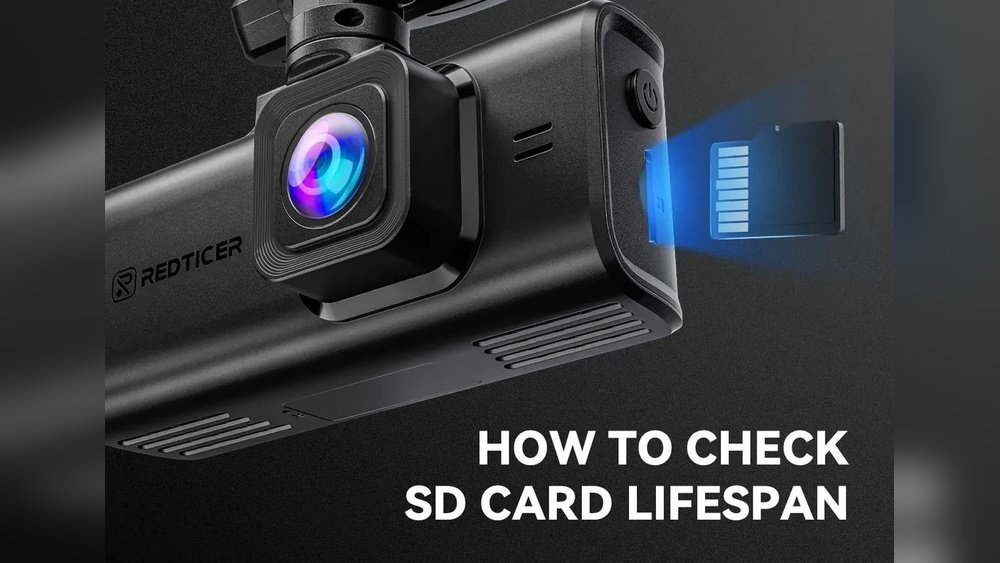
Have you ever wondered how long your dash cam will last before it needs replacing? Knowing the lifespan of a dash cam can save you from unexpected surprises and keep your vehicle protected.
Whether you rely on it for daily commutes or occasional trips, understanding how durable your device is helps you plan better. You’ll discover what affects a dash cam’s lifespan and how to make sure yours keeps working when you need it most.
Keep reading to find out how to get the most from your dash cam investment.

Dash Cam Lifespan Factors
The lifespan of a dash cam depends on several important factors. These factors affect how long the device works well and captures clear videos. Understanding these helps you choose and care for your dash cam better. Let’s explore the key elements that influence dash cam durability.
Build Quality And Materials
Dash cams made with strong materials last longer. High-quality plastics and metals resist wear and tear. Good internal parts handle heat and vibrations better. Cheaper models often use low-grade materials that break faster. Investing in a well-built dash cam improves its lifespan.
Usage Frequency
Using a dash cam every day wears it down quicker. Continuous recording puts stress on the camera and memory card. Short trips or occasional use cause less damage. Devices used for long hours need regular checks and care. Balanced use helps extend the dash cam’s life.
Environmental Conditions
Extreme heat or cold affects dash cam performance. Direct sunlight can damage the lens and battery. Moisture and dust inside the car harm electronic parts. Parking in shaded or covered areas protects the device. Keeping the dash cam safe from harsh conditions helps it last longer.
Storage And Maintenance
Proper storage prevents damage when the dash cam is not in use. Remove the memory card and keep the camera in a dry place. Regularly clean the lens and body to avoid dirt buildup. Updating firmware improves functionality and fixes bugs. Good maintenance keeps the dash cam working well for years.

Battery Life And Replacement
The battery life of a dash cam plays a key role in its overall lifespan. A healthy battery ensures the device works well, even when the car is off. Over time, batteries lose their ability to hold charge, which can affect recording quality and reliability.
Understanding battery types, recognizing signs of wear, and knowing how to replace batteries can help keep your dash cam working longer. This section explores these important points.
Types Of Dash Cam Batteries
Most dash cams use lithium-ion or lithium-polymer batteries. These batteries are small, light, and store good energy. Some cheaper models may use supercapacitors instead. Supercapacitors last longer but hold less charge. Lithium batteries provide longer recording times but wear out faster.
Knowing your dash cam’s battery type helps predict its life and replacement needs.
Signs Of Battery Degradation
Watch for these signs that show the battery is weakening. The dash cam might shut off quickly after you turn off the engine. It may fail to save videos properly during power loss. The device could also take longer to start or show error messages about power.
These issues usually mean the battery can no longer support the dash cam fully. Acting early can prevent data loss.
Replacing The Battery
Replace the battery once it no longer holds a good charge. Check your dash cam manual for battery type and replacement instructions. Some models have built-in batteries that need professional service. Others have removable batteries that you can replace yourself.
Use only the recommended battery type for safety and performance. Dispose of old batteries responsibly to protect the environment.
Memory Card Impact
The memory card plays a big role in the lifespan of a dash cam. It stores all the videos and data. A good memory card keeps your dash cam running smoothly. A bad or old card can cause errors and shorten the device’s life. Understanding the impact of the memory card helps you make smart choices.
Choosing The Right Memory Card
Select a memory card that matches your dash cam’s needs. Look for cards labeled as high endurance or made for video recording. These cards handle frequent writing and deleting better. A card with a fast write speed prevents video lag. Avoid cheap or low-quality cards. They can fail quickly and damage your footage.
Effect Of Memory Card On Device Longevity
The memory card affects how long your dash cam lasts. A poor card can cause crashes or corrupt files. This forces the camera to restart often. Over time, this stress can harm the dash cam’s hardware. Using a reliable card reduces errors and keeps the device stable. It protects your investment and ensures smooth recording.
Proper Formatting And Care
Format your memory card regularly using the dash cam’s built-in option. This clears old data and prevents file errors. Avoid removing the card while the camera is on. Handle the card with care to avoid physical damage. Keep the card away from water and extreme heat. Proper care extends the life of both the card and your dash cam.
Firmware And Software Updates
Firmware and software updates keep your dash cam running smoothly. These updates fix bugs and add new features. They help your device work better over time. Regular updates also protect your dash cam from security risks. This section explains why updates matter for your dash cam’s lifespan.
Importance Of Regular Updates
Regular updates fix problems and improve performance. They make your dash cam more reliable. Without updates, your device may crash or freeze. Updates also ensure compatibility with new memory cards and apps. Keeping the software fresh helps your dash cam last longer.
How Updates Improve Durability
Updates optimize the dash cam’s system. They reduce errors that can damage hardware. Improved software means less overheating and power use. Updates can extend battery life in some models. A well-maintained dash cam faces fewer breakdowns and lasts longer.
Automatic Vs Manual Updates
Automatic updates install without user action. They keep your dash cam current without hassle. Manual updates require you to download and install files. Manual updates give control but need effort. Choose the update type that fits your comfort and schedule.
Common Causes Of Dash Cam Failure
Dash cams face many challenges that can shorten their lifespan. Understanding common causes of dash cam failure helps users protect their devices. These issues include overheating, physical damage, and electrical problems. Each factor affects dash cams differently but can lead to complete failure.
Overheating Issues
Dash cams often run in hot car interiors. High temperatures can damage internal parts. Overheating causes the camera to shut down or record poorly. It also reduces battery life and may harm the memory card. Keeping the dash cam cool improves its durability.
Physical Damage
Accidents or rough handling can break dash cams. Dropping the device or hitting it causes cracks and loose connections. Exposure to dust, water, or extreme weather also harms the camera. Protecting the dash cam with a proper case helps avoid damage.
Electrical Problems
Faulty wiring or power surges can harm dash cams. Problems with car batteries or chargers may cause sudden shutdowns. Poor electrical connections lead to data loss or device malfunction. Using quality cables and secure installation ensures stable power supply.
Extending Your Dash Cam’s Lifespan
Extending your dash cam’s lifespan helps you get the most value from your device. A dash cam is an important tool that captures driving events. Taking care of it keeps the footage clear and the device working well for years. Simple steps can protect your dash cam from damage and wear.
Proper Installation Tips
Place the dash cam where it has a clear view of the road. Avoid direct sunlight on the lens to reduce heat damage. Use the right mounts and clips that hold the device firmly. Ensure wires are tucked away to prevent pulling or damage. Follow the manufacturer’s guide for best setup practices.
Routine Cleaning
Clean the dash cam lens regularly with a soft cloth. Dust and smudges can blur the video quality. Avoid using harsh chemicals that can harm the lens. Check the device for dirt or debris around buttons and ports. Keeping it clean helps maintain clear recordings and smooth operation.
Safe Storage Practices
Turn off and unplug the dash cam when not in use for long periods. Store it in a cool, dry place away from extreme temperatures. Protect it from moisture and dust by using a case or pouch. Careful storage prevents damage to the electronics and extends its life.
When To Replace Your Dash Cam
Knowing the right time to replace your dash cam helps keep your car safe. Dash cams can wear out or become outdated. Watching for certain signs tells you when to upgrade. Technology changes fast, so staying current matters.
Performance Decline Signs
Blurred video or missing files show problems. The dash cam may freeze or restart often. Poor night vision or audio issues can appear. These signs mean your device is losing quality. When recordings are unclear, evidence may be useless.
Technological Advancements
New dash cams offer better video and features. Higher resolution and wider angles improve safety. Some models include GPS, Wi-Fi, or parking mode. Older cameras lack these useful upgrades. Upgrading means better protection and easier use.
Cost-benefit Considerations
Repair costs may rise as the dash cam ages. Sometimes buying a new one is cheaper than fixing. New models often have warranty and improved durability. Consider how much value the upgrade adds. Balance cost with the benefits of better tech.

Frequently Asked Questions
How Long Does A Dash Cam Typically Last?
A dash cam usually lasts between 3 to 5 years. Its lifespan depends on build quality, usage, and maintenance. Regular firmware updates and proper care can extend its functionality and reliability over time.
What Factors Affect Dash Cam Lifespan?
Dash cam lifespan depends on factors like video quality, storage capacity, and heat exposure. Frequent overwriting of files and poor battery health can reduce its durability. Using high-quality memory cards also helps improve its longevity.
Can Dash Cam Memory Cards Impact Lifespan?
Yes, memory cards greatly affect dash cam performance and lifespan. Low-quality or full cards cause errors and shorten lifespan. Using durable, high-speed cards designed for continuous recording improves recording stability and device life.
How Often Should I Replace My Dash Cam?
Replace your dash cam every 3 to 5 years or when recording quality declines. Signs include frequent crashes, poor video clarity, or hardware failure. Upgrading ensures you get the latest features and reliable protection.
Conclusion
A dash cam usually lasts between 3 to 5 years. Its lifespan depends on how often you use it and how well you care for it. Keeping it clean and avoiding extreme heat can help it last longer. Remember to update the firmware to keep it working smoothly.
Choosing a quality dash cam can also make a difference. With proper care, your dash cam will record your trips safely for years. A good dash cam is a smart investment for any driver.




