Have you ever wondered how your dash cam can capture hours of driving without filling up all its memory? That’s where Time-Lapse Mode comes in.
This smart feature lets your camera record long trips by speeding up the footage, so you get a clear overview without missing important details. If you want to make the most of your dash cam and never worry about running out of storage, keep reading.
You’ll discover exactly what Time-Lapse Mode is, how it works, and why it could be a game-changer for your driving safety and memories.

Time-lapse Mode Basics
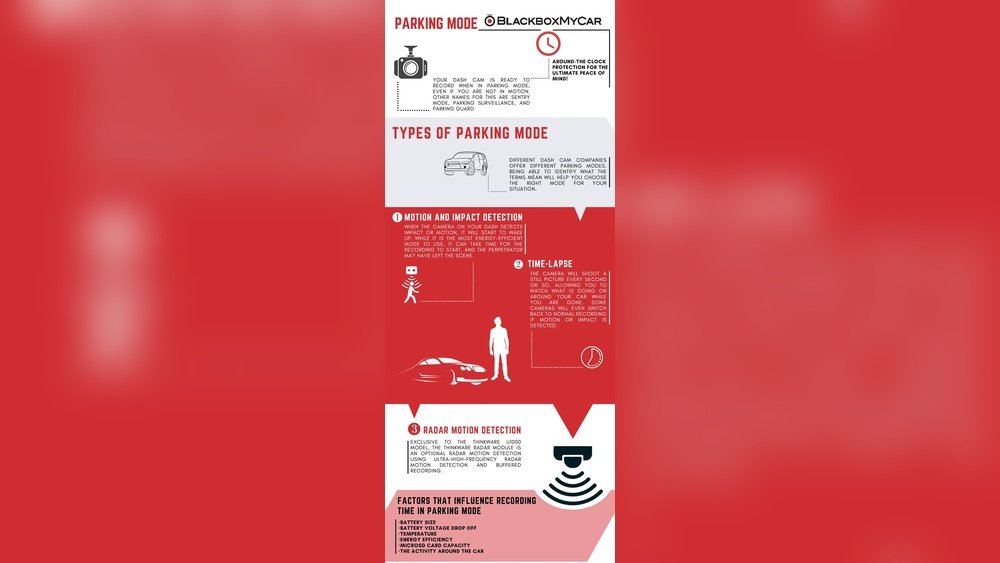
Time-lapse mode is a special feature in dash cams. It helps capture long drives or events in a short video. This mode saves space on your memory card. It also makes it easy to review footage quickly.
Understanding how time-lapse works and how it differs from normal recording is important. It helps you use your dash cam better and get the best results.
How Time-lapse Works
Time-lapse mode records fewer frames per second than normal video. Instead of capturing every moment, it takes pictures at set intervals. These images then play back fast, creating a quick video.
This method shows long periods in a short time. For example, a two-hour drive can turn into a few minutes of footage. It reduces file size while keeping key details visible.
Difference From Normal Recording
Normal recording captures video continuously at a steady frame rate. It shows every second in real-time. Files from normal recording are large and take more space.
Time-lapse records only selected frames. It creates shorter videos and smaller files. This mode is ideal for long trips or parking surveillance. It saves storage and battery life effectively.
Benefits Of Time-lapse In Dash Cams
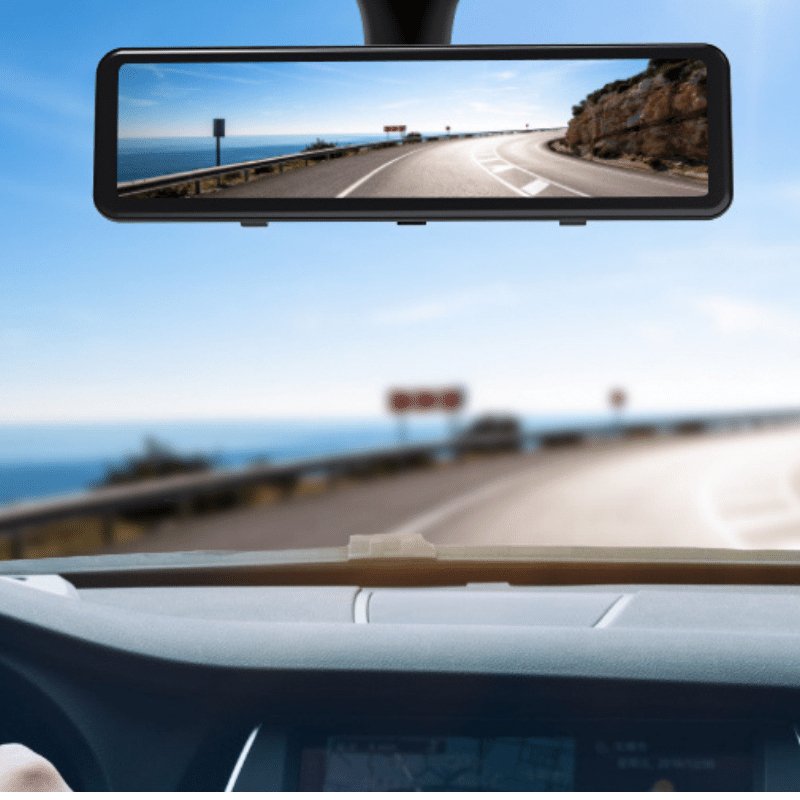
Time-lapse mode in dash cams offers many useful benefits. It helps save storage space and makes reviewing footage easier. This mode takes photos at set intervals and combines them into a video. It works well for long drives and detailed incident reviews. Understanding these benefits helps you use your dash cam more effectively.
Storage Efficiency
Time-lapse mode records fewer frames per second than normal video. This saves a lot of storage space on your memory card. It lets you keep footage for a longer time without deleting old videos. Saving space means your dash cam can keep recording without interruption.
Capturing Long Trips
This mode is perfect for recording long journeys. It shows a fast-forward view of your trip in a short video. You can watch hours of driving in just a few minutes. It makes it easy to see the whole trip without watching too much footage.
Enhanced Incident Review
Time-lapse footage helps review incidents clearly and quickly. The speed-up effect highlights important events without losing details. It captures everything from start to finish in less time. This makes it easier to find and share evidence if needed.
Setting Up Time-lapse Mode
Setting up time-lapse mode on your dash cam lets you capture long drives in short videos. This feature saves space on your memory card while showing hours in just seconds. Proper setup ensures clear, smooth footage that records important moments on the road.
Activating Time-lapse
Start by turning on your dash cam. Access the settings menu using the touchscreen or buttons. Find the “Time-Lapse Mode” option and select it. Some models may call it “Interval Recording.” Confirm your choice to activate the mode.
Adjusting Frame Intervals
Frame intervals control how often the camera takes pictures. Choose shorter intervals for smoother videos and longer intervals to save memory. Typical settings range from one frame every second to one frame every ten seconds. Adjust the interval based on your recording needs.
Compatible Dash Cam Models
Many dash cams from top brands support time-lapse mode. Check your user manual or product page to confirm compatibility. Popular models like Nextbase, Garmin, and Viofo often include this feature. Ensure your firmware is updated for the best performance.

Best Practices For Time-lapse Recording
Time-lapse mode in dash cams captures long journeys in short videos. It saves storage and shows important moments fast. Using time-lapse well needs some care. Follow these tips to get clear, useful videos from your dash cam.
Ideal Conditions
Choose bright days for the best time-lapse results. Clear skies help the camera record sharp images. Avoid night or low light settings. Shadows and glare can blur the footage. A steady vehicle speed also improves video quality.
Battery And Power Considerations
Time-lapse recording uses less power than regular video. Still, connect your dash cam to a constant power source. A car charger or hardwire kit works best. This prevents the camera from shutting off during long trips.
File Management Tips
Time-lapse videos take less space but still need organizing. Regularly transfer files to your computer or cloud. Delete old recordings to free up memory. Use clear names and dates for easy searching later.
Common Issues And Fixes
Time-lapse mode in dash cams offers a unique way to record long drives in a compact video format. Still, users often face some common issues. These problems can affect video quality, storage space, and playback. Understanding these issues helps keep your dash cam working well.
Video Quality Problems
Time-lapse videos may appear blurry or choppy. This happens if the camera’s frame rate is too low. Dirty or scratched lenses also reduce video clarity. Adjusting the resolution settings can improve quality. Regularly clean the lens for clear recordings.
Storage Limitations
Time-lapse mode records many frames quickly. This can fill your memory card fast. Low storage space stops new videos from saving. Using a high-capacity, fast memory card helps avoid this. Delete old files often to free space.
Playback Challenges
Some players may not support time-lapse videos well. Videos might skip or freeze during playback. Converting videos to common formats fixes these issues. Use reliable media players designed for dash cam files.
Creative Uses Of Time-lapse Footage
Time-lapse mode in dash cams captures long moments and speeds them up. This makes ordinary scenes look interesting and lively. Creative uses of time-lapse footage show how useful this feature can be beyond simple recording. It helps tell stories, study movements, and keep places safe. Here are some ways to use time-lapse footage creatively.
Travel Diaries
Time-lapse turns long trips into short, exciting videos. Watch roads, landscapes, and cityscapes change quickly. It shows the journey’s beauty without boring details. Travelers share these videos to capture memories in a fun way. It’s a great way to show how places look during different times of day.
Traffic Pattern Analysis
Time-lapse footage helps study traffic flow on busy roads. It shows peak hours and quiet times clearly. City planners and drivers use this to understand road use better. It can highlight traffic jams and suggest better routes. This makes travel safer and faster.
Security Monitoring
Time-lapse records long hours of security footage in a short video. It helps spot unusual activities quickly. Guards and homeowners check these videos to monitor properties. Time-lapse saves time and effort in watching hours of footage. It makes security checks simple and effective.
Frequently Asked Questions
What Is Time-lapse Mode In Dash Cams?
Time-lapse mode records footage by capturing frames at set intervals. It condenses long drives into shorter videos, saving storage space while showing key moments clearly.
How Does Time-lapse Mode Benefit Dash Cam Users?
Time-lapse mode reduces video file size and storage needs. It helps review long trips quickly and captures important events without using excessive memory.
Can Time-lapse Mode Improve Accident Evidence Collection?
Yes, time-lapse mode records continuous footage efficiently. It captures crucial details over extended periods, aiding in accurate accident documentation and insurance claims.
Is Time-lapse Mode Suitable For Night Driving?
Time-lapse mode can work at night but may reduce video clarity. Some dash cams enhance night recording to maintain visibility during time-lapse capture.
Conclusion
Time-lapse mode helps save space by capturing fewer frames. It records long drives in short videos. This feature shows changes over time clearly and quickly. Dash cams with time-lapse give useful views without large files. It is easy to use and helps with road safety.
Consider this mode to keep important footage without using too much memory. A simple way to watch your trips in fast motion. Time-lapse mode adds value to your dash cam experience.




