Choosing the right SD card for your dash cam can feel confusing. You want enough space to record all your drives without constantly deleting files.
But how do you know what size is best for your needs? Picking the wrong card might mean missed footage or slow performance when you need it most. You’ll discover exactly what size SD card works best for dash cams, helping you keep your drives safe and worry-free.
Keep reading to find the perfect match for your dash cam!

Dash Cam Storage Basics
Understanding dash cam storage is key to choosing the right SD card. Dash cams record video footage continuously. This footage saves on an SD card inside the device. The size and type of this card affect how long videos store and how smoothly the dash cam works. Let’s explore the basics of dash cam storage to help you pick the best SD card.
How Dash Cams Use Sd Cards
Dash cams record video data in small files. These files save on the SD card. The card acts like a mini hard drive. It stores video clips until you review or delete them. Older videos get replaced by new ones once the card is full. This process is called loop recording. Proper SD cards ensure smooth recording without errors.
Types Of Sd Cards Compatible With Dash Cams
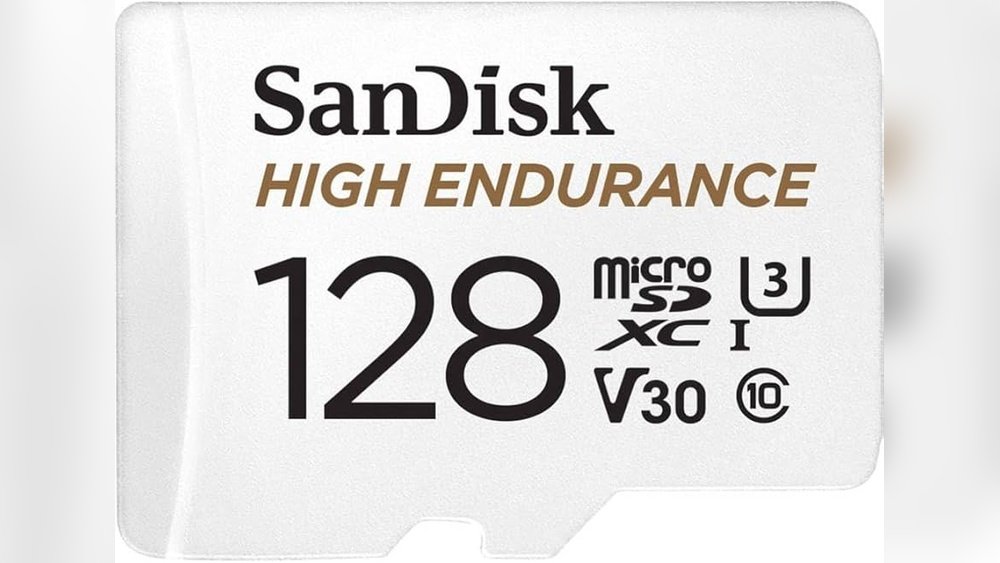
Most dash cams use microSD cards. These are small and easy to fit inside the device. The card must support fast writing speeds. Class 10 or UHS-I cards work best. They handle video recording without lag. Avoid low-speed cards as they may cause recording issues. Always check your dash cam’s manual for compatible card types.
Importance Of Storage Capacity
Storage capacity determines how much footage you can save. Small cards fill up quickly and overwrite important videos. Larger cards store more video files before overwriting. Common sizes range from 32GB to 256GB. Choose a card size based on how long you want to keep recordings. Bigger cards offer more security for longer trips.

Factors Affecting Sd Card Size
Choosing the right SD card size for your dash cam depends on several important factors. These factors affect how much video your card can store before it fills up. Understanding them helps you pick the best card for your needs.
Video Resolution And Frame Rate
Higher video resolution creates clearer videos but uses more storage space. For example, 1080p videos take less space than 4K videos. Frame rate also matters. Videos recorded at 60 frames per second need more space than those at 30 fps. Higher resolution and frame rate mean larger SD cards are necessary.
Recording Duration And Looping
Dash cams record continuously in loops. This means old files are deleted to save new ones. Longer recording time needs bigger SD cards to avoid losing important footage. The size of the card affects how long videos stay saved before they overwrite.
Additional Features Impacting Storage
Some dash cams have extra features like parking mode or motion detection. These features record only when needed but still use storage. More features mean more storage space is required. Choosing a larger SD card helps support these functions without problems.
Recommended Sd Card Sizes
Choosing the right SD card size for your dash cam is important. It affects how much video your camera can store. The right size depends on the camera type and your recording needs. Smaller cards fill up fast. Larger cards last longer but cost more. Below are recommendations for different dash cam types.
Best Sizes For Basic Dash Cams
Basic dash cams record in standard resolution and use less storage. A 16GB or 32GB SD card works well. These sizes store several hours of footage. They are affordable and easy to find. Ideal for daily use and short trips.
Ideal Sizes For High-resolution Models
High-resolution dash cams need more space. They record sharper video and larger files. A 64GB or 128GB SD card is best. These cards hold many hours of high-quality video. Perfect for clear evidence and long drives.
Options For Multi-camera Setups
Multi-camera dash cams record from front and rear or inside the car. They need more storage space. Using 128GB or 256GB SD cards is common. These cards handle multiple video streams without stopping. Great for complete coverage and longer trips.
Sd Card Speed And Durability
Choosing the right SD card for your dash cam is about more than just size. Speed and durability play key roles in capturing clear, reliable footage. A slow card can cause video lag or loss. A weak card may fail after heavy use. Understanding speed classes and endurance helps you pick the best card for your needs.
Why Speed Class Matters
Speed class shows how fast an SD card can write data. Dash cams record video continuously. They need fast writing to keep up. A card with a low speed class can miss frames or stop recording. Look for cards with Class 10 or UHS-I ratings. These classes offer faster write speeds. This ensures smooth, clear video without interruption.
Endurance Ratings For Dash Cam Use
Dash cams write data all the time. This constant writing wears out normal SD cards quickly. Endurance-rated cards are made to last longer. They handle many write cycles without damage. These cards resist heat and shocks well. Using an endurance card means your footage stays safe. It also means fewer card replacements over time.
Brands Known For Reliability
Some brands focus on making durable and fast SD cards. Look for trusted names like SanDisk, Samsung, and Lexar. These brands offer endurance cards with strong speed ratings. Their cards often come with warranties. Choosing a reliable brand reduces the risk of card failure. It gives peace of mind knowing your dash cam footage is secure.
Managing Storage Effectively
Managing storage on your dash cam is important for smooth recording. A full or corrupted SD card can stop your camera from saving video. Knowing how to keep your storage organized helps your dash cam work well.
Regular care of your SD card keeps your videos safe and clear. Using extra storage options can ease space problems. You should also know when it is time to get a bigger or faster SD card for your needs.
Formatting And Maintenance Tips
Format your SD card in the dash cam, not on your computer. This ensures the card matches your camera’s system. Format the card every few weeks to clear old files. Avoid deleting files one by one. It can cause errors and slow down recording.
Keep the card clean and dry. Handle it carefully to avoid damage. Use a good quality SD card made for dash cams. It lasts longer and stores files better.
Using Cloud Storage With Dash Cams
Some dash cams offer cloud storage options. Videos upload automatically to the cloud when connected to Wi-Fi. This saves space on your SD card. You can watch or download videos anytime from your phone or computer.
Cloud storage helps protect important videos from being lost. It works well if your SD card fills up fast. Check if your dash cam supports cloud storage before buying.
When To Upgrade Your Sd Card
Upgrade your SD card if recording stops or slows down. A full card can’t save new videos. If videos have errors or won’t play, your card may be damaged.
Choose a larger capacity card if you want longer recording times. Faster cards improve video quality and reduce lag. Look for cards with high speed and durability ratings.
Future Trends In Dash Cam Storage
Dash cam storage is evolving quickly. New technology changes how much footage you can save and how fast your device works. Understanding future trends helps you pick the right SD card today. This way, your dash cam keeps up with new features and higher video quality.
Advances In Sd Card Technology
SD cards are getting faster and bigger. New types like SDUC support up to 128TB storage. This size is huge for dash cams that record long hours. Speed also improves with UHS-II and UHS-III cards. Faster cards save high-quality videos without lag or skipping.
Impact Of 4k And Ai Features
4K dash cams need more space and speed. 4K video files are large and require quick writing speeds. AI features like motion detection and driver alerts also use storage for data. These features demand SD cards that hold and manage more information efficiently.
Predictions For 2025 And Beyond
By 2025, dash cams will use even larger and faster cards. Storage of 1TB or more may become common. AI will grow smarter, needing more space for data analysis. Cloud storage might also work with SD cards, saving space locally. Choosing future-ready cards means your dash cam stays useful longer.
Frequently Asked Questions
What Sd Card Size Do Dash Cams Usually Require?
Dash cams typically need SD cards between 16GB and 128GB. The size depends on video quality and recording length. Larger cards store more footage but cost more. Always check your dash cam’s recommended size for optimal performance.
How Does Sd Card Size Affect Dash Cam Recording?
A larger SD card allows longer recording before overwriting old files. Smaller cards fill up quickly, causing frequent data deletion. Choosing the right size prevents loss of important footage and ensures continuous recording during trips.
Is A 32gb Sd Card Enough For Dash Cams?
Yes, a 32GB SD card is sufficient for most dash cams. It stores several hours of high-quality video. However, if you record in 4K or drive a lot, consider larger sizes like 64GB or 128GB.
Can Dash Cams Use Sd Cards Larger Than 128gb?
Many dash cams support SD cards up to 256GB or 512GB. Larger cards offer extensive storage but may cost more. Verify your dash cam’s maximum supported size before purchasing a high-capacity card.
Conclusion
Choosing the right SD card size keeps your dash cam working well. A 32GB card fits most daily needs. For longer trips, 64GB or 128GB works better. Bigger cards hold more videos but cost more. Always check your dash cam’s limits first.
Good storage means you won’t miss important moments. Keep your SD card healthy by formatting it often. That way, your dash cam stays ready to record. Simple steps help protect your drive on the road.




