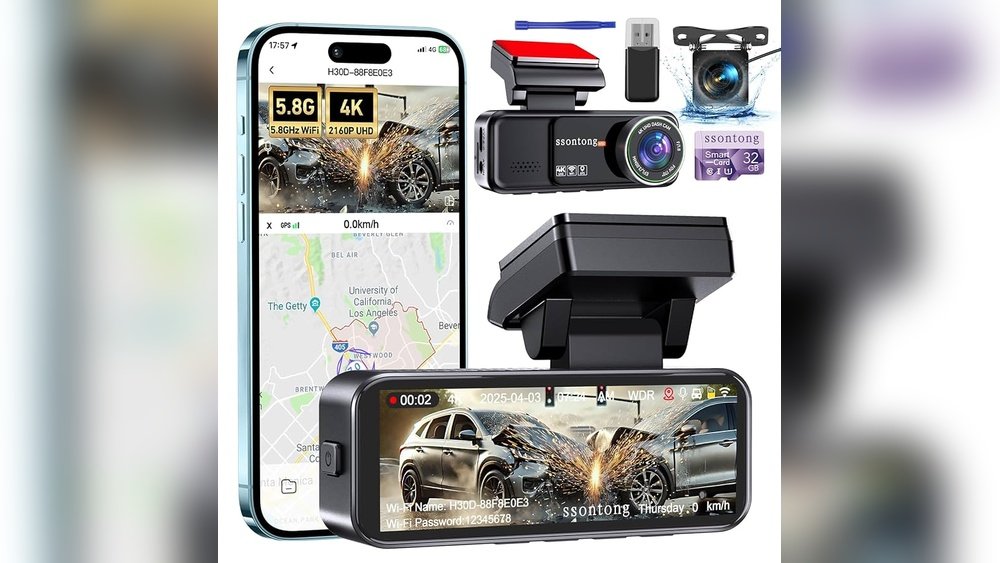
Have you ever noticed your dash cam suddenly turning off and then back on again? It’s frustrating, especially when you rely on it to capture every moment on the road.
If your dash cam keeps restarting, it’s more than just a minor annoyance—it could mean you’re missing crucial footage or facing a bigger problem. You’ll discover the common reasons behind this issue and simple steps you can take to fix it.
Keep reading to make sure your dash cam works perfectly when you need it most.

Common Causes Of Dash Cam Restarting
Dash cams restarting often disrupt recordings and cause frustration. Understanding common causes helps fix the problem fast. Several issues can make your dash cam reboot repeatedly. Most of them relate to power, memory, heat, or software. Identifying the exact cause is the first step to a stable dash cam.
Power Supply Issues
Power problems are the main reason dash cams restart. A loose or damaged power cable can cut power suddenly. Low voltage from the car’s power source also triggers restarts. Faulty cigarette lighter sockets or USB ports create unstable power flow. Using the wrong charger or adapter causes power interruptions. Check all power connections for tightness and damage.
Faulty Sd Card
A bad or slow SD card often causes dash cams to restart. Dash cams write large video files continuously. If the card cannot handle the speed, the device may reboot. Corrupt files or a card filled with errors cause crashes too. Use a high-quality SD card recommended by the dash cam maker. Format the card regularly to keep it clean and error-free.
Overheating Problems
Heat affects dash cams, especially in hot cars or direct sunlight. Overheating forces the device to restart to cool down. Poor ventilation or placing the dash cam near heat sources worsens the problem. Some models have built-in temperature sensors that trigger restarts as protection. Avoid leaving your car in extreme heat to reduce overheating risks.
Firmware Glitches
Dash cams run on firmware that controls all functions. Bugs or glitches in firmware cause unexpected restarts. Outdated firmware lacks fixes and stability improvements. Installing corrupted updates can also cause crashes. Check for the latest firmware updates on the manufacturer’s website. Follow update instructions carefully to avoid new problems.

Troubleshooting Power Problems
Power issues often cause dash cams to restart repeatedly. Troubleshooting these problems can help find the exact cause. Checking power connections and sources is a good first step. A steady power supply keeps the dash cam running smoothly without interruptions.
Check The Power Cable And Adapter
Examine the power cable for damage or wear. A broken wire inside may cause power loss. Ensure the adapter fits tightly in the car’s outlet. Loose connections can make the dash cam restart often.
Inspect The Car Charger Port
Look inside the car charger port for dirt or debris. Dust or lint can block power flow to the dash cam. Clean the port gently with a soft brush or cloth. Make sure the port is not loose or damaged.
Test With A Different Power Source
Use another power source to check the dash cam’s response. Try a different car charger or a USB power bank. If the dash cam stops restarting, the original power source may be faulty. This test helps isolate the power problem quickly.
Sd Card Maintenance Tips
SD card issues often cause dash cams to restart repeatedly. Proper SD card care keeps your dash cam running smoothly. Follow these tips to avoid common problems and improve your device’s performance.
Choose The Right Sd Card
Select an SD card with the right speed and capacity. Look for cards labeled Class 10 or UHS-I for faster data writing. Avoid cheap or low-quality cards as they may fail quickly. Use cards with enough storage to hold your recordings without filling up fast.
Format The Sd Card Properly
Always format the SD card in your dash cam before use. This ensures the file system matches your device’s needs. Regularly reformat the card to clear old files and fix errors. Use the dash cam’s format option, not a computer, for best results.
Replace A Corrupted Sd Card
Corrupted cards cause frequent restarts and lost footage. Signs of corruption include slow writing or error messages. Replace the card if problems persist after formatting. Choose a new card from a trusted brand to avoid future issues.

Managing Overheating
Dash cams often restart because they get too hot. Managing overheating is key to keeping your dash cam running smoothly. Heat can cause the device to shut down or restart to protect itself. Taking steps to reduce heat helps avoid these problems and keeps recordings safe.
Avoid Direct Sunlight Exposure
Direct sunlight heats the dash cam quickly. Parking your car in shaded areas helps. Use sunshades on your windshield to block sunlight. This lowers the temperature inside your car and protects the dash cam.
Install In A Cooler Location
Place the dash cam away from heat sources. Avoid spots near the windshield where the sun hits directly. Install the device where air can flow around it. Cooler air helps the dash cam stay at a safe temperature.
Use Dash Cam With Heat Protection
Some dash cams have built-in heat protection features. These models shut down before overheating occurs. Choose dash cams designed to handle high temperatures. This reduces the chance of constant restarting due to heat.
Updating And Resetting Firmware
Updating and resetting the firmware can solve many dash cam problems. Firmware controls how your dash cam works. Old or corrupted firmware may cause the dash cam to restart often. Keeping firmware updated helps the device run smoothly.
Resetting the firmware can clear errors that cause constant restarting. It returns the device to its original settings. This can fix bugs and glitches that updates might miss. Follow simple steps to update or reset firmware safely.
Check For Firmware Updates
Visit the official website of your dash cam brand. Look for the support or downloads section. Find the latest firmware update for your model. Download the update file to your computer. Connect the dash cam via USB or SD card. Follow the instructions to install the new firmware. Updates often fix bugs and improve stability.
Perform A Factory Reset
Locate the reset option in your dash cam’s menu. This option may be under settings or system. Select factory reset to erase all settings. The dash cam will restart and return to default settings. This step can clear software errors causing restarts. Save important videos before resetting to avoid loss.
Contact Manufacturer Support
If updating or resetting does not help, contact support. The manufacturer can offer specific advice for your model. They may provide advanced troubleshooting or repair options. Keep your device details and purchase information ready. Support teams help resolve firmware issues quickly and safely.
Expert Tips To Prevent Restarting
Dash cams restarting on their own can be frustrating. It interrupts recordings and may cause missed footage. Experts share simple tips to help stop this issue. Follow these steps to keep your dash cam running smoothly.
Regular Device Maintenance
Clean the dash cam lens and buttons often. Dust and dirt can cause overheating or errors. Remove the device and check for any loose parts. Keep the firmware updated to fix bugs. Restart the device after updates to apply changes.
Use Quality Accessories
Choose original or certified power cables and chargers. Low-quality accessories may cause power fluctuations. Avoid using cheap adapters or damaged cables. Secure connections firmly to prevent loose contacts. This reduces the chance of sudden restarts.
Monitor Dash Cam Performance
Watch for unusual behavior like freezing or slow response. Check storage cards for errors and replace if needed. Use memory cards recommended by the manufacturer. Regularly format the card to clear old files. This helps the dash cam work without interruptions.
Frequently Asked Questions
Why Does My Dash Cam Keep Restarting Randomly?
A dash cam often restarts due to power supply issues or faulty wiring. Check your power cable, connection points, and ensure a stable voltage source. Overheating or corrupted firmware can also cause random restarts, so update the firmware and avoid extreme temperatures.
Can A Faulty Sd Card Cause Dash Cam Restarts?
Yes, a corrupted or incompatible SD card can cause your dash cam to restart repeatedly. Use a high-quality, recommended SD card and format it regularly. Avoid counterfeit or low-speed cards to ensure smooth recording and device stability.
How Does Overheating Affect Dash Cam Performance?
Overheating causes a dash cam to shut down or restart to protect internal components. Prolonged exposure to direct sunlight or high temperatures can trigger automatic restarts. Park in shaded areas and use dash cams with good heat dissipation features.
Does Outdated Firmware Cause Dash Cam Restarts?
Outdated firmware can lead to bugs and glitches causing your dash cam to restart. Regularly check for updates from the manufacturer’s website and install them promptly. Firmware updates improve stability, fix known issues, and enhance device performance.
Conclusion
Dash cam restarting often signals a simple issue you can fix. Check the power source and cable first. Faulty connections cause many problems. Update the dash cam’s software regularly to avoid glitches. Overheating or memory card errors also trigger restarts.
Keep the device cool and use a quality memory card. Small steps can improve your dash cam’s performance. Stay patient and troubleshoot carefully. Reliable footage depends on a stable dash cam. Don’t ignore these signs; fix them early for smooth recording.




