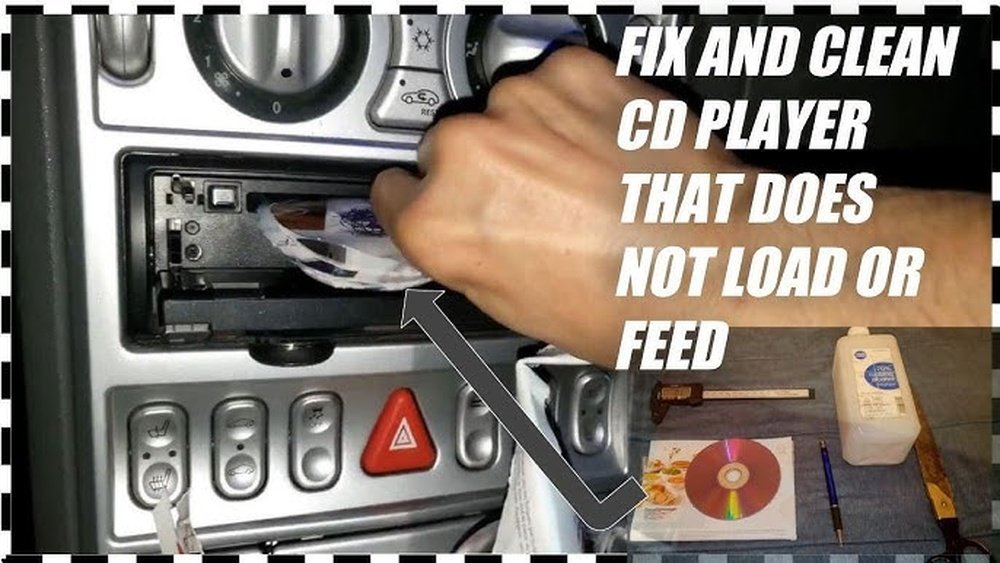
Is your car stereo refusing to read your CDs? It can be frustrating when you want to enjoy your favorite music on the road, but your stereo just won’t cooperate.
You might be wondering why this is happening and how to fix it quickly. You’ll discover the common reasons behind this problem and easy steps you can take to get your car stereo working again. Keep reading—you’re closer to solving this than you think.
Common Reasons For Cd Reading Issues
Car stereos sometimes fail to read CDs. This problem happens for several common reasons. Understanding these causes helps fix the issue quickly. Below are the main reasons why your car stereo may not read a CD.
Dirty Or Damaged Cds
CDs can get dirty or scratched easily. Dust, fingerprints, and scratches stop the stereo from reading the disc. Clean the CD gently with a soft cloth. Avoid using harsh cleaners. Deep scratches may cause permanent damage.
Lens Obstruction
The lens inside the stereo reads the CD. Dust or dirt can block the lens. This stops the stereo from playing the CD. Cleaning the lens carefully with a lens cleaner can help. Avoid touching the lens directly with fingers.
Mechanical Failures
Parts inside the stereo can break or wear out. The motor that spins the CD may fail. The tray or loading mechanism might jam. These issues stop the CD from loading or spinning. Mechanical repair or replacement may be needed.
Software Glitches
Sometimes the stereo’s software has bugs or errors. These glitches affect CD reading and playback. Resetting the stereo or updating its software can fix the problem. Check the user manual for reset instructions.

Simple Cleaning Techniques
Simple cleaning techniques can fix many CD reading problems in car stereos. Dirt and dust often block the laser from reading the disc. Cleaning the CD and the lens inside the stereo can help your player work better. These steps are easy to do at home and save you a trip to the mechanic.
Cleaning The Cd Surface
Start by checking the CD for dirt or fingerprints. Use a soft, lint-free cloth to wipe the disc. Always clean from the center outwards in a straight line. Avoid circular motions to prevent scratches. If the disc is very dirty, use a little water or mild soap. Dry the CD fully before placing it back in the stereo.
Using A Lens Cleaner
A lens cleaner can remove dust from the stereo’s laser lens. Buy a CD lens cleaner kit from a store. Follow the instructions on the package carefully. Usually, you insert the cleaner CD and let it spin. The tiny brushes on the cleaner wipe the lens gently. This helps the stereo read CDs more clearly.
Avoiding Harmful Cleaning Methods
Do not use harsh chemicals or sprays on CDs or the stereo lens. Alcohol, window cleaner, or abrasive materials can damage the disc or lens. Avoid using paper towels or rough cloths to clean discs. These can scratch the surface and cause more problems. Stick to soft cloths and recommended cleaning kits for safe results.
Inspecting The Cd Player Mechanism
Understanding why your car stereo does not read CDs starts with checking the CD player mechanism. This part controls how the CD is loaded, spun, and read. Small issues here often cause playback problems. A careful look can reveal simple fixes. This saves time and money on repairs.
Checking The Cd Tray
The CD tray is the first part to examine. Make sure it opens and closes smoothly. Dirt or small objects can block it. Look inside for dust or scratches. Clean the tray gently with a soft cloth. Avoid using water or strong cleaners. If the tray does not close fully, the player may not read the CD.
Listening For Unusual Noises
Sounds from the CD player reveal much about its condition. Listen for clicking, grinding, or whirring noises. These sounds may mean the laser lens or motor has problems. The laser reads the CD, and the motor spins it. Strange noises often signal mechanical failure or dirt buildup. Fixing these issues can restore normal function.
Ensuring Proper Power Supply
The CD player needs steady power to work right. Check if the stereo turns on and stays on. Loose wires or blown fuses can cut power. Inspect the power connections behind the stereo. Use a multimeter to test voltage if possible. Without proper power, the player cannot read CDs or operate correctly.

Resetting And Updating Firmware
Resetting and updating the firmware can fix many issues with car stereos. Sometimes, the stereo stops reading CDs due to minor software glitches. A reset clears these glitches and restores normal function. Updating the firmware improves how the stereo works with CDs and other media.
Both resetting and updating are simple steps. They help the stereo run smoothly and read CDs correctly. These steps do not require special tools or skills.
Soft Reset Procedures
A soft reset restarts the car stereo without deleting settings. To do this, press and hold the power button for about 10 seconds. The stereo will turn off and then back on. This action clears minor errors that may stop the CD from playing.
Another method is to remove the car stereo’s fuse for a minute. This also resets the system. Make sure the car is off before removing the fuse. After a minute, put the fuse back and turn on the stereo.
Firmware Update Methods
Firmware updates improve the stereo’s software. Check the car stereo manual for update instructions. Most updates come from the manufacturer’s website.
Download the update file to a USB drive. Plug the USB into the stereo’s port. Follow the on-screen prompts to start the update. Keep the car engine running during the process to avoid interruptions.
Some stereos update via a smartphone app. Connect the stereo to the app using Bluetooth or Wi-Fi. The app will guide you through the update steps.
Benefits Of Firmware Updates
Firmware updates fix bugs that block CD reading. They add support for new CD formats and features. Updates improve the stereo’s speed and stability.
Updated firmware helps the stereo read scratched or dirty CDs better. It can also enhance sound quality and user interface. Regular updates keep the stereo working well longer.
When To Seek Professional Help
Sometimes, fixing a car stereo that won’t read CDs needs more than just basic checks. Small problems can be easy to solve. But some issues need a professional’s skill and tools. Knowing when to get expert help saves time and avoids damage.
Identifying Complex Issues
Some problems are not easy to spot. The CD player might have internal parts broken. Wiring could be faulty or connections loose. Dirt deep inside can block the laser. These issues need special tools and knowledge.
Trying to fix complex problems without experience can cause more harm. A professional can quickly find the root cause. They can also test parts that are hard to reach.
Finding Reliable Repair Services
Choose repair shops with good reviews and experience. Look for places that specialize in car audio systems. Ask friends or read online feedback. Reliable services offer guarantees and use quality parts.
Good repair shops will explain the problem and cost clearly. They use proper tools to avoid further damage. Trust matters when handing over your car stereo.
Cost Considerations
Repairs can vary in price. Simple fixes cost less, while parts replacement is pricier. Professionals provide estimates before starting work. This helps avoid surprises later.
Sometimes, fixing the stereo is cheaper than buying a new one. But if costs are too high, replacement might be better. Think about the value and age of your stereo.
Preventive Tips For Cd Player Longevity
Keeping your car stereo’s CD player working well takes simple care. Small actions can stop problems before they start. Follow these tips to help your CD player last longer and read discs correctly. A little care goes a long way in protecting your music system.
Proper Cd Handling
Always hold CDs by the edges. Avoid touching the shiny side. Fingerprints and dirt can cause reading errors. Store CDs in cases to stop scratches. Clean discs with a soft cloth, wiping straight from center to edge. Never use harsh chemicals or paper towels.
Regular Maintenance
Dust and dirt build up inside the CD player. Clean the player regularly with a lens cleaner. Use a soft, dry cloth to wipe the slot and buttons. Check for any stuck discs and remove them carefully. Regular checks keep the player running smoothly.
Avoiding Extreme Conditions
Heat and cold damage the CD player’s parts. Park in shaded areas to avoid direct sunlight. Avoid leaving your car in freezing temperatures for long. Moisture causes rust and electrical problems. Keep the interior dry and use a sunshade to protect your stereo.

Frequently Asked Questions
Why Won’t My Car Stereo Read Any Cds?
Your car stereo may have a dirty laser lens or a mechanical issue. Try cleaning the lens with a proper cleaning CD. If it still fails, the laser or the CD drive might need professional repair or replacement.
Can Scratched Cds Cause Reading Problems In Stereos?
Yes, scratched or damaged CDs often cause read errors. The stereo’s laser can’t properly scan the data on scratched discs. Using clean, scratch-free CDs helps prevent playback issues and extends the stereo’s lifespan.
How Do I Fix A Car Stereo Not Reading Cds?
Start by cleaning the CD and the stereo’s laser lens. Avoid using harsh chemicals. If cleaning doesn’t help, check for firmware updates or consult a technician for potential hardware problems.
Is A Dirty Laser Lens The Main Reason For Cd Read Failure?
A dirty laser lens is a common cause of CD reading problems. Dust and grime block the laser’s path, leading to errors. Regular cleaning with a lens cleaner can keep your stereo working well.
Conclusion
A car stereo not reading a CD can be frustrating. Dirt, scratches, or a dirty lens often cause this problem. Sometimes, the CD format may not be supported. Checking these simple issues can help fix the problem quickly. Regular cleaning and proper handling of CDs keep your stereo working well.
If the issue stays, a professional check might be needed. Understanding these points makes it easier to enjoy your music again. Don’t let a small problem stop your drive’s soundtrack.




