Have you ever found yourself watching a movie or listening to music, only to realize that sound is coming from just one speaker? It’s frustrating and can ruin the whole experience.
You might wonder why this is happening and how to fix it quickly. Understanding the reasons behind this problem can save you time and money, and help you enjoy your audio the way it’s meant to be heard. Keep reading to discover the common causes and easy solutions that will bring your sound back to life.

Common Causes Of One-sided Sound
Sound coming from only one speaker can be frustrating. It affects your listening experience. Several common causes lead to this issue. Identifying these causes helps fix the problem quickly. Understanding these reasons also prevents future sound issues.
Loose Or Damaged Cables
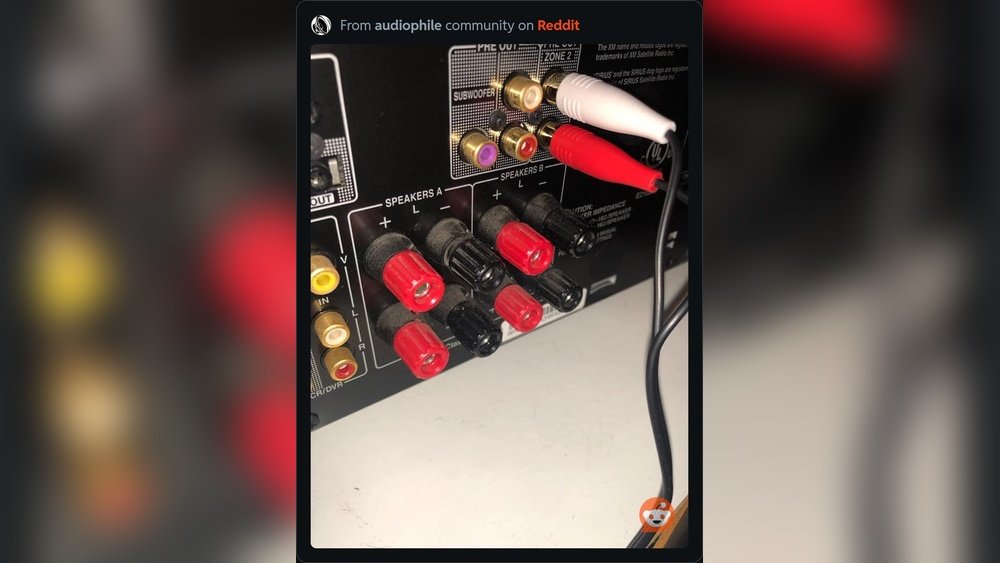
Cables connect your speakers to the audio source. Loose cables can cut off sound to one speaker. Damaged cables cause weak or no sound on one side. Check cables for secure connections and visible damage. Replacing faulty cables often restores full stereo sound.
Incorrect Audio Settings
Audio settings control how sound plays on your device. Sometimes the balance is set to one side only. This setting sends sound to just one speaker. Check balance and stereo settings in your device’s audio menu. Adjusting these settings can solve the one-sided sound problem.
Speaker Hardware Issues
Speakers can have internal faults or wear out over time. A broken speaker driver stops sound on one side. Water damage, dust, or physical impact can harm speakers. Testing with another speaker helps find if hardware is the problem. Repair or replace damaged speakers to fix sound issues.
Audio Source Problems
The issue may come from the audio source itself. Some files or streams have sound only on one channel. Poor quality or corrupted audio files cause uneven sound. Try playing different files or use another device. This helps check if the source causes the one-sided sound.

Quick Fixes For One Speaker Sound
Sound coming from only one speaker can be annoying. It may stop you from enjoying music, movies, or games properly. Before calling a technician, try these quick fixes. They often solve the problem fast and without cost. These easy steps help you check common issues. Follow them one by one to find the cause.
Check And Reconnect Cables
Loose or damaged cables often cause sound problems. Unplug speaker wires and audio cables. Look for any cuts or bends. Reconnect them firmly to the right ports. Make sure you do not swap left and right cables. This simple step can restore sound to both speakers.
Adjust Balance Settings
Balance settings control sound output between speakers. Open audio settings on your device. Find the balance or audio output menu. Check if the balance is centered. Slide it toward the middle if it is off. This adjustment may fix sound from one speaker only.
Test With Different Audio Source
Sometimes, the problem is the audio source. Try playing sound from another device or app. Use a different song or video file. This helps find out if the issue is with the speaker or the source. Testing with various sources narrows down the cause quickly.
Inspect And Clean Speaker Components
Dust and dirt can block speaker sound. Look inside speaker grills for dust build-up. Use a soft brush or cloth to clean it gently. Avoid using water or chemicals. Cleaning speaker parts may improve sound quality and fix the one-speaker issue.
Troubleshooting Audio Devices
Troubleshooting audio devices helps find why sound plays from one speaker only. Many factors can cause this problem. Checking each part can fix the issue fast. Follow these steps to test and fix your audio setup.
Using Built-in Audio Diagnostics
Most computers have built-in tools to check sound problems. These diagnostics scan your audio system automatically. They spot errors in settings or hardware. Running this tool can show if one speaker has issues. It guides you on how to fix the problem.
Updating Audio Drivers
Audio drivers control how sound hardware works. Old or broken drivers can cause uneven sound. Check your device manager to find the audio driver. Update it to the latest version from the official website. This update can restore proper sound to both speakers.
Resetting Audio Equipment
Sometimes, the audio device needs a reset to work right. Turn off your speakers and unplug them from power. Wait for a minute, then plug them back in and turn on. This simple reset clears temporary errors. It often brings back sound to both speakers.

Preventing Future Sound Issues
Sound coming from only one speaker can be frustrating. Preventing this issue helps keep your audio clear and balanced. Taking simple steps can stop future problems. Careful upkeep, good cable habits, and smart equipment choices make a big difference.
Regular Maintenance Tips
Check your speakers often for dust or damage. Clean speaker grills gently with a soft cloth. Test the sound regularly to catch problems early. Tighten any loose connections to avoid sound loss. Keep your audio system in a dry place to prevent moisture damage.
Proper Cable Management
Organize cables neatly to avoid tangling or pulling. Use cable ties or clips to secure wires. Avoid bending cables sharply or placing heavy objects on them. Replace worn or damaged cables quickly. Good cable care keeps sound signals strong and clear.
Choosing Quality Audio Equipment
Select speakers and cables from trusted brands. Quality gear lasts longer and works better. Read reviews to find reliable products that suit your needs. Avoid cheap, low-quality items that can cause sound issues. Investing in good equipment saves time and frustration.
Frequently Asked Questions
Why Is Sound Only Coming From One Speaker?
Sound may come from one speaker due to loose connections, faulty cables, or incorrect audio settings. Check speaker wires, audio balance, and device output settings to fix this issue.
How To Fix Audio Playing From One Speaker Only?
Inspect speaker wires and replace damaged cables. Adjust audio balance settings to center. Restart your device and update audio drivers if needed.
Can Audio Balance Cause Sound From One Speaker?
Yes, incorrect audio balance settings can limit sound to one speaker. Adjust balance controls in your device’s audio settings to ensure equal output.
Does Speaker Damage Cause One-sided Sound?
A damaged or blown speaker often causes sound from only one side. Test with another speaker to confirm and replace if necessary.
Conclusion
Sound from only one speaker can be annoying. It often means a simple fix is needed. Check your cables and connections first. Sometimes, the audio settings cause the problem. Try swapping the speakers to find the issue. Cleaning the speaker or jack might help too.
Avoid rushing to replace your equipment. Small steps can bring back full sound. Keep testing until both speakers work well. This way, you enjoy clear and balanced audio again.




