
Have you ever noticed your stereo volume suddenly changing on its own? One moment it’s just right, and the next it’s too loud or too soft without you touching a thing.
It can be confusing and even frustrating. But why does this happen? Understanding why your stereo volume auto adjusts can save you from unexpected sound surprises and help you enjoy your music or shows without interruptions. Keep reading to discover the simple reasons behind this common issue and how you can take control of your listening experience.
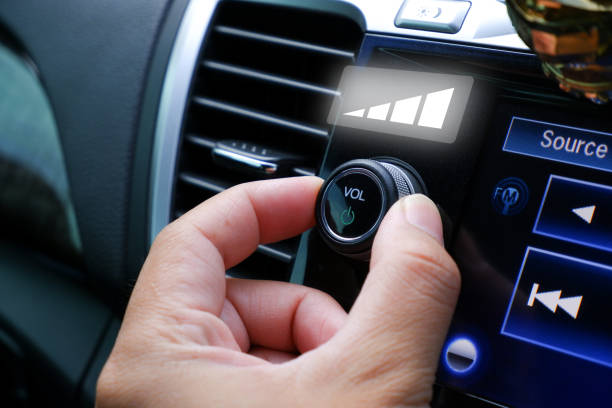
Common Causes Of Auto Volume Changes
Auto volume changes in stereo systems can be frustrating. Understanding the common causes helps you fix or avoid them. These issues often come from built-in settings or external factors. Here are some main reasons why your stereo volume might adjust by itself.
Automatic Gain Control
Many stereos have Automatic Gain Control (AGC). It changes volume to keep sound levels steady. AGC lowers loud sounds and raises quiet ones. This helps prevent sudden loud noises. But it can make volume feel like it is changing on its own.
Software Updates And Bugs
Software controls many stereo functions today. Updates can fix bugs but also create new ones. Some bugs cause volume to shift unexpectedly. Outdated software may also cause auto volume changes. Keeping software up to date can reduce this issue.
Hardware Issues
Faulty hardware parts can affect volume control. Worn-out buttons or knobs may send wrong signals. Loose connections inside the stereo can cause volume jumps. Hardware damage from drops or spills also impacts sound levels.
Interference From Other Devices
Other electronics nearby can interfere with your stereo. Wireless devices like phones or routers may cause volume changes. Electrical noise from appliances can also affect sound signals. Moving your stereo away from these devices helps reduce interference.

Effects Of Auto Volume Adjustments
Auto volume adjustments in stereo systems can impact how you enjoy sound. These changes affect not just loudness but also the overall audio experience. Understanding these effects helps in managing your stereo settings better.
Listening Experience Disruptions
Sudden changes in volume can disturb your listening flow. Quiet parts may become too loud or too soft unexpectedly. This distracts from enjoying music or movies fully.
Potential Damage To Speakers
Auto volume spikes can strain your speakers. Loud bursts might cause wear or even permanent damage. Protecting your speakers means avoiding abrupt volume jumps.
Impact On Audio Quality
Volume auto adjustments can reduce sound clarity. Compression of audio signals may occur, causing loss of detail. High-quality sound requires steady, balanced volume levels.
Simple Fixes For Auto Volume Problems
Auto volume changes on your stereo can be annoying. Sudden loud sounds or quiet audio spoil your listening experience. Fixing these issues is easier than you think. Simple steps can stop auto volume problems quickly.
Disabling Automatic Gain Control
Automatic Gain Control (AGC) adjusts sound levels automatically. It tries to keep volume steady but can cause unwanted changes. Turning off AGC in your stereo settings often stops auto volume shifts. Check your stereo manual to find this option.
Checking And Updating Software
Old software can cause volume problems. Manufacturers fix bugs in new updates. Check if your stereo has a software update available. Download and install the latest version. This can improve volume control and overall sound quality.
Inspecting Hardware Connections
Loose or damaged cables may cause volume issues. Check all connections between devices. Make sure wires are secure and not frayed. Replace any damaged cables. Proper hardware connections help keep volume steady.
Reducing Device Interference
Other electronics can interfere with your stereo. Wireless signals or nearby devices may cause volume changes. Move your stereo away from routers, phones, or microwaves. Reduce interference to keep sound levels consistent.
Advanced Troubleshooting Steps
Advanced troubleshooting steps help fix stereo volume issues that basic fixes cannot solve. These steps dig deeper into settings and hardware problems. They guide users through careful adjustments and checks.
Follow these steps to better understand why your stereo volume auto adjusts. Each method targets different causes. Try them one by one for best results.
Resetting Audio Settings
Resetting audio settings clears any unwanted changes. It brings your device back to its original sound configuration. This helps fix errors causing volume shifts.
Access your stereo’s menu and find the audio or sound settings. Look for an option called “Reset” or “Restore Defaults.” Confirm the reset and restart the stereo. Test the volume to see if it remains steady.
Using External Volume Controllers
External volume controllers can control sound outside the stereo system. These devices allow manual adjustments without using the stereo’s internal controls. They prevent automatic volume changes.
Connect an external volume controller between your stereo and speakers. Adjust the volume using this device. Check if the volume stays consistent during playback. This method bypasses internal volume control issues.
Consulting Professional Repair Services
Some volume problems stem from hardware faults. Professional repair services can identify and fix these issues. They have tools and knowledge to repair complex problems.
Visit a certified technician if the volume still auto adjusts. Explain the issue and the steps you tried. A professional can inspect internal components or replace faulty parts. This ensures a long-term solution.
Preventing Future Volume Issues
Preventing future volume issues is key to enjoying clear, steady sound from your stereo. Small steps can stop sudden changes in volume and keep your system working well. Regular care and smart choices help maintain sound quality and avoid frustration.
Regular Maintenance Tips
Clean your stereo and speakers often. Dust and dirt can cause poor connections. Check cables and plugs for damage or looseness. Tighten or replace anything that looks worn out. Keep vents clear to avoid overheating. Turn off devices properly to extend their life.
Choosing Reliable Audio Equipment
Pick brands known for good quality and durability. Cheap gear may cause volume problems. Look for equipment with good reviews and warranties. Match speakers and amplifiers carefully to avoid strain. Avoid mixing too many different brands or types.
Optimizing System Settings
Set your volume levels evenly across devices. Avoid maxing out volume on any part of the system. Use equalizer settings to balance sound frequencies. Disable automatic volume controls if they cause issues. Update your stereo’s software or firmware regularly.
Frequently Asked Questions
Why Does My Stereo Volume Auto Adjust Randomly?
Stereo volume auto adjusts due to features like volume leveling or dynamic range compression. These settings balance loud and soft sounds automatically. It prevents sudden loud noises and maintains consistent audio levels for better listening comfort.
Can Software Updates Cause Stereo Volume Changes?
Yes, software updates can modify audio settings or introduce new features. These changes may affect volume behavior, causing auto adjustments. Always check update notes and audio settings after an update to manage volume preferences.
How To Stop Stereo Volume From Auto Adjusting?
To stop auto adjusting, disable features like volume leveling or adaptive sound in your device’s audio settings. Check your stereo or app settings for any automatic volume controls and turn them off to maintain manual volume control.
Does Bluetooth Affect Stereo Volume Auto Adjustment?
Bluetooth devices sometimes auto adjust volume for compatibility and safety reasons. This can cause volume changes when connecting or switching devices. Adjust volume settings on both the stereo and Bluetooth device to reduce auto adjustments.
Conclusion
Stereo volume auto adjusts to improve your listening experience. It helps keep sounds clear and balanced. This feature avoids sudden loud noises or quiet parts. Many devices use it to protect your ears. Understanding why it happens can reduce frustration.
Now, you know the reason behind volume changes. Enjoy your audio without surprises or discomfort. Simple technology working quietly in the background.




