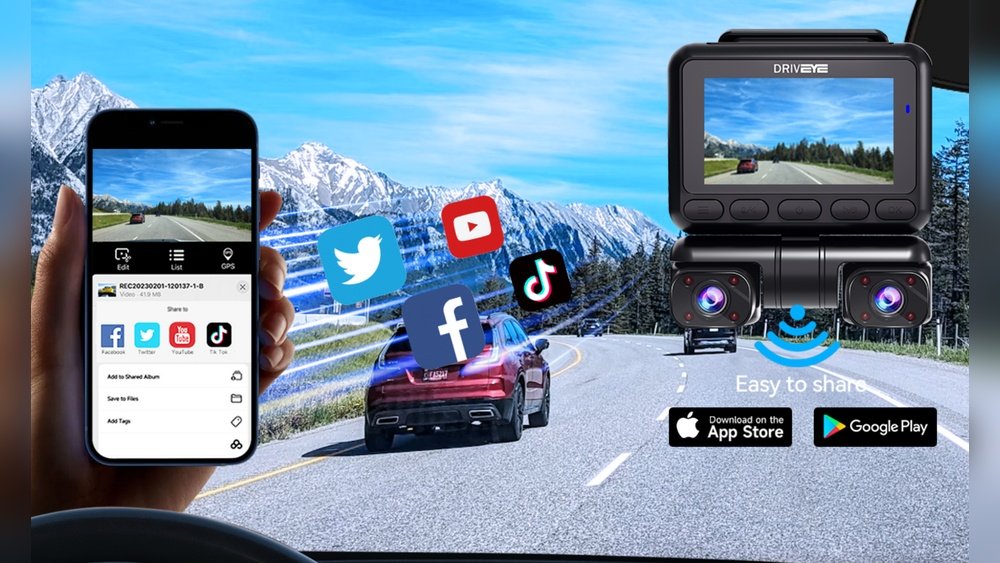
Have you ever wished you could instantly check your dash cam footage right on your phone? Imagine the convenience of reviewing videos, sharing important clips, or adjusting settings without digging through menus on a tiny screen.
Connecting your dash cam to your smartphone can make all this possible. But how does it work, and is it easy to set up? Keep reading to find out everything you need to know about linking your dash cam with your smartphone—and why it might be the smartest move for your driving safety.

How Dash Cams Connect To Smartphones
Dash cams connect to smartphones in simple ways. This connection lets users view videos, change settings, and download files. Different methods help link dash cams with mobile devices. These include Wi-Fi, Bluetooth, and special apps. Each method offers easy access to dash cam features from a phone.
Wi-fi Connectivity
Many dash cams have built-in Wi-Fi. This creates a direct link to a smartphone. Users can connect to the dash cam’s Wi-Fi network. After connecting, they open the dash cam app on the phone. This lets them watch live footage and save videos. Wi-Fi also allows easy firmware updates for the dash cam.
Bluetooth Pairing
Bluetooth is another common way to connect. It uses low energy and works at short distances. Pairing the dash cam and phone via Bluetooth is quick. This method helps transfer small files and sync settings. Bluetooth uses less power than Wi-Fi. It is good for simple tasks without heavy data use.
Mobile Apps For Dash Cams
Dash cam makers create apps for smartphones. These apps manage the connection and display video files. Users can watch recorded clips or live views on their phone. Apps also let users change recording settings easily. They offer tools to save important videos directly to the phone. Apps make the dash cam experience more user-friendly and flexible.
Benefits Of Smartphone Integration
Connecting dash cams to smartphones brings many useful benefits. It makes using dash cams easier and more convenient. Drivers can access videos and important information quickly. This connection improves safety and helps share proof after accidents.
Instant Video Access
Smartphone integration allows instant video viewing on your phone. No need to remove the memory card or use a computer. Watch recorded footage anytime and anywhere. This saves time and effort during emergencies or routine checks.
Easy File Sharing
Sharing dash cam videos becomes simple with smartphone connection. Send clips by email or messaging apps in seconds. It helps share evidence with insurance or police faster. No complicated steps or extra devices needed.
Real-time Notifications
Your phone receives alerts from the dash cam instantly. Get warnings about impacts, parking events, or camera status. Stay informed even when away from the car. This feature improves security and peace of mind.
Setting Up Your Dash Cam With A Smartphone
Setting up your dash cam with a smartphone makes managing recordings easier. You can view videos, change settings, and update firmware right from your phone. The process is simple and quick with the right steps.
Downloading The Right App
Start by finding the app made for your dash cam brand. Check the app store on your smartphone. Use the exact model name to search. Download and install the app. Most dash cams work with free apps. These apps help control the dash cam easily.
Pairing Steps
Turn on your dash cam and enable its Wi-Fi or Bluetooth feature. Open the app on your phone. Follow the app’s instructions to connect to the dash cam. Usually, you join the dash cam’s Wi-Fi network. Enter the password if asked. Once connected, the app shows live video and settings.
Troubleshooting Common Issues
Connection problems happen sometimes. Restart your phone and dash cam first. Check if the dash cam’s Wi-Fi or Bluetooth is on. Make sure the app is up to date. Forget the dash cam network in your phone and reconnect. If issues continue, consult the dash cam manual or app support.
Best Dash Cams For Smartphone Syncing
Dash cams that sync with smartphones offer great convenience. They let you view, save, and share videos easily. No need to remove memory cards or use a computer. Just connect your phone, and control your dash cam from an app. This section highlights the best dash cams for smartphone syncing. It covers top models with Wi-Fi, budget-friendly options, and key premium features.
Top Models With Wi-fi
Wi-Fi is the most common way dash cams connect to phones. It provides a fast and stable link. Popular models include the Garmin Dash Cam 67W and the Nextbase 622GW. Both offer easy app access to videos and settings. These cams have clear video quality and reliable connectivity. They make sharing footage quick and simple.
Affordable Options
Not all smartphone-syncing dash cams cost a lot. Some budget models still offer good Wi-Fi features. The APEMAN C450 and VIOFO A119 V3 fit this category. These cams provide decent video quality and easy phone syncing. Ideal for drivers who want smartphone control without a big price tag.
Premium Features To Consider
Higher-end dash cams offer extra features beyond Wi-Fi. Look for models with GPS, voice control, and advanced driver alerts. The Thinkware U1000 and BlackVue DR900X are two examples. They provide better video clarity and smart app functions. These features improve safety and user experience on the road.
Security And Privacy Concerns
Dash cams that connect to smartphones offer great convenience. You can view and save videos directly on your phone. Yet, this connection raises some security and privacy concerns. Protecting your data and footage is important. Understanding these risks helps keep your information safe.
Data Encryption
Data encryption keeps your video files safe. It changes data into a code that others cannot read. Many dash cams use encryption when sending footage to your phone. This stops hackers from stealing your videos. Always check if your dash cam supports encryption.
App Permissions
Dash cam apps ask for permissions on your phone. They may request access to your camera, storage, or location. Only allow permissions needed for the app to work. Avoid giving access to unnecessary data. Review app permissions regularly to protect your privacy.
Protecting Your Footage
Secure storage is key to protecting your footage. Save videos on your phone or cloud with strong passwords. Avoid sharing sensitive videos on public networks. Use apps that offer password protection for video files. These steps reduce risks of losing or leaking your footage.
Future Trends In Dash Cam Connectivity
The future of dash cam connectivity is bright and full of new features. Dash cams are becoming smarter and more useful. They will connect better with smartphones and other devices. This change will make driving safer and more convenient. New technology will help drivers manage videos and alerts easily.
Cloud Storage Integration
Cloud storage will allow dash cams to save videos online. Drivers can access footage anytime from their phones. This means no need to remove memory cards. Videos will be safe even if the dash cam is damaged. Cloud storage also helps save space on the device.
Ai And Smart Alerts
Artificial intelligence will improve dash cams’ alert systems. They will detect dangers like sudden braking or collisions. Smart alerts will notify drivers instantly on their smartphones. This quick warning can help prevent accidents. AI will also learn driving habits to give better advice.
Enhanced Mobile Features
Mobile apps will offer more control over dash cams. Users can adjust settings and download videos easily. Live streaming will become common for real-time viewing. Sharing videos on social media will be faster. The apps will work smoothly on all smartphones.

Frequently Asked Questions
Can Dash Cams Connect Directly To Smartphones?
Yes, many dash cams use Wi-Fi or Bluetooth to connect directly to smartphones. This allows easy access to videos and settings through dedicated apps.
What Are Benefits Of Connecting Dash Cams To Phones?
Connecting dash cams to smartphones enables quick video playback, real-time live view, easy file transfers, and instant sharing on social media or cloud storage.
Do All Dash Cams Support Smartphone Connectivity?
No, not all dash cams support smartphone connectivity. Check product specifications for Wi-Fi or Bluetooth features before purchasing if this function is important.
How Do I Connect A Dash Cam To My Smartphone?
Typically, you install the dash cam app, enable Wi-Fi or Bluetooth on both devices, and follow pairing instructions to connect and control the dash cam.
Conclusion
Dash cams often connect easily to smartphones through apps or Bluetooth. This allows quick video viewing and easy sharing. You can control settings right from your phone screen. Connection helps keep your drives safer and more secure. Many models offer simple steps to pair with your device.
Always check if your dash cam supports smartphone links before buying. Using this feature makes managing footage fast and convenient. It’s a smart way to stay updated while on the road. Smartphones and dash cams work well together for better driving safety.




