Can I Charge a Car Battery Without Removing It from the Car?
Many car owners face a dead or weak battery at some point. When this happens, the question often arises: Can I charge a car battery without removing it from the car? The answer is yes, you can—but there are important things to know before you start. Charging a car battery in place can be safe and convenient, but it also requires careful attention to safety, the right tools, and proper technique. This guide will walk you through everything you need to know, from understanding your car’s electrical system to step-by-step charging instructions, safety tips, and troubleshooting advice. Whether you’re a beginner or just want to be sure you’re doing things right, you’ll find all the details you need here.
Understanding Car Batteries And Charging Basics
What Is A Car Battery?
A car battery is a rechargeable device that supplies electricity to start your car and power electronics like lights and radios. Most cars use a lead-acid battery, which stores energy through a chemical reaction between lead plates and acid.
How Does Charging Work?
Charging a car battery means sending an electrical current into it so the chemical reaction reverses and stores energy again. There are two common ways to charge a car battery:
- With a Battery Charger: An external device connects to your battery and supplies the needed voltage and current.
- With the Alternator: When your engine runs, the alternator charges the battery automatically.
Why Not Remove The Battery?
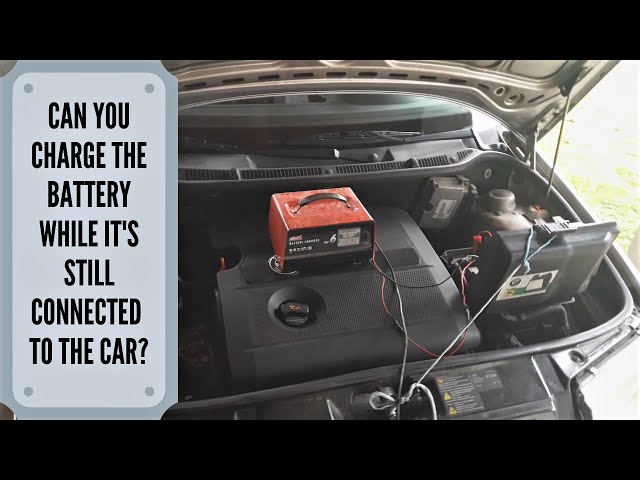
Many people think they must remove the battery to charge it, but that’s not always needed. In fact, charging the battery while it’s still in the car is common and often safer. However, you must follow the right steps to avoid electrical damage or injury.
Is It Safe To Charge A Car Battery Without Removing It?
Charging your car battery in place is usually safe if you use the right charger and follow instructions. Here’s why:
- Modern chargers are designed to be used with the battery connected.
- Most cars have voltage regulation to prevent overcharging.
- Removing the battery can cause your car’s electronics to lose memory, settings, or even trigger warning lights.
However, there are risks if you don’t follow safety rules. Charging creates hydrogen gas, which is flammable. There’s also the danger of short circuits if you connect wires incorrectly.
When Should You Remove The Battery?
You may need to remove the battery if:
- The battery is leaking or badly damaged.
- Your car’s electrical system is sensitive (rare in most modern cars).
- You use an old or non-automatic charger that can’t prevent overcharging.
Tools And Equipment Needed
Before you start, gather the following items:
- Battery charger (smart/automatic charger preferred)
- Safety glasses and gloves
- Wrench (optional, for cleaning terminals)
- Wire brush (optional, for cleaning corrosion)
- Baking soda and water (for cleaning acid spills)
- Multimeter (to check voltage)
Tip: Always check your car’s manual for any special instructions.
How To Charge A Car Battery Without Removing It: Step-by-step Guide
Charging your car battery in place is straightforward if you take things step by step.
1. Prepare The Area
- Park your car in a well-ventilated area, away from open flames or sparks.
- Turn off the engine, remove the keys, and switch off all electrical accessories.
- Open the hood and locate the battery.
2. Inspect The Battery
- Look for cracks, leaks, or severe corrosion.
- If you find damage, do not charge the battery—replace it instead.
- Clean the terminals with a wire brush if needed.
3. Check The Battery Voltage
Use a multimeter to check the voltage. A fully charged 12-volt battery should read around 12.6 volts. If it’s below 12.2 volts, it needs charging.
4. Choose The Right Charger Setting
Set your charger to the correct voltage (usually 12V) and choose a slow (trickle) charge if possible. Fast charging can damage the battery or reduce its lifespan.
5. Connect The Charger
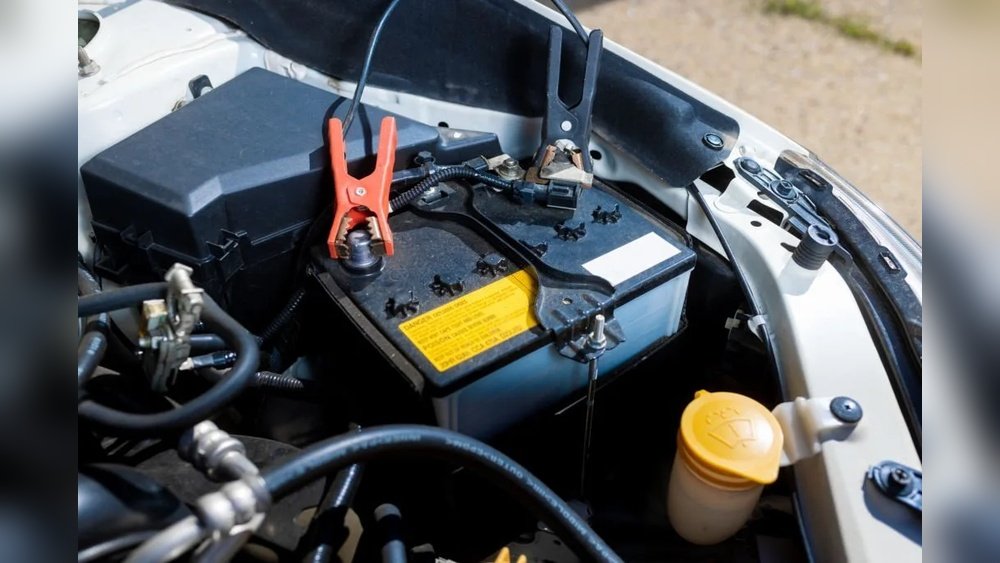
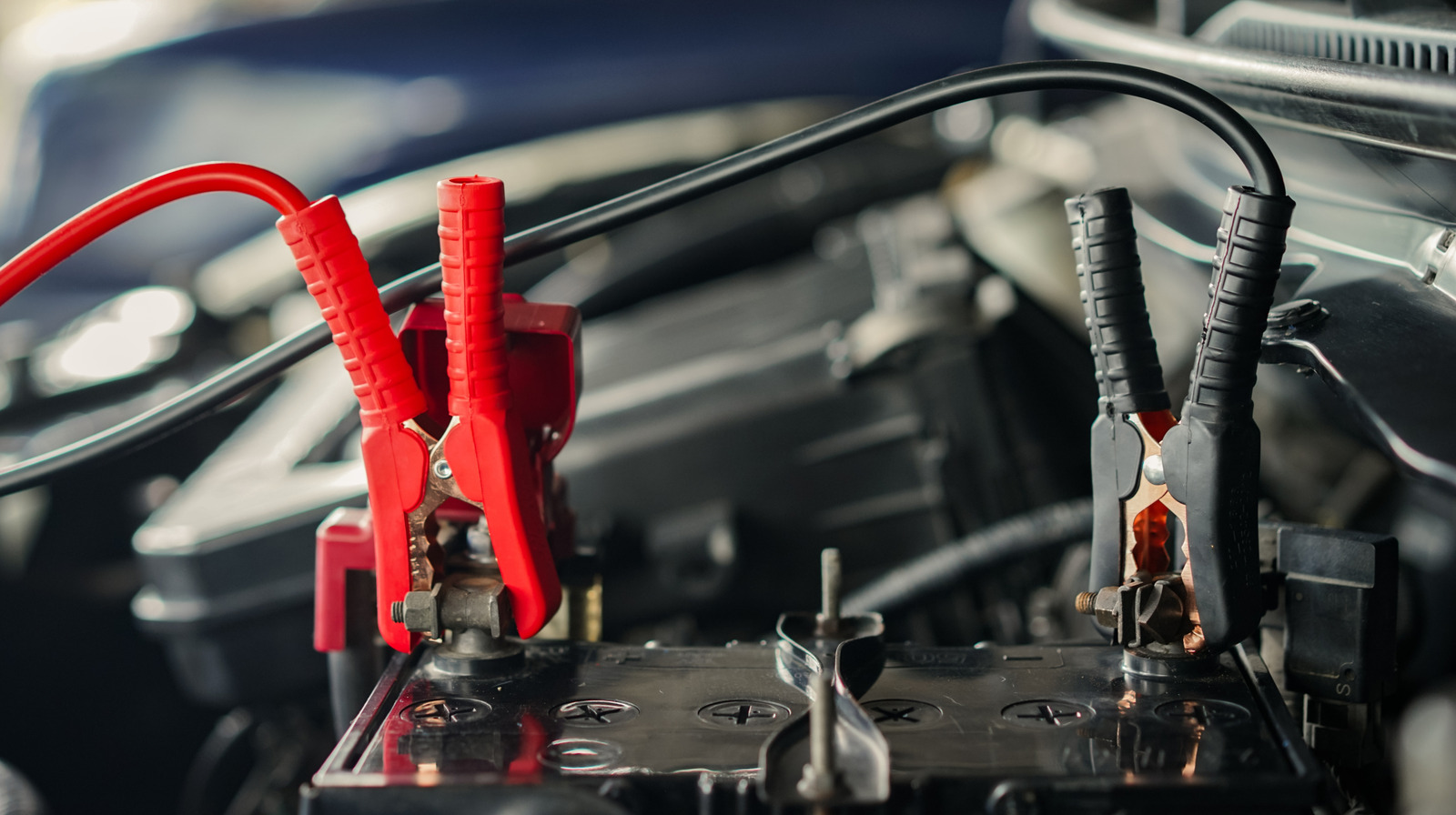
- Attach the positive (red) clamp to the battery’s positive terminal (+).
- Attach the negative (black) clamp to the battery’s negative terminal (–), or to a metal ground point on the car’s frame—away from the battery.
Insight: Connecting the negative clamp to a ground point, instead of directly to the battery, reduces the risk of sparks near battery gases.
6. Power On The Charger
- Plug in the charger and switch it on.
- Most smart chargers will show charging status and stop automatically when done.
7. Monitor The Charging Process
- Charging can take several hours, depending on the charger and how discharged the battery is.
- A typical slow charge (2–10 amps) may take 6–24 hours for a fully dead battery.
8. Turn Off And Disconnect
- When charging is complete, turn off the charger before removing the clamps.
- Remove the negative (black) clamp first, then the positive (red).
9. Check Battery Health
- After charging, check the battery voltage again.
- Start the car to see if it runs properly.
Common Mistakes And How To Avoid Them
Charging a car battery seems simple, but it’s easy to make mistakes that can damage your battery or car. Here are some frequent errors:
- Using the Wrong Charger: Always match charger voltage (12V for most cars). Using a 24V charger will damage your battery.
- Reversing Clamps: Connecting positive to negative can cause sparks, fire, or electronic damage.
- Charging in a Closed Space: Hydrogen gas can build up and explode.
- Overcharging: Leaving a manual charger on too long can boil the battery acid and shorten battery life.
- Ignoring Battery Condition: Don’t charge a leaking, swollen, or frozen battery.
Pros And Cons Of Charging Without Removing The Battery
Charging a battery in place is convenient, but there are advantages and drawbacks.
| Pros | Cons |
|---|---|
| Quick and easy setup | Risk of sparks if done incorrectly |
| No need to reset car electronics | Potential to damage sensitive electronics in rare cases |
| Less physical effort (no heavy lifting) | Can’t clean battery tray or terminals thoroughly |
| Reduces risk of dropping or spilling acid | May miss hidden battery damage |
Key insight: For most drivers, the pros far outweigh the cons, especially if you use a modern smart charger.
Comparing Charging Methods: In-car Vs Out-of-car
For some, removing the battery seems safer or more thorough. Here’s a direct comparison:
| Feature | Charging In-Car | Charging Out-of-Car |
|---|---|---|
| Convenience | High | Low |
| Risk to Car Electronics | Low (if careful) | Zero |
| Ability to Clean Battery | Limited | High |
| Risk of Losing Settings | None | High |
| Best for Beginners | Yes | No |
Important Safety Tips
Car batteries contain acid and produce explosive gases. Always keep these safety tips in mind:
- Wear protective gear—gloves and safety glasses.
- Work in a well-ventilated area.
- Keep open flames and sparks away from the battery.
- Never lean directly over the battery while charging.
- If acid spills, neutralize with baking soda and water.
Non-obvious insight: Even plastic tools can conduct electricity if wet or dirty, so always keep tools clean and dry.
How To Choose The Right Battery Charger
Not all chargers are the same. Choosing the right one is important for safety and battery life.
Key Features To Consider
- Smart Charger: These automatically adjust the charge rate and stop when the battery is full.
- Amperage Options: Low amp (2–10A) for slow charging; high amp (20–40A) for quick boosts.
- Voltage Selector: Make sure it matches your battery (most are 12V).
- Safety Features: Look for reverse polarity protection, automatic shutoff, and short circuit protection.
Example Of Smart Charger Advantages
A smart charger can detect battery type, charge level, and even repair minor sulfation (crystals that build up on battery plates). Older manual chargers can’t do this, which risks overcharging or undercharging.
Step-by-step: Using A Smart Charger
Smart chargers are the best choice for most drivers. Here’s a quick overview:
- Connect clamps as described above.
- Select battery type (flooded, AGM, gel) if your charger asks.
- Choose slow or automatic mode.
- Let the charger monitor and stop charging when done.
- Disconnect clamps in the correct order.
Non-obvious insight: Some smart chargers can be left connected for days (maintenance mode), keeping your battery healthy if you store your car for long periods.
What About Jump Starters And Trickle Chargers?
You might hear about jump starters and trickle chargers as alternatives.
Jump Starter
- Delivers a quick burst of power to start the car.
- Does not fully recharge the battery.
- Useful for emergencies but not for regular charging.
Trickle Charger
- Provides a very low charge over a long time.
- Good for keeping a battery topped up, especially for cars stored over winter.
- Not ideal for quickly charging a dead battery.
How Long Does Charging Take?
Charging time depends on battery size, charger output, and battery condition.
| Charger Output | Battery Size (Ah) | Approximate Time to Full Charge |
|---|---|---|
| 2 Amps | 48 Ah | 24 hours |
| 10 Amps | 48 Ah | 5 hours |
| 20 Amps | 48 Ah | 2.5 hours |
Tip: For best battery health, use a slower charge (2–10 amps) unless you need a quick boost.
Will Charging In The Car Damage Electronics?
This is a common worry, especially with modern cars full of computers and sensors. Using a modern smart charger, the risk is very low. Problems usually happen only if:
- You use an old, unregulated charger.
- You connect clamps incorrectly.
- The battery is deeply damaged and leaks current.
For peace of mind, check your car’s manual or ask a mechanic.
Special Cases: Hybrid And Electric Vehicles
Hybrid and electric cars use high-voltage batteries. These should never be charged with a standard 12V charger unless your manual specifically says so. The small 12V battery in hybrids can sometimes be charged as normal, but always double-check with your dealer or manufacturer.
Signs Your Battery Needs Charging (or Replacing)
Not all starting problems are caused by a dead battery. Here’s how to tell if charging will help:
- Slow cranking: The engine turns slowly when you try to start.
- Dim headlights: Lights are dim or flicker.
- Electrical issues: Power windows, radio, or dashboard don’t work right.
If you charge the battery and it quickly dies again, the battery may need replacing. Car batteries usually last 3–5 years.
Troubleshooting: If Charging Doesn’t Work
If you follow all steps but your car still won’t start, check these:
- Loose or dirty terminals: Clean and tighten them.
- Blown fuse: Check your car’s main fuse box.
- Bad alternator: If your battery keeps dying, your alternator may not be charging it.
- Dead cell: Sometimes, one battery cell is dead, and charging won’t help.
In these cases, see a professional mechanic.
Environmental Tips For Charging At Home
- Always recycle old batteries at approved centers.
- Don’t pour acid or cleaning water down the drain.
- Keep children and pets away from the charging area.
Real-world Example
Let’s say you leave your headlights on overnight. In the morning, the car won’t start. You use a smart charger, connect it as described, and charge for 6 hours at 10 amps. The car starts, electronics work fine, and you avoid a trip to the mechanic.
If you had removed the battery, you might have lost your radio presets or triggered a security lockout. Charging in the car saved you time and hassle.
Trusted Resources
For more details on car battery care, you can check the Wikipedia Car Battery page.
Frequently Asked Questions
Can I Use My Car While The Battery Is Charging?
No, do not start or drive your car while the battery is charging. Wait until charging is complete and the charger is disconnected.
How Do I Know When The Battery Is Fully Charged?
Most smart chargers have an indicator light or display. For manual chargers, use a multimeter—12.6 volts or higher means the battery is full.
Can I Charge A Maintenance-free (sealed) Battery Without Removing It?
Yes, you can charge maintenance-free batteries in the car. Just follow the same steps. Do not try to open or add water to these batteries.
What Happens If I Connect The Clamps In The Wrong Order?
If you connect clamps incorrectly, you risk sparks, battery damage, or even fire. Always connect positive (red) first, then negative (black) to a ground point.
Will Charging The Battery Erase My Car’s Computer Memory Or Radio Settings?
No, charging in place will not erase your settings. Removing the battery can cause memory loss in car electronics.
Charging a car battery without removing it is safe, convenient, and easy with the right tools and knowledge. Follow the steps above, use a smart charger, and take safety seriously. This approach saves you time and helps you avoid common problems, keeping your car ready to go when you need it.