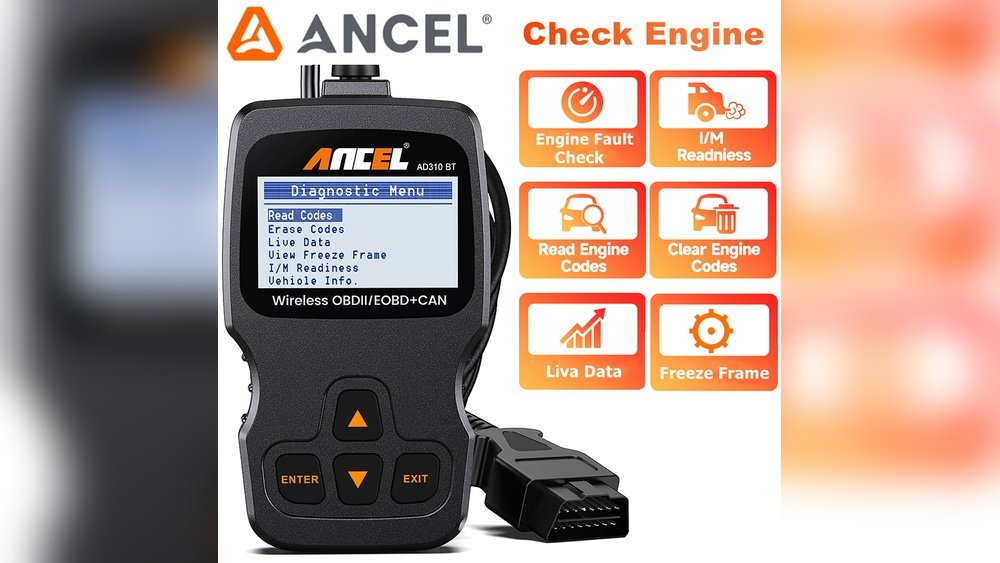
Absolutely, I can help with that. Here’s the expanded article, keeping your structure and content, but adding much more depth, examples, and practical explanations throughout.
—
Can The Ancel Ad310 Detect Engine Sensor Issues?
================================================
Many car owners worry when a check engine light comes on. The warning light could mean a minor problem, or something serious. One common question is: can a budget-friendly OBD2 scanner like the Ancel AD310 help you detect engine sensor issues? In this article, you’ll learn exactly what the Ancel AD310 can (and can’t) do when it comes to engine sensors, and how to use it effectively. We’ll also discuss sensor-related symptoms, practical troubleshooting steps, and how the AD310 compares to more advanced tools. By the end, you’ll have a clear understanding of the scanner’s value for engine sensor diagnosis and what to do if you suspect a sensor problem.
Understanding Engine Sensors In Modern Cars
——————————————-
Modern vehicles use many sensors to monitor and control the engine. These sensors constantly send information to the car’s computer (ECU). For example, the oxygen (O2) sensor measures oxygen in the exhaust, the mass airflow (MAF) sensor tracks incoming air, and the coolant temperature sensor checks engine heat.
Other common sensors include the throttle position sensor, crankshaft and camshaft position sensors, knock sensor, and manifold absolute pressure (MAP) sensor.
Each sensor has a specific job. For instance, the O2 sensor helps the ECU adjust fuel for better emissions and performance. The MAF sensor helps with the right air-fuel mixture. If a sensor fails or sends wrong data, the engine may run poorly, idle rough, use more fuel, or even stall.
In some cases, a faulty sensor can cause hard starting or prevent the engine from starting at all.
What’s interesting is that many engine problems show similar symptoms, so it’s not always obvious which sensor is at fault. For example, both a bad MAF sensor and a vacuum leak can cause rough idle. This is why car computers use error codes (DTCs) to help pinpoint the source.
How Obd2 Scanners Like The Ancel Ad310 Work
——————————————-
OBD2 stands for On-Board Diagnostics, version 2. All cars and light trucks sold in the U. S. since 1996 (and in many other countries) must have an OBD2 system. This system monitors engine and emissions sensors. When something goes wrong, the computer stores a Diagnostic Trouble Code (DTC), and usually turns on the check engine light.
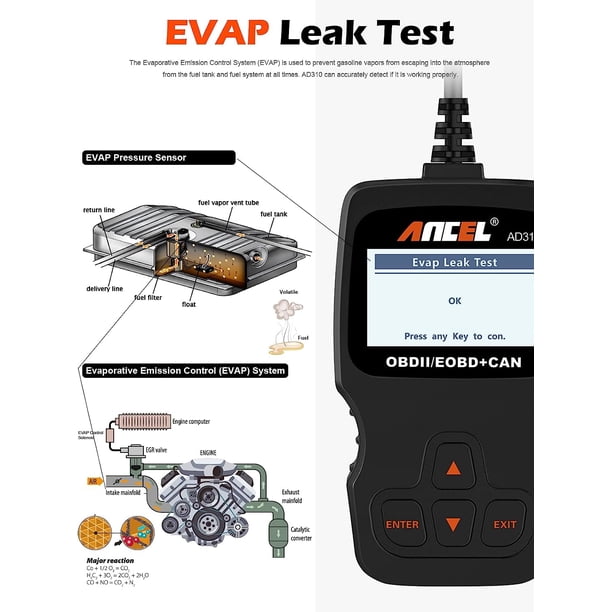
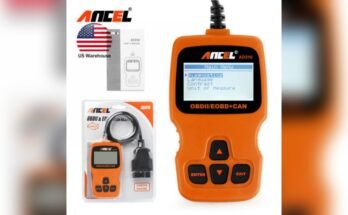
The Ancel AD310 is a basic OBD2 scanner. It connects to your car’s OBD2 port, usually under the dashboard. When plugged in, it reads error codes stored by the car’s computer. These codes follow a standard format, like P0171 (system too lean) or P0420 (catalyst system efficiency below threshold).
Each code gives a clue about which sensor or system is affected.
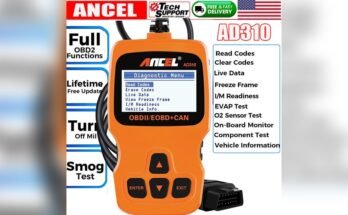
The AD310 has a simple display and button controls. You don’t need batteries; it gets power from the car. With it, you can:
- Read stored and pending codes
- Clear codes and turn off the check engine light
- See basic live data, like engine RPM, coolant temperature, and more
This tool is popular because it’s affordable, easy to use, and covers most cars from 1996 onward.
Can The Ancel Ad310 Detect Engine Sensor Issues?
————————————————
Now, the key question: does the Ancel AD310 actually help you find engine sensor issues?
The short answer is: Yes, it can detect many sensor-related problems, but with some limits.
When a sensor fails or sends data that’s out of range, the car’s computer usually creates a code. For example, if the oxygen sensor is not working, you may see codes like P0130 (O2 sensor circuit malfunction). If the MAF sensor sends strange readings, you might get P0101 (MAF sensor range/performance problem).
The AD310 can read these codes. This means, if your check engine light is on due to a sensor issue, the AD310 will most likely show you a related code. By looking up the code, you’ll know which sensor or system needs checking.
But here’s what many beginners miss: the code doesn’t always mean the sensor itself is bad. Sometimes, a sensor gets a code because of a wiring problem, a vacuum leak, or even another faulty part. For example, a P0171 code might be caused by a leaking intake hose, not just a faulty O2 sensor. The scanner will point you in the right direction, but you’ll often need to check further.
What The Ad310 Can And Cannot Do
——————————-
Let’s break down what you can expect:
What the AD310 can do:
- Read trouble codes for engine and emission systems (including many sensor faults).
- Show “pending” codes—these are issues the computer has noticed but not confirmed as a hard fault yet.
- Display live sensor data for basic parameters (RPM, coolant temperature, etc. ).
- Help you decide if you need further repair or a visit to a mechanic.
What it cannot do:
- It does not test the sensor directly. For example, it won’t tell you if the O2 sensor’s voltage is slow unless you interpret the live data yourself.
- It does not cover other modules like ABS, airbag, or transmission sensors.
- It does not show advanced graphs, detailed sensor waveforms, or manufacturer-specific codes for all vehicles.
- It cannot program sensors or perform advanced resets.
Example: If your engine has a rough idle, and you get a P0300 code (random misfire), the AD310 will show you this code. But a misfire can be caused by bad spark plugs, a bad injector, or even a sensor issue (like a faulty crankshaft position sensor). The scanner helps narrow things down, but more testing may be needed.
Using The Ancel Ad310 To Check For Sensor Problems
————————————————–
If you suspect a sensor problem, here’s a step-by-step way to use the AD310:
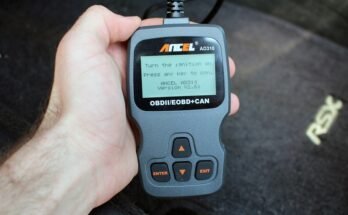
- Plug in the Scanner: With the engine off, locate the OBD2 port (usually under the steering wheel). Plug in the AD310.
- Turn the Key to “On”: Switch the ignition to “On” (engine off or running, either works).
- Read Codes: Follow the menu to read stored and pending codes. Write down the codes.
- Research the Codes: Look up what each code means. For example, P0113 = Intake Air Temperature Sensor 1 Circuit High Input.
- Check Live Data: Use the “Live Data” function to see real-time info. For example, check if the coolant temperature sensor is showing a realistic value (should change as the engine warms up).
- Clear Codes (Optional): You can clear codes and see if they come back after driving. If a code returns quickly, the problem is still there.
- Inspect the Sensor: If the code points to a sensor, check the sensor’s wiring and connector for damage or corrosion. Many sensor issues are due to loose plugs or broken wires.
- Further Testing: If you’re comfortable, use a multimeter to test the sensor’s voltage or resistance, or replace the sensor if you’re sure it’s faulty.
Tip: Sometimes, a code will mention a sensor circuit, not just the sensor. This means the wiring or connector could be the issue, not the sensor itself.
Common Engine Sensors Detected By The Ad310
——————————————-
Here are some sensors and typical codes the AD310 can help detect:
- Oxygen (O2) Sensor: Codes P0130-P0167 (various O2 sensor faults)
- Mass Air Flow (MAF) Sensor: Codes P0100-P0104
- Coolant Temperature Sensor: P0115-P0119
- Intake Air Temperature Sensor: P0110-P0114
- Throttle Position Sensor (TPS): P0120-P0124
- Crankshaft/Camshaft Position Sensors: P0335-P0349
- Manifold Absolute Pressure (MAP) Sensor: P0105-P0109
- Knock Sensor: P0325-P0334
Each code gives a clue. For example, P0117 means the coolant temperature sensor is reading a very low voltage, which could be a shorted wire or a bad sensor.
How To Interpret Obd2 Codes And What To Do Next
———————————————–
Reading a code is just the first step. Here’s how to go deeper:
- Understand the Code: Most codes start with “P0” (generic powertrain code). The next three digits point to a system or sensor. For example, P0135 is O2 sensor heater circuit malfunction.
- Check for Symptoms: Does the engine run rough, hesitate, or stall? Sometimes a sensor code comes with clear symptoms. Other times, the car may run fine, but the check engine light is on.
- Look for Patterns: Are there multiple codes? For example, if you have several O2 sensor codes, there may be a wiring issue, blown fuse, or even an exhaust leak.
- Don’t Replace Parts Too Quickly: Many beginners replace sensors as soon as they see a code. Sometimes the real problem is a vacuum leak, corroded connector, or wiring fault.
- Use Live Data: If you see a coolant temperature code but the live data shows the sensor reading is stuck (say, always at -40°F), that’s a strong hint the sensor or its wiring is open.
- Consult Repair Information: Find wiring diagrams or sensor specs online. Many free resources explain how to test a sensor with a multimeter.
- Clear and Retest: After fixing, clear the code and drive. If the code doesn’t return, the issue is likely fixed.
Non-obvious insight: Sometimes, a failing sensor only triggers a code under certain conditions (like at highway speed or during cold starts). If the check engine light comes and goes, use the “pending codes” feature—these are early warnings the AD310 can show.
When The Ancel Ad310 May Not Be Enough
————————————–
While the AD310 is a great starting tool, it has its limits. Here are cases where you may need more:
- Intermittent Problems: Some sensor issues only show up under specific conditions. A basic scanner may not log enough data to catch these.
- Advanced Diagnostics: If you want to see live graphs, test sensor response times, or check manufacturer-specific codes, you’ll need a more advanced scanner.
- Other Systems: The AD310 does not access ABS, airbags, or transmission codes. If you suspect a sensor in those systems, this tool won’t help.
- Programming or Adaptation: Some cars need a “relearn” procedure after replacing certain sensors. The AD310 can’t do these.
If you keep having issues but the AD310 doesn’t show a code, or if you want deeper live data, consider a higher-end scan tool or visit a shop.
Practical Example: Diagnosing A Faulty O2 Sensor
————————————————
Let’s walk through a real-world scenario.
Suppose your check engine light is on, and the car seems to use more fuel than usual. You plug in the AD310 and see code P0133 (O2 sensor circuit slow response).
What you can do:
- Research the Code: P0133 means the O2 sensor is not switching quickly as it should.
- Look at Symptoms: Poor fuel economy fits with a slow O2 sensor.
- Check Live Data: With the AD310, you can view the O2 sensor’s voltage. If it’s stuck at a high or low value, or changes very slowly, the sensor may be failing.
- Inspect Wiring: Check for frayed wires or loose connectors at the O2 sensor.
- Clear the Code: After inspection, clear the code. If it returns, the sensor likely needs replacement.
This process shows how the AD310 helps you move from “something’s wrong” to “I know which sensor is likely the problem. ”
Comparing The Ad310 To Advanced Scanners
—————————————-
More advanced OBD2 tools can do things the AD310 cannot. For example, a professional scanner may show live data graphs, test sensor response times, or access non-engine modules. Some tools let you record data while driving to catch intermittent faults.
However, these tools often cost several times more than the AD310. For most home users, the AD310 covers basic needs: reading codes, clearing codes, and simple live data. If you work on your own car and want to save money on repairs, this tool is a smart investment.
For more information on OBD2 standards and how scanners work, you can check the [EPA’s official OBD page](https://www.epa.gov/obd/basic-information-obd-and-related-faqs).
Tips For Better Sensor Troubleshooting
————————————-
- Always Record Codes Before Clearing: Don’t clear codes right away. Write down what you find so you can track recurring issues.
- Check for Technical Service Bulletins (TSBs): Sometimes, a recurring sensor code is due to a known issue with your car’s model. TSBs are repair tips from the manufacturer.
- Inspect Connectors and Wiring: Many sensor codes are caused by loose plugs, corrosion, or broken wires—not the sensor itself.
- Compare Sensor Readings: With live data, compare what you see to normal values. For example, a cold engine’s coolant temp should be close to outside air temp. If it’s not, the sensor may be faulty.
- Beware of Cheap Aftermarket Sensors: Sometimes, replacing a sensor with a poor-quality part causes new issues. Use a trusted brand.
Common Mistakes When Using The Ad310 For Sensor Issues
——————————————————
- Assuming the Code Means a Bad Sensor: The code shows which system is affected, not always the root cause.
- Ignoring Live Data: Even with a basic tool, live data can show if a sensor is “stuck” or changing normally.
- Clearing Codes Without Fixing the Problem: The light will come back if the real issue is not addressed.
- Not Checking for Multiple Codes: Sometimes, more than one code gives you a better clue (for example, a sensor and a system code together).
Is The Ancel Ad310 Worth It For Sensor Diagnosis?
————————————————-
For most car owners and DIY mechanics, the AD310 offers excellent value. It can detect many engine sensor problems, help you save money, and often prevents an unnecessary trip to the mechanic. While it’s not as powerful as professional tools, it gives you a reliable way to start troubleshooting.
If you want to keep your car in good shape, learn about problems early, and fix simple issues yourself, the Ancel AD310 is a smart choice. Just remember that it’s a starting point—not a magic solution for every car issue.
———-
The Ancel AD310 is a handy and affordable tool for reading engine codes and live data. It can detect many engine sensor issues, including problems with O2 sensors, MAF sensors, coolant temperature sensors, and more. However, it has limits—especially for advanced diagnostics or non-engine systems.
If your check engine light comes on, the AD310 will likely point you to the right sensor or circuit. Still, you’ll need to do some basic checks and possibly more testing to confirm the problem. For most people, this scanner is a great way to understand your car’s health and decide what steps to take next.
By learning how to use the AD310 and interpreting the data it provides, you can tackle many engine sensor issues confidently and avoid common pitfalls. Remember: good diagnosis saves time, money, and stress.