Thank you for clarifying your needs. Below is a comprehensive, in-depth article about the Ancel AD310 OBD2 scanner, covering its features, capabilities, limitations, ideal user scenarios, pros and cons, and common questions. This article is written in a clear, simple style and is suitable for non-native English readers.
—
Understanding The Ancel Ad310: A Practical Review
Many car owners want to solve basic car problems without always visiting a mechanic. The Ancel AD310 OBD2 scanner is a popular tool for this purpose. But what can it really do? Who is it best for? And what should you know before buying one?
Here, you’ll find a complete guide to the Ancel AD310—its features, real-world uses, and honest advice on what it can and cannot do.
—
What Is The Ancel Ad310?
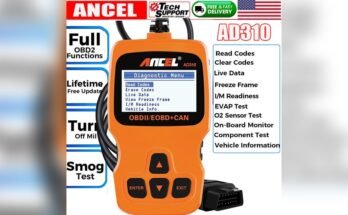
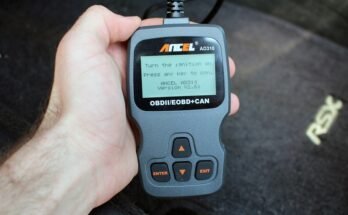
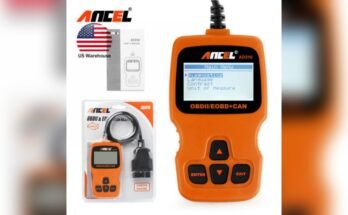
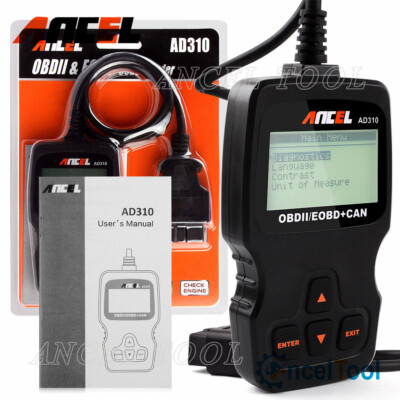
The Ancel AD310 is a simple OBD2 (On-Board Diagnostics 2) scanner. OBD2 is a standard system in most cars made since 1996. It helps you read information from your car’s computer. The AD310 is a small, handheld device. You plug it into your car’s OBD2 port—usually found under the dashboard, near the steering wheel.
Why Do People Use Obd2 Scanners?
OBD2 scanners like the AD310 can help you:
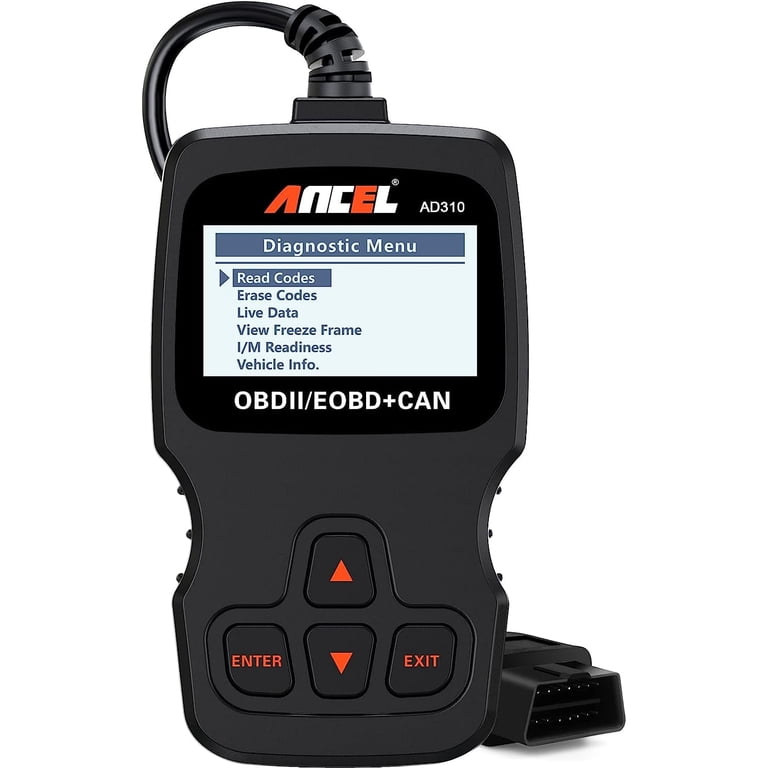
- Read check engine light codes
- Clear (turn off) the check engine light
- See basic car data like engine speed or temperature
- Find out what’s wrong before you go to a mechanic
Using a scanner can save you time and money. You get basic answers about your car’s health without guessing.
—
Key Features Of The Ancel Ad310
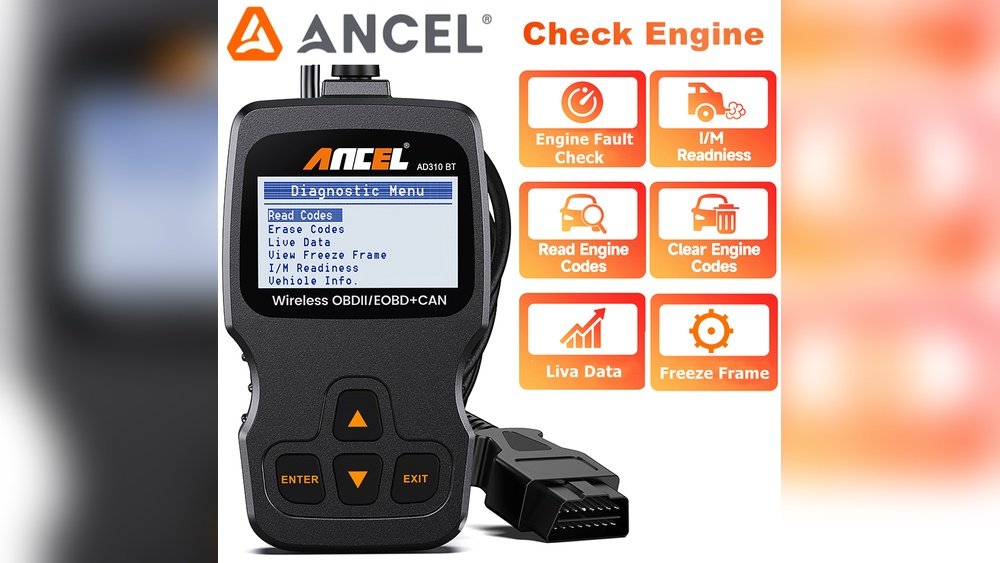
The AD310 is popular because it is affordable and easy to use. But what exactly does it offer? Let’s break down the main features:
1. Read And Clear Codes
The main job of the AD310 is reading diagnostic trouble codes (DTCs) from your car. If your check engine light comes on, the AD310 tells you what code is stored. Each code relates to a specific problem area.
Once you fix the problem (or if you want to turn off the light), you can use the AD310 to clear the code and reset the check engine light.
Example:
You see the check engine light. You use the AD310 and get code P0171. This means “System Too Lean. ” Now, you have a starting point for repairs or discussions with your mechanic.
2. Live Data Stream
The AD310 can show real-time data. This means you see engine RPM, coolant temperature, and other information as your car runs. This helps you:
- Check if sensors are working
- See if your car is ready for emissions tests
- Monitor your car’s performance during a drive
Non-obvious tip:
Live data is useful if your car sometimes has problems that do not always trigger a code. For example, if your car feels weak only when hot, watch the temperature and sensor values during a test drive.
3. Freeze Frame Data
When your car’s computer finds a problem, it saves a “snapshot” of the engine’s condition at that moment. The AD310 can show this freeze frame data. You can see what was happening (speed, temperature, etc. ) When the fault happened.
This helps with deeper troubleshooting.
4. I/m Readiness Check
This feature tells you if your car is ready for an emissions test. The AD310 shows which systems have been tested and which are not ready. Many states or countries require these checks before renewing your license plate.
Example:
After fixing a problem and clearing codes, use the I/M readiness check to know if you can pass the emissions test.
5. Plug And Play
The AD310 does not need batteries. It gets power from your car when you plug it in. It also has a simple menu and small screen. You do not need a smartphone or app to use it.
—
What The Ancel Ad310 Can And Cannot Do
No tool is perfect for everything. The AD310 is simple and affordable, but it has limits. Here’s what you need to know:
What It Can Do
- Works with most cars made since 1996 (gasoline, OBD2-compliant)
- Reads and clears engine codes (check engine light)
- Shows live sensor data and freeze frame data
- Checks emission readiness
- Works quickly, even for beginners
What It Cannot Do
- Does NOT work with cars before 1996, or many diesels/hybrids (check your car first)
- Does NOT read codes for ABS, airbag, transmission, or other “advanced” systems
- Can NOT reprogram or change your car’s computer
- Does NOT show advanced graphs or print data (no Bluetooth/wifi/app)
- Only supports English, Spanish, French, and German (no Asian languages)
Non-obvious insight:
Many car problems are outside the engine (for example: ABS brake faults). The AD310 cannot read those codes. If your car has a light other than “check engine,” this scanner will not help.
—
Who Should Use The Ancel Ad310?
Not every car owner needs a professional scan tool. The AD310 is best for:
- DIY car owners who want to check engine problems before visiting a shop
- People preparing for an emissions test
- Used car buyers who want to check for hidden engine codes
- Mechanics who want a quick, simple scanner for basic checks
If you want to do advanced repairs, or you work on many different cars, you may need a more advanced scanner.
—
How To Use The Ancel Ad310: Step-by-step
Using the AD310 is simple. But following the right steps will help you avoid mistakes.
Step 1: Find The Obd2 Port
Look under your dashboard, near the steering wheel. The port is usually rectangular and may be covered by a small cap.
Tip:
If you cannot find it, check your car’s manual or search online for your car model.
Step 2: Plug In The Ad310
Connect the scanner to the port. The device will power on automatically.
Step 3: Turn On The Ignition
Switch your key to the “On” position, but you do not need to start the engine.
Step 4: Navigate The Menu
Use the arrow keys to select “Read Codes,” “Erase Codes,” “Live Data,” or “I/M Readiness. ”
Step 5: Read Codes
Choose “Read Codes. ” Write down the code(s) and any description. If you see a code, look up its meaning in the included manual or online.
Step 6: Clear Codes (optional)
If you want to turn off the check engine light, select “Erase Codes. ” Only do this after fixing the problem. Clearing codes without repairs will only hide the warning for a short time.
Step 7: Unplug The Scanner
When finished, unplug the AD310. It is now safe to drive or make repairs.
—
Real-world Examples
It helps to see how the AD310 is used in real life. Here are a few situations:
Example 1: Check Engine Light After Refueling
You fill your gas tank, and the check engine light turns on. You use the AD310 and get code P0457 (“Evaporative Emission System Leak Detected”). The manual says this may be caused by a loose gas cap. You tighten the cap, clear the code, and the light stays off.
Example 2: Preparing For A State Emissions Test
Your state requires an emissions test this month. You use the AD310’s I/M readiness feature. It shows “Not Ready” for some systems. You drive your car for a week and check again. Now, all systems are “Ready. ” You pass the emissions test with no surprises.
Example 3: Used Car Inspection
You are buying a used car. The dashboard light is off, but you plug in the AD310. It shows a stored code for a misfire. You ask the seller about it. This helps you make a better buying decision.
Example 4: Diagnosing A Rough Engine
Your car runs rough and the check engine light is on. The AD310 shows code P0302 (“Cylinder 2 Misfire”). You now know where to focus—maybe a bad spark plug or coil.
—
Pros And Cons Of The Ancel Ad310
No tool is perfect. Here’s a balanced look at the strengths and limits:
Pros
- Very affordable (often under $40)
- Simple and easy for beginners
- No need for extra apps or devices
- Reliable for engine codes and basic data
- Works with most cars made after 1996
Cons
- Only reads engine codes (no ABS, SRS, airbag, transmission support)
- Small screen and simple display (no graphs)
- Does not save or export data
- Not useful for advanced repairs
- May not work with all imported or diesel cars
—
Common Mistakes And How To Avoid Them
Even simple tools can cause confusion. Here are common mistakes:
1. Clearing Codes Without Fixing Problems
Many people clear the check engine light before fixing the issue. This only hides the problem for a while. The light will return if the cause is not fixed.
Tip:
Always try to solve the root problem first, then clear the code.
2. Expecting The Ad310 To Fix Everything
The AD310 is not a magic tool. It tells you what the car’s computer “sees. ” It cannot fix mechanical problems or read all types of codes.
3. Not Checking Vehicle Compatibility
Some cars, especially older ones, diesels, or imports, may not work with the AD310. Always check your car’s manual or ask the seller before buying.
4. Ignoring Live Data
Many users only read and clear codes. But live data can help spot problems before they get worse. For example, watching temperature data can warn you about overheating before it causes engine damage.
—
Is The Ancel Ad310 Right For You?
Choosing the right scan tool depends on your needs:
- If you want a simple, low-cost way to read and clear engine codes, the AD310 is a strong choice.
- If you need to diagnose ABS, airbag, or transmission problems, look for a more advanced scanner.
- If you want Bluetooth connection, phone apps, or advanced features, consider other models.
Non-obvious insight:
Often, a simple tool like the AD310 is enough for most car owners. More expensive tools are only needed if you work on many brands or do complex repairs.
—
How The Ancel Ad310 Compares To Other Obd2 Scanners
There are many OBD2 scanners on the market. How does the AD310 stack up?
Compared To Bluetooth Scanners
Bluetooth scanners connect to your phone. They offer more features, but need apps and phone setup. The AD310 is faster for quick checks—just plug in and go.
Compared To Professional Tools
Professional tools (over $100) can read all systems, save data, and show graphs. They are better for workshops. The AD310 is simpler and much cheaper, but less powerful.
Compared To Other Budget Scanners
The AD310 is as reliable as most budget scanners. Its strong point is simplicity and solid build. Some other budget models may offer a color screen or more languages, but often have similar functions.
—
Frequently Asked Questions (faq)
Does The Ancel Ad310 Work With My Car?
If your car is OBD2-compliant (most U. S. cars from 1996+, many others from 2001+), it should work. Double-check your car’s manual or VIN decoder for “OBD2” mention.
Does The Ad310 Work With Diesel Cars?
Usually, it only works with diesel cars built after 2004, and not all brands. For diesel trucks, it may not work. Always check before buying.
Will It Turn Off My Check Engine Light?
Yes, but only after the problem is fixed. Otherwise, the light will return.
Can I Use It On Multiple Cars?
Yes, you can use the AD310 on any compatible car as often as you like.
Do I Need A Smartphone?
No. The AD310 works on its own. No phone or app needed.
—
Where To Learn More
If you want to understand OBD2 codes better, or see more code meanings, visit the [OBD-Codes reference site](https://www.obd-codes.com/). It is a high-authority resource with plain-English code explanations.
—
Final Thoughts
The Ancel AD310 is a reliable, affordable scanner for basic car diagnostics. It helps car owners handle check engine lights, prepare for emissions tests, and avoid common surprises at the mechanic. While it has limits, it offers great value for most drivers.
If you want a tool that’s easy to use and provides clear answers, the AD310 is a wise choice.
Remember: the best tool is the one you will actually use. For most basic needs, the AD310 gets the job done—simply, quickly, and without extra hassle.