Are you wondering if your dash cam needs constant power to keep working? It’s a question many drivers ask but don’t always get a clear answer to.
Knowing the truth can save you from unexpected problems and help protect your car better. You’ll discover exactly how dash cams get their power, what happens if they don’t have it, and simple tips to make sure your camera is always ready when you need it most.
Keep reading to avoid costly mistakes and keep your ride safe.

Dash Cam Power Basics
Dash cams need power to work properly. They record videos and save important moments on the road. Without power, the dash cam cannot start or save footage. Understanding how dash cams get power helps you choose the best setup for your car.
Some dash cams need power all the time. Others only turn on when the car runs. Knowing the power basics keeps your dash cam ready to record, even when parked.
How Dash Cams Draw Power
Most dash cams get power from the car’s electrical system. They connect to the cigarette lighter or a USB port. When the car starts, power flows to the dash cam. This lets it begin recording automatically.
Some models have a small battery inside. This battery saves videos if the car turns off suddenly. But the battery cannot power the dash cam for long times. Constant power is still needed for full use.
Types Of Power Sources
The common power source is the 12V socket, also called the cigarette lighter. It is easy to use and does not need changes in the car. You just plug the dash cam cable into it.
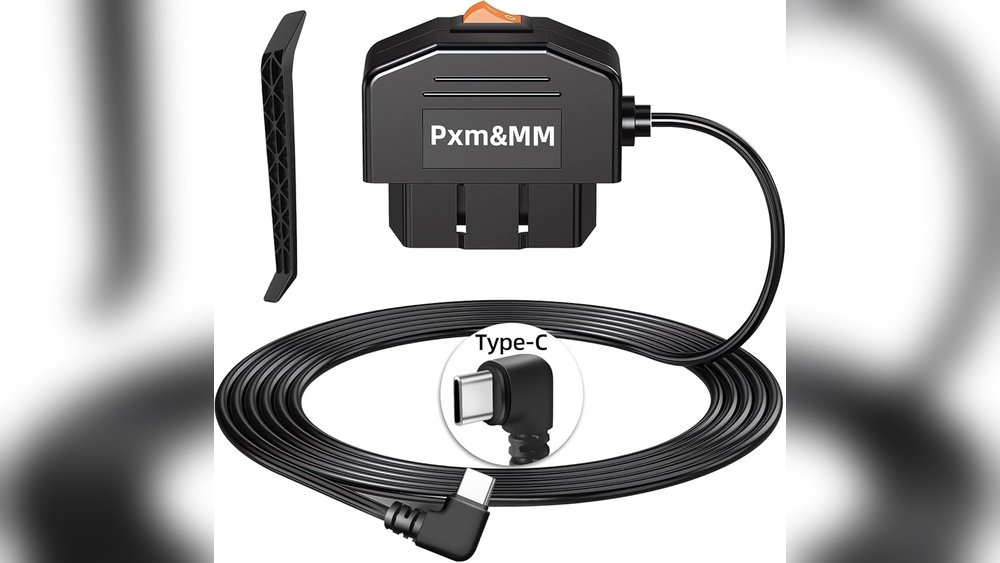
Hardwiring kits connect the dash cam directly to the car’s fuse box. This gives constant power, even when the car is off. Hardwiring helps with parking mode and long-term recording.
Some dash cams have built-in batteries or supercapacitors. These help protect files during power loss. But they are not meant for long recording without external power.

Constant Power Requirements
Dash cams often need a steady power source to work properly. Constant power means the dash cam stays on or ready, even when the car is off. This is important for features like parking mode or motion detection. Knowing when your dash cam needs constant power helps you choose the right setup for your car and safety needs.
When Constant Power Is Needed
Dash cams need constant power mainly for parking mode. This mode records events while the car is parked and turned off. Without constant power, the dash cam shuts down with the car. Some models also need constant power to update GPS or keep time correctly. Constant power ensures the dash cam captures events 24/7.
Benefits Of Continuous Power
Continuous power keeps the dash cam ready to record anytime. It helps capture accidents or vandalism when the car is parked. You get peace of mind knowing your car is monitored all the time. It also allows features like motion detection and impact recording to work properly. Continuous power maximizes your dash cam’s protection and usefulness.
Battery Vs Wired Power Options
Choosing the right power source for your dash cam matters. Two main options exist: battery power and wired power. Each has strengths and limits. Understanding them helps keep your dash cam running smoothly.
Built-in Battery Limitations
Many dash cams have built-in batteries. These batteries provide power without wires. Useful for short trips or quick parking mode. But batteries drain fast. They usually last 20 to 30 minutes on their own.
Battery life shortens over time. Heat and cold affect performance too. When the battery dies, the camera shuts off. You lose recording protection. Not ideal for long drives or 24/7 surveillance.
Hardwiring For Constant Power
Hardwiring connects the dash cam directly to your car’s power. This setup supplies constant electricity. The camera runs all the time. No worry about battery dying.
Hardwiring supports parking mode for hours or days. It keeps your footage safe. Installation requires some work or a professional. But the benefits are steady power and reliability.
Parking Mode And Power Use
Parking mode is a key feature in many dash cams. It allows the camera to keep recording even when your car is parked and the engine is off. This feature helps capture incidents like hit-and-runs or vandalism.
Understanding how parking mode uses power is important. It affects your car battery and the camera’s performance.
How Parking Mode Works
Parking mode activates when the car stops moving. The dash cam switches from normal recording to a low-power state. It records only when motion or impact is detected near the vehicle. This saves battery life while still protecting your car.
Some dash cams use built-in motion sensors. Others connect to the car’s power system to detect when the engine is off. The camera wakes up only to record events, then goes back to sleep.
Power Consumption During Parking
Parking mode uses less power than regular driving mode. Still, it needs some constant power to stay active. This can drain your car battery if used for long periods without the engine running.
Many dash cams have a voltage cutoff feature. It stops power use when the battery is too low. This protects your car from being drained completely.
You can also use a hardwire kit with a fuse tap. It connects the dash cam to your car’s battery safely. This setup helps manage power better during parking mode.
Power Management Tips
Power management is key for dash cams that need constant power. It helps protect your car battery and keeps your dash cam running smoothly. Good power habits extend battery life and avoid unexpected shutdowns. Follow these tips to manage power smartly and safely.
Preventing Battery Drain
Choose a dash cam with low power use. Some models have parking mode that uses less energy. Turn off the camera when your car is off, if possible. Use a hardwire kit with a low-voltage cutoff feature. This stops the camera from draining the car battery too much.
Safe Installation Practices
Install the dash cam properly to avoid power problems. Use a fuse tap to connect the camera to the car’s fuse box. This protects your car’s electrical system. Avoid loose wires that can cause shorts or drains. Keep cables tidy and away from moving parts. Check installation guides or hire a pro for best results.
Common Power Issues
Dash cams need steady power to work well. Many people face power issues that stop the camera from recording. These problems can be confusing and annoying.
Understanding common power issues helps keep your dash cam running smoothly. Power problems can come from several sources. Knowing these can save time and money.
Power Interruptions
Power interruptions cause the dash cam to turn off suddenly. This happens if the car battery is weak or disconnected. Loose wires or bad connections also cause power cuts. Sometimes, the fuse for the dash cam blows out. These interruptions stop video recording and can lose important footage.
Troubleshooting Power Problems
Check the power cable for damage or loose plugs. Make sure the fuse is not blown. Test the car battery voltage to see if it is low. Use a different power source to rule out cable faults. Reset the dash cam by unplugging and plugging it back in. Check the dash cam settings for power-saving modes that may turn it off.

Frequently Asked Questions
Does A Dash Cam Require Constant Power?
Yes, most dash cams need constant power to operate and record continuously. This ensures video capture while driving and parking.
Can Dash Cams Run Only When The Car Is On?
Some dash cams have parking mode, which runs on battery or capacitor when off. Others need continuous power for full functionality.
What Happens If Dash Cam Loses Power Suddenly?
If power cuts off, the dash cam may stop recording, risking loss of important footage during incidents or parking.
How Do Dash Cams Connect To Constant Power?
Dash cams connect via cigarette lighter sockets or hardwired kits to the car’s fuse box for uninterrupted power supply.
Conclusion
Dash cams need power to work properly. Some models require constant power to record continuously. Others only need power when the car is on. Constant power helps capture events even when parked. But it can drain your car battery if not managed well.
Choose the right power setup for your needs. This keeps your dash cam ready and your battery safe. Simple and smart power choices make dash cams more useful. Consider your driving habits and parking time too. That way, your dash cam works when you need it most.




