Clearing trouble codes from your car’s computer can feel complicated, especially if you are not a professional mechanic. But with the Ancel AD310, this process becomes much easier—even for beginners. Many car owners want to fix minor issues themselves, avoid expensive mechanic visits, and understand what’s happening under the hood. The Ancel AD310 is a popular tool that helps you do exactly that. It is simple, affordable, and works on most vehicles made after 1996. In this guide, you’ll learn not only how to clear trouble codes with the Ancel AD310, but also why these codes matter, what to do before and after clearing them, and how to avoid common mistakes.
Understanding the basics of OBD2 scanners and how to use them will make you more confident when dealing with car problems. You do not need to be a car expert to follow this guide. By the end, you’ll know exactly what to do, what to watch out for, and how to get the most from your Ancel AD310.
Let’s get started.
What Are Trouble Codes And Why Do They Matter?
Trouble codes, also called Diagnostic Trouble Codes (DTCs), are messages your car’s computer sends when it finds a problem. These codes help you find and fix issues before they become serious. For example, if your car’s engine is not working right, the check engine light may turn on. When this happens, your car’s computer saves a trouble code.
Here’s why these codes are important:
- Early warning: They tell you about problems before things get worse.
- Save money: By knowing what’s wrong, you can fix small issues before they become expensive.
- Pass inspections: In many places, you must fix trouble codes to pass emissions tests.
Trouble codes have a standard format. For example, P0300 means “random/multiple cylinder misfire detected.” The letter tells you which system has the problem (P for Powertrain, B for Body, C for Chassis, U for Network). The numbers give more detail about the fault.
What Is The Ancel Ad310?
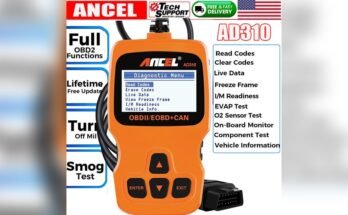
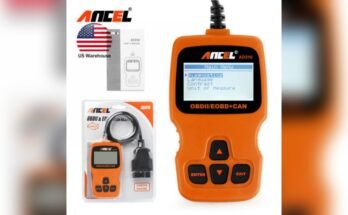
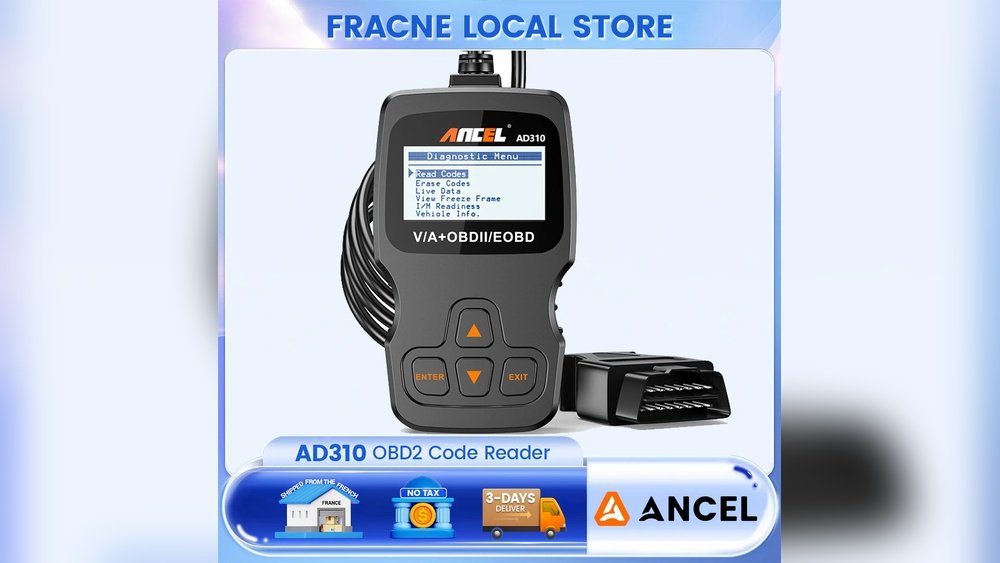
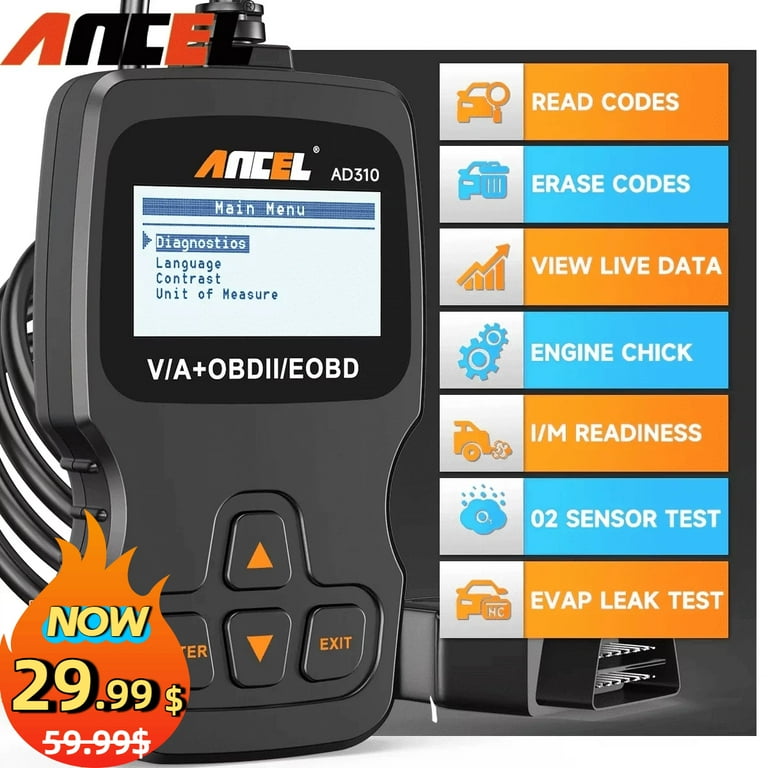
The Ancel AD310 is a basic OBD2 scanner. OBD2 stands for “On-Board Diagnostics, version 2.” This tool connects to your car and reads the trouble codes. Here’s what makes the AD310 popular:
- Easy to use: Simple buttons and a clear display.
- Works with most cars: Supports OBD2 vehicles (1996 and newer in the US, similar years elsewhere).
- No batteries needed: It gets power from your car’s OBD2 port.
- Budget-friendly: Costs much less than many advanced scanners.
- Reads and clears codes: Lets you see what’s wrong and erase codes after you fix the problem.
The AD310 does not need special software or a smartphone. It is a “plug-and-play” device. This makes it ideal for beginners and car owners who want a simple solution.
Preparing To Use The Ancel Ad310
Before you start, it’s important to prepare your car and tool for the best results. Many people skip these steps and run into problems later.
Check Your Vehicle Compatibility
The AD310 works with most cars sold after 1996. However, some cars (especially from outside the US or very new models) may not be fully compatible. Look for the OBD2 port in your car. It’s usually under the dashboard, near the steering wheel. If you have an older car, check your manual or the manufacturer’s website.
Gather What You Need
Make sure you have:
- The Ancel AD310 scanner
- Your car keys
- The car’s owner’s manual (optional but helpful)
Safety First
- Park your car on a flat, safe surface.
- Set the parking brake.
- Turn off the engine at first.
- Make sure you are in a well-ventilated area, especially if you’ll be running the engine.
Locate The Obd2 Port
The port is a 16-pin connector. It’s often under the dashboard, but sometimes it’s hidden behind a cover. If you can’t find it, check your car’s manual or search online for your car’s make and model.
How To Connect The Ancel Ad310
Connecting the AD310 to your car is straightforward, but doing it correctly prevents damage and errors.
- Turn off your engine. Leave the key in the OFF position.
- Plug in the AD310. Insert the scanner’s connector into the OBD2 port. Push it in firmly but gently.
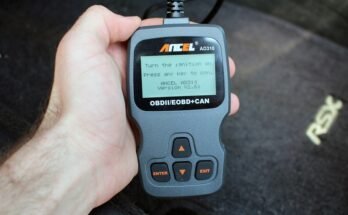
- Turn the ignition to ON. This is the position before you start the engine (dashboard lights come on, but engine is off). Some cars require the engine to be running; check the AD310’s screen for instructions.
Once connected, the scanner’s screen should light up. If nothing happens, check the connection and make sure your car’s battery is not dead.
Reading Trouble Codes With The Ancel Ad310
Before you clear trouble codes, you must first read and understand them. This helps you know what’s wrong and if it needs fixing before erasing the code.
Step-by-step: Reading Codes
- Use the arrow keys to select “Read Codes” on the AD310’s menu.
- Press the “Enter” button.
- Wait while the scanner communicates with your car. This can take a few seconds.
- The screen will show any stored codes, along with a short description.
Some codes are “pending” (the problem was seen once) and some are “stored” (the problem was seen more than once). Make a note of all codes before clearing them. You may need this information later.
Understanding The Codes
Don’t just erase codes without knowing what they mean. Search online for your code (for example, “P0171 Toyota Camry”), or use the AD310’s basic descriptions. Some codes are serious and can damage your engine if ignored.
Example:
If you see “P0420 – Catalyst System Efficiency Below Threshold,” this could be a problem with your catalytic converter. Erasing the code won’t fix the part. It will just turn off the warning light until the computer finds the problem again.
Clearing Trouble Codes With The Ancel Ad310
Once you have read and recorded the codes, you can clear them. Clearing codes will turn off the check engine light, but only do this after fixing the problem. If you erase codes without repairing the issue, the light will likely return.
Step-by-step: Clearing Codes
- Return to the main menu: Use the “Back” button if you are still viewing codes.
- Select “Erase Codes”: Use the arrow keys to highlight this option, then press “Enter.”
- Confirm your choice: The AD310 will usually ask if you are sure you want to erase codes. Confirm by pressing “Enter.”
- Wait for the process: The scanner will communicate with your car and erase the codes. This usually takes a few seconds.
- Check the display: The AD310 should confirm that the codes have been cleared.
What Happens Next?
- The check engine light on your dashboard should turn off.
- All stored and pending codes are erased from the car’s memory.
- Some settings, like radio presets or trip meters, may be reset in certain cars (rare, but possible).
Restart The Engine
After clearing codes, turn off the ignition and unplug the scanner. Start your engine to see if the warning light stays off. If it comes back right away, the problem is not fixed. You will need to read the codes again and solve the underlying issue.
What To Do After Clearing Trouble Codes
Clearing codes is not the last step. If you want a reliable repair and to avoid future problems, follow these steps:
1. Test Drive Your Car
Drive your car for at least 15-20 minutes after clearing codes. This helps the car’s computer “re-learn” its settings and see if the problem is truly gone. Many emissions monitors reset during this time.
2. Check For Recurring Codes
After your test drive, use the AD310 again to check for new codes. If the same code returns, the problem is still there. Don’t ignore it.
3. Pay Attention To The Warning Lights
If the check engine light comes back, do not keep clearing it without fixing the cause. This can hide serious problems and may damage your car.
4. Record What You Did
Keep a note of the codes, what you fixed, and when you cleared them. This helps if you need to visit a mechanic or sell your car later.
Common Mistakes When Using The Ancel Ad310
Many beginners make simple errors that can cause confusion or even damage. Here are the most common mistakes—and how to avoid them.
1. Clearing Codes Without Fixing The Problem
Erasing codes does not repair your car. The check engine light will return if the fault is still present. Always fix the issue first.
2. Not Writing Down The Codes
Once you erase the codes, they are gone. If the light comes back, you might not remember what the first problem was. Always write down all codes before clearing.
3. Disconnecting The Scanner Too Soon
Do not unplug the AD310 while it is communicating with your car. Wait until the process finishes and the scanner tells you it is safe to unplug.
4. Using The Ad310 On Incompatible Cars
Trying to use the scanner on cars made before 1996, or some foreign/imported models, may not work. Always check compatibility.
5. Ignoring Manufacturer Codes
Some cars use special codes not listed in the AD310’s manual. You may need to look up these codes online or use a more advanced scanner for deep diagnostics.
Key Features Of The Ancel Ad310
The AD310 is a simple tool, but it has several features that make it useful for most car owners.
| Feature | Description |
|---|---|
| Read Codes | Displays stored and pending trouble codes |
| Erase Codes | Clears codes and turns off the check engine light |
| Live Data | Shows real-time sensor data (basic information) |
| Freeze Frame | Displays data from when the fault occurred |
| Vehicle Info | Shows VIN and other basic data (if supported) |
| No Batteries Needed | Powered by the car’s OBD2 port |
Most users will use the Read Codes and Erase Codes functions the most. The Live Data and Freeze Frame are helpful for more advanced diagnosis, but are limited compared to professional tools.
When Should You Not Clear Trouble Codes?
It’s tempting to clear codes just to turn off the warning light, but this is not always a good idea. Here are times when you should avoid clearing codes:
- Before a vehicle inspection: Some tests require all monitors to be set. Clearing codes resets these monitors, which may cause you to fail the test.
- Without fixing the problem: The light will just come back.
- If you plan to sell the car: Hiding problems can lead to legal trouble and unhappy buyers.
Clearing codes is a great way to confirm a repair, but it should not be used to hide ongoing issues.

Comparing The Ancel Ad310 With Other Obd2 Scanners
The AD310 is a basic scanner, but how does it compare to more advanced tools?
| Scanner | Price Range | Features | User Level |
|---|---|---|---|
| Ancel AD310 | $20-$35 | Read/clear codes, basic live data | Beginner |
| BlueDriver | $99-$120 | Advanced live data, app support | Intermediate |
| Autel MaxiCOM MK808 | $400+ | Advanced diagnostics, bi-directional controls | Professional |
The AD310 is best for simple jobs—reading and clearing codes, and checking basic data. If you need more features, like ABS/SRS code reading or advanced diagnostics, consider a higher-end scanner. But for most car owners, the AD310 is enough.
Real-world Example: Clearing Codes With The Ancel Ad310
Let’s look at a real scenario. Imagine your check engine light comes on. You use the AD310 and see “P0455 – Evaporative Emission System Leak Detected (large leak). ” You check your gas cap and see it’s loose. You tighten it, then use the AD310 to erase the code.
The light turns off. After a few days of driving, the light stays off. The problem is solved.
But if you clear the code without tightening the cap, the light will return soon. This shows why fixing the problem first is important.

Two Common Insights Beginners Miss
1. Clearing Codes Also Erases Readiness Monitors
When you clear codes, your car’s “readiness monitors” reset. These are tests your car runs to check if emissions systems are working. If you clear codes right before an inspection, your car may not pass because monitors are not ready.
Always drive at least 50-100 miles after clearing codes to reset these monitors.
2. Not All Codes Cause The Check Engine Light
Some trouble codes do not turn on the warning light. These “pending” codes can become “stored” if the problem repeats. Use the AD310 to check for both stored and pending codes. This can help you catch issues early, before they cause bigger problems.
Tips For Getting The Most From The Ancel Ad310
- Update your knowledge: The AD310 is simple, but trouble codes can be complex. Use online resources or the car’s manual to learn more about specific codes.
- Use live data: Even though it’s basic, the live data function can show engine RPM, temperature, and more. This helps you spot problems that don’t set a code.
- Share your code list: If you visit a mechanic, bring the codes you found. This saves time and money.
- Keep the scanner in your car: You never know when a warning light will appear. Having the AD310 in your glove box is handy.
How To Avoid Damaging Your Car Or Scanner
- Never force the OBD2 connector—plug it in gently and straight.
- Don’t use the scanner if the car’s battery is weak or the electrical system is unstable.
- Unplug the AD310 when not in use to avoid draining the battery (very rare, but possible).
- Avoid using the scanner in extreme temperatures or wet conditions.
How The Ancel Ad310 Can Help You Save Money
Using the AD310 can help you avoid unnecessary visits to the mechanic. Many shops charge $50 or more just to read codes. With your own scanner, you can check issues at home. For example, if your check engine light is on for a loose gas cap, you can fix it and clear the code yourself.
You can also use the AD310 to confirm that a repair worked. After fixing a problem, clear the code and see if the light stays off. This saves time and gives you peace of mind.
Where To Learn More About Trouble Codes
If you want to dig deeper into what each code means or how to fix them, the OBD2 code database on Wikipedia is a helpful resource. You can also search for your car’s make and model plus the code online for repair tips and videos.
Frequently Asked Questions
How Do I Know If My Car Is Compatible With The Ancel Ad310?
Most cars made after 1996 in the US (and similar years elsewhere) are OBD2 compliant. Look for an OBD2 port under your dashboard. If you are unsure, check your car’s manual or search online for your car’s make and model.
Can I Clear Trouble Codes Without Fixing The Problem?
Yes, you can erase the codes, but the check engine light will likely come back if the problem is not fixed. Always solve the issue first to avoid repeated warnings or damage.
Will Clearing Codes With The Ad310 Erase My Radio Presets Or Clock?
Usually, no. The AD310 only erases trouble codes and some computer memory. Rarely, some cars may reset certain settings, but this is uncommon.
How Often Should I Use The Ancel Ad310?
Use it whenever the check engine light comes on, or if you want to check for pending codes before a long trip. You can also use it after repairs to confirm the fix worked.
What Should I Do If The Scanner Does Not Power On?
First, check that it is plugged in fully. Make sure your car’s ignition is in the ON position. If it still does not work, check your car’s fuse for the OBD2 port or try the scanner on another car to see if it’s a tool issue.
The Ancel AD310 makes it easy for anyone to read and clear trouble codes at home. By following the steps in this guide, you can save money, avoid stress, and keep your car running smoothly. Remember—always fix the problem before clearing the code, and use your scanner as a tool to stay informed about your car’s health.