Connecting a diagnostic tool like the Ancel AD310 to your car’s OBD2 port is a straightforward task, but many vehicle owners still feel unsure about the steps involved. Understanding how to make this connection is important if you want to read trouble codes, clear warning lights, or monitor your car’s health. This article will serve as a detailed, step-by-step guide to connecting the Ancel AD310 to the OBD2 port, covering every aspect you need to know—even if you have never used an OBD2 scanner before.
You will also find answers to common questions, practical tips, and key insights that most beginners miss. By the end, you will have a clear understanding of how the Ancel AD310 works with your car’s OBD2 system, helping you diagnose issues with confidence.
Understanding The Ancel Ad310 And Obd2 Technology
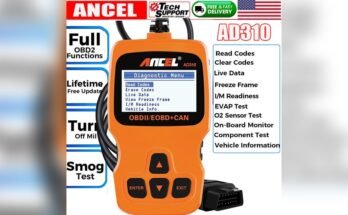
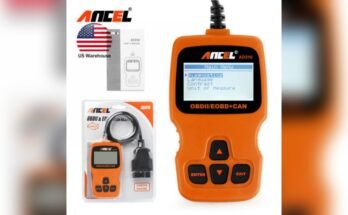
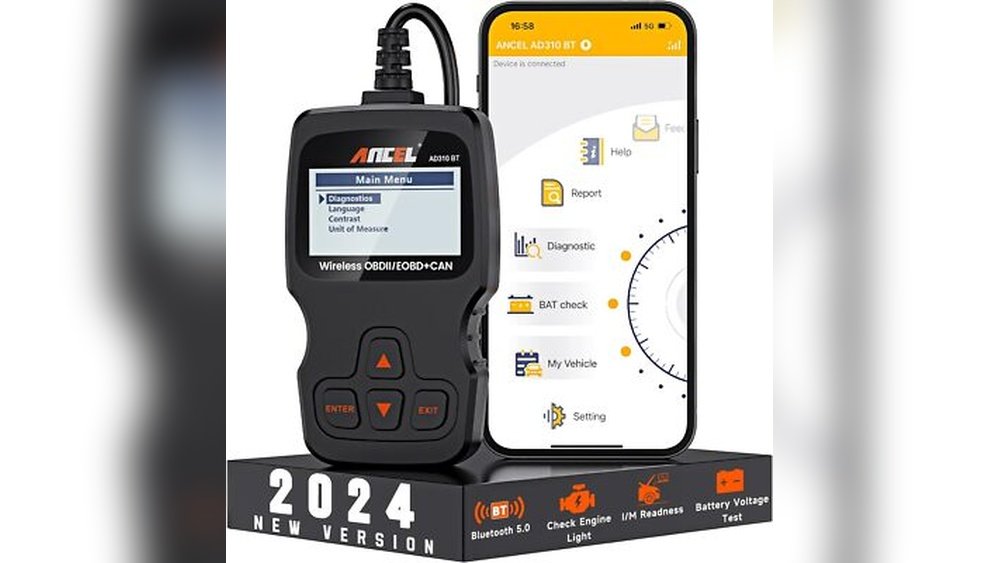
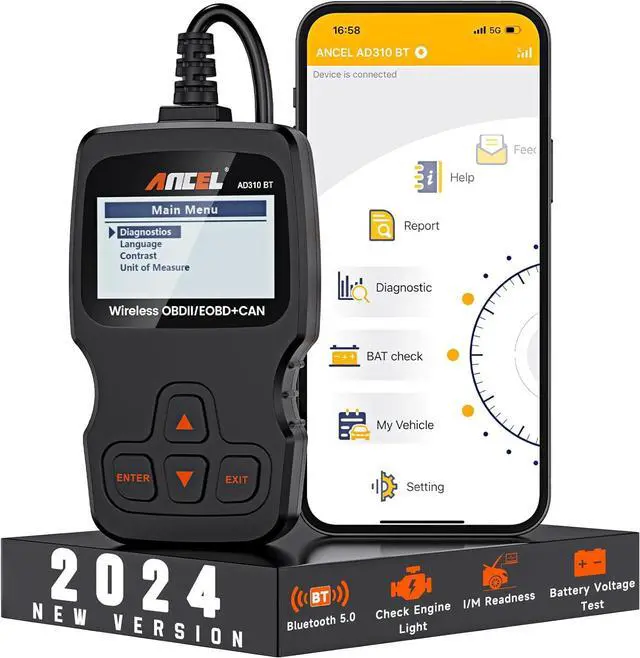
Before you get started, it’s useful to know what the Ancel AD310 is and what the OBD2 port does. The Ancel AD310 is a simple, handheld scanner designed for both beginners and experienced users. It reads diagnostic trouble codes (DTCs), shows live data, and helps reset the check engine light. The OBD2 port, usually found under the dashboard, is a standard connector in most cars made after 1996. It allows the scanner to communicate with your car’s computer.
Many users think the scanner will work with any car, but it only works with OBD2-compliant vehicles. That means cars sold in the U. S. from 1996 onward, and most international vehicles from around 2001. Always check your car’s compatibility before buying or using the scanner.
Why Connect The Ancel Ad310 To The Obd2 Port?
Connecting the Ancel AD310 unlocks important information about your car’s health. It lets you:
- Identify the source of a check engine light
- View real-time data like engine speed and coolant temperature
- Clear error codes after repairs
- Save money by diagnosing simple issues yourself
Many users overlook the fact that reading codes can help prevent bigger problems. For example, catching a misfire code early can save your engine from costly damage.

Step-by-step Guide: How To Connect The Ancel Ad310 To The Obd2 Port
Connecting the Ancel AD310 involves a sequence of steps. Each one is important for a reliable connection and accurate results.
1. Locate The Obd2 Port
The first thing to do is find the OBD2 port in your vehicle. This port is usually under the dashboard, near the steering column. Sometimes it’s hidden behind a small cover or panel.
- For most cars, look just above the pedals.
- In some trucks or European vehicles, the port might be near the center console.
If you have trouble finding it, check your owner’s manual or search your car model online.
2. Prepare The Vehicle
Before connecting, make sure:
- The car is in “Park” (for automatics) or “Neutral” (for manuals).
- The ignition is OFF (do not start the engine yet).
- The parking brake is engaged.
This ensures safety and prevents accidental movement.
3. Inspect The Ancel Ad310 And Cable
Look over your Ancel AD310 device and its cable for any visible damage. The connector should have 16 pins and must match the shape of the OBD2 port.
- Never force the connector into the port.
- If you see bent or missing pins, do not use the device.
4. Connect The Ancel Ad310 To The Obd2 Port
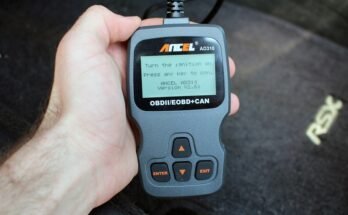
Hold the scanner connector and gently insert it into the OBD2 port. It should slide in smoothly. The scanner will power on automatically using the car’s battery—no extra batteries are needed.
- If the device does not power up, double-check the connection.
- Some vehicles require the ignition to be switched to ON before the scanner powers.
5. Switch Ignition To On
Turn your car key to the ON position, but do not start the engine. This allows the car’s computer to communicate with the scanner.
- The dashboard lights should come on.
- The Ancel AD310 will display its home screen.
6. Use The Ancel Ad310 Interface
Once powered, use the arrow keys to navigate the menu. Common functions include:
- Reading codes
- Erasing codes
- Viewing live data
- Checking I/M readiness
Select the function you want and follow the on-screen instructions. The interface is simple, but many users miss the extra menu options by only checking for codes.
7. Safely Disconnect The Scanner
When finished, turn off the ignition and gently unplug the scanner. Never yank the cable or pull at an angle.
- Store the scanner in a safe place, away from heat or moisture.
Understanding The On-screen Messages
The Ancel AD310 displays various messages and codes. Common ones include:
- DTC Codes: These start with “P”, “B”, “C”, or “U” (e.g., P0300 for engine misfire).
- No Codes Found: Means the system did not detect any errors.
- Link Error: Means a communication problem, possibly due to a loose connection or incompatible vehicle.
If you see an unfamiliar code, write it down. You can search for its meaning online or in the Ancel AD310 manual.

Common Mistakes When Connecting The Ancel Ad310
Even though the process is simple, many users make the same mistakes:
- Forcing the connector into the port, which can bend the pins.
- Connecting with the engine running, which is not recommended.
- Using with non-OBD2 vehicles, leading to errors or no power.
- Not turning the key to ON, which prevents communication.
- Ignoring “Link Error” messages, instead of checking the connection.
Always follow the correct steps and check your vehicle compatibility.
Troubleshooting Connection Problems
If your Ancel AD310 does not connect, try these solutions:
- Check the OBD2 port for dirt or damage.
- Try another car, if available, to rule out device problems.
- Make sure the ignition is in the ON position.
- Inspect the cable for cuts or broken wires.
If problems persist, consult the user manual or contact Ancel support.
Data Table: Common Obd2 Port Locations
Here’s a quick reference for where to find the OBD2 port in popular car brands:
| Brand | Common Port Location | Special Note |
|---|---|---|
| Toyota | Under dashboard, left side | May have cover flap |
| Honda | Above pedals, near steering | Easy access |
| Ford | Left of steering column | Sometimes behind small panel |
| BMW | Lower dash, right side | European models may vary |
| Chevrolet | Below dashboard, center | Usually open |
Practical Tips For First-time Users
Many beginners only focus on reading the codes, but there are other valuable features:
- Use the live data option to see real-time information like engine RPM and coolant temperature. This can help spot issues before they trigger a warning light.
- Check the I/M readiness to see if your car is ready for emission tests.
- Record the codes before erasing them. This helps if the issue returns later.
Non-obvious Insights For Reliable Use
Two things most users miss:
- The OBD2 port can be loose or damaged, especially in older cars. If the scanner disconnects randomly, check the port for wear.
- Some vehicles use non-standard protocols. Even if the port fits, the Ancel AD310 might not communicate if your car uses a rare protocol. In these cases, an upgraded scanner may be needed.
Comparison: Ancel Ad310 Vs Other Basic Obd2 Scanners
How does the Ancel AD310 compare with similar devices? Here’s a brief side-by-side look:
| Feature | Ancel AD310 | Autel AutoLink AL319 | BAFX Products Reader |
|---|---|---|---|
| Power Source | Car OBD2 port | Car OBD2 port | Car OBD2 port |
| Reads Codes | Yes | Yes | Yes |
| Erase Codes | Yes | Yes | Yes |
| Live Data | Yes | Yes | No |
| Menu Language | Multi-language | English only | English only |
Safety Precautions When Using The Ancel Ad310
Some users forget safety basics when using diagnostic tools:
- Do not connect or disconnect the scanner while the engine is running.
- Avoid using the scanner in wet or humid conditions.
- Keep the device away from children.
If you smell burning or see smoke, disconnect the device immediately.
Real-world Example: Diagnosing A Check Engine Light
Let’s look at a practical scenario. Suppose your car’s check engine light comes on.
- Park safely and turn off the engine.
- Connect the Ancel AD310 to the OBD2 port.
- Switch the ignition to ON.
- Use the scanner to read codes. You see “P0171” (system too lean).
- Record the code and check its meaning in the manual or online.
- Fix the root cause (like a vacuum leak) or visit a mechanic.
- After repair, use the scanner to erase the code.
- Start the engine to make sure the warning light is gone.
This process can save you time and money, and prevent further issues.
Data Table: Typical Obd2 Trouble Codes And Their Meanings
For quick reference, here are common trouble codes you might see:
| Code | Meaning | Possible Cause |
|---|---|---|
| P0300 | Random Misfire | Bad spark plug, coil, or fuel injector |
| P0420 | Catalyst System Efficiency Below Threshold | Worn catalytic converter |
| P0171 | System Too Lean | Vacuum leak, bad sensor |
| P0455 | Evaporative Emission Leak (Large) | Loose gas cap |
| P0446 | Evap System Vent Control Circuit | Faulty vent valve |
Advanced Features And Limitations
The Ancel AD310 is a basic scanner, but it offers more than just code reading:
- Freeze Frame Data: View a snapshot of sensor values at the time a code was stored.
- Multiple Language Options: Switch between English, French, Spanish, and more.
- I/M Readiness Test: Check if your car is ready for inspection.
However, it cannot read manufacturer-specific codes (like ABS or airbag errors) or reset oil service lights. For those, you need an advanced tool.
Best Practices For Long-term Use
To keep your Ancel AD310 working well:
- Store it in a dry, cool place.
- Clean the connector pins regularly.
- Avoid dropping or exposing it to shocks.
It’s also wise to update your knowledge about OBD2 codes and car diagnostics. The more you know, the more useful your scanner becomes.
When To Seek Professional Help
Even with a good scanner, some problems are too complex for DIY repair. If you see unfamiliar codes or the car won’t run properly after clearing codes, visit a qualified mechanic. The scanner is a tool to help you communicate better with professionals, not a complete replacement for expert service.
For more information on OBD2 standards and diagnostics, you can visit the Wikipedia OBD page.
Frequently Asked Questions
How Do I Know If My Car Is Obd2 Compatible?
If your vehicle was made for the U.S. market in 1996 or later, it is almost always OBD2 compatible. Look for a sticker under the hood or check your owner’s manual for confirmation.
Can The Ancel Ad310 Damage My Car?
When used correctly, the Ancel AD310 is safe and should not damage your car. Avoid forcing the connector or using it with damaged cables.
Why Does My Scanner Say “link Error”?
A Link Error usually means poor connection, a damaged port, or your car uses a protocol the scanner does not support. Try reconnecting or testing with another car.
Can I Use The Ancel Ad310 To Clear The Check Engine Light?
Yes, after repairs, use the scanner’s erase code function to turn off the check engine light. If the problem is not fixed, the light may return.
What Should I Do If I See A Code I Don’t Understand?
Write down the code and search its meaning online or in the Ancel AD310 manual. If you’re unsure, consult a mechanic before making repairs.
Connecting your Ancel AD310 to the OBD2 port is a simple way to take control of your car’s health. By following the right steps and understanding what your scanner can do, you can save time, money, and avoid stress when that check engine light comes on. With a little practice, you’ll feel confident diagnosing many common car issues yourself.