Thank you for clarifying your needs. Here is a comprehensive, in-depth guide about the Ancel AD310 OBD2 Scanner, written in simple English and designed for clarity, completeness, and helpfulness. This guide covers all main features, step-by-step usage, real-world examples, common mistakes, and practical tips—ideal for both beginners and everyday car owners.
—
The Ancel AD310 OBD2 Scanner: A Complete Guide for Car Owners
If you own a car, you may have seen the “Check Engine” light turn on. This small light can make you feel worried, but it is often just a warning. The real problem is that you do not know exactly what is wrong.
That is where a tool like the Ancel AD310 OBD2 Scanner can help you. This small device reads your car’s computer and tells you what is wrong in simple codes. With this information, you can fix small problems yourself or talk to your mechanic with more confidence.
Many people think car scanners are only for professionals. This is not true. The Ancel AD310 is made for everyone. It is simple, affordable, and does not require special skills. In this guide, you will learn everything you need to know about this tool: what it does, how to use it, and why it is useful. If you want to save money and feel more in control of your car, keep reading.
What Is The Ancel Ad310 Obd2 Scanner?
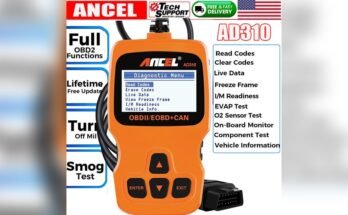
The Ancel AD310 is a basic OBD2 (On-Board Diagnostics II) code reader. OBD2 is a standard system in almost all cars made after 1996. This system helps mechanics and car owners find problems by reading “trouble codes” from the car’s computer.
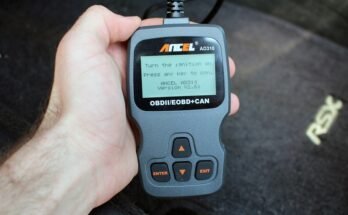
The AD310 is a simple tool that plugs into a special port under your dashboard. It reads these codes and explains them in clear words on its small screen.
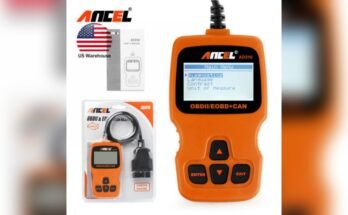
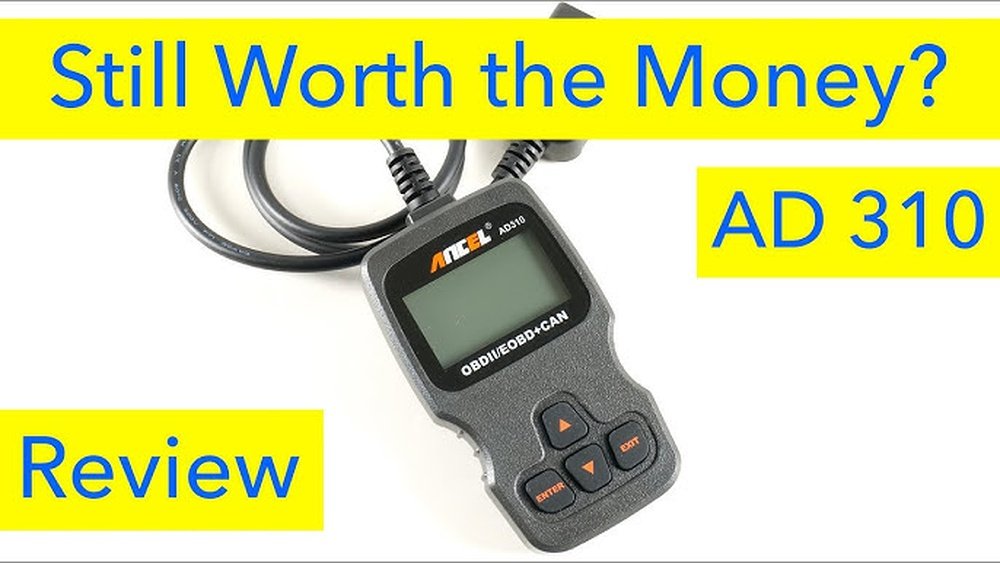
You do not need to be a car expert to use this scanner. The device has only a few buttons, a clear display, and a strong cable. It does not need batteries because it gets power from the car. The AD310 is known for being reliable and easy to use, making it a top choice for beginners.
Why Use The Ancel Ad310?
Modern cars have many sensors and computers. When something is wrong, your car’s computer saves a code. Without a scanner, you would need to visit a mechanic just to know what the code means. This can be expensive and time-consuming.
Here are some main reasons to use the AD310:
- Save Money: You do not need to pay a mechanic just to read a trouble code. One scan can cost as much as the tool itself.
- Quick Answers: Find out what’s wrong in minutes, not hours or days.
- DIY Repairs: Many problems, like a loose gas cap, are simple to fix.
- Avoid Scams: When you know the code, you can avoid paying for repairs you do not need.
- Peace of Mind: Not every warning light means a big problem. Sometimes, it is just a small issue.
Key Features Of The Ancel Ad310
The AD310 is simple, but it has all the features most car owners need. Here are the main features explained:
Reads And Clears Codes
The main job of the AD310 is to read “trouble codes” from your car’s computer. These codes point to problems with the engine or emissions system. After fixing a problem, you can use the scanner to erase (“clear”) the code.
This also turns off the Check Engine light.
Live Data Stream
You can also view live data from your car’s sensors. For example, you can see engine speed (RPM), temperature, and more in real time. This helps you spot problems like overheating or abnormal readings.
Freeze Frame Data
When a trouble code is saved, the car also saves a “snapshot” of the system at that moment. This “freeze frame” data helps you understand the conditions when the problem happened.
Readiness Monitors
Your car runs several self-tests (called “monitors”) to check if everything is working. The AD310 can show if your car is “ready” for a state emissions test.
Simple Interface
The device has four buttons: Up, Down, Enter, and Exit. The menu is simple, and you can see everything on a backlit screen.
No Batteries Needed
The scanner gets power from your car’s OBD2 port. You do not need extra batteries or a charger.
Strong Build
The AD310 is made of hard plastic and has a thick cable. It is built to last, even if you use it often.
How To Use The Ancel Ad310 Step By Step
Many people worry about using new tools. The AD310 is easy to use, even for beginners. Here is a clear step-by-step guide:
1. Turn Off Your Car
Make sure your car is off before you plug in the scanner.
2. Find The Obd2 Port
The port is usually under the dashboard, near the driver’s seat. Look for a small slot with 16 pins. If you have trouble finding it, check your car’s manual.
3. Plug In The Scanner
Push the connector into the port until it fits snugly.
4. Turn On The Ignition
Do not start the engine yet. Just turn the key to the “on” position. The scanner will turn on automatically.
5. Wait For The Scanner To Start
The AD310 will show its logo and then the main menu.
6. Select “read Codes”
Use the Up and Down buttons to find “Read Codes. ” Press Enter.
7. View The Codes
The screen will show any trouble codes found. Each code looks like a letter and numbers (for example, P0171).
8. Look Up The Meaning
The AD310 shows a short description for most codes. If you need more details, you can search the code online or in your car’s manual.
9. Fix The Problem
If the code is simple (like a loose gas cap), fix it yourself. For bigger problems, talk to a mechanic and show them the code.
10. Clear The Code (optional)
After fixing the problem, use the “Erase Codes” option. This will turn off the Check Engine light.
Real-world Example: Check Engine Light For A Loose Gas Cap
Suppose you see the Check Engine light. You feel worried, but you use the AD310 to check the code. The scanner shows “P0457: Evaporative Emission System Leak Detected (fuel cap loose/off).” You check your gas cap and see that it is not tight. You fix it, erase the code, and the light goes away. You save money and time because you did not need a mechanic for a simple problem.
Advanced Uses: Reading Live Data
Most people use the AD310 just to read and erase codes. But you can do more. The “Live Data” function shows real-time information from your car’s sensors. For example, you can check:
- Engine RPM
- Coolant temperature
- Oxygen sensor readings
- Fuel system status
This data helps you find problems that do not always turn on the Check Engine light. For example, if the coolant temperature is too high, your car may overheat soon. You can fix the problem before it gets worse.
Common Mistakes To Avoid
Even simple tools can cause confusion. Here are mistakes beginners often make:
1. Not Turning On The Ignition
If you do not turn the key to “on,” the scanner will not connect.
2. Clearing Codes Without Fixing Problems
Do not erase codes just to turn off the light. Fix the problem first, or the code will come back.
3. Ignoring Freeze Frame Data
Beginners often skip this step. But the freeze frame shows what was happening when the code appeared. This can help you or your mechanic find the real cause.
4. Using On Non-obd2 Cars
Cars made before 1996 (in the USA) do not use OBD2. The scanner will not work on these vehicles.
5. Not Checking Readiness Monitors
Before a state inspection, check the “readiness” status. If the monitors are not ready, your car may not pass.
Who Should Buy The Ancel Ad310?
This scanner is best for people who:
- Want to check engine problems at home
- Like to do simple car repairs
- Want to avoid unnecessary repair bills
- Need to check “readiness” before an emissions test
It is not a replacement for a mechanic’s advanced tool, but it is perfect for basic needs.
When The Ad310 May Not Be Enough
The AD310 works well for most people, but there are limits:
- It cannot read codes from ABS, airbag, or transmission systems.
- It does not work with all cars outside North America, especially before 2001 (Europe) or 2005 (Asia).
- If you want advanced functions (like changing settings), you need a more expensive scanner.
If you only want to check engine codes, the AD310 is a smart choice.
Non-obvious Insights Most Beginners Miss
1. The “pending” Codes Feature
The AD310 can show “pending” codes. These are early warnings—problems the computer has noticed once, but not enough to turn on the Check Engine light. If you fix these early, you can avoid bigger repairs.
2. The Importance Of Battery Voltage
When you scan your car, always check the battery voltage. If your battery is weak, you may get false codes or lose connection. Make sure your battery is healthy before scanning.
3. Using Live Data For Used Car Shopping
If you are buying a used car, bring the AD310. Scan for codes, but also check live data. Look for normal readings on sensors, temperature, and fuel trim. If something looks wrong, the car may have hidden problems.
4. Not All Codes Are “bad”
Some codes are temporary. For example, if you drive through a big puddle, you may see a sensor code. It may clear itself after a few drives. Do not panic—look for patterns before worrying.
Practical Tips For Using The Ad310
- Always write down the codes before clearing them.
- Reset codes only after fixing the problem.
- Keep the AD310 in your glove box—you never know when you’ll need it.
- If you see a “no connection” error, check the car’s fuse for the OBD port.
- Use the scanner once a month to check for early problems.
Troubleshooting Common Issues
If your scanner does not work, try these steps:
- Double-check the OBD2 port location.
- Make sure the ignition is “on.”
- Try another car to see if the scanner works.
- Look for a blown fuse (often marked as “OBD” or “CIG”).
- Try wiggling the connector gently.
If it still does not work, your car may not support OBD2, or the port may be damaged.
Comparing Ancel Ad310 With Other Scanners
The AD310 is one of the most popular budget scanners, but how does it compare to others?
- AD310 vs. Bluetooth Scanners: Bluetooth scanners connect to your phone and offer more features. But they need apps, updates, and a smartphone. The AD310 is simpler and works alone.
- AD310 vs. Professional Tools: High-end tools can read all systems and do advanced tests. They cost much more and are harder to use.
- AD310 vs. Other Budget Scanners: Some low-cost scanners have fewer features (no live data, smaller screen). The AD310 gives a good balance of price and functions.
Maintaining Your Scanner
The AD310 does not need much care, but a few habits help:
- Do not pull the cable too hard; unplug it gently.
- Keep it away from water and extreme heat.
- Store in a dry, safe place.
- Update your knowledge, not just your tool—learn what codes mean for your car.
Where To Get More Help
If you need more information, the official [EPA OBD Information](https://www.epa.gov/obd) page explains OBD2 standards, common codes, and how scanners work. This can help you understand codes and pass emissions tests.
Final Thoughts: Is The Ancel Ad310 Worth It?
If you want a simple, reliable way to check your car’s health, the Ancel AD310 is a smart investment. It saves money, gives you quick answers, and helps you avoid stress when the Check Engine light comes on. While it does not have every feature, it covers all the basics for most car owners.
Remember, using a scanner is not just about fixing cars—it is about understanding them. With the AD310, you become a smarter, more confident driver. Next time your warning light comes on, you will know what to do.
—
With the right tool and knowledge, car problems become less scary. The Ancel AD310 is a small device, but it can make a big difference for any car owner.