Do you ever feel like your music or movies don’t sound quite right? Maybe the bass is too heavy, or the treble is too sharp.
Learning how to adjust treble and bass can completely change your listening experience. It’s easier than you think, and once you get it right, every song, podcast, or film will feel clearer and more enjoyable. Keep reading to discover simple tips that will help you take control of your sound and make your audio truly come alive.
Treble And Bass Basics
Understanding the basics of treble and bass is key to improving your sound experience. These two elements shape how music and audio feel to your ears. Adjusting them correctly changes the mood and clarity of the sound. Simple changes can make your favorite songs sound fresh and clear.
Knowing what treble and bass do helps you control your audio better. It also lets you enjoy music the way you want. Let’s explore what treble and bass mean and their effect on sound quality.
What Treble And Bass Do
Treble refers to the high-frequency sounds in audio. These include sounds like cymbals, high hats, and vocals. Bass covers the low-frequency sounds. Think of drums, bass guitar, and deep rumbles. Treble adds brightness and sharpness. Bass adds depth and power. Both work together to create balance in music.
Impact On Sound Quality
Adjusting treble and bass changes how clear or full music sounds. Too much treble can make audio sharp or harsh. Too little treble makes sound dull or muffled. Too much bass can overpower other sounds. Too little bass makes music feel thin or weak. Proper balance keeps music natural and enjoyable. It helps each instrument and voice stand out clearly.

Tools For Adjustment
Adjusting treble and bass shapes how music and sounds reach your ears. The right tools make this simple and effective. Different devices and apps offer ways to control these sound elements. Knowing which tools to use helps you enjoy clear and balanced audio.
Equalizers And Audio Settings
Equalizers are built into many devices. They let you raise or lower treble and bass. Most smartphones, computers, and music players have an equalizer. You can adjust sliders for low and high frequencies easily. This changes the sound quality to suit your taste.
Audio settings in devices also offer sound control. You can find options for bass boost or treble control. Some devices have presets like “rock” or “jazz” that change sound automatically. These settings help improve your listening without needing extra tools.
Apps And Software Options
There are many apps for fine-tuning sound on phones and computers. These apps provide detailed equalizers and sound effects. Some apps let you save your custom settings. They work with music players or streaming services for better sound control.
Software for computers often has advanced sound options. You can adjust bass and treble precisely. Some programs include visual equalizers to see changes in real time. These tools help enhance music and audio playback easily.
Steps To Adjust Treble
Adjusting treble controls the high frequencies in your audio. This makes sounds like cymbals, vocals, and guitars clearer. Follow these simple steps to improve your listening experience. Small changes can make a big difference in sound quality.
Finding The Right Balance
Start by setting the treble control to the middle position. Play music that you know well. Listen carefully to the high sounds. Increase the treble slowly until the sound feels bright but not harsh. Lower it if the sound becomes sharp or painful. The right balance keeps the music clear and natural.
Common Mistakes To Avoid
Avoid turning the treble too high. It can cause ear fatigue and distort sound. Do not ignore the bass and midrange settings. Treble works best when balanced with other frequencies. Avoid making large adjustments at once. Small, gradual changes help you find the best sound.
Steps To Adjust Bass
Adjusting the bass is key to improving sound quality. It helps balance the music and makes it more enjoyable. Follow these simple steps to adjust the bass correctly. These tips will help you get clear and rich low frequencies without causing problems.
Enhancing Low Frequencies
Start by locating the bass control on your device. It might be a knob, slider, or digital setting. Slowly increase the bass level to hear the difference. Stop once the bass sounds full but not overpowering. Test with different songs to find the right balance. The goal is to make the bass clear and deep.
Preventing Distortion
Too much bass can cause distortion and damage speakers. Avoid turning the bass up too high. Listen carefully for any crackling or muffled sounds. If you hear distortion, reduce the bass level immediately. Keep the sound clean and comfortable for your ears. Proper adjustment protects your equipment and improves listening.
Tips For Different Devices
Adjusting treble and bass differs across devices. Each device handles sound settings uniquely. Understanding these differences helps you get the best audio experience. Here are tips for popular devices.
Smartphones And Tablets
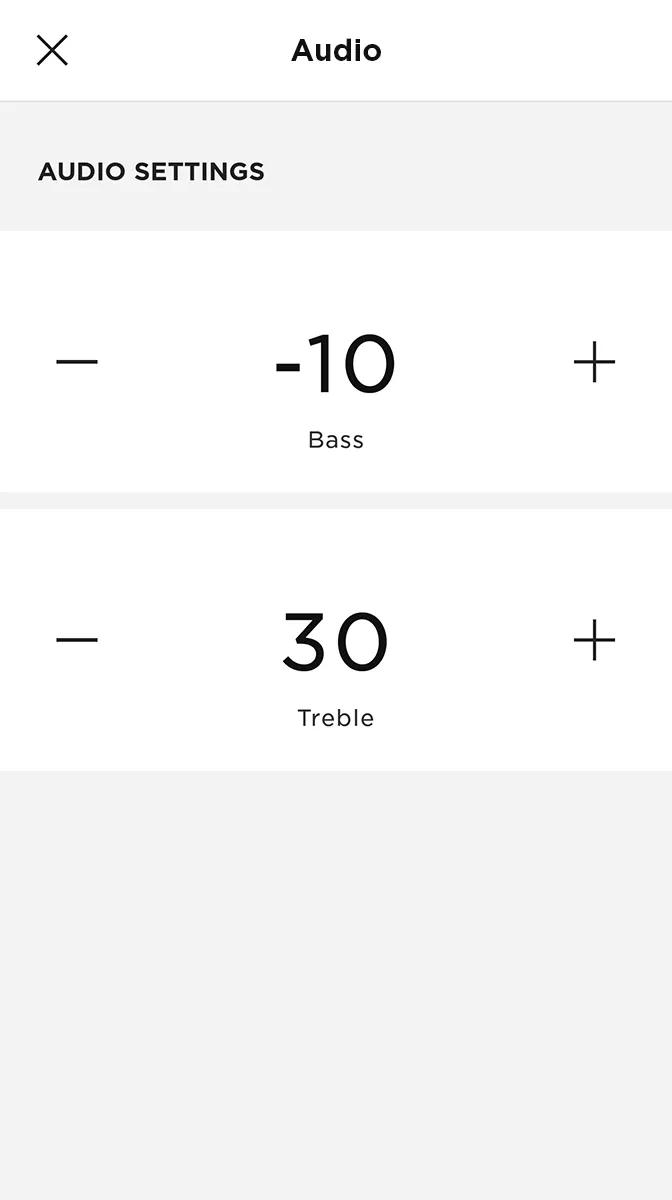
Most smartphones and tablets have built-in equalizers. Find the settings in your music or sound app. Increase bass for deeper sounds. Raise treble for clearer vocals. Use preset modes like “Bass Boost” or “Treble Boost” for quick changes. Avoid maxing out settings to keep sound natural.
Home Audio Systems
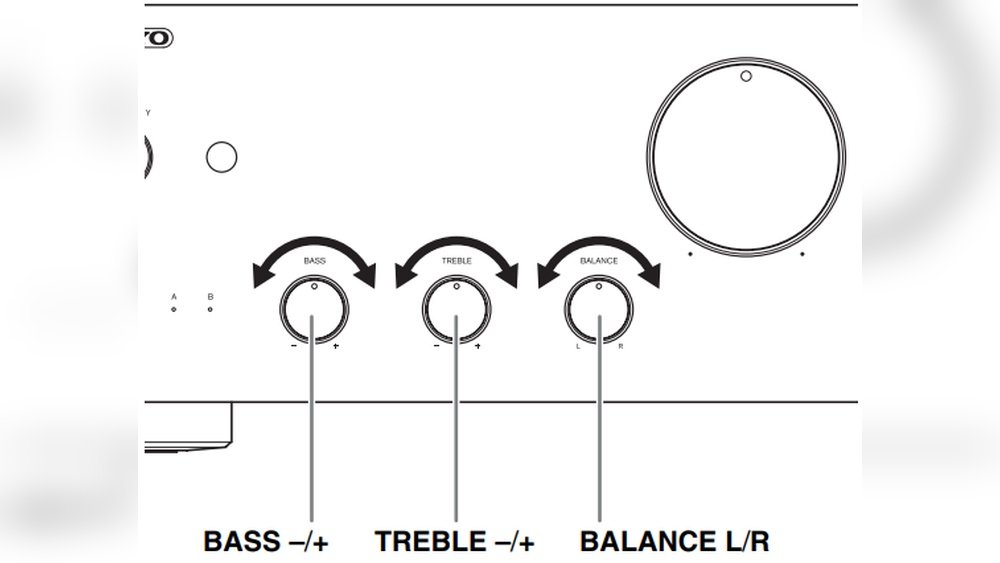
Home systems often have physical knobs or remote controls. Start with flat settings to hear the original sound. Adjust bass for richer low tones, especially for music or movies. Increase treble to highlight high notes and vocals. Test with different music styles to find a good balance. Room size and speaker placement affect sound quality.
Car Audio Settings
Car audio systems have custom equalizer settings. Use the car’s audio menu to access bass and treble controls. Increase bass carefully to avoid rattling. Raise treble to improve clarity over road noise. Balance settings for front and rear speakers. Drive and listen to different songs to fine-tune your sound.
Fine-tuning For Genres
Different music styles need different treble and bass settings. Fine-tuning your sound helps each genre sound its best. Adjusting these settings improves clarity and depth. This section covers how to set treble and bass for popular genres.
Rock And Pop
Rock and pop music often have strong beats and vocals. Boost the bass slightly for a fuller sound. Raise the treble a little to make guitars and vocals clear. Avoid too much bass, which can muddy the sound. Keep the treble balanced to avoid harshness.
Classical And Jazz
Classical and jazz music focus on instruments and subtle details. Lower the bass to prevent overpowering soft sounds. Increase the treble gently to highlight strings, horns, and cymbals. Keep the sound natural and smooth. Avoid sharp treble, which can cause listener fatigue.
Electronic And Hip-hop
Electronic and hip-hop rely on strong bass and clear highs. Boost the bass for deep, powerful beats. Raise the treble to enhance hi-hats and synths. Balance both to maintain clarity without distortion. Avoid excessive treble that can sound tinny or harsh.
Testing Your Sound
Testing your sound is a key step when adjusting treble and bass. This process helps ensure your audio sounds clear and balanced. You can hear small differences and decide what sounds best. Testing also reveals how your settings work in your space.
Using Sample Tracks
Choose songs with clear bass and treble parts. Look for tracks with drums, vocals, and high notes. Play these tracks and listen carefully. Notice if the bass booms too much or if the treble is too sharp. Adjust your settings a little and listen again.
Adjusting For Room Acoustics
Your room changes how sound feels. Hard walls reflect sound, soft furniture absorbs it. Play your sample tracks in different spots of the room. Listen for echoes or dull sounds. Move speakers if needed. Change bass and treble settings to suit the room’s sound. This makes your music sound better and more natural.
Frequently Asked Questions
What Is The Best Way To Adjust Treble And Bass?
The best way is using your device’s equalizer settings. Increase or decrease treble for brightness and bass for depth. Adjust gradually while listening to your favorite music to find the perfect balance.
How Do Treble And Bass Affect Sound Quality?
Treble controls high frequencies, adding clarity and sharpness. Bass manages low frequencies, providing richness and warmth. Proper adjustment improves overall sound balance and listening experience.
Can I Adjust Treble And Bass On Any Device?
Most modern devices like smartphones, computers, and audio players have built-in equalizers. You can easily adjust treble and bass through these settings or with third-party apps for better control.
Why Should I Adjust Treble And Bass For Different Genres?
Different music genres emphasize frequencies differently. For example, rock needs more bass, while classical music benefits from higher treble. Adjusting treble and bass enhances genre-specific audio quality.
Conclusion
Adjusting treble and bass changes how your music sounds. It helps you hear every detail clearly. Try small changes first. Listen carefully to find what sounds best. Everyone’s ears and preferences differ. Use these tips to enjoy music your way.
Keep experimenting to improve your listening experience. Sound control puts you in charge of your music. Simple steps make a big difference in sound quality. Enjoy the richer, clearer music you create.




