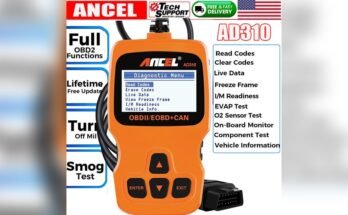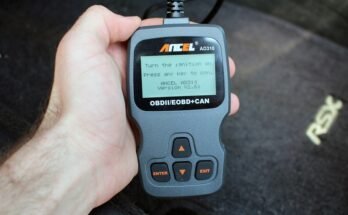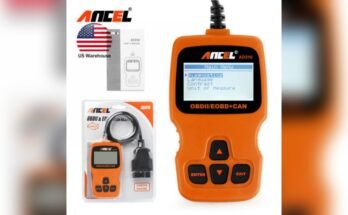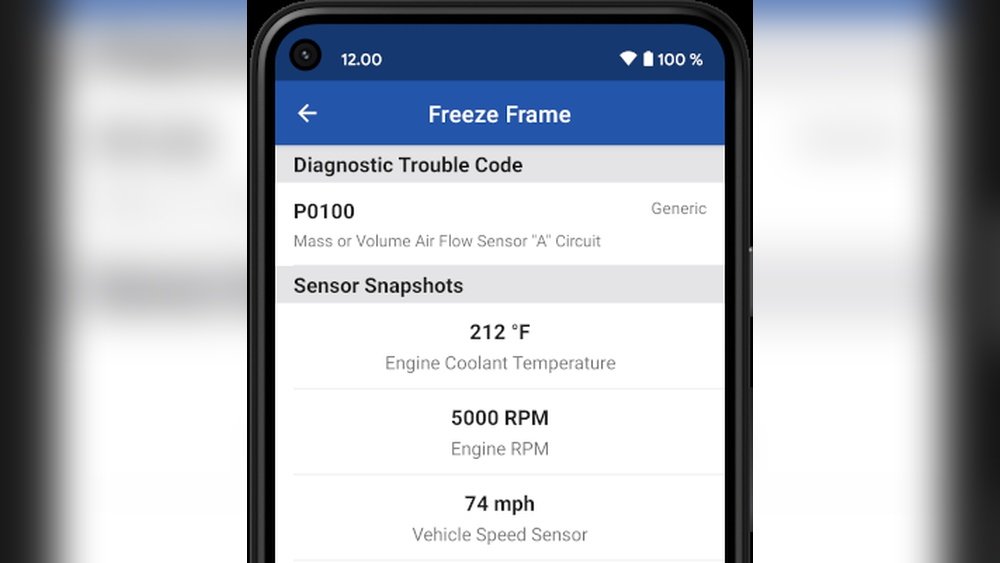
The Ancel AD310 is one of the most popular and affordable OBD2 scanners for car owners and DIY mechanics. If you’ve ever used this tool, you may have noticed a feature called “Freeze Frame Data. ” But what does freeze frame data mean on the Ancel AD310?
Many users get confused when they see this term on their device’s screen. Understanding freeze frame data is essential because it helps you diagnose car problems more accurately and avoid unnecessary repairs.
In this article, you’ll learn what freeze frame data is, how it works on the Ancel AD310, why it matters for car diagnostics, and how you can use it to solve real-world vehicle issues. We’ll also compare freeze frame data to live data, explain common mistakes, and answer the most asked questions.
By the end, you’ll be more confident using your Ancel AD310 and interpreting the information it gives you.
What Is Freeze Frame Data?
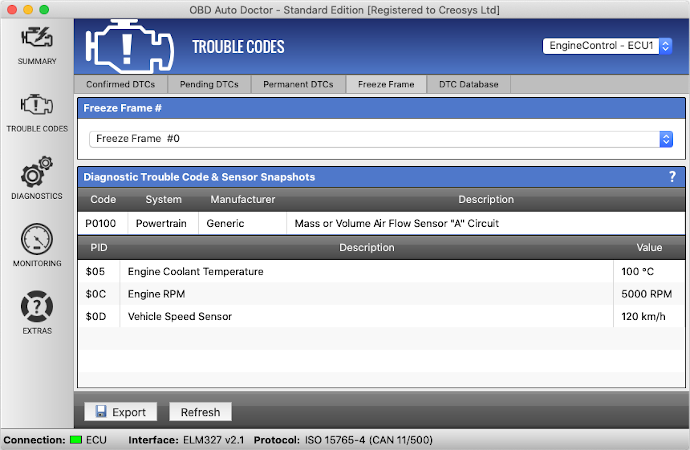
When your car’s check engine light turns on, it means the vehicle’s computer (ECU) has detected a problem. At the moment the problem happened, your car “takes a snapshot” of important sensor readings. This snapshot is called freeze frame data. It’s like a camera capturing the exact details of your car’s condition when the fault happened.
Freeze frame data includes information such as:
- Engine RPM (revolutions per minute)
- Vehicle speed
- Engine load
- Fuel pressure
- Coolant temperature
- Intake air temperature
- Throttle position
- Short and long-term fuel trim
These details help you understand what was happening when the trouble code was set. For example, was the engine cold or hot? Was the car moving fast or slow? Did the problem appear during acceleration or idling?
The Ancel AD310 reads and displays this freeze frame data, so you can see the exact conditions at the time of the malfunction. This information is often the key to finding the real cause of a check engine light.
How Does The Ancel Ad310 Display Freeze Frame Data?
The Ancel AD310 is designed to be simple and user-friendly. To access freeze frame data, you usually follow these steps:
- Plug the Ancel AD310 into your car’s OBD2 port (usually below the dashboard).
- Turn the car’s ignition to the ON position (engine off or running).
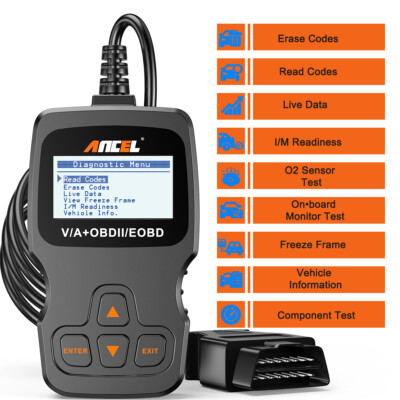
- Use the arrow keys to select “Freeze Frame” from the main menu.
- The device will scan for stored trouble codes and display the freeze frame data related to the first code it finds.
The freeze frame data appears as a set of numbers and abbreviations. For example, you might see:
- RPM: 2300
- Speed: 65 km/h
- Coolant Temp: 87°C
- Load: 45%
- Fuel Trim: -2.3%
Each item tells you something about the car’s state when the problem was detected. If there are multiple codes, the device usually shows freeze frame data for the first one (the most important code).
It’s important to note that the freeze frame data is stored only for the first fault code that triggered the check engine light. If new codes appear later, the old freeze frame data may be replaced.
Why Is Freeze Frame Data Important?
Many car owners clear trouble codes without checking the freeze frame data. This is a mistake. Freeze frame data gives you clues that a simple code cannot provide. Here’s why it’s so valuable:
- Pinpoints the real cause: A code might say “misfire detected,” but freeze frame data tells you if it happened at high speed, low temperature, or during acceleration. This narrows down possible causes.
- Saves repair costs: Guessing can lead to replacing good parts. Freeze frame data guides you to the real problem, so you don’t waste money.
- Helps with intermittent issues: Some problems come and go. Freeze frame data captures the moment, even if the problem disappears later.
- Supports warranty claims: Some carmakers ask for freeze frame data before honoring engine warranty repairs.
- Makes you look like a pro: If you’re fixing cars for friends or family, using freeze frame data shows you understand modern diagnostics.
What Information Does Freeze Frame Data Show On The Ancel Ad310?
The freeze frame data you see depends on your car’s make and model, but most vehicles support a core set of parameters. Let’s look at the most common items you’ll find on the Ancel AD310:
| Parameter | What It Means | Why It’s Useful |
|---|---|---|
| Engine RPM | How fast the engine was spinning | Helps identify if problem happened at idle or high speed |
| Vehicle Speed | Car’s speed when code was set | Shows if issue occurs while driving or stopped |
| Coolant Temp | Engine temperature (C° or F°) | Reveals if engine was cold or hot |
| Engine Load | How hard the engine was working (%) | Shows if the car was under stress |
| Fuel Pressure | Pressure in the fuel system | Helps diagnose fuel delivery problems |
| Intake Air Temp | Temperature of air entering the engine | Can point to air/fuel ratio issues |
| Throttle Position | How much the gas pedal was pressed (%) | Shows if issue happens at full throttle or idle |
| Short/Long Term Fuel Trim | How the ECU adjusted fuel mixture (%) | Indicates lean or rich running conditions |
Some vehicles may provide extra data like oxygen sensor voltage, barometric pressure, or intake manifold pressure. The Ancel AD310 displays all available data for your car.
Practical Example: How To Use Freeze Frame Data
Imagine your check engine light turns on, and the Ancel AD310 shows the code P0171 (System Too Lean – Bank 1). Alone, this code means your engine is getting too much air or not enough fuel, but it doesn’t tell you why.
Now, check the freeze frame data:
- RPM: 900
- Speed: 0 km/h
- Coolant Temp: 22°C
- Throttle: 12%
- Fuel Trim: +18%
What does this mean? The engine was idling (RPM low, speed zero, throttle barely pressed), and the coolant was cold. The fuel trim is high, meaning the ECU was adding a lot of fuel to correct a lean condition.
These details suggest the problem happens during cold start, likely due to a vacuum leak, dirty MAF sensor, or fuel delivery issue. This is much more specific than just the code alone.
If the freeze frame showed high RPM and speed, you might suspect a different cause, such as a problem with the mass airflow sensor during acceleration.
Freeze Frame Data Vs. Live Data
It’s easy to confuse freeze frame data with live data. Both are available on the Ancel AD310, but they serve different purposes.
| Feature | Freeze Frame Data | Live Data |
|---|---|---|
| When Captured | At the moment a fault code sets | Real-time, as the engine runs |
| Purpose | Shows car’s state at time of problem | Shows current operating values |
| Data Changes? | No, stays the same until cleared | Updates constantly |
| How to Use | Find root cause of past issue | Monitor sensors and performance live |
Freeze frame data is a one-time snapshot; live data is like watching a video feed. Use freeze frame to investigate what went wrong, and live data to confirm repairs or monitor sensor values as you drive.
Common Mistakes When Using Freeze Frame Data
Even experienced DIYers sometimes misuse freeze frame data. Here are some errors to avoid:
- Ignoring freeze frame data: Clearing codes without checking freeze frame data erases valuable clues.
- Assuming all codes have freeze frame data: Only the first (primary) code stores freeze frame data. Secondary codes might not.
- Confusing live and freeze frame data: Remember, freeze frame is a snapshot; live data updates every second.
- Not writing down the data: Freeze frame data disappears when codes are cleared. Always write it down or take a photo.
- Overlooking sensor units: Some cars use metric, others imperial (°C vs °F, km/h vs mph). Always check which units you’re reading.
- Missing the context: Don’t look at numbers in isolation. Consider what the car was doing—idling, accelerating, cold start, etc.
How To Interpret Freeze Frame Data For Different Trouble Codes
Different codes require different thinking. Here’s how freeze frame data helps with common codes:
Misfire Codes (e.g., P0301-p0306)
- Check RPM and speed: Did the misfire happen at idle or during driving?
- If at idle, suspect spark plugs, coils, or vacuum leaks.
- If at high speed, consider fuel delivery or ignition timing.
Oxygen Sensor Codes (e.g., P0130-p0167)
- Check engine temperature: Was the engine cold? O2 sensors may not function until warm.
- Look at fuel trim: High or low values suggest sensor or air/fuel issues.
Evaporative Emission Codes (e.g., P0440-p0457)
- Check fuel level: Some tests only run at certain levels (e.g., 1/4 to 3/4 full).
- Look at speed and load: EVAP codes often set during steady driving.
Transmission Codes
- Check speed and throttle: Was the car shifting under heavy load?
- Look at temperature: Overheating can trigger transmission faults.
Catalyst Efficiency Codes (e.g., P0420)
- Check long-term fuel trim and O2 sensor voltages: These show if the converter is truly faulty or if another problem is causing the code.

Real-world Scenarios: Freeze Frame Data In Action
Let’s see how freeze frame data solves real problems.
- Random Misfire at Idle
- Code: P0300
- Freeze Frame: RPM 700, Speed 0, Load 18%
- Diagnosis: Misfire occurs only at idle—check for vacuum leaks, idle control valve.
- Lean Condition During Acceleration
- Code: P0174
- Freeze Frame: RPM 3200, Speed 80 km/h, Load 62%
- Diagnosis: Problem under heavy load—inspect fuel pump, injectors, or MAF sensor.
- Oxygen Sensor Fault on Cold Start
- Code: P0135
- Freeze Frame: RPM 1100, Coolant 24°C
- Diagnosis: O2 sensor heater not working during cold start—replace sensor or check wiring.
- Transmission Slip at Highway Speed
- Code: P0730
- Freeze Frame: Speed 100 km/h, Throttle 45%
- Diagnosis: Slipping occurs at high speed—could be worn clutch packs or low fluid.
How To Record And Use Freeze Frame Data
When you see a check engine light:
- Scan for codes with your Ancel AD310.
- Enter Freeze Frame mode.
- Write down all data, including code, RPM, speed, temperature, etc.
- Research the code and combine it with the freeze frame details.
- Plan your next diagnostic steps based on this information.
For example, if you see a code related to fuel mixture, and freeze frame data shows the problem happened during cold start, focus on sensors and parts that only operate when the engine is cold.
If you’re getting a repair at a garage, provide the freeze frame printout. It saves time and may reduce the labor cost because the mechanic has a head start.
Freeze Frame Data Vs. Manufacturer-specific Data
Some cars provide extra freeze frame data beyond the OBD2 standard. Advanced scan tools can read these, but the Ancel AD310 focuses on the most common parameters supported by all vehicles. Still, for 90% of cases, the basic freeze frame data is enough to point you in the right direction.
If you own a luxury or performance car, or if you want more details (like transmission or ABS freeze frames), consider a more advanced scanner. But for basic engine diagnostics, the Ancel AD310’s freeze frame feature is reliable and easy to use.
Comparing The Ancel Ad310’s Freeze Frame Feature
How does the Ancel AD310 compare with other entry-level OBD2 scanners in freeze frame capabilities?
| Scanner Model | Freeze Frame Support | Number of Parameters Displayed | Ease of Use |
|---|---|---|---|
| Ancel AD310 | Yes | 8-12 (varies by car) | Simple menu, quick access |
| Autel AL319 | Yes | 8-14 (varies by car) | Simple, but more menus |
| Innova 3100j | Yes | 10-15 (varies by car) | Easy, but higher price |
| BlueDriver (app) | Yes | 12+ (more manufacturer data) | App-based, advanced |
The Ancel AD310 gives you all the standard freeze frame data in a simple, no-fuss way. It’s perfect for DIYers and car owners who want a quick snapshot without complex features.
Non-obvious Insights For Beginners
Here are two things most new users miss:
- Freeze frame data may not match your current symptoms. Sometimes, the check engine light stays on even after the problem is gone. If you read freeze frame data days later, it may not reflect what’s happening now. Always check it as soon as possible after the light comes on.
- Not all codes store freeze frame data. Some emission-related codes (like pending or manufacturer-specific ones) do not trigger a freeze frame. Don’t be surprised if you see a code but no freeze frame data.
Key Tips For Using Freeze Frame Data Effectively
- Always check freeze frame before clearing codes.
- Write down or photograph the data for future reference.
- Compare freeze frame values with normal operating ranges (use your car’s service manual or trusted websites).
- Use freeze frame data to ask better questions in car forums or when seeking professional help.
- If the freeze frame doesn’t match your current symptoms, the problem may be intermittent or already resolved.
When To Seek Professional Help
While freeze frame data is very useful, some problems require advanced tools or experience. If you cannot find a clear cause, or if you see multiple codes and confusing freeze frame values, it’s smart to visit a qualified technician. Bring your freeze frame notes—they help professionals diagnose faster and more accurately.
You can learn more about OBD2 freeze frame data from this Wikipedia page for deeper background.
Frequently Asked Questions
What Exactly Is Freeze Frame Data On The Ancel Ad310?
Freeze frame data is a snapshot of your car’s key sensor values at the moment a fault code was set. The Ancel AD310 reads and displays this information, such as engine speed, temperature, and load, to help you understand the car’s state when the problem occurred.
Is Freeze Frame Data The Same As Live Data?
No. Freeze frame data shows the car’s conditions at the moment the trouble code was triggered. Live data shows what’s happening right now, in real time, as the engine runs. Both are useful, but for different reasons.
Can I Clear Freeze Frame Data With The Ancel Ad310?
Yes. When you use the “Clear Codes” function on the Ancel AD310, it also erases the freeze frame data stored in your car’s computer. Always review and write down freeze frame data before you clear codes, because you can’t get it back.
Why Don’t I See Freeze Frame Data For Every Code?
Not all trouble codes store freeze frame data. Usually, only the first emission-related code that triggers the check engine light creates a freeze frame snapshot. Secondary or pending codes may not have associated freeze frame data.
Does Every Car Support Freeze Frame Data With The Ancel Ad310?
Most cars made after 1996 (US) or after 2001 (Europe) support basic freeze frame data as part of the OBD2 standard. However, the exact parameters and amount of data can vary by make, model, and year. Some older or rare cars may not provide all freeze frame values.
Understanding freeze frame data on your Ancel AD310 is a powerful way to find and fix car problems quickly and confidently. Use it every time you see a check engine light, and you’ll avoid guesswork—and maybe save a lot of money in the process.