If you own a car or work with vehicles, you may have heard about OBD2 scanners like the Ancel AD310. These handy devices help you check why your car’s check engine light is on, save money on repairs, and even learn more about your car’s health. But one question often confuses people: What OBD2 protocols does the Ancel AD310 support? Understanding this is key if you want to make sure the scanner works with your car. Many beginners skip this step and end up buying a tool that does not communicate with their vehicle at all.
Let’s dive into everything you need to know about the OBD2 protocols supported by the Ancel AD310, why it matters, how to check compatibility, and much more. You’ll learn the basics and also get practical advice that many guides leave out.
Whether you’re a car owner, a DIY mechanic, or just curious, this guide will give you clear, easy-to-understand answers.
What Is Obd2 And Why Do Protocols Matter?
OBD2 stands for On-Board Diagnostics, version 2. It’s a system all modern cars use to monitor and report problems in the engine, transmission, and other key systems. Since 1996 in the US and later in many other countries, OBD2 has become the standard for vehicle diagnostics. If your car was made after 1996, it almost certainly has OBD2.
But here’s where it gets tricky: not all cars use the same way (or “language”) to communicate. These ways are called protocols. If your scanner does not speak your car’s protocol, it cannot read or clear codes, no matter how fancy the scanner is. This is why checking protocol support is so important.
Some car brands use one protocol, others use a different one. The protocol can also depend on the country or even the type of engine (gasoline or diesel). Many buyers forget to check this and are disappointed when their scanner does not work.
Obd2 Protocols Supported By The Ancel Ad310
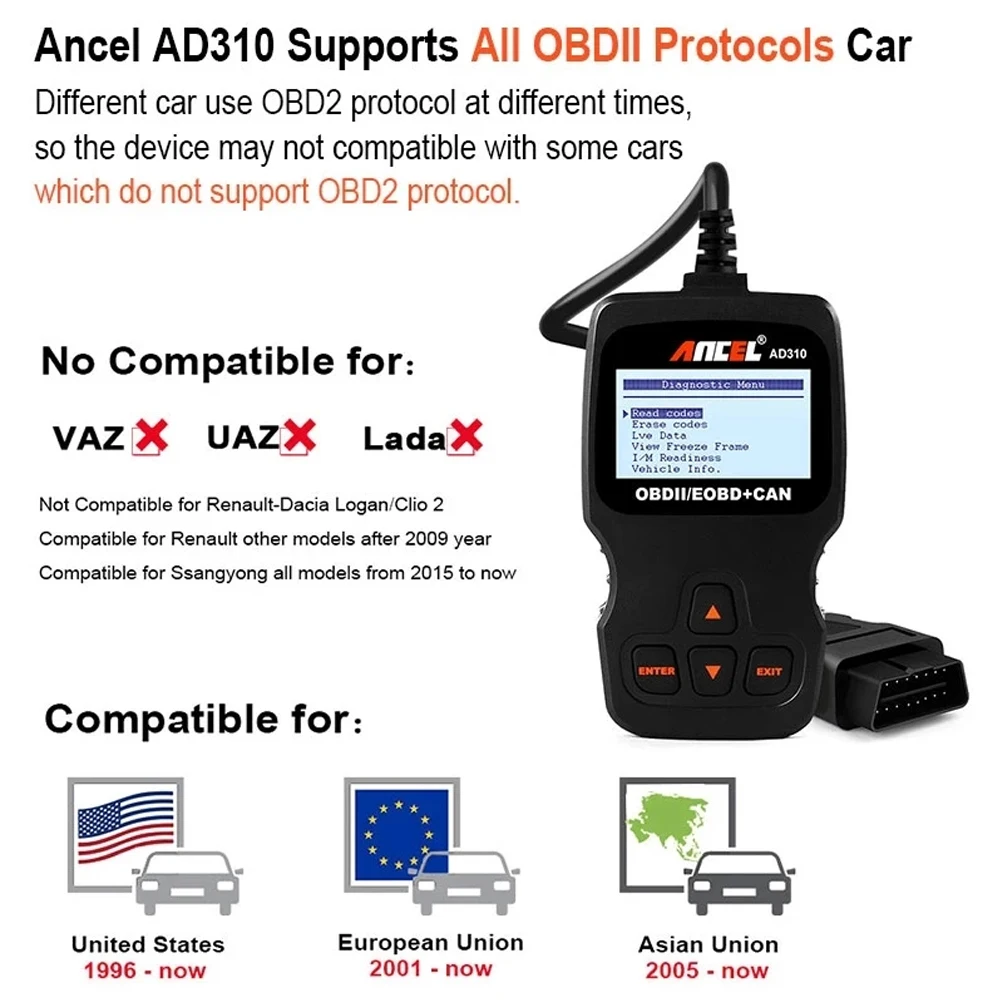
The Ancel AD310 is a popular, affordable OBD2 code reader. It supports all five major OBD2 protocols used worldwide. This makes it compatible with most cars and light trucks built after 1996 in the United States, and most vehicles built after 2001 in Europe and 2006 in Asia.
Here are the protocols it covers:
- SAE J1850 PWM (Pulse Width Modulation)
- SAE J1850 VPW (Variable Pulse Width)
- ISO 9141-2
- ISO 14230-4 (KWP2000)
- ISO 15765-4/SAE J2480 (CAN)
Let’s look at each protocol in detail, and why they matter for your vehicle.
1. Sae J1850 Pwm (pulse Width Modulation)
This protocol was mostly used by Ford vehicles. “PWM” stands for Pulse Width Modulation, a way of sending information quickly and reliably between the car’s computer and the scanner.
- Speed: 41.6 kbit/s
- Wiring: Two-wire system
- Common in: Ford, Lincoln, Mercury vehicles (mainly US models from 1996–2003)
- Pinout: Required pins 2, 4, 5, 10, and 16 in the OBD2 connector
If you own an older Ford, this is likely the protocol your car uses. The Ancel AD310 can read and clear trouble codes, view live data, and more using this protocol.
2. Sae J1850 Vpw (variable Pulse Width)
This protocol is mostly found in General Motors (GM) vehicles.
- Speed: 10.4 kbit/s
- Wiring: Single-wire system
- Common in: GM, Chevrolet, Cadillac, Pontiac, and some Chrysler models (mostly 1996–2003)
- Pinout: Pin 2 in the OBD2 connector (pin 10 not used)
If your car is a GM brand from the late 1990s or early 2000s, it probably uses J1850 VPW. The Ancel AD310 has full support for reading data using this language.
3. Iso 9141-2
ISO 9141-2 is a protocol mainly used by European and Asian vehicles, especially before CAN became common.
- Speed: 10.4 kbit/s
- Wiring: Single-wire (K-line)
- Common in: Many Chrysler, Honda, Toyota, and European brands (1996–2004)
- Pinout: Requires pin 7 (K-line) and pin 15 (L-line, optional)
This protocol is slower than CAN but was the main choice for many cars during the late 1990s and early 2000s.
4. Iso 14230-4 (kwp2000)
KWP2000 stands for Keyword Protocol 2000. It improved on ISO 9141-2 and is common in many vehicles.
- Speed: Up to 10.4 kbit/s (can be faster in some versions)
- Wiring: Single-wire (K-line)
- Common in: Many Asian and European vehicles (late 1990s–2000s)
- Pinout: Uses pin 7
Some cars switched from ISO 9141-2 to KWP2000 as they updated their onboard electronics. The Ancel AD310 can handle both.
5. Iso 15765-4 / Sae J2480 (can)
CAN stands for Controller Area Network. It is now the main protocol for most modern cars worldwide.
- Speed: 250 kbit/s or 500 kbit/s
- Wiring: Two wires (CAN High and CAN Low)
- Common in: Almost all vehicles from 2008 onwards (some even earlier)
- Pinout: Pins 6 (CAN High) and 14 (CAN Low)
If your car was made after 2008, it almost certainly uses CAN. The Ancel AD310 fully supports this protocol, which is great news for owners of newer cars.

Protocols Explained: How To Tell Which One Your Car Uses
Many people are unsure how to find out which protocol their car uses. Here are some easy ways to check:
- Check your car’s manual: Some manuals list the OBD2 protocol.
- Look at the OBD2 connector: The pin layout can give clues. For example:
- Pin 2 only: Likely VPW
- Pins 2 and 10: Likely PWM
- Pin 7: Likely ISO 9141-2 or KWP2000
- Pins 6 and 14: Definitely CAN
- Search online: Many forums and car databases list protocol by make, model, and year.
- Try the scanner: The Ancel AD310 auto-detects the protocol and shows an error if unsupported.
Example: Protocols By Car Brand And Year
Here’s a quick example using a table to show which protocols are common by brand and year:
| Brand | Years | Likely Protocol |
|---|---|---|
| Ford | 1996–2003 | J1850 PWM |
| GM | 1996–2003 | J1850 VPW |
| Toyota | 1996–2004 | ISO 9141-2 |
| Honda | 1996–2004 | ISO 9141-2 |
| Volkswagen | 1996–2007 | KWP2000 |
| All brands | 2008+ | CAN |
Real-world Compatibility: What Vehicles Will The Ancel Ad310 Work With?
The Ancel AD310’s broad protocol support means it works with:
- Most US cars and light trucks from 1996 onward
- Most European petrol cars from 2001, and diesels from 2004 onward
- Most Asian cars from 2006 onward
But there are still some exceptions. Here are a few non-obvious tips that many buyers miss:
- Heavy-duty trucks and commercial vehicles: These often use a different system (like OBD1 or HD-OBD) and are not supported.
- Older imports: Some rare imports, especially Japanese Domestic Market (JDM) cars, may not use standard OBD2 protocols.
- Electric and hybrid vehicles: Some early hybrids or EVs may have limited OBD2 support or use unique protocols.
How To Avoid Compatibility Problems
- Always check your car’s build year and country of origin.
- If your car is right on the border (like a 2000 model European diesel), double-check the protocol.
- Check the OBD2 port location—some vehicles hide it in non-standard places.
- If in doubt, look for confirmation from the manufacturer or reliable forums.
Why Protocol Support Matters For Diagnostics
If your scanner does not support your car’s protocol, you will see error messages like “Linking Error” or “Unable to Connect. ” You won’t be able to read trouble codes, see live sensor data, or clear the check engine light.
Having full protocol support means:
- Faster, more reliable scans: No wasted time trying to connect.
- Access to more data: Some protocols send more information than others.
- Peace of mind: Knowing your tool works now and for future vehicles.
Ancel Ad310 Vs. Other Basic Obd2 Scanners
How does the Ancel AD310 compare to other affordable OBD2 scanners in terms of protocol support? Here’s a comparison:
| Scanner Model | J1850 PWM | J1850 VPW | ISO 9141-2 | KWP2000 | CAN |
|---|---|---|---|---|---|
| Ancel AD310 | Yes | Yes | Yes | Yes | Yes |
| Autel AL319 | Yes | Yes | Yes | Yes | Yes |
| BAFX 34t5 | No | No | Yes | Yes | Yes |
| BlueDriver | Yes | Yes | Yes | Yes | Yes |
As you can see, the Ancel AD310 matches or exceeds most other entry-level scanners in protocol coverage. Some cheaper Bluetooth dongles skip the older J1850 protocols, making them useless for certain vehicles.
Unique Benefits Of The Ancel Ad310’s Protocol Support
It’s easy to think “all OBD2 scanners are the same,” but there are some unique advantages to the AD310’s broad protocol support:
- Better coverage for older cars: Many entry-level scanners skip J1850 PWM/VPW, but the AD310 includes them.
- Auto-detection: The scanner tries all protocols automatically, so you don’t need to know which one your car uses.
- Works across families: If you have different cars in your household (like a Ford and a Toyota), you only need one tool.
These points are not always obvious. Many first-time buyers end up with a scanner that only works on one brand.
How To Use The Ancel Ad310 With Different Protocols
The AD310 is designed to be simple for beginners:
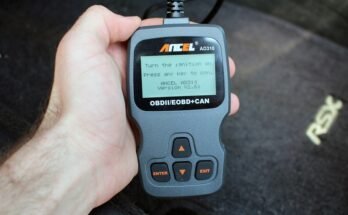
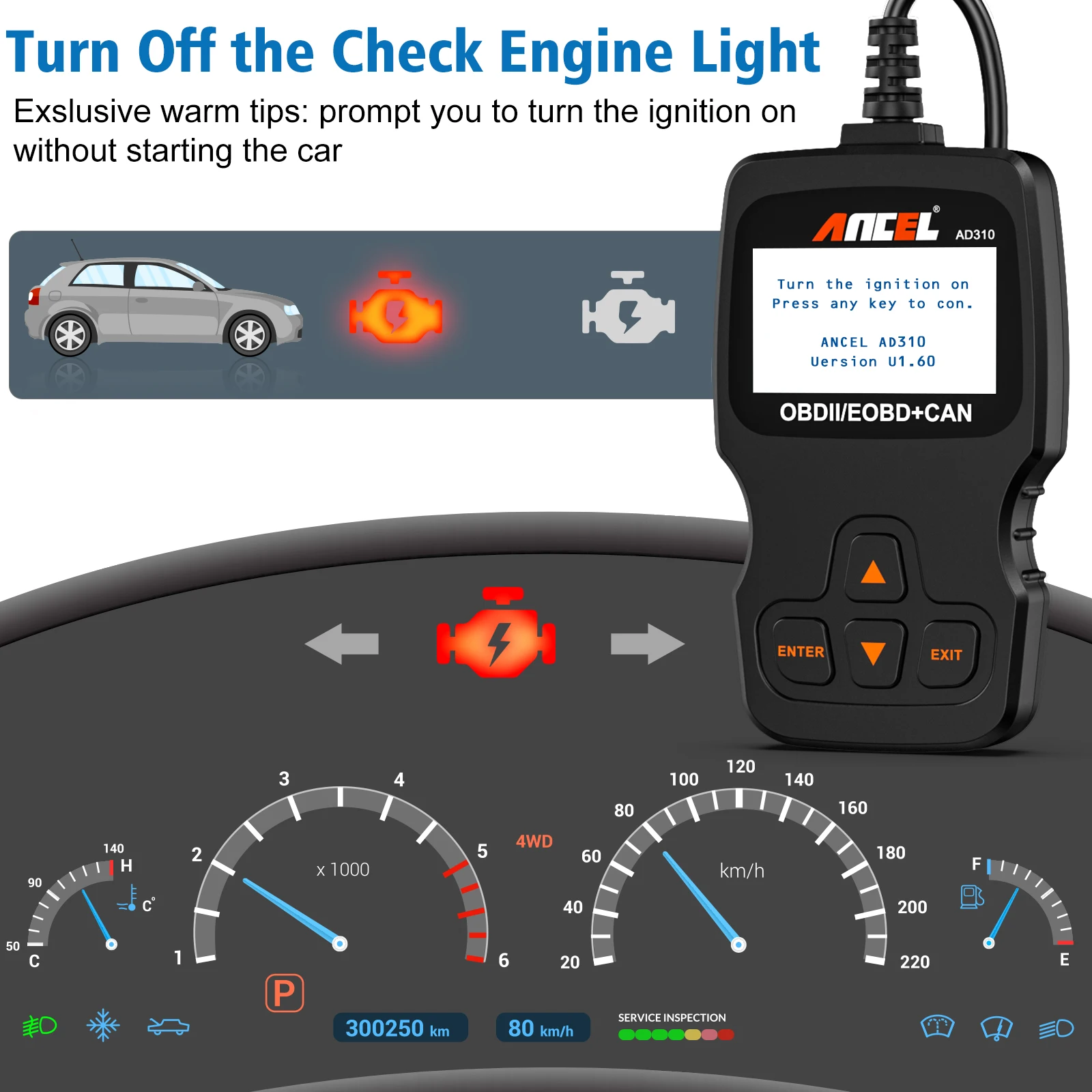
- Plug it into the OBD2 port (usually under the dashboard).
- Turn the ignition key to ON (engine can be off or running).
- The scanner powers on and starts searching for the protocol.
- Once it connects, you can read codes, clear codes, and view live data.
You do not need to manually select the protocol. If there is a connection issue, check that your vehicle is OBD2-compliant and that the key is in the correct position.
Troubleshooting Common Issues
- No connection: Check your fuse box; the OBD2 port needs power (check the cigarette lighter fuse).
- Only partial data: Some older cars may not report all sensor data, even if codes are readable.
- “Linking Error”: Try turning the ignition off, then on again; make sure the scanner is firmly plugged in.
Obd2 Protocols And Emissions Testing
One often-overlooked detail is how protocol support impacts emissions testing. In many countries and US states, passing an OBD2 scan is required for your car to stay street legal.
- If your scanner cannot connect due to protocol mismatch, you will not be able to check readiness monitors, which may cause you to fail an emissions test.
- The Ancel AD310 can check emissions readiness on all supported protocols, so you can see if your car is ready before going to the test station.
Not all basic scanners handle readiness monitors well, especially on older protocols.
Ancel Ad310: Features Beyond Protocol Support
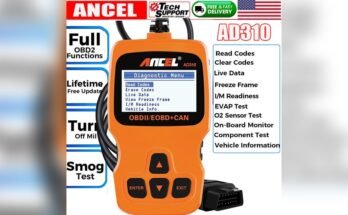
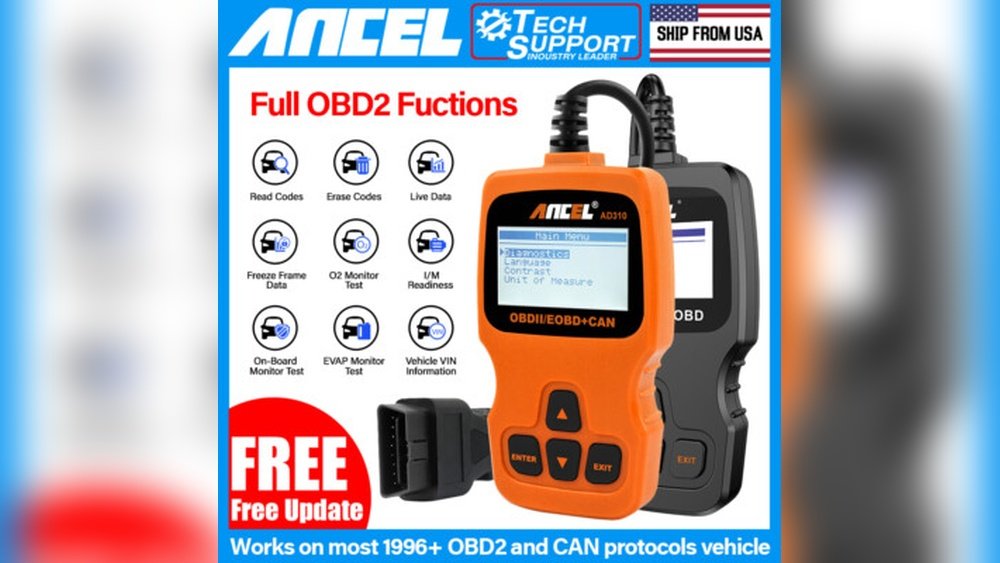
Besides protocol support, the Ancel AD310 offers these functions:
- Read and erase diagnostic trouble codes (DTCs)
- View freeze frame data
- Display live sensor data
- Check I/M readiness (emissions monitors)
- Retrieve vehicle information (VIN, CID, CVN) on supported cars
While it’s a basic scanner (no ABS/SRS or advanced functions), its wide protocol support makes it a reliable tool for engine and emission diagnostics.
Protocols And Future-proofing: Will The Ancel Ad310 Work On Newer Cars?
Cars are always changing, but OBD2 with CAN protocol remains the standard for most vehicles. The Ancel AD310 will work with almost all cars up to the present day, as long as they use standard OBD2.
However, some very new vehicles (2022+) are starting to add new diagnostic standards like DoIP (Diagnostics over Internet Protocol) or manufacturer-specific systems. For these, advanced (and more expensive) tools may be needed. But for most users, the AD310 covers almost everything from 1996 up to today.
Common Mistakes When Choosing An Obd2 Scanner
- Not checking protocol support: Many buyers just assume all scanners fit all cars.
- Ignoring build year and region: European diesels before 2004 often confuse buyers.
- Buying Bluetooth-only dongles: Some cheap dongles skip J1850, making them useless for certain US cars.
- Expecting advanced features: Basic scanners do not support ABS, SRS, or manufacturer codes.
Always match your scanner to your car’s protocol and your needs.
More Resources For Checking Protocols
If you want to be extra sure, you can check official lists or government resources. The US EPA has a list of OBD2-compliant vehicles and more information on EPA.gov.
Frequently Asked Questions
What If My Car Is Not Listed As Obd2 Compatible?
If your car was made before 1996 in the US (or 2001/2004 in Europe), it may use OBD1 or a unique protocol. The Ancel AD310 will not work with these cars. Always confirm your car’s compliance before buying.
Can The Ancel Ad310 Read Manufacturer-specific Codes?
No, the Ancel AD310 only reads standard OBD2 codes. For manufacturer-specific codes (like ABS, airbags, or transmission codes), you need a more advanced scanner.
Will The Ancel Ad310 Work On Hybrid Or Electric Vehicles?
The AD310 can read engine codes on many hybrids and some EVs if they have an OBD2 port and use standard protocols. However, coverage is limited, and some functions may not be available.
How Do I Know If My Car Uses The Can Protocol?
If your car was made after 2008, it almost certainly uses CAN. Check the OBD2 port—if pins 6 and 14 are present, that’s a strong sign of CAN protocol.
What Should I Do If The Scanner Cannot Connect?
First, check the car’s fuse for the OBD2 port, and make sure the ignition is on. If it still fails, check your car’s protocol and year. If your car is OBD2 compliant but still will not connect, the port or ECU may be damaged.
The Ancel AD310 is a reliable, budget-friendly OBD2 scanner with wide protocol support, making it a smart choice for most car owners and beginners. By checking protocol compatibility first, you can avoid frustration and get the most out of your scanner for years to come.