Using a charger seems simple: plug in your device, and let it charge. But there’s more to it if you want to keep yourself, your devices, and your home safe. Every year, thousands of accidents happen because people ignore basic safety rules when using chargers. Fires, electric shocks, damaged devices—these are real risks. The truth is, chargers are electrical devices, and even small mistakes can lead to big problems.
Many people think all chargers are the same, or that safety warnings are just formalities. But the right knowledge can protect you from dangerous situations and help your devices last longer. This guide covers every essential safety precaution you should follow when using a charger, whether it’s for your phone, laptop, tablet, or other gadgets.
You’ll learn what to look out for, how to handle chargers correctly, and what to avoid—plus some important insights most beginners miss. If you care about your safety and your electronics, keep reading.
Understanding The Risks Of Chargers
Chargers may look harmless, but they handle electricity. If used carelessly, chargers can cause:
- Overheating, which might lead to fires
- Electric shocks to users
- Short circuits that damage devices
- Battery swelling or leaks in gadgets
According to the National Fire Protection Association, electrical distribution and lighting equipment, including chargers, were involved in over 24,000 home fires in the US in 2021. Many of these could have been prevented with simple precautions.
The key risks come from poor-quality chargers, damaged cables, using the wrong charger for your device, and ignoring manufacturer instructions. Even a small oversight, like charging under your pillow or near water, can be dangerous.
Choosing The Right Charger
Not all chargers are created equal. Picking the right one is your first line of defense.
- Use the Original Charger: Always use the charger that came with your device or one recommended by the manufacturer. The voltage and current ratings will match perfectly.
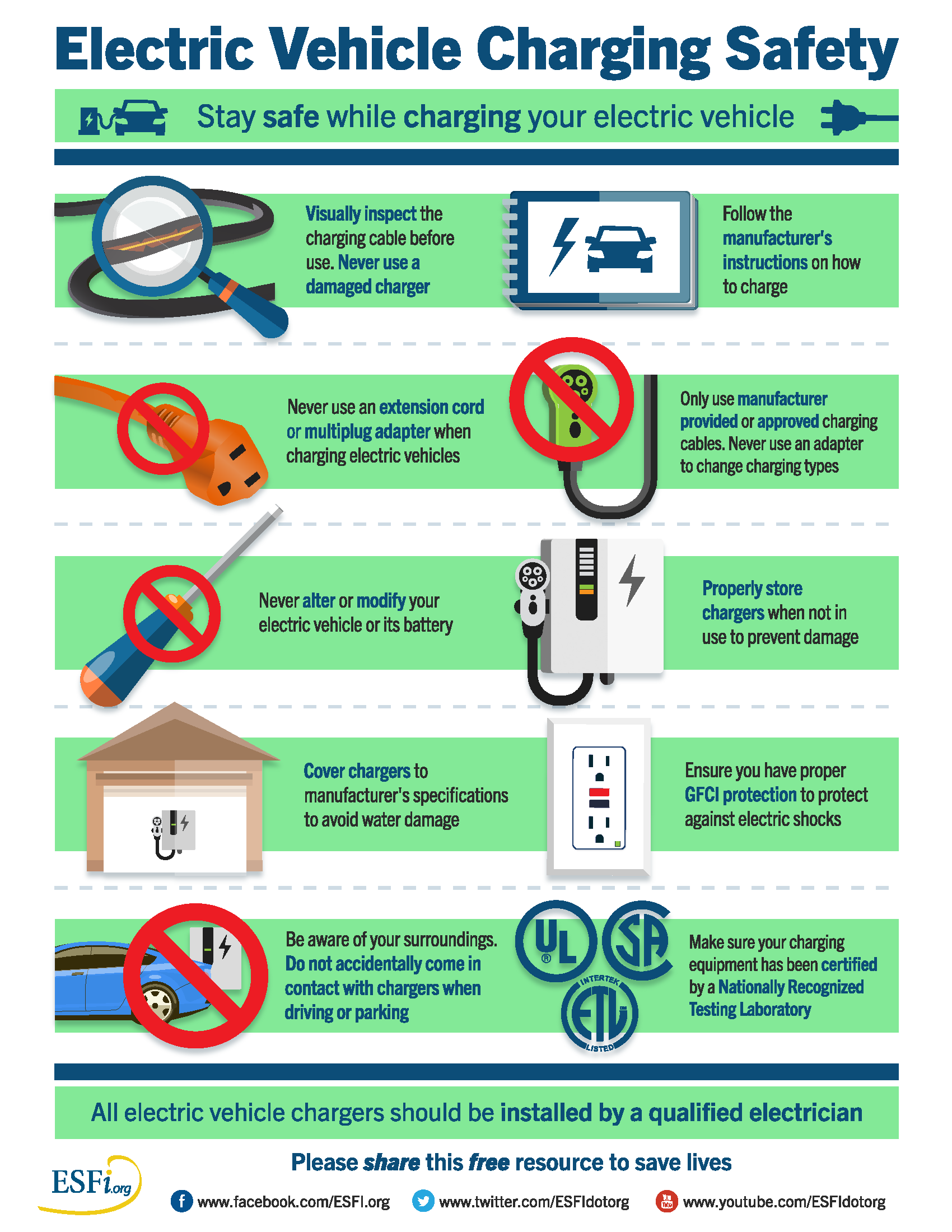
- Check Certification Marks: Look for safety marks like UL, CE, or FCC. These show the charger has passed safety tests.
- Avoid Cheap Knockoffs: Bargain chargers may not have proper insulation or safety features. They often overheat, short-circuit, or even explode.
- Match Voltage and Amperage: The charger’s output voltage (V) and current (A or mA) must match your device’s requirements. Too much or too little can cause damage.
- Buy from Trusted Stores: Purchase chargers from reputable sellers—official stores or authorized dealers.
Here’s a comparison of original vs. counterfeit chargers:
| Feature | Original Charger | Counterfeit Charger |
|---|---|---|
| Build Quality | High, sturdy, heat-resistant | Poor, flimsy, often cheap plastics |
| Safety Certification | Always present | Usually missing or fake |
| Voltage Consistency | Stable, matches device | Unstable, can damage device |
| Price Range | Higher, but reliable | Very cheap, but risky |
Non-obvious insight: Some fake chargers look nearly identical to real ones. Check the weight (counterfeits are lighter) and spelling on the packaging.
Inspecting Your Charger And Cable
Before every use, make it a habit to inspect your charger and cable. This simple step can prevent most accidents.
- Check for Frayed Wires: If wires are exposed, the risk of electric shock or short-circuit is high.
- Look for Discoloration or Burn Marks: These are signs of overheating.
- Feel for Loose Connections: Plugs that wobble or fall out easily are dangerous.
- Test the Charger’s Temperature: If it feels hot (not just warm), unplug it immediately.
Pro tip: Even if your charger works, minor damage can worsen quickly. Replace at the first sign of trouble.
Here’s how damage compares to safe chargers:
| Condition | Safe to Use? | Risk Level |
|---|---|---|
| New, no damage | Yes | Low |
| Frayed cable | No | High (shock, fire) |
| Burn marks | No | High (overheating) |
| Loose plug | No | Medium (short-circuit) |
Safe Charging Practices At Home
How and where you charge your device matters a lot.
- Keep Away from Water: Never charge near sinks, bathtubs, or outdoors during rain. Water conducts electricity—one spill can cause a shock.
- Avoid Flammable Surfaces: Don’t charge on beds, under pillows, or on sofas. Heat can build up, causing fires.
- Use a Stable Surface: Place chargers on flat, hard surfaces where air can circulate.
- Don’t Overload Outlets: Plugging many devices into one outlet or extension cord can cause overheating.
- Unplug When Not in Use: Chargers draw power even if they’re not connected to a device. Unplug to save energy and reduce fire risk.
Beginner mistake: Many people charge their phones under their pillow at night. This traps heat, raising fire risk.
Traveling And Charging Safely
Travel adds new risks, especially with unfamiliar outlets and power levels.
- Use Only Trusted Outlets: In hotels, airports, or cafes, inspect outlets for damage or burn marks.
- Carry a Power Adapter: Countries use different voltages and plug shapes. Using the wrong adapter can damage your charger or device.
- Use Portable Chargers Carefully: Power banks should also have safety certifications. Don’t leave them in hot cars or direct sunlight.
- Never Force a Plug: If the plug doesn’t fit, don’t jam it in. This can break both the outlet and the charger.
Less-known tip: Some public charging stations can be targets for “juice jacking” (data theft through USB ports). Use your own adapter, not just the USB cable.
Protecting Children And Pets
Curious hands and paws can easily get hurt by chargers.
- Keep Chargers Out of Reach: Store chargers and cables where children and pets can’t reach them.
- Use Safety Covers: Outlet covers block access when not in use.
- Don’t Leave Cables Dangling: Pets may chew on cords, risking shocks or burns.
- Supervise Charging Time: Young children should not handle plugging or unplugging devices.
Expert insight: Cats and dogs often chew cables at night. Choose braided or reinforced cables if you have pets.
Recognizing The Signs Of A Faulty Charger
Knowing when to stop using a charger is crucial.
- Unusual Sounds: Buzzing or crackling noises mean something is wrong.
- Smell of Burning: Any burning odor is a sign to unplug and discard the charger.
- Slow or No Charging: If your device charges much slower than usual, the charger may be failing.
- Device Overheats: If your device gets hot during charging, the charger or cable may be faulty.
Important: Do not try to repair a charger yourself. It’s safer to replace it with a new, certified one.
Proper Storage Of Chargers
How you store your charger affects its lifespan and safety.
- Avoid Tight Bending: Don’t wrap the cable tightly around the charger. This weakens wires inside.
- Keep Away from Heat: Store in a cool, dry place. Heat ages plastic and wires.
- Use a Pouch or Organizer: Keeps cables untangled and protected from dust or damage.
- Separate from Liquids: Never store chargers near water bottles or in damp places.
A well-stored charger lasts longer and is less likely to cause accidents.
Using Extension Cords And Power Strips
Chargers often share outlets with other devices, but this brings new hazards.
- Check Power Ratings: The total load on the extension cord or power strip must not exceed its rating.
- Don’t Daisy-Chain: Plugging one power strip into another increases fire risk.
- Use Surge Protectors: Good surge protectors can save your devices from voltage spikes.
- Inspect Regularly: Replace old or damaged strips immediately.
Here’s a look at safe vs. unsafe power strip use:
| Usage Type | Safe? | Why |
|---|---|---|
| Single charger, new strip | Yes | Low load, good condition |
| Multiple chargers + appliances | No | Exceeds rating, risk of fire |
| Surge protector with charger | Yes | Protects from surges |
| Daisy-chained strips | No | Very unsafe, easy to overload |
Beginner mistake: Many people connect chargers and heaters to the same strip. High-power devices should never share outlets with chargers.
Handling Chargers In Special Environments
Some places need extra care.
Charging In Cars
- Use Only Car-Specific Chargers: Cars have different voltage systems. Use chargers designed for automotive use.
- Avoid Charging While Engine Is Off: This can drain your car battery.
- Keep Away from Direct Sunlight: Chargers and devices can overheat quickly inside parked cars.
Charging Outdoors
- Use Waterproof Chargers: Only use chargers rated for outdoor use.
- Keep Dry: Don’t charge if rain is possible or in damp areas.
- Supervise Charging: Don’t leave devices charging outside unattended.
Non-obvious insight: Even under a shaded porch, morning dew can damage outdoor chargers.
Precautions For Fast Charging And Wireless Charging
Modern charging methods bring new safety points.
Fast Charging
- Use Only Supported Devices and Chargers: Not all devices can handle fast charging safely.
- Monitor Temperature: Fast charging generates more heat—stop if the device or charger gets very hot.
- Avoid Overnight Fast Charging: It’s best to supervise fast charging rather than leave it on while you sleep.
Wireless Charging
- Use Original Pads: Wireless chargers should be from reputable brands.
- Keep Area Clear: Metal objects between the pad and device can heat up and cause burns.
- Align Device Properly: Misalignment can cause overheating or slow charging.
Pro tip: Some phone cases block wireless charging or trap heat. Use cases labeled “wireless charging compatible.”
Environmental And Energy Safety
Good charging practices also reduce environmental risks.
- Unplug to Save Energy: Chargers left plugged in use “standby” power, wasting energy.
- Recycle Old Chargers: Don’t throw chargers in the trash. Many contain materials that can pollute the environment. Recycle at electronic waste centers.
- Buy Only What You Need: Don’t buy extra chargers you won’t use—reduce electronic waste.
Fact: A single charger can use up to 0.26 watts when not in use. Across millions of households, this adds up to significant energy waste.
For more information on electronic waste and recycling, check out this EPA guide.
What To Do In Case Of Charger Problems
If you notice any problems while charging, act quickly.
- Unplug Immediately: If you see smoke, sparks, or smell burning, unplug the charger from the wall first, not the device.
- Do Not Touch Damaged Parts: Wait until everything has cooled down.
- Dispose of Safely: Follow local rules for disposing of electronic waste.
- Get Devices Checked: If your device was connected to a faulty charger, have it checked at an authorized repair center.
Emergency tip: If a fire starts, use a Class C fire extinguisher (for electrical fires). Never use water.
Common Myths About Charger Safety
Many ideas about chargers are simply wrong. Here are a few myths you should ignore:
- “All chargers are the same.” Not true—cheap, uncertified ones can cause real harm.
- “It’s OK to use a damaged cable if it still works.” A frayed or exposed wire is never safe.
- “Leaving devices plugged in overnight is fine.” This raises the risk of overheating and battery wear.
- “You can use any phone charger for any device.” Voltage and current need to match—using the wrong charger can damage your device.
- “You don’t need surge protection.” Power surges can happen anytime, damaging both charger and device.
Extra Tips For Maximum Safety
For those who want the highest level of safety:
- Label Your Chargers: If you have many, label each charger for the device it matches.
- Schedule Charger Checks: Once a month, inspect all your chargers and cables.
- Educate Your Family: Teach children and elderly family members about charger safety.
- Keep Backup Chargers: In case one fails, you’ll have a safe replacement ready.
Uncommon advice: Rotate your chargers. Using different chargers (all certified and compatible) can prevent wear on just one cable or plug.
Frequently Asked Questions
What Happens If I Use The Wrong Charger For My Device?
Using a charger with the wrong voltage or current can damage your device’s battery, cause overheating, or even start a fire. Always check your device’s requirements and match them with the charger’s output.
Is It Dangerous To Charge My Phone Overnight?
Yes, it can be. Charging overnight increases the risk of overheating and battery swelling, especially if your charger or cable is damaged. Modern phones are better at stopping overcharging, but it’s still safer to unplug when fully charged.
Can I Repair A Damaged Charger Myself?
No, you should never try to repair a charger unless you are a qualified technician. Chargers contain high-voltage parts. Attempting repair can cause electric shock or create a bigger fire risk. It’s safer to buy a new, certified charger.
What Should I Do If My Charger Gets Wet?
Immediately unplug it from the wall and device. Allow it to dry completely—at least 24 hours—before trying to use it again. If you see any signs of damage or corrosion, replace the charger.
How Can I Tell If A Charger Is Certified And Safe?
Look for safety marks like UL, CE, or FCC on the charger or its packaging. Buy from reputable stores, and avoid deals that seem too good to be true. When in doubt, check the manufacturer’s website for a list of approved accessories.
Charging devices is a daily activity, but small mistakes can have serious consequences. By following these safety precautions, you protect not only your electronics but also your home and loved ones. Take a few minutes to review your chargers and habits—it’s a simple step that can make a big difference.
Stay aware, stay safe, and help others learn these life-saving tips too.