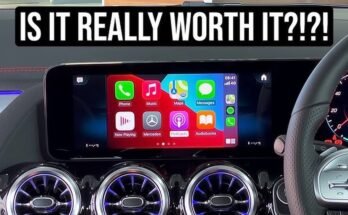
Have you ever wondered if you can watch films on Apple CarPlay during your drive? Whether you’re stuck in traffic or waiting in your car, the idea of streaming movies right from your dashboard sounds tempting.
But is it really possible—and safe? If you want to know how Apple CarPlay handles video playback and what options you have, keep reading. This guide will clear up the mystery and help you make the most of your in-car entertainment.

49% off Today's Exclusive Deals
Limited-time Exclusive Deals. Check current discount on Amazon.
Check Price on Amazon As an Amazon Associate I earn from qualifying purchases.
Apple Carplay Basics
Apple CarPlay is a system that connects your iPhone to your car’s display. It helps you use some iPhone features safely while driving. CarPlay focuses on easy access and simple controls. It works with your car’s touchscreen, buttons, or voice commands. Understanding the basics helps you use CarPlay better.
What Is Apple Carplay
Apple CarPlay is a smart way to use your iPhone in the car. It shows apps on your car’s screen. You can make calls, send messages, and use navigation apps. CarPlay aims to keep drivers focused on the road. It offers a safer way to access phone features while driving.
How Apple Carplay Works
CarPlay works by connecting your iPhone to the car. You can connect with a USB cable or wirelessly, depending on your car model. Once connected, CarPlay shows compatible apps on the car’s display. You control these apps using the touchscreen or voice commands. Siri helps with hands-free control.
49% off Today's Exclusive Deals
Limited-time Exclusive Deals. Check current discount on Amazon.
Check Price on Amazon As an Amazon Associate I earn from qualifying purchases.Supported Apps On Carplay
CarPlay supports many apps designed for driving. These include maps, music, messaging, and calling apps. Popular apps like Apple Maps, Spotify, and WhatsApp work well. CarPlay blocks apps that distract drivers, like video players. This keeps your focus on driving safely.

Film Viewing On Carplay
Apple CarPlay is designed to make driving safer and more convenient. It connects your iPhone to your car’s display. You can access apps, maps, music, and calls through it. Many users wonder if they can watch films on CarPlay. This section explains the rules and reasons behind video playback on CarPlay.
Default Restrictions For Video Playback
Apple CarPlay does not allow video playback by default. The system blocks apps that show videos while driving. This means movies and TV shows cannot play on the car’s screen. The restriction applies to all video streaming apps. It keeps your focus on the road and avoids distractions.
Why Video Playback Is Limited
Video playback is limited to keep drivers safe. Watching films can take attention away from driving. CarPlay is built to support useful and safe functions. It lets you use maps, calls, and music safely. Apple wants to prevent accidents caused by screen distractions.
49% off Today's Exclusive Deals
Limited-time Exclusive Deals. Check current discount on Amazon.
Check Price on Amazon As an Amazon Associate I earn from qualifying purchases.Safety Concerns And Regulations
Safety is the main reason for these restrictions. Laws in many places forbid watching videos while driving. Car manufacturers follow these rules to protect drivers and passengers. Distractions from videos can cause serious crashes. CarPlay’s design respects these safety laws and keeps users focused on driving.
Ways To Watch Films On Carplay
Watching films on Apple CarPlay is possible through several methods. These ways let you enjoy movies safely and conveniently while parked. Each option works differently but aims to provide a good viewing experience.
Using Third-party Apps
Some apps support video playback on CarPlay. These apps offer movies or TV shows you can watch on your car’s display. Popular streaming services may have limited support. Check app updates for new video features.
Download these apps on your iPhone before connecting to CarPlay. Open the app through CarPlay’s interface to start watching. Note that video playback often works only when the car is parked.
Screen Mirroring Options
Screen mirroring lets you show your iPhone screen on the car’s display. This method allows playing films from any app on your phone. Use AirPlay or other mirroring tools compatible with your vehicle.
Screen mirroring requires a stable wireless or wired connection. It can consume more battery and data. Always prioritize safety and avoid watching movies while driving.
Offline Playback Methods
Download movies to your iPhone before heading out. Save films from apps like Netflix or Apple TV for offline viewing. Once downloaded, access them through CarPlay apps without internet.
Offline playback helps avoid buffering and data use. Remember, video playback on CarPlay is mostly for use when parked. Download content in advance to enjoy smooth viewing.

Best Apps For Films On Carplay
Watching films on Apple CarPlay can be a fun way to enjoy your favorite shows during breaks or while parked. While CarPlay focuses on driving safety, some apps let you watch movies when it is safe to do so. Choosing the right app helps you get the best experience for films on your CarPlay screen.
Streaming Apps Compatible With Carplay
Popular streaming apps like Netflix, Disney+, and Hulu do not support video playback on CarPlay. This limitation keeps drivers focused on the road. However, some apps such as Plex and VLC offer limited video playback through CarPlay. These apps let you stream films stored on your device or server. Always use these apps when your vehicle is parked.
Apps For Downloading Films
Downloading films to your iPhone is a great option for offline viewing. Apps like Apple TV and Amazon Prime Video allow you to download movies. While you cannot watch these films directly on CarPlay while driving, you can view them on your phone screen safely. Downloading ensures you have films ready without needing internet connection.
Audio-only Alternatives
Listening to audio versions of films is safe and supported on CarPlay. Apps like Audible and Spotify offer audiobooks and audio dramas. These apps let you enjoy stories from films without watching the screen. Audio-only options keep your focus on driving while enjoying entertainment.
Tips For Safe Film Viewing
Watching films on Apple CarPlay can be fun for passengers during trips. Safety must come first to keep everyone secure. Follow these simple tips for safe film viewing in the car.
Avoiding Driver Distractions
The driver must not watch films while driving. Eyes on the road and hands on the wheel are vital. Passengers can enjoy films without distracting the driver. Use audio only for the driver if needed. Safety prevents accidents and saves lives.
Legal Implications
Many places have laws against watching videos while driving. Breaking these laws can lead to fines or worse. Know your local rules before using Apple CarPlay for films. Staying legal helps avoid trouble on the road.
Using Passenger Mode
Apple CarPlay offers a passenger mode to keep drivers safe. This mode lets only passengers watch films on the screen. Drivers see only navigation and essential info. Use passenger mode to enjoy films safely without risk.
Troubleshooting Film Playback
Watching films on Apple CarPlay can sometimes be tricky. Playback issues may interrupt your viewing experience. Troubleshooting these problems helps you enjoy smooth film watching. Here are some common issues and tips to fix them.
Common Issues And Fixes
Films may not play due to unsupported formats or bad connections. Check your USB cable or wireless connection for faults. Restart your iPhone and car system to clear minor glitches. Clear app cache or reinstall the app if playback stalls. Adjust volume and screen brightness to improve viewing.
App Compatibility Problems
Not all apps work well with CarPlay for film playback. Some streaming apps block video due to safety rules. Use apps approved for CarPlay video playback only. Verify the app’s settings allow video output on CarPlay. Update or switch apps if playback fails.
Software Updates And Their Impact
Software updates affect how CarPlay handles video playback. Updates may fix bugs or add new features. Keep your iPhone and car system updated to latest versions. Sometimes updates cause temporary playback problems. Check update notes for any video playback changes.
Frequently Asked Questions
Can I Watch Movies Directly On Apple Carplay?
No, Apple CarPlay does not support watching movies directly. It focuses on navigation, calls, messages, and music apps for safe driving.
Which Apps Support Video Playback On Apple Carplay?
Currently, Apple CarPlay does not allow video playback apps. Its design prioritizes driver safety and avoids video distractions.
Is It Safe To Watch Films On Apple Carplay?
Watching films on Apple CarPlay is unsafe and not recommended. Apple blocks video playback to prevent driver distraction and accidents.
Can I Use Third-party Apps To Watch Videos On Carplay?
No third-party apps can bypass Apple’s restrictions for video playback on CarPlay. The platform limits apps to audio and navigation only.
Conclusion
Watching films on Apple CarPlay is quite limited for safety reasons. The system mainly supports apps for navigation, calls, and music. Video playback while driving is not allowed. This helps drivers stay focused on the road. Some third-party apps may offer video, but they often require workarounds.
Always prioritize safety over entertainment while driving. Using Apple CarPlay for films is not practical or safe. Instead, enjoy movies before or after your trip. Staying safe keeps everyone protected on the road.