Most Kenwood KDC-BT378U issues come from wiring, pairing, settings, or a simple reset fix.
If your Kenwood KDC-BT378U is acting up, you are not alone. I’ve seen this unit be solid for years, then suddenly stop pairing, lose sound, freeze, or act strange after a battery swap or install change. The good news is that Kenwood KDC-BT378U troubleshooting is usually straightforward once you know where to look, and most problems can be solved without replacing the deck.

49% off Today's Exclusive Deals
Limited-time Exclusive Deals. Check current discount on Amazon.
Check Price on Amazon As an Amazon Associate I earn from qualifying purchases.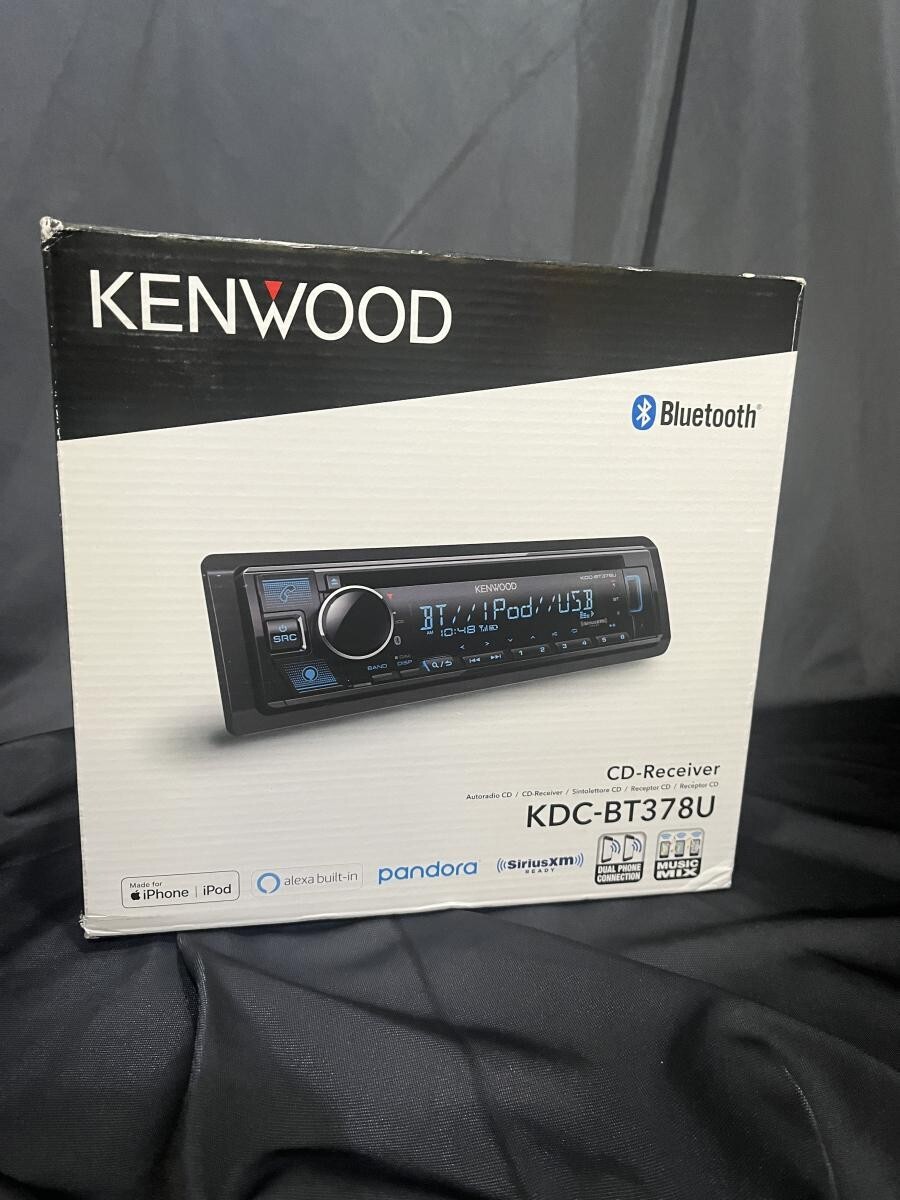
Common Kenwood KDC-BT378U Problems and What They Usually Mean
The Kenwood KDC-BT378U is a reliable single-DIN receiver, but like any car stereo, it can run into a few common issues. In my experience, most complaints come down to a small number of causes: loose wiring, Bluetooth pairing problems, a muted setting, or a protect mode triggered by a speaker or power fault.
Here are the problems drivers report most often:
49% off Today's Exclusive Deals
Limited-time Exclusive Deals. Check current discount on Amazon.
Check Price on Amazon As an Amazon Associate I earn from qualifying purchases.- No power at all, which usually points to fuse, wiring, or ground trouble
- Unit powers on but no sound comes out, often due to speaker wiring or audio settings
- Bluetooth will not connect, which can happen after phone updates or saved device conflicts
- USB does not read a device, often because of file format or cable issues
- The display acts weird, freezes, or behaves as if the unit needs a reset
One thing I always tell people is to think of troubleshooting like checking the water flow in a garden hose. If nothing comes out, the hose may be kinked, the faucet may be off, or the nozzle may be blocked. The Kenwood KDC-BT378U works the same way, because most failures are simple signal or power interruptions, not major damage.
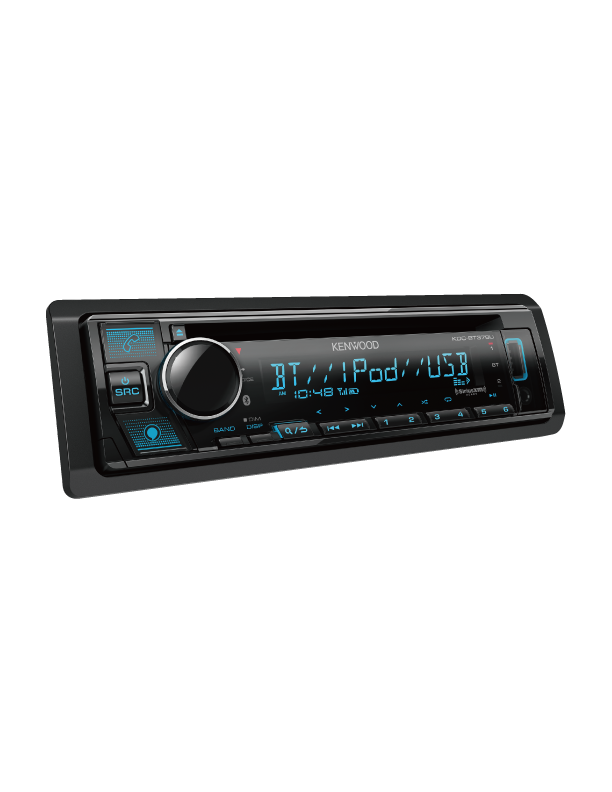
Kenwood KDC-BT378U Troubleshooting Steps to Try First
Before digging into deeper fixes, start with the basics. These first steps solve a surprisingly large share of Kenwood KDC-BT378U troubleshooting cases, especially after installation or a dead battery.
1. Check power and ground
Make sure the yellow constant power wire, red ignition wire, and black ground wire are all secure. A weak ground is one of the most common reasons a Kenwood head unit acts unstable.
49% off Today's Exclusive Deals
Limited-time Exclusive Deals. Check current discount on Amazon.
Check Price on Amazon As an Amazon Associate I earn from qualifying purchases.Look for these signs:
- The display flickers
- The unit resets when you crank the engine
- Bluetooth drops out randomly
- The stereo powers on only sometimes
A poor ground can mimic many other problems, so this is always where I start.
2. Inspect the fuse
Check both the vehicle fuse and any inline fuse on the stereo harness. A blown fuse can make the unit seem dead even when everything else looks fine.
If a new fuse blows right away, stop and inspect the wiring before trying again. That usually means a short somewhere in the power or speaker circuit.
3. Verify speaker wiring
If the deck powers on but there is no sound, speaker wiring is the next place to look. Make sure no speaker wire is touching metal or another wire.
Also check that speaker pairs are connected correctly:
- Front left positive to front left positive
- Front left negative to front left negative
- Front right positive to front right positive
- Front right negative to front right negative
Crossed wires can cause low sound, distortion, or protect mode.
4. Try a factory reset
A reset can clear glitchy behavior after a battery disconnect, firmware confusion, or bad settings. On the Kenwood KDC-BT378U, a reset often helps when the unit is frozen, the Bluetooth menu is stuck, or audio settings seem wrong.
Use the reset button if available, or follow the manual reset procedure for your unit. Just remember that a reset may clear saved settings and paired devices.
5. Test with another phone or USB device
If one phone will not connect, try another. If one USB stick will not work, try a different one with simple MP3 files.
This helps separate a car stereo problem from a device problem. I have seen people blame the Kenwood when the real issue was an outdated phone Bluetooth stack or a damaged flash drive.

How to Fix Kenwood KDC-BT378U Bluetooth Problems
Bluetooth issues are one of the top reasons people search for Kenwood KDC-BT378U troubleshooting. Pairing problems can feel random, but they usually follow a pattern.
Device will not pair
If your phone does not pair, remove the Kenwood from your phone’s saved Bluetooth list first. Then delete the phone from the stereo’s paired devices list, if possible, and start fresh.
Try this order:
- Turn Bluetooth off on the phone
- Clear the old Kenwood pairing
- Restart the phone
- Put the Kenwood back into pairing mode
- Pair again from scratch
This often fixes the problem when the phone and stereo remember an old, broken connection.
Bluetooth connects but has no audio
If pairing works but there is no sound, check volume on both the stereo and the phone. Also make sure the source is set to Bluetooth audio and not just phone link or another input.
Other things to check:
- Phone media volume is not muted
- The Kenwood is not in pause
- Audio output is not routed to another Bluetooth accessory
- The call audio and media audio permissions are enabled on the phone
Bluetooth keeps disconnecting
Frequent disconnects can happen because of interference, weak power, or a bad ground. In some cases, the phone’s operating system update can also change Bluetooth behavior.
I once saw a Kenwood KDC-BT378U disconnect every few minutes, and the fix was not the deck at all. The ground wire was loose behind the dash, and every bump caused the unit to lose a clean connection.
Phone shows connected, but the stereo does not
That usually means the phone is paired, but media access is not active. Forget the device on both ends, reboot the phone, and pair again.
If the issue keeps happening, update the phone’s software and check whether another Bluetooth device is grabbing the audio first. Smartwatch, earbuds, and even home automation apps can sometimes interfere.
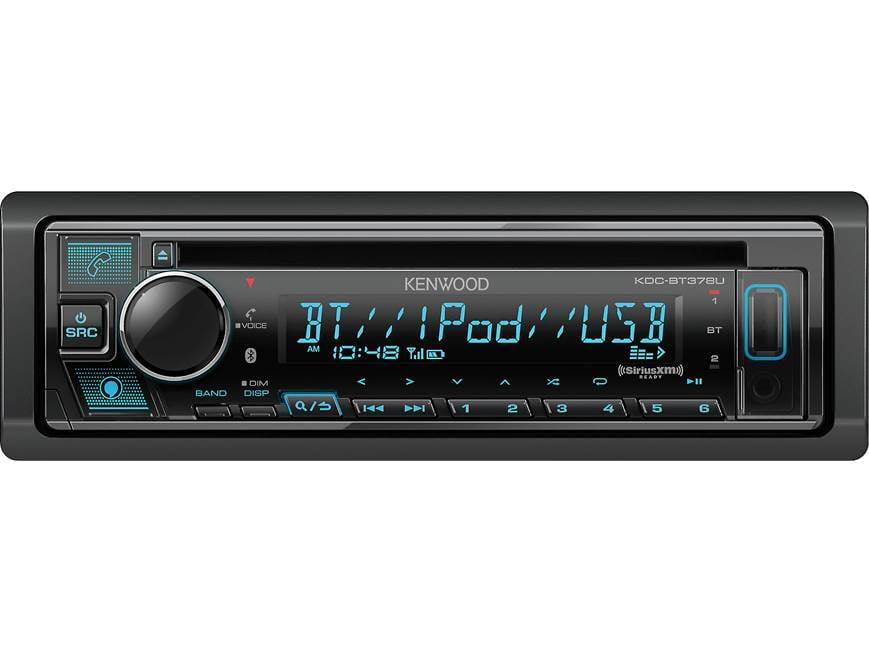
Fixing No Sound, Low Sound, or Distortion
When a Kenwood KDC-BT378U powers on but plays no audio, people often assume the unit is bad. In reality, the problem is often in the wiring, amp settings, or sound controls.
Check mute and volume settings
This sounds basic, but it happens more often than you think. Make sure mute is off, balance and fader are centered, and volume is not set too low on the source device.
Also look for these settings:
- Loudness turned on too high
- EQ set to an extreme preset
- Subwoofer settings sending sound away from the main speakers
- Attenuation mode active
Check for protect mode
If the unit shuts off sound to protect itself, there may be a speaker short or wiring fault. Protect mode is the stereo’s way of saying, “Something is not right, so I’m stopping before I get hurt.”
Inspect speaker wires for:
- Pinched insulation
- Bare wire touching metal
- Crushed connectors behind the dash
- Incorrect impedance from external equipment
Check RCA and amplifier connections
If you use an external amp, the issue may be downstream from the head unit. Make sure the RCA cables are fully seated, the amp remote wire gets power, and the amp itself is not in protect mode.
If the system sounds weak, test the speakers directly from the Kenwood before blaming the amp. That simple swap can save a lot of time.
Test each speaker
A damaged speaker can make the whole system sound broken. Test one speaker pair at a time if possible.
Look for:
- Crackling
- No bass
- Very low volume
- A speaker that cuts in and out
These are classic signs of a bad speaker or a wiring issue in that channel.

Kenwood KDC-BT378U USB and AUX Troubleshooting
USB and AUX issues are usually easier to solve than Bluetooth, but they can still be frustrating. The trick is to isolate the accessory, then the cable, then the source format.
USB does not read the drive
Try a different flash drive and keep the file system simple. Many car stereos work best with FAT32-formatted drives and standard audio files like MP3 or WMA.
Good USB habits include:
- Use a small, reliable flash drive
- Format it correctly
- Keep music files in clean folders
- Avoid corrupted files or strange characters in file names
USB charges but does not play audio
If the port powers the device but no audio plays, the file type may be unsupported. The Kenwood KDC-BT378U is picky about what it reads, and that is normal for many receivers.
Check for:
- Unsupported file formats
- Missing music files
- A damaged USB cable
- A drive that draws too much power
AUX gives static or weak sound
A bad AUX cable is often the real problem. AUX is simple, but simple cables wear out quickly if they get bent or pulled often.
Try a different cable and a different phone or music source. If the problem disappears, you have found the weak link.
The port works only sometimes
Intermittent USB or AUX issues can be caused by dust, loose ports, or vibration. In a car, that constant shaking matters more than people realize.
If the cable wiggles too much in the port, the connector may be worn. At that point, replacing the cable or inspecting the jack may be the best next step.

Display, Button, and Menu Issues
Sometimes the Kenwood KDC-BT378U itself is fine, but the display or buttons act strange. This can happen after a power interruption or if the unit has been installed in a tight dash with heat buildup.
Frozen display
A frozen screen often responds to a reset. If that does not help, disconnect battery power briefly, then reconnect it to fully reboot the unit.
This type of issue is usually temporary unless the deck has deeper internal damage.
Buttons not responding
If buttons stop working, check whether a control lock or mode setting is active. Some stereos can appear dead when they are actually waiting for a different mode or input.
Also inspect for:
- Sticky buttons from dust or spills
- A damaged faceplate connection
- Heat-related glitching
- A failing internal switch
Dim or unreadable screen
A dim display may just be a brightness setting. It can also happen if the dash lighting wire is connected incorrectly or the unit is in a night mode setting.
If the display changes with headlights, that is usually a wiring or illumination setting issue rather than a defect.
When the Kenwood KDC-BT378U Goes Into Protect Mode
Protect mode is built in to keep the stereo safe. It is not a random error, and it usually means the unit detected an electrical problem.
Common causes include:
- Shorted speaker wires
- A bad speaker
- Wrong wiring during installation
- Overheating from poor ventilation
- Internal amplifier overload
If the unit enters protect mode, do this:
- Turn the system off
- Check all speaker wires for contact with metal
- Disconnect speakers one pair at a time
- Reconnect the unit and test again
- Look for the channel that triggers the fault
I have found that one bad speaker wire can make a whole system look broken. It is like one wet fuse in a chain of dry ones; the whole line fails, even if most parts are fine.
Preventing Future Problems
Good Kenwood KDC-BT378U troubleshooting is not only about fixing problems. It is also about preventing them from coming back.
Here are a few habits that help:
- Use solid crimp or solder connections
- Secure all wires so they do not shake loose
- Keep USB drives clean and formatted properly
- Avoid maxing out bass and EQ settings all the time
- Update your phone software when Bluetooth acts strange
- Disconnect the battery carefully during electrical work
If you have ever rushed a car stereo install, you know how easy it is to create a problem that shows up two weeks later. A clean install feels boring at first, but it saves a lot of headaches later.
When You Should Stop Troubleshooting and Get Help
Some issues are worth a DIY check. Others need a pro. If you keep blowing fuses, smell burning plastic, or cannot get the unit to power safely, stop and get it inspected.
Get help if:
- The wiring harness looks damaged
- The unit overheats fast
- The speakers or amp trigger protect mode repeatedly
- You suspect a short inside the dash
- The Kenwood KDC-BT378U still fails after a reset and full wiring check
A trustworthy mobile audio installer can test the circuit, measure voltage drop, and confirm whether the receiver or the vehicle wiring is the real problem. That can save you from replacing parts that are actually fine.
Frequently Asked Questions of Kenwood KDC-BT378U Troubleshooting
Why won’t my Kenwood KDC-BT378U turn on?
The most common causes are a blown fuse, bad ground, or loose power wire. Check the yellow and red wires first, then verify the fuse and vehicle ignition circuit.
Why does my Kenwood KDC-BT378U connect to Bluetooth but have no sound?
This usually means the phone is paired, but media playback is not active or the stereo is on the wrong source. Confirm that media audio is enabled on the phone and that the Kenwood is set to Bluetooth audio.
How do I reset my Kenwood KDC-BT378U?
Use the reset button or follow the manual reset method for your unit. A reset can clear frozen menus, pairing glitches, and minor software issues, but it may erase saved settings.
Why is my Kenwood KDC-BT378U in protect mode?
Protect mode usually points to a speaker short, bad wiring, or overheating. Inspect the speaker wires closely and test each channel one at a time to find the fault.
Why won’t my USB drive work in the Kenwood KDC-BT378U?
The drive may be formatted incorrectly, contain unsupported files, or be damaged. Try a FAT32-formatted USB drive with simple MP3 files and a different cable or flash drive if needed.
Can a bad phone cause Kenwood KDC-BT378U Bluetooth problems?
Yes, absolutely. Old pairings, software bugs, weak Bluetooth settings, or a recent phone update can cause connection issues even when the stereo is working fine.
Conclusion
Kenwood KDC-BT378U troubleshooting is usually about working step by step and not guessing. Start with power, ground, fuse, and speaker wiring, then move to Bluetooth, USB, and settings if the basics check out. In many cases, the fix is simpler than it first looks.
The best results come from staying patient and checking one thing at a time. If you handle the wiring carefully, reset the unit when needed, and test with known good devices, you can solve most issues without frustration. If this guide helped, keep it handy, share it with a friend who is fighting a car stereo issue, or leave a comment with the problem you are seeing.





