Sony XAV-AX1000 troubleshooting usually comes down to power, wiring, settings, or firmware issues.
Sony XAV-AX1000 troubleshooting gets much easier when you know where the real problem usually starts. I’ve seen this head unit behave like a perfectly fine device one moment, then act strange after a loose wire, a bad ground, or a simple setting change. In this guide, I’ll walk you through the most common Sony XAV-AX1000 troubleshooting steps in a clear, practical way so you can fix issues faster and avoid the guesswork.

49% off Today's Exclusive Deals
Limited-time Exclusive Deals. Check current discount on Amazon.
Check Price on Amazon As an Amazon Associate I earn from qualifying purchases.
Common Sony XAV-AX1000 Problems and What They Usually Mean
The Sony XAV-AX1000 is a solid Apple CarPlay receiver, but like any car stereo, it can run into problems. Most complaints are not caused by a bad unit. In my experience, the real culprits are usually wiring, vehicle compatibility, phone settings, or outdated software.
Here are the most common issues people run into:
49% off Today's Exclusive Deals
Limited-time Exclusive Deals. Check current discount on Amazon.
Check Price on Amazon As an Amazon Associate I earn from qualifying purchases.- No power at all
- The screen turns on and off
- No sound from speakers
- Apple CarPlay will not connect
- Touchscreen is unresponsive
- Bluetooth keeps dropping
- USB devices are not recognized
- The unit resets after the car starts
A lot of Sony XAV-AX1000 troubleshooting is about narrowing down the source. Think of it like checking a chain one link at a time. If one link is weak, the whole system fails.
Sony XAV-AX1000 Not Turning On
If the unit will not power on, start with the basics. This is one of the most common Sony XAV-AX1000 troubleshooting problems, and it often has a simple fix.
Check these first:
49% off Today's Exclusive Deals
Limited-time Exclusive Deals. Check current discount on Amazon.
Check Price on Amazon As an Amazon Associate I earn from qualifying purchases.- Make sure the yellow constant power wire has power
- Make sure the red accessory wire gets power when the ignition is on
- Check the black ground wire for a solid connection
- Inspect the fuse on the receiver and the vehicle fuse box
- Confirm the wiring harness is seated fully
A loose ground can cause all kinds of strange behavior. I once saw a Sony XAV-AX1000 that looked dead, but the issue was a ground wire attached to painted metal. Once it was moved to bare metal, the unit came right back.
If the display still stays dark:
- Test the wires with a multimeter
- Try a different fuse
- Disconnect and reconnect the harness
- Check for a pinched cable behind the dash
Do not skip the fuse check. It sounds basic, but it solves more cases than people expect.
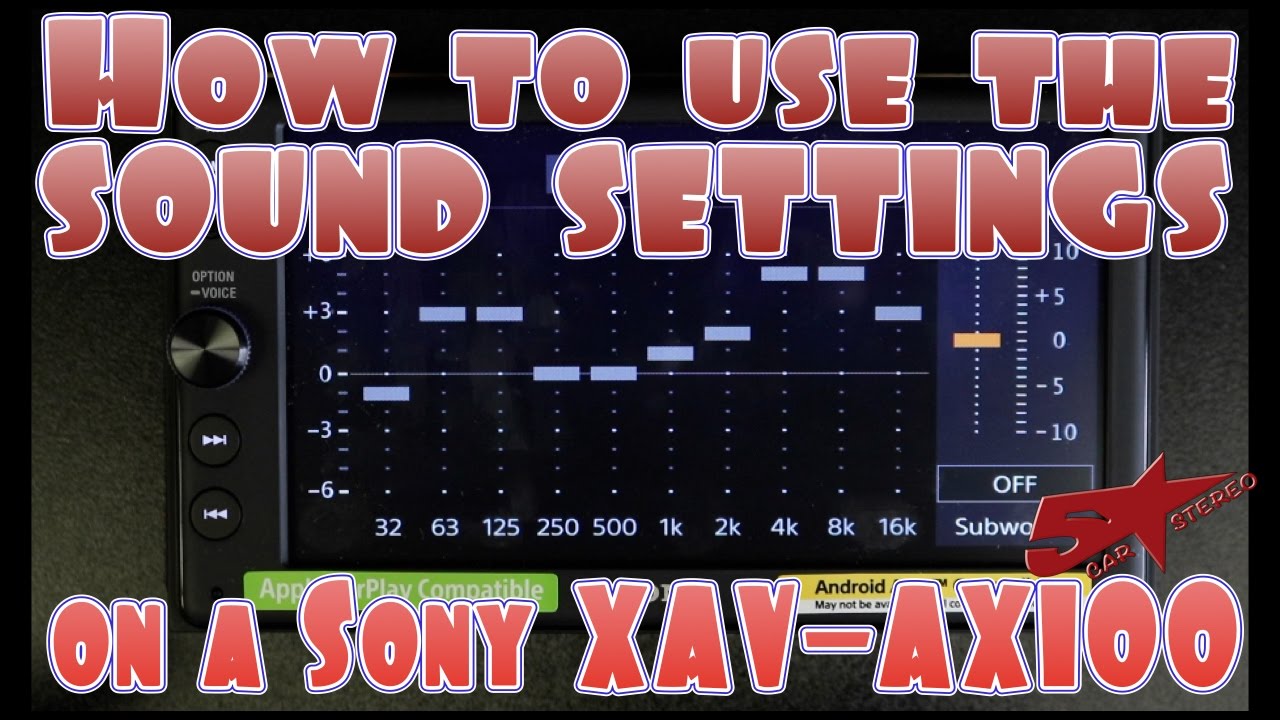
Sony XAV-AX1000 No Sound or Low Sound
If the screen works but the speakers stay quiet, the problem is often in the audio path. This part of Sony XAV-AX1000 troubleshooting usually points to wiring, amp settings, or speaker connections.
Check the following:
- Speaker wires are connected correctly
- The balance and fade settings are not shifted fully to one side
- Mute is not enabled
- External amplifier turn-on wire is connected if you use one
- The front and rear outputs match your system setup
If your car has a factory amplifier, the Sony XAV-AX1000 may need the correct interface or amp turn-on lead. Without that, the head unit may seem fine while the speakers stay silent.
Also check volume limits and loudness settings. Sometimes the audio is there, but it is buried under a bad configuration. I have seen users think the unit was faulty when the real issue was a speaker-level to amp-level mismatch.
Apple CarPlay Will Not Connect
CarPlay problems are a big part of Sony XAV-AX1000 troubleshooting. This head unit is known for reliable wired CarPlay, but the phone and cable matter just as much as the stereo.
Try these steps:
- Use an Apple-certified Lightning cable
- Plug into the correct USB port
- Restart the iPhone and the head unit
- Make sure Siri is enabled
- Check CarPlay permissions on the iPhone
- Remove the phone from the CarPlay list and pair it again
If the connection works sometimes and fails other times, the cable is often the issue. Cheap cables can charge a phone but still fail at data transfer. That is one of those annoying problems that feels random until you test with a better cable.
Also check the iPhone settings:
- Go to Settings
- Open General
- Tap CarPlay
- Remove the Sony unit if needed
- Reconnect from scratch
If CarPlay still fails, try another phone. That helps you tell whether the issue is the head unit, the phone, or the cable.
Bluetooth Pairing Problems
Bluetooth issues are another common part of Sony XAV-AX1000 troubleshooting. If your phone pairs once and then disconnects, the system may need a reset of saved devices.
Here is a practical approach:
- Delete the Sony unit from your phone’s Bluetooth list
- Remove the phone from the Sony unit’s paired devices
- Turn Bluetooth off and back on
- Restart both devices
- Pair again from scratch
If the unit pairs but audio keeps dropping:
- Move the phone closer to the receiver
- Turn off other nearby Bluetooth devices
- Update the phone’s operating system
- Clear old pairings that may conflict
Bluetooth can act like a crowded room. Too many devices, too much interference, and the signal gets messy. In real use, I have found that clearing old pairings fixes the issue more often than people expect.
Screen Freezes, Touch Issues, or Slow Response
A frozen touchscreen can feel scary, but it is often temporary. This is one of the easier Sony XAV-AX1000 troubleshooting cases if you know the reset steps.
Try this:
- Turn the ignition off
- Wait a few seconds
- Turn the unit back on
- Use the reset button if the unit still hangs
- Check for firmware updates
If the screen is on but touch input is lagging, the problem may be a software glitch. Dirty fingers, static, or a system hang can also make the display feel slow.
A few things help:
- Wipe the screen with a soft microfiber cloth
- Avoid pressing too hard
- Remove any thick screen protector if it causes issues
- Update the firmware if Sony provides one for your version
I always tell people not to assume the touchscreen is bad right away. Many “dead touch” complaints end up being a temporary lockup.
USB, Flash Drive, or Phone Charging Issues
USB problems are common in Sony XAV-AX1000 troubleshooting because the unit depends on a clean data connection. If your phone charges but CarPlay does not work, or a flash drive is not recognized, the cable or file format may be the issue.
Check these points:
- Use the original USB cable or a high quality replacement
- Make sure the USB drive is formatted correctly
- Try a different file or device
- Confirm the USB port is not damaged
- Avoid overly long extension cables
If you are using a flash drive for music, the file system matters. Many car receivers work best with standard FAT32 formatting and supported audio file types. If the drive is corrupted, the unit may not read it at all.
For phone charging, remember that charging alone does not mean data transfer is working. A cable can pass power and still fail at communication.
Unit Keeps Resetting or Losing Settings
A Sony XAV-AX1000 that resets by itself often has a power issue. This is one of the most important Sony XAV-AX1000 troubleshooting clues because it usually points to the wiring, not the display.
Possible causes include:
- Loose accessory power wire
- Weak battery voltage
- Poor ground connection
- Intermittent fuse contact
- Vehicle electrical noise or instability
If the unit resets when you start the car, the voltage may dip too low during ignition. That can happen more often in older vehicles or in systems with weak batteries.
To check it:
- Test battery health
- Inspect all power connections
- Verify the yellow and red wires are wired properly
- Make sure the ground is short and secure
If settings keep disappearing after the car is turned off, the constant 12V feed may be missing. That means the memory wire is not getting steady power.
Factory Amplifier and Steering Wheel Control Issues
Many Sony XAV-AX1000 troubleshooting headaches happen after installation in cars with factory systems. The receiver may work fine on a basic setup but need extra interface modules for steering wheel buttons, amps, or data features.
Watch for these signs:
- Steering wheel controls do nothing
- Sound works only on some speakers
- Backup camera does not trigger
- Factory amp stays off
- Vehicle chimes disappear
In these cases, the Sony unit may not be the problem by itself. The car may need an adapter, interface harness, or control module to translate signals properly.
This is where experience matters. I have seen people spend hours chasing a “bad stereo” when the real issue was missing vehicle integration hardware. Before replacing the receiver, confirm the car’s wiring and module requirements.
Step-by-Step Sony XAV-AX1000 Troubleshooting Checklist
If you want a fast method, use this checklist in order. It saves time and keeps you from jumping around.
-
Check power and ground
- Confirm red, yellow, and black wires are correct
- Test with a multimeter if needed
-
Inspect the fuse
- Check both the unit fuse and vehicle fuse
-
Test the speakers
- Make sure sound settings are correct
- Check amp connections if applicable
-
Reconnect your phone
- Remove old Bluetooth and CarPlay pairings
- Re-pair using a known good cable
-
Inspect the USB cable
- Use a certified or high quality cable
- Try another phone if needed
-
Reset the unit
- Use the reset function if the system freezes
-
Update the firmware
- Install any available update from Sony support
-
Check vehicle integration parts
- Verify amp interfaces, steering wheel modules, and camera wiring
This kind of order matters. Start with the basic stuff first, then move to advanced fixes. That is how technicians save time in the real world.
When to Reset the Sony XAV-AX1000
A reset is useful, but it should not be your first move every time. In Sony XAV-AX1000 troubleshooting, a reset is best when the unit is frozen, CarPlay is stuck, or saved devices are acting strange.
Reset it when:
- The screen becomes unresponsive
- Bluetooth will not reconnect
- CarPlay behavior is unstable
- The menu is lagging
- Settings become corrupted
After the reset:
- Re-pair your phone
- Recheck audio settings
- Re-enter any custom options
- Test the system before reinstalling trim pieces
A reset is like clearing a jammed drawer. It does not fix broken wiring, but it can remove a software glitch that keeps everything stuck.
Prevention Tips to Avoid Future Problems
Good Sony XAV-AX1000 troubleshooting also means preventing the same issue from coming back. A clean install and smart use go a long way.
To reduce problems:
- Use proper wiring and secure all connections
- Avoid cheap charging cables
- Keep firmware updated
- Store backup settings when possible
- Protect the unit from moisture and heat
- Double-check vehicle compatibility before install
If you are installing the unit yourself, take photos of each step. That habit has saved me more than once during reassembly or later troubleshooting. It is a simple trick, but it can turn a stressful job into an easy one.
Frequently Asked Questions of Sony XAV-AX1000 Troubleshooting
Why does my Sony XAV-AX1000 turn on but have no sound?
This usually means the issue is in the speaker wiring, amplifier connection, or audio settings. Check mute, balance, fade, and any factory amp interface before assuming the unit is faulty.
Why is Apple CarPlay not working on my Sony XAV-AX1000?
Most CarPlay failures come from the cable, phone settings, or USB connection. Use a certified cable, confirm Siri is enabled, and reconnect the phone from scratch.
How do I reset the Sony XAV-AX1000?
You can reset it using the unit’s reset function if it freezes or acts unstable. After that, you will usually need to reconnect your phone and recheck your settings.
Why does my Sony XAV-AX1000 keep restarting?
Frequent restarts usually point to power or ground issues. Check the wiring, fuse, battery voltage, and ignition connection first.
Why is my Bluetooth connection dropping?
Bluetooth drops are often caused by old pairings, interference, or phone issues. Delete the pairing on both devices, restart them, and pair again.
Can a bad USB cable cause Sony XAV-AX1000 problems?
Yes, a bad cable can cause charging without data transfer, which breaks CarPlay and USB media use. Testing with a high quality cable is one of the fastest fixes.
Conclusion
Sony XAV-AX1000 troubleshooting becomes much easier when you work step by step and start with the basics. Power, ground, cables, phone settings, and vehicle integration solve most problems before you ever need to replace the head unit.
If you take away one lesson, let it be this: do not guess, test. A simple check with the right cable, fuse, or wiring connection can save you hours of frustration. Try the steps above, note what changes, and keep building from there.
If this guide helped, save it for later, share it with someone installing the same unit, or leave a comment with the issue you are seeing.





