Most JVC KW-M590BT issues come from wiring, Bluetooth pairing, settings, or a simple reset fix.
If you are dealing with JVC KW-M590BT Troubleshooting, you are probably chasing one of the usual suspects: no power, weak sound, Bluetooth drops, camera issues, or a screen that just will not behave. I have spent enough time with JVC units in real installs to know that the fix is often simple once you know where to look. This guide walks through the most common problems, the real causes behind them, and the practical steps that usually bring the head unit back to life.

49% off Today's Exclusive Deals
Limited-time Exclusive Deals. Check current discount on Amazon.
Check Price on Amazon As an Amazon Associate I earn from qualifying purchases.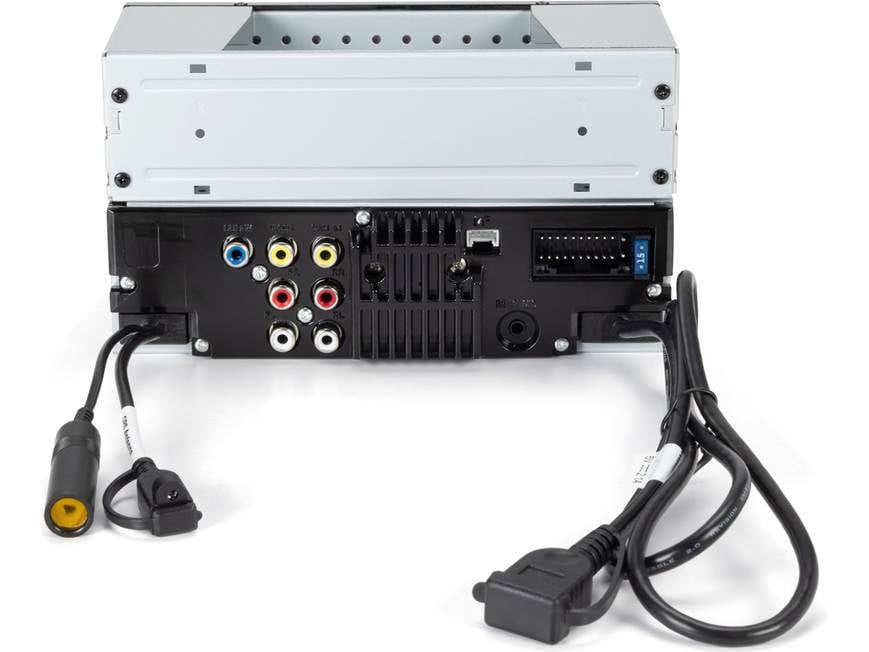
Common JVC KW-M590BT Problems and What They Usually Mean
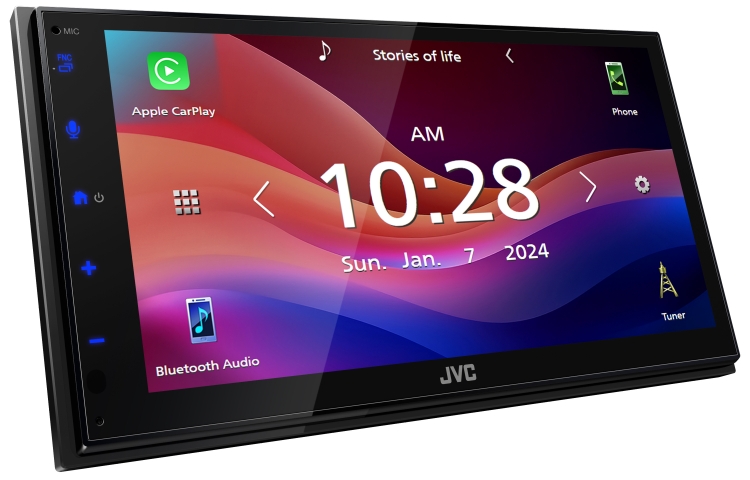
The JVC KW-M590BT is a capable receiver, but like any car stereo, it depends on clean power, correct wiring, and proper setup. When something goes wrong, the symptom often points to a small group of issues instead of a broken unit.
Here are the problems people run into most often:
49% off Today's Exclusive Deals
Limited-time Exclusive Deals. Check current discount on Amazon.
Check Price on Amazon As an Amazon Associate I earn from qualifying purchases.- The unit will not turn on
- The screen is black or dim
- Bluetooth will not connect
- Sound cuts out or plays only from one side
- CarPlay or Android Auto does not launch correctly
- The backup camera does not appear
- The touchscreen responds poorly
- Radio reception is weak
- The unit freezes or restarts on its own
In my experience, many owners think the radio itself is bad when the real problem is a loose ground, a wrong remote wire, or a setup option that was missed during install. That is why good troubleshooting starts with the basics before you assume the worst.
JVC KW-M590BT Troubleshooting for Power and Startup Issues
If the JVC KW-M590BT does not turn on, do not jump straight to replacing it. Most power problems are caused by a missing constant feed, a bad accessory wire, or a fuse issue.
Start with these checks:
49% off Today's Exclusive Deals
Limited-time Exclusive Deals. Check current discount on Amazon.
Check Price on Amazon As an Amazon Associate I earn from qualifying purchases.- Confirm the yellow wire has constant 12V power
- Confirm the red wire gets 12V only when the key is on
- Check the black ground wire for a clean metal connection
- Inspect the inline fuse and vehicle fuse panel
- Make sure the harness connector is fully seated
- Test the power source with a multimeter instead of guessing
A weak or loose ground is one of the most common mistakes I have seen. It can make the unit act dead, reboot randomly, or fail to retain settings. If the stereo powers up only sometimes, think wiring before you think defect.
If the unit turns on but shuts off right away, the car may be dropping voltage during crank, or the parking brake, reverse, or steering wheel control wires may be interfering. That is especially common after a rushed install where wires are crammed together without proper insulation.
JVC KW-M590BT Troubleshooting for Bluetooth Problems
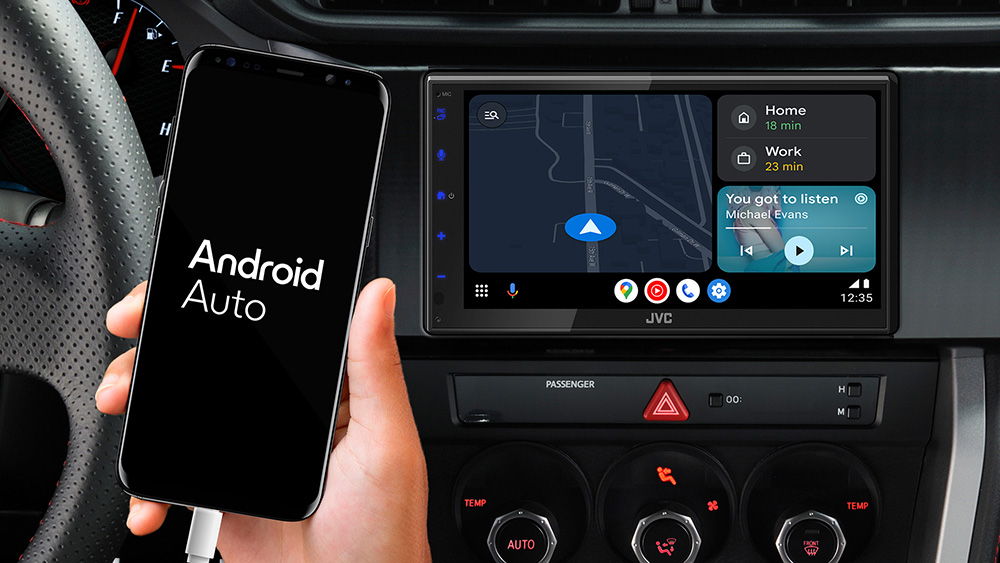
Bluetooth issues are usually easy to fix once you clear the old pairing data and start fresh. The KW-M590BT depends on a stable phone connection, clean memory, and the right settings on both the radio and the phone.
Try this process:
- Delete the JVC unit from your phone’s Bluetooth list
- Delete the phone from the JVC Bluetooth memory
3. Restart both devices - Pair again from scratch
- Keep the phone close during the first connection
- Turn off and back on any competing Bluetooth devices nearby
If audio connects but sounds choppy, the issue may be radio interference, a phone software bug, or too many background apps. I have seen phones “remember” an old Bluetooth profile that keeps causing bad connections until both sides are wiped clean.
A useful tip: if calls work but music does not, check the phone’s Bluetooth media audio setting. Sometimes the device is connected for calls only, and that can fool people into thinking the receiver is broken.

JVC KW-M590BT Troubleshooting for No Sound or Weak Sound
No sound is one of the most frustrating problems because the screen may look fine while the speakers stay silent. Usually, the issue comes from speaker wiring, mute settings, volume balance, or an amplifier trigger problem.
Check these items:
- Make sure the volume is not at zero or muted
- Check fader and balance settings
- Confirm speaker wires are connected correctly
- Inspect for a shorted speaker wire
- Verify the amp turn-on wire if an external amp is used
- Make sure the unit is not in a source mode with no audio signal
If your vehicle has a factory amplifier, the KW-M590BT may need a proper interface or a remote amp turn-on lead. Without that, the radio can appear to work while the amp stays asleep. That is a classic trap in factory premium audio systems.
If sound is distorted, lower the gain if an amp is installed, and check speaker impedance. Overdriving the system is like forcing water through a straw. It will work for a moment, then it starts to sound rough and unstable.
JVC KW-M590BT Troubleshooting for Touchscreen and Display Issues
A bad screen does not always mean a bad display. The issue may be brightness, calibration, a software freeze, or a loose connector.
Start with the easy fixes:
- Increase screen brightness in settings
- Check if night mode or dimmer mode is active
- Clean the screen with a soft microfiber cloth
- Restart the unit
- Perform a reset if the screen is frozen
- Inspect the display harness if the unit was recently removed
If the screen is responsive but hard to use, temperature can play a role. Some touchscreens act sluggish in very hot or very cold weather. I have seen units in winter cabins wake up like they need coffee before they become responsive again.
If the display is on but blank, verify the source and brightness settings first. A lot of owners overlook the simplest thing: the screen may not be off, just set too dim to see in daylight.

JVC KW-M590BT Troubleshooting for CarPlay and Android Auto
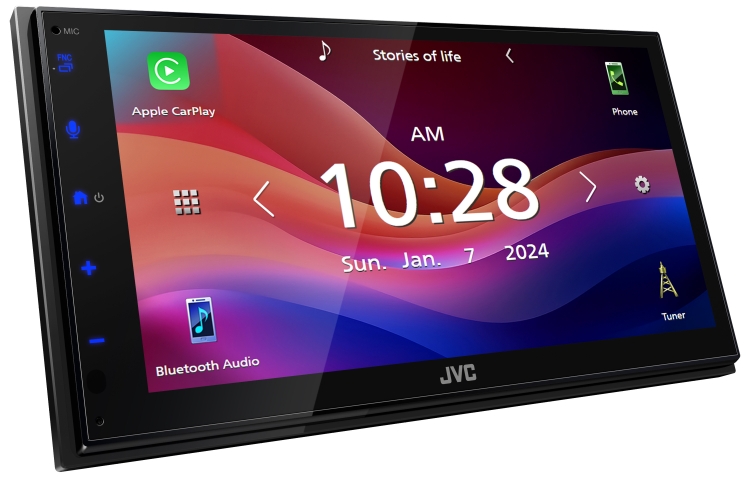
When CarPlay or Android Auto fails, the cause is often the cable, the phone port, the app permissions, or the phone’s software version. This is one area where patience pays off.
Use this checklist:
- Use a high quality USB cable that supports data, not charge only
- Plug into the correct USB port for phone projection
- Restart the phone and the JVC unit
- Update your phone software
- Check CarPlay or Android Auto permissions on the phone
- Remove old connections and set them up again
A cheap cable can cause endless problems. It may charge the phone but fail to carry data reliably. I always tell people to test with a known good cable before changing settings, because the cable is often the real villain.
If Android Auto or CarPlay works sometimes and then disconnects, the issue may be loose USB fit, a dirty phone port, or a background app conflict. Clean the phone port carefully and test again before assuming the head unit is faulty.
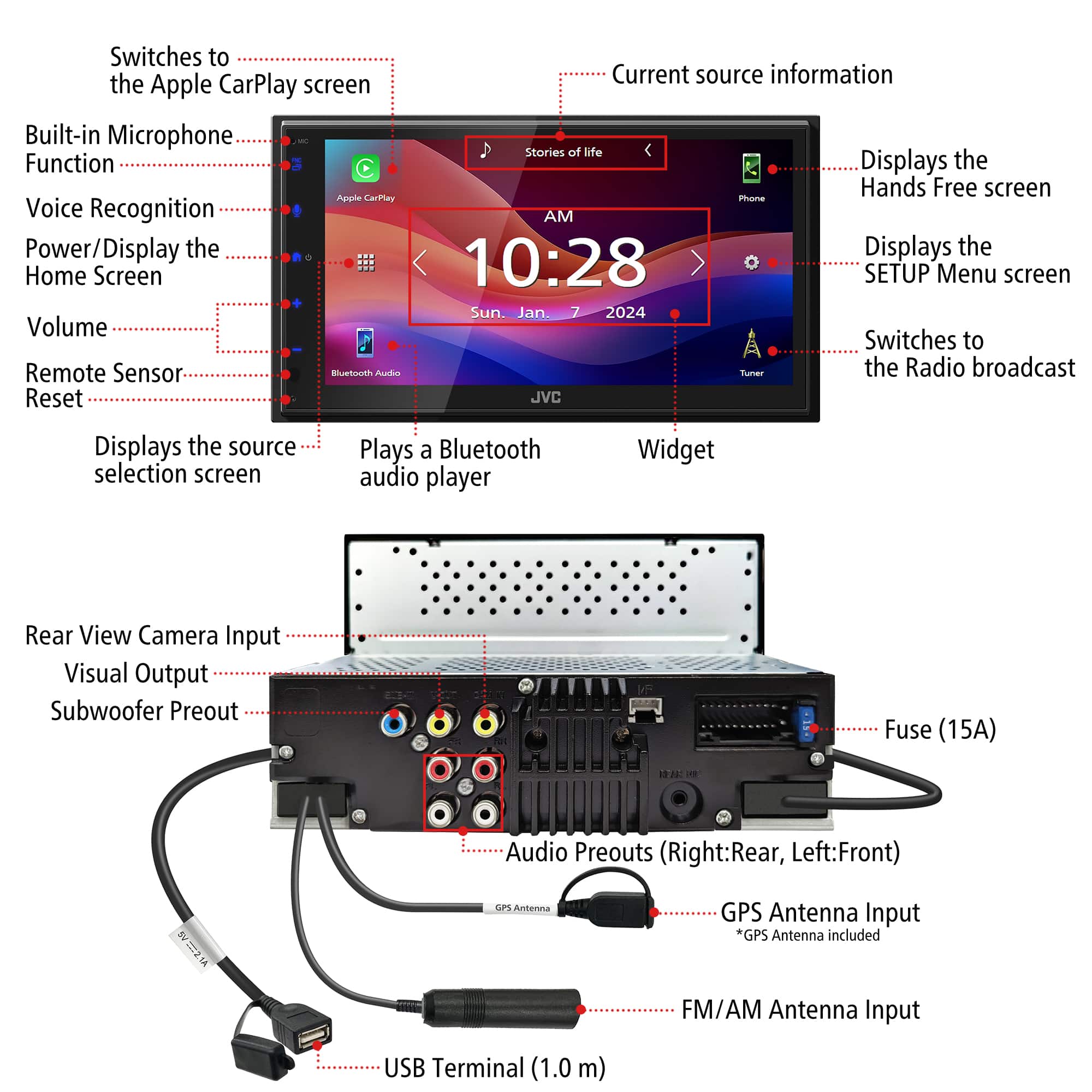
JVC KW-M590BT Troubleshooting for Backup Camera Problems
Backup camera issues usually involve the reverse trigger wire, camera power, video signal, or system settings. The good news is that this problem often has a simple root cause.
Check the following:
- Confirm the camera is getting power
- Make sure the reverse wire is connected to the proper signal
- Verify the video cable is plugged into the camera input
- Check camera settings in the menu
- Test the camera image in daylight and at night
- Inspect for damaged RCA connectors or pinched cables
If the camera does not appear when shifting into reverse, the reverse trigger may not be receiving the signal. That wire is like the “wake up” call for the display. If the radio never gets that call, it may never switch to camera view.
A fuzzy image can come from poor grounding, a low quality camera, or a damaged cable. If the camera works when the vehicle is parked but fails while driving, vibration may be exposing a loose connection somewhere in the harness.
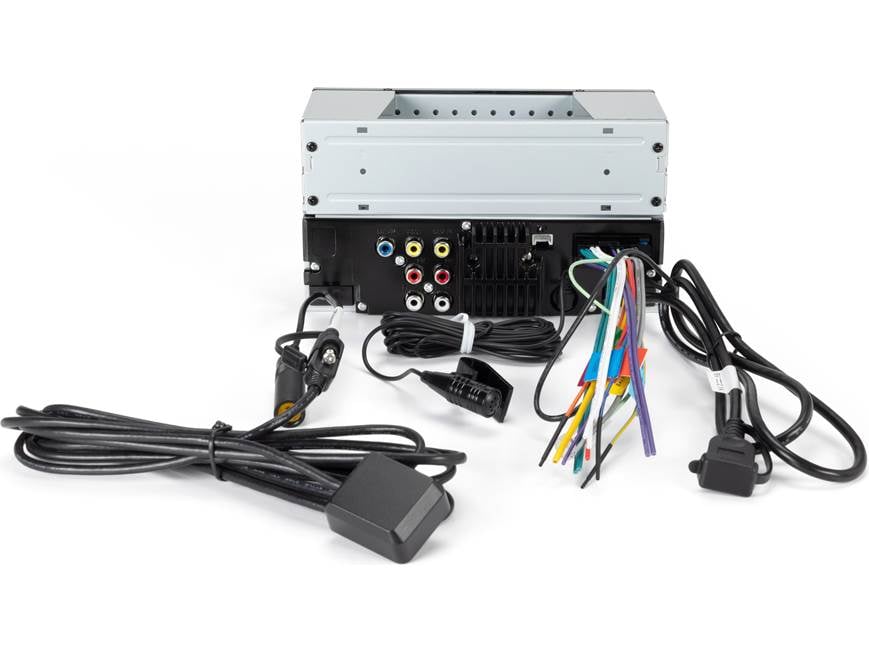
Resetting the JVC KW-M590BT the Right Way
A reset is often the best next step when the unit freezes, acts slow, or keeps a bad setting. It clears temporary glitches and gives the system a fresh start.
Before resetting:
- Save any custom settings you want to keep
- Note your Bluetooth pairings
- Check if your settings menu has a soft reset option
- If needed, use the reset pinhole on the unit
A reset will not fix broken wiring or bad hardware, but it can clear small software problems that look bigger than they are. I have used resets to fix random screen lag, Bluetooth oddities, and camera switching problems after a proper install check.
If the unit keeps freezing even after a reset, look at power stability next. In many cases, unstable voltage is the hidden issue. A stereo that is fed dirty power will act like it is confused all the time.
Installation Mistakes That Cause Most JVC KW-M590BT Issues
A lot of troubleshooting starts long before the first symptom appears. Poor installation is the root cause of many JVC KW-M590BT failures.
Common install mistakes include:
- Weak or painted ground points
- Twisted wires without proper crimping or soldering
- Wrong accessory wire connection
- Missing fuse protection
- Poorly mounted USB cables
- Loose RCA plugs
- Forgetting to set parking brake or reverse trigger wiring properly
One lesson I learned early was simple: never trust a “working for now” wire job. It may power on today and fail next week when the car hits a bump. A neat install is not just for looks. It protects signal quality and long term reliability.
If you are installing into a modern vehicle with factory audio, data interfaces matter too. Many late-model cars need a proper harness adapter so the radio can communicate cleanly with the vehicle. Skipping that step often leads to strange behavior that looks like a stereo problem but is really a vehicle integration problem.
When to Suspect a Hardware Failure
Not every issue can be fixed with a reset or a wire check. Sometimes the head unit has a real hardware fault.
Warning signs include:
- The unit will not power up even with verified power and ground
- The screen stays black despite proper brightness settings
- The audio section fails on every source
- The touchscreen has dead zones that do not improve after reset
- The unit overheats or reboots repeatedly with stable voltage
Before replacing the unit, test the car side thoroughly. Good troubleshooting means proving the failure, not guessing it. That is the best way to avoid spending money on parts you did not need.
If the radio is still under warranty, keep your notes. Record the symptoms, the steps you tried, and any error patterns. That makes the support process much smoother and can save a lot of time.
Best Practices to Prevent Future Problems
The easiest fix is the one you never need to do. Once your JVC KW-M590BT is working, a few habits can keep it that way.
Helpful prevention tips:
- Use quality wiring and connectors
- Keep firmware and phone software updated
- Use a proper USB cable for phone projection
- Mount the unit securely to reduce vibration
- Avoid overloading the system with bad grounds or too many add ons
- Clean the touchscreen with safe materials only
From experience, the most reliable systems are usually the ones installed with patience. A careful hour at the bench can save you weeks of frustration later. Think of it like building a house on a solid foundation. The front end may look fine, but if the base is weak, problems will show up sooner or later.
Frequently Asked Questions of JVC KW-M590BT Troubleshooting
Why does my JVC KW-M590BT keep restarting?
Random restarts are often caused by unstable power, a weak ground, or a wiring short. Check the yellow, red, and black wires first, then inspect the fuse and harness connections.
Why is my JVC KW-M590BT Bluetooth connected but has no sound?
This usually happens when the phone is connected for calls only, or the media audio setting is off. Delete the pairing on both devices and reconnect with media playback enabled.
Why does my backup camera not show on the JVC KW-M590BT?
The reverse trigger wire may not be getting signal, or the camera may not have power. Also check the RCA connection and camera settings in the menu.
Why is my JVC KW-M590BT screen dim during the day?
Brightness or dimmer settings may be too low, or night mode may be active. Increase screen brightness in the display settings and check for any auto-dimming option.
Why won’t CarPlay or Android Auto work on my JVC KW-M590BT?
A charge-only cable, a bad USB connection, or a phone permission issue is often the cause. Try a known data-capable cable, restart both devices, and set up the connection again.
How do I reset my JVC KW-M590BT safely?
Use the soft reset option if available, or the reset pinhole on the unit. A reset is safe for temporary glitches, but it will not fix wiring or hardware faults.
Conclusion
JVC KW-M590BT Troubleshooting becomes much easier when you work through the basics in order. Power, ground, wiring, Bluetooth, USB, display settings, and camera triggers solve most issues long before you ever need to think about replacing the unit. The key is to stay calm, test one thing at a time, and avoid guessing.
If your JVC KW-M590BT is acting up, start with the simple checks in this guide and build from there. A little patience usually saves a lot of time, money, and frustration. If you found this helpful, try the steps on your own unit, share your results, and keep learning so you can make smarter install and repair choices next time.





