Most JVC KW-M875BW issues come from wiring, settings, updates, or weak signal sources.
The JVC KW-M875BW is a strong multimedia receiver, but like any in-dash unit, it can act up when setup, power, or firmware is off. In my experience, most problems are not “bad radios” at all. They are small fixes hiding behind loose connections, wrong settings, or a simple reset that gets things back on track.

49% off Today's Exclusive Deals
Limited-time Exclusive Deals. Check current discount on Amazon.
Check Price on Amazon As an Amazon Associate I earn from qualifying purchases.Understanding JVC KW-M875BW Troubleshooting
JVC KW-M875BW troubleshooting is really about narrowing the problem step by step. You want to figure out whether the issue is coming from power, audio, display, Bluetooth, Apple CarPlay, Android Auto, USB, camera input, or the vehicle wiring itself.
That matters because a head unit can seem broken when the real issue is much smaller. I have seen cases where the screen looked dead, but the fuse was fine and the ACC wire just was not getting proper power. I have also seen “Bluetooth problems” that turned out to be an old pairing conflict on the phone.
The good news is that most JVC KW-M875BW problems can be fixed without replacing the unit. If you follow a clear process, you can save time, avoid guesswork, and protect the stereo from damage.
49% off Today's Exclusive Deals
Limited-time Exclusive Deals. Check current discount on Amazon.
Check Price on Amazon As an Amazon Associate I earn from qualifying purchases.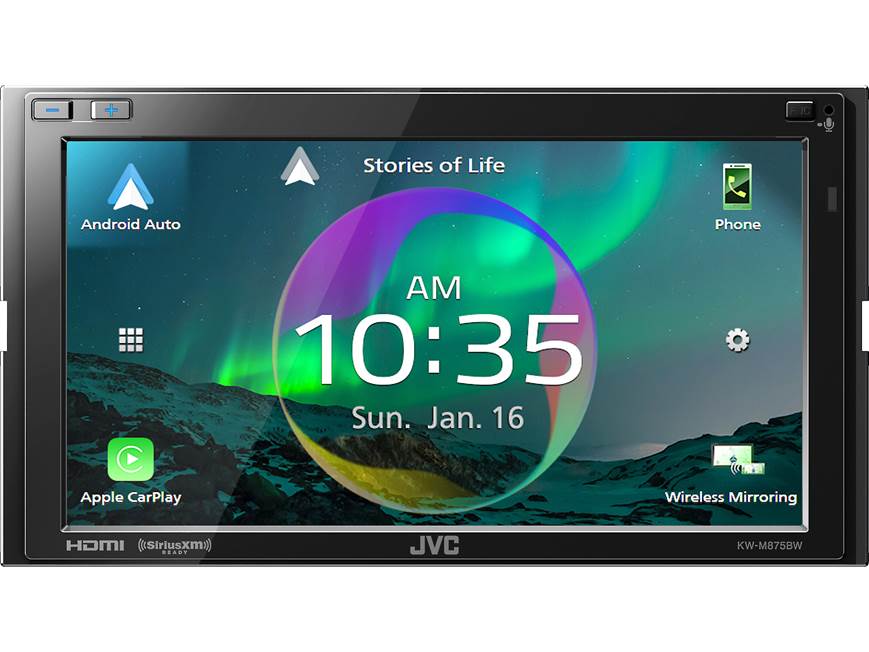
Common JVC KW-M875BW Problems and What They Usually Mean
Before you dig into advanced fixes, it helps to identify the symptom. That makes JVC KW-M875BW troubleshooting much faster and less frustrating.
Common issues include:
• The unit will not power on
This often points to a blown fuse, missing ground, reversed wiring, or no accessory power.
49% off Today's Exclusive Deals
Limited-time Exclusive Deals. Check current discount on Amazon.
Check Price on Amazon As an Amazon Associate I earn from qualifying purchases.• There is sound, but no display
This may be a dimmer setting, a display fault, or a screen protection issue.
• The unit keeps rebooting
This often happens when voltage is unstable or a wire is loose.
• Bluetooth will not connect
This is usually a pairing issue, phone setting problem, or an old saved device conflict.
• CarPlay or Android Auto does not start
This can come from a bad USB cable, unsupported port use, software bugs, or phone permissions.
• No sound from speakers
This may involve speaker wiring, audio settings, amplifier turn-on, or mute mode.
• Backup camera does not show
This may be a camera input issue, reverse wire problem, or camera power problem.
In the field, I learned that the symptom tells you where to start, not where to stop. That little mindset shift saves a lot of time.
First Checks Before You Open Anything Up
A lot of people jump straight to replacing parts. I do not recommend that. Start with the simplest JVC KW-M875BW troubleshooting checks first.
Use this order:
-
Check vehicle power
Make sure the car battery is healthy and the ignition is on when needed. -
Inspect the fuse
Look at both the radio fuse and any inline fuse in the wiring harness. -
Confirm the wiring colors
Double check constant power, accessory power, ground, speaker leads, and illumination wires. -
Test the ground
A weak ground is one of the most common causes of strange stereo behavior. -
Try a different USB cable
For CarPlay or Android Auto, use a short, certified data cable. -
Restart the phone
Sometimes the problem is on the phone side, not the head unit. -
Remove and re-pair Bluetooth
Old connections can create conflicts.
These checks sound basic, but they solve a surprising number of problems. I have watched people spend an hour on software troubleshooting when the real issue was a loose ground screw.
Power and Startup Troubleshooting
If the JVC KW-M875BW will not turn on, this is where you begin. Power issues are usually the easiest to trace if you stay organized.
Check the constant and accessory power wires
The unit needs both memory power and switched power. The yellow wire usually provides constant power, and the red wire usually provides ignition or accessory power.
If the red wire has no power when the key is on, the stereo will stay off. If the yellow wire is missing, settings may reset each time the car is turned off.
Inspect the ground connection
A poor ground can make the JVC KW-M875BW behave like it has a brain fog. It may not boot, may reboot, or may act random.
Best ground tips:
• Use bare metal
• Keep the ground short
• Avoid painted or rusty surfaces
• Tighten the connection firmly
Look at the fuse
If the screen is blank and there is no response, check the fuse first. Replace it only with the correct rating. A fuse that keeps blowing usually means a deeper wiring problem, not a bad fuse itself.
Check voltage under load
A multimeter helps a lot here. A wire can show voltage with no load but fail when the unit starts drawing current. That is why a quick test light is useful, but a multimeter gives better proof.
When I troubleshoot power issues, I always test at the harness first and then at the unit. That tells me whether the problem is in the car wiring or inside the installation path.

Display, Touchscreen, and Screen Problems
If the unit powers on but the display is blank, dim, or unresponsive, the fix may be simpler than it looks.
Screen is on but too dark
Check the dimmer settings, illumination wire, and day/night brightness controls. Some cars also send a dimming signal that can make the screen look nearly off in daylight.
Touchscreen is slow or frozen
Try a soft reset first. If that does not help, remove power briefly and restart the system. In many cases, a frozen touchscreen comes from a software hiccup, not a failed panel.
Screen shows a warning or boot loop
This can happen if the software crashes during startup. A firmware update or reset may help. If the unit keeps looping, inspect the power supply for dips or interruptions.
Screen works intermittently
That often suggests a loose harness connector, vibration issue, or failing adapter cable. In a car, even a small wiggle in the wiring can act like a bigger problem than it is.
A lesson I learned the hard way: do not assume the display is bad until you have confirmed stable power and solid connections. Many “dead screen” complaints are really power complaints in disguise.
Sound, Volume, and Speaker Troubleshooting
Audio problems can be more confusing than power problems because the system may look fine while sounding wrong.
No sound at all
Check these items first:
• Mute mode
• Volume level
• Fader and balance settings
• Speaker wiring
• External amplifier trigger wire
If the unit is connected to a factory amp or aftermarket amp, the amplifier remote wire may not be activating the system. That can make the head unit seem dead even when it is working properly.
Sound from only one side or one pair of speakers
This usually points to speaker wire damage, poor pin connections, or a bad adapter harness. It can also happen if the fade or balance is not centered.
Distorted sound
Distortion may come from:
• Speaker overload
• Bad ground
• Clipping from a gain setting issue
• Faulty speakers
• Damaged output wiring
If distortion starts at higher volume only, the speakers or amp settings may be the issue. If it happens at low volume too, check the wiring and source signal first.
Low volume
Low output can happen when the system is set up for a factory amp but the amp is not waking up. It can also happen if the speaker sensitivity is low or the source device is sending a weak signal.
In real installs, sound issues often come down to mismatched expectations. The JVC KW-M875BW is flexible, but it still needs the system around it to be wired and tuned correctly.
Bluetooth, CarPlay, and Android Auto Troubleshooting
This is one of the most searched parts of JVC KW-M875BW troubleshooting. It is also where many users get stuck because the issue may involve both the phone and the stereo.
Bluetooth will not pair
Try these steps:
- Delete the JVC unit from the phone’s Bluetooth list
- Delete the phone from the JVC memory
- Restart both devices
- Pair again from scratch
- Keep other nearby paired devices off for the test
If pairing still fails, check whether Bluetooth permissions are enabled on the phone. Also make sure the phone software is up to date.
Wireless connection is unstable
Wireless features can be affected by signal noise, phone settings, or interference from other devices. If wireless CarPlay or Bluetooth keeps dropping, move the phone closer and test with Wi-Fi and Bluetooth settings refreshed.
Wired CarPlay or Android Auto does not launch
The most common causes are:
• Charge-only USB cable
• Damaged cable
• Wrong USB port
• Dirty phone port
• Phone permissions disabled
• Outdated phone software
Use a known good cable that supports data. I have seen people swap three cables before finding out the first two were only meant for charging.
App audio works but calls do not
That usually points to microphone issues or phone permissions. Check the external mic placement and make sure the phone is allowed to route call audio through the head unit.
Contacts or messages do not sync
This is often a phone permission problem. Reconnect the device and allow all requested access. Some phones also limit sync until the system is trusted.
USB, File Playback, and Media Issues
USB problems can look minor, but they can stop navigation, music, and smartphone features all at once.
USB device not recognized
Try:
• A different USB stick
• A different cable
• A smaller storage size
• A drive formatted in a common file system
Some drives are simply not compatible. File format matters, and very large or unusual drives can create problems.
Music skips or stutters
That can happen because of a bad cable, weak phone port, or unstable file source. If you are using a flash drive, check the file format and re-copy the tracks.
Media apps do not show up
This may be a phone-side permission issue or an unsupported app path. Update the phone and restart the system.
For best results, keep media simple. Short cables, clean ports, and supported file types usually give the most reliable playback.

Camera and Parking Aid Troubleshooting
Backup camera issues are common after installation, especially if the reverse trigger or camera power is not wired correctly.
Camera shows a black screen
Check the camera power, video connection, and reverse trigger wire. If the camera is not getting power when the car shifts into reverse, there will be no image.
Camera image is upside down or mirrored
This usually means the camera settings are wrong. Many systems let you change image orientation in the settings menu.
Camera comes on late
That can point to trigger delay, weak power, or a slow camera. It can also happen if the unit takes a moment to detect reverse.
Parking lines do not match the car
If the guide lines are enabled, they may need adjustment. Make sure the camera is mounted straight and aligned properly.
A backup camera should feel like a rearview mirror with training wheels. If it feels off, the problem is usually mounting, trigger, or power, not the display itself.
Firmware, Reset, and Software Fixes
Software updates and resets can solve many stubborn JVC KW-M875BW troubleshooting cases. Use them when wiring checks do not reveal the issue.
Soft reset
A soft reset is the first safe step when the system freezes or acts strange. It clears temporary errors without changing most settings.
Factory reset
Use this when settings are corrupted, Bluetooth is acting odd, or startup bugs keep returning. Remember that this will erase saved settings and paired devices.
Firmware update
Firmware updates can improve stability, phone compatibility, and general performance. Make sure the update matches your exact model and follow the instructions carefully.
Important tip: do not interrupt power during a firmware update. A failed update can create a much bigger problem than the one you started with.
I have seen a simple update fix random restarts, slow boot times, and phone sync problems. It is one of the best non-hardware fixes you can try.
Installation Mistakes That Cause Repeat Problems
A lot of troubleshooting starts with installation quality. Even a great unit will struggle if the install is sloppy.
Common mistakes include:
• Poor grounding
• Loose harness connections
• Mixed-up speaker wires
• No heat shrink or secure crimping
• Wrong reverse trigger connection
• Using a charge-only USB cable for smartphone features
• Cramped wire bundles that stress connectors
If you are troubleshooting a used installation, inspect the back of the dash carefully. Many issues hide there. A harness can look connected and still be one bump away from failing.
Preventive Care for Better Long-Term Performance
The best JVC KW-M875BW troubleshooting is the kind you never need to do. A few habits can prevent many issues.
Use these simple habits:
• Keep firmware current
• Use quality USB cables
• Avoid forcing connectors
• Keep phone software updated
• Check dash wiring after hard bumps or repairs
• Clean the USB port and phone port gently
• Save your settings after a reset
Think of the system like a small ecosystem. If one part gets neglected, the whole thing starts acting out.
Frequently Asked Questions of JVC KW-M875BW Troubleshooting
Why does my JVC KW-M875BW keep restarting?
This usually happens when power is unstable or the ground connection is weak. Check the red and yellow wires, the fuse, and the ground point first.
Why is there no sound even though the radio turns on?
The unit may be muted, the amp trigger wire may not be connected, or the speaker wiring may be wrong. Also check the balance, fade, and any external amplifier settings.
Why won’t my phone connect to Bluetooth?
Old saved pairings, disabled permissions, or software issues on the phone often cause this. Delete the pairing on both devices and reconnect from scratch.
Why is CarPlay not working with my JVC KW-M875BW?
Most of the time, the cable is the problem. Use a certified data cable, check the USB port, and make sure your phone permissions and software are current.
Can a factory reset fix JVC KW-M875BW issues?
Yes, a factory reset can fix software glitches, pairing errors, and strange settings behavior. Just remember it will erase saved data and paired devices.
Conclusion
JVC KW-M875BW troubleshooting becomes much easier when you work from the basics first. Power, ground, wiring, cables, settings, and firmware explain most of the common problems people run into with this unit.
If you stay patient and test one thing at a time, you can usually find the cause without wasting money on parts you do not need. Take a calm, step-by-step approach, and your stereo will thank you with better sound, steadier connections, and fewer headaches.
If this guide helped, save it for later, share it with a friend, or leave a comment with the issue you are trying to solve.





