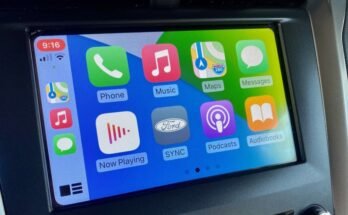
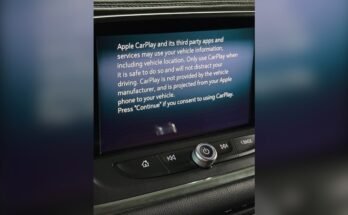
Have you ever been driving, relying on CarPlay to navigate or play your favorite songs, only to have it suddenly stop after just a few minutes? It’s frustrating, confusing, and can even be dangerous when you need it most.
You might wonder why this keeps happening and how you can fix it for good. You’ll discover the common reasons behind CarPlay’s sudden shutdown and simple steps you can take to keep it running smoothly every time you get behind the wheel.

49% off Today's Exclusive Deals
Limited-time Exclusive Deals. Check current discount on Amazon.
Check Price on Amazon As an Amazon Associate I earn from qualifying purchases.Keep reading to regain control of your driving experience and never lose connection again.

Common Reasons For Carplay Disconnects
CarPlay disconnects can frustrate many drivers. It often stops working after a few minutes. Understanding common causes helps fix the issue. Most problems come from connection or software troubles. Some are easy to solve, while others need more steps.
Bluetooth And Usb Connection Issues
CarPlay needs a strong connection to work well. Bluetooth or USB cables can cause disconnects. Loose or damaged cables break the link. Poor Bluetooth signals also interrupt CarPlay. Dirt or dust in ports can block signals. Replacing cables or cleaning ports often helps.
49% off Today's Exclusive Deals
Limited-time Exclusive Deals. Check current discount on Amazon.
Check Price on Amazon As an Amazon Associate I earn from qualifying purchases.Software Glitches And Updates
Software bugs can stop CarPlay unexpectedly. Apps or the iPhone system might have errors. Outdated software often causes glitches. Updating iOS and car firmware fixes many issues. Restarting devices can clear temporary bugs too.
Power Supply Interruptions
CarPlay requires steady power from the car. Loose power connections may cause sudden drops. Low battery voltage can interrupt CarPlay’s function. Faulty car chargers or adapters also create problems. Checking power sources ensures continuous use.
Compatibility Problems
Not all cars and phones support CarPlay perfectly. Older vehicles may lack full compatibility. Some phone models work better than others. Using non-certified cables may cause disconnects. Confirming device and car compatibility avoids trouble.
Quick Fixes To Restore Carplay
CarPlay may stop working after a few minutes due to simple issues. Many problems have quick fixes you can try yourself. These easy steps can help restore CarPlay fast. No need to visit a mechanic or wait for a repair.
49% off Today's Exclusive Deals
Limited-time Exclusive Deals. Check current discount on Amazon.
Check Price on Amazon As an Amazon Associate I earn from qualifying purchases.Restart Your Iphone And Car System
Turn off your iPhone and your car’s system. Wait for 30 seconds. Turn both back on. Restarting clears minor glitches that cause CarPlay to stop. This step often solves connection problems quickly.
Check And Replace Cables
Inspect the USB cable connecting your iPhone to the car. Look for frays, bends, or damage. A faulty cable can break the connection. Try using a new or different cable. Use Apple-certified cables for best results.
Update Ios And Car Firmware
Outdated software can cause CarPlay to fail. Check for updates on your iPhone in Settings. Also, check your car’s system for firmware updates. Installing the latest updates can fix bugs and improve compatibility.
Reset Network Settings
Resetting network settings removes saved Wi-Fi and Bluetooth data. Go to Settings > General > Reset > Reset Network Settings. This can fix conflicts affecting CarPlay connections. Note: You will need to reconnect to Wi-Fi and Bluetooth devices after this reset.
Advanced Troubleshooting Steps
Advanced troubleshooting steps can help fix CarPlay issues that simple resets cannot. These steps dig deeper into your iPhone and car settings. They identify hidden problems that cause CarPlay to stop after a few minutes. Follow these methods carefully for the best results.
Disable Usb Accessories Restrictions
USB restrictions on your iPhone can block CarPlay. These limits stop data flow through the USB port. Open Settings on your iPhone. Go to Face ID & Passcode or Touch ID & Passcode. Scroll down to “USB Accessories.” Turn on the option to allow USB accessories. This change can prevent CarPlay from disconnecting.
Reset Car’s Infotainment System
Your car’s infotainment system stores settings that might cause CarPlay to fail. Resetting it clears bugs or glitches. Find the reset option in your car’s menu. This process varies by car model. Check your car manual if unsure. After reset, reconnect your iPhone to the system. This step often solves connection problems.
Test With Another Iphone
Testing with a different iPhone helps find the source of the problem. If CarPlay works on another phone, your iPhone may have issues. If it fails with both phones, the car system might be the cause. Borrow a friend’s iPhone or use a second device. This simple test saves time and points to the right fix.
Contact Support
If none of these steps work, contact Apple or your car’s support team. They offer expert help for complex problems. Prepare details about your devices and the issue. Support teams guide you through advanced fixes or repairs. Getting professional help ensures CarPlay works smoothly again.
Preventing Future Carplay Issues
Preventing future CarPlay issues helps keep your drive smooth and stress-free. Small steps taken regularly can stop CarPlay from disconnecting after a few minutes. These tips protect your device and car system from common problems.
Regular Software Maintenance
Keep both your iPhone and car system updated. Software updates fix bugs that cause CarPlay to stop working. Check for updates every few weeks. Restart your phone and car system after updates. This keeps everything running smoothly.
Use Certified Accessories
Always use Apple-certified cables and chargers. Cheap or fake accessories can cause connection problems. Certified accessories ensure stable data transfer and power supply. They also prevent damage to your phone and car system. Invest in good quality cables for better CarPlay performance.
Avoid Overloading Usb Ports
Use only one device per USB port at a time. Multiple devices can cause power and connection issues. Overloading USB ports may lead to CarPlay disconnecting. Keep cables neat and avoid stretching them. This reduces wear and connection loss.
Keep Devices Charged
Low battery can cause CarPlay to stop working. Charge your phone before starting the car. Use a reliable charger to keep your device powered. A well-charged device supports a steady CarPlay connection. This prevents sudden disconnects during your drive.

Frequently Asked Questions
Why Does Carplay Disconnect After A Few Minutes?
CarPlay often disconnects due to loose cables, outdated software, or Bluetooth interference. Ensuring a secure connection and updating both your iPhone and car system can prevent frequent dropouts.
How Can I Fix Carplay Stopping Unexpectedly?
Restart your iPhone and car system, check cable integrity, and update software. Resetting network settings or re-pairing CarPlay can also resolve unexpected stoppages.
Does Iphone Battery Affect Carplay Connection Time?
Yes, low battery or power-saving modes on your iPhone can cause CarPlay to stop. Keeping your phone charged and disabling low power mode helps maintain a stable connection.
Can Car System Updates Improve Carplay Stability?
Absolutely. Car system updates often fix bugs and improve CarPlay compatibility. Regularly updating your car’s infotainment system enhances overall connection reliability.
Conclusion
CarPlay stopping after a few minutes can be frustrating. It often happens due to connection issues or software glitches. Keeping your phone and car system updated helps a lot. Checking cables and Bluetooth settings can fix many problems. Restarting devices might solve temporary bugs quickly.
Simple steps can make your CarPlay work smoothly again. Stay patient and try these easy fixes. Enjoy a better driving experience with steady CarPlay use.