Sony DSX-A415BT troubleshooting usually comes down to power, pairing, wiring, or settings issues.
If your Sony DSX-A415BT is acting up, you are not alone. I have seen this model solve and cause the same handful of problems again and again, and the good news is that most fixes are simple once you know where to look. In this guide, I will walk you through Sony DSX-A415BT troubleshooting in a clear, practical way so you can get your stereo working again without guesswork.

49% off Today's Exclusive Deals
Limited-time Exclusive Deals. Check current discount on Amazon.
Check Price on Amazon As an Amazon Associate I earn from qualifying purchases.
Common Sony DSX-A415BT Problems and What They Usually Mean
When people search for Sony DSX-A415BT troubleshooting, they are usually dealing with one of a few common symptoms. The unit may not turn on, Bluetooth may fail to connect, the sound may cut out, or the display may act strange. These issues often point to power, fuse, reset, pairing, or speaker wiring problems.
In my experience, the fastest way to fix car stereo issues is to think like a mechanic and start with the basics. A loose connection can look like a serious failure, just like a tiny stone in a shoe can feel like a broken foot. The Sony DSX-A415BT is reliable, but like most head units, it depends on clean power, solid grounding, and correct setup.
49% off Today's Exclusive Deals
Limited-time Exclusive Deals. Check current discount on Amazon.
Check Price on Amazon As an Amazon Associate I earn from qualifying purchases.Typical symptoms include:
- No power or no display
- Bluetooth not pairing or disconnecting
- No sound from speakers
- Distorted or weak audio
- Buttons not responding
- Clock or settings resetting after the car is off
If you can match the symptom to the cause, troubleshooting gets much faster. That is why Sony DSX-A415BT troubleshooting works best when you move step by step instead of changing everything at once.

Start with the Power Supply
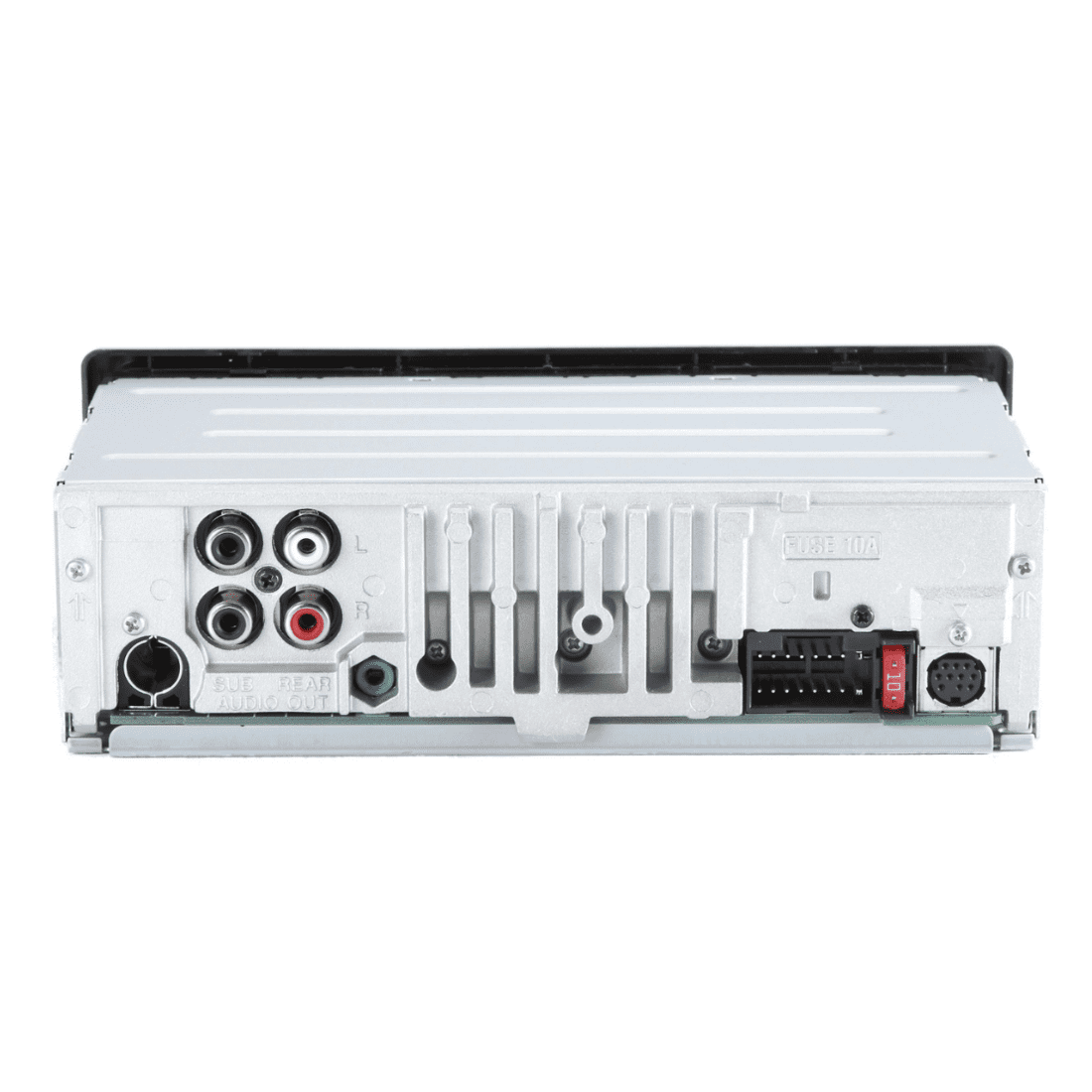
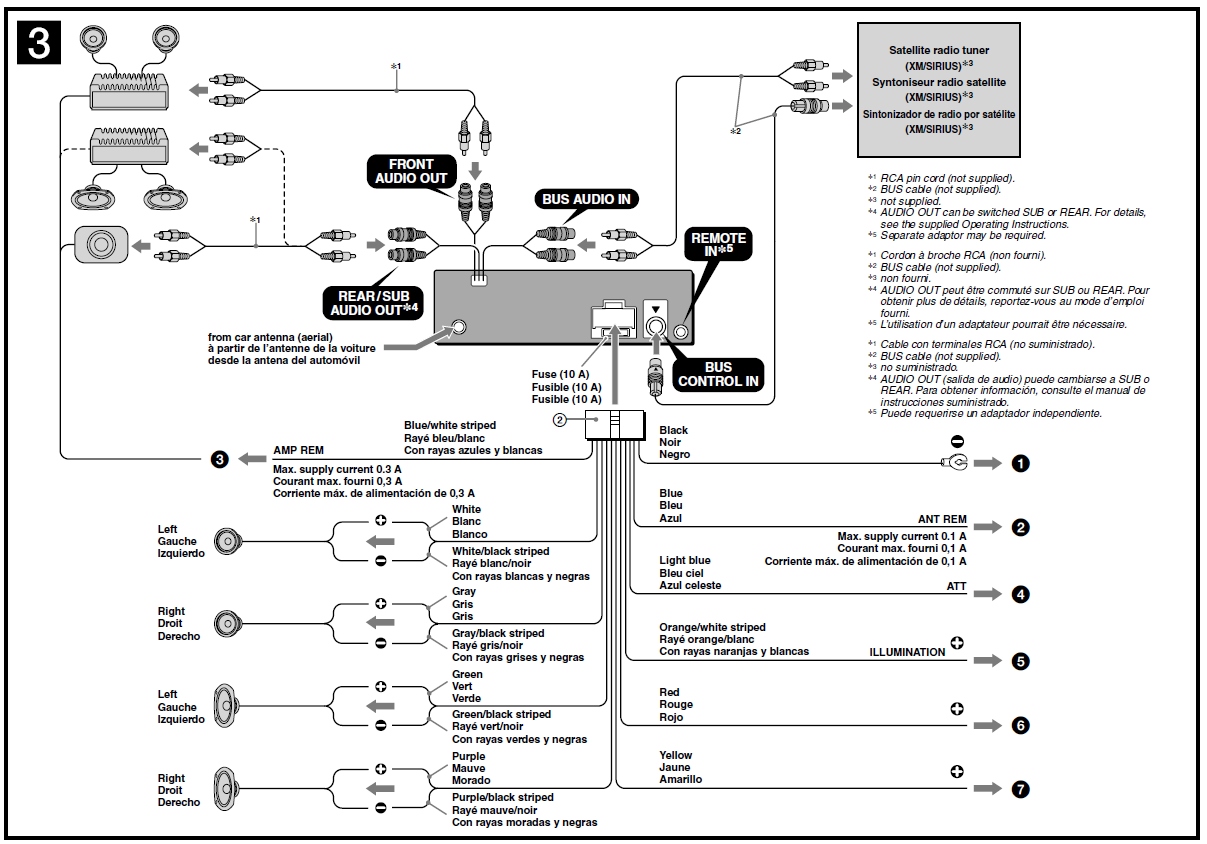
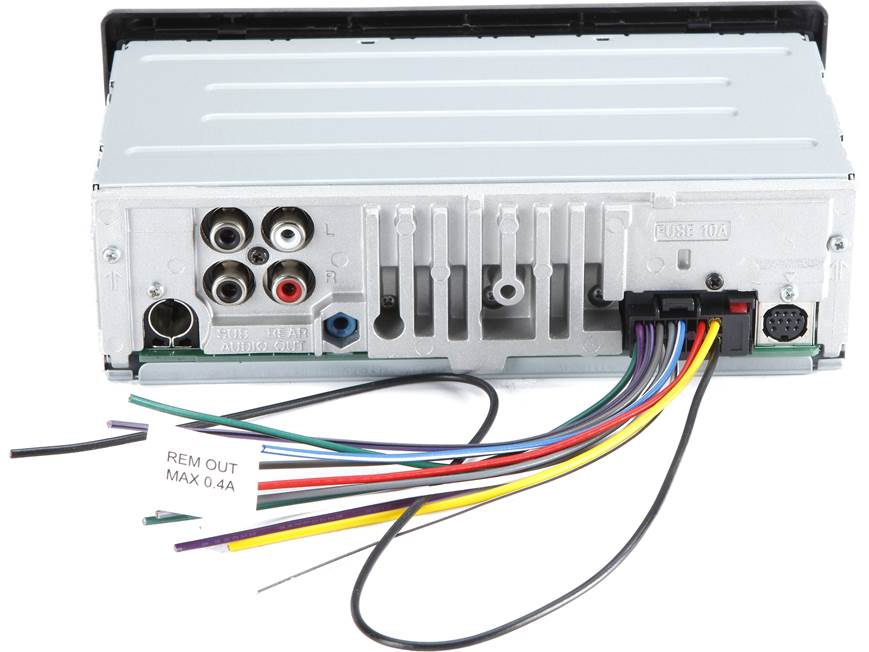
Power problems are the first thing I check with any car stereo. If the Sony DSX-A415BT does not turn on, the issue is often related to the yellow constant power wire, the red accessory wire, the ground wire, or the fuse. Even a good unit will stay dead if one of these is loose or poorly connected.
49% off Today's Exclusive Deals
Limited-time Exclusive Deals. Check current discount on Amazon.
Check Price on Amazon As an Amazon Associate I earn from qualifying purchases.Here is the basic power check process:
- Make sure the car is in accessory or ignition mode.
- Check that the yellow wire has constant 12V power.
- Check that the red wire gets power when the key is on.
- Inspect the black ground wire for a secure metal contact.
- Check the fuse on the stereo and the vehicle fuse box.
A mistake I have seen more than once is assuming the head unit is bad when the ground is the real issue. Poor grounding can cause random shutdowns, flashing displays, or weak operation. In Sony DSX-A415BT troubleshooting, power and ground should always be verified before anything else.
If the unit worked before and suddenly stopped, look for a blown fuse or a pinched wire behind the dash. That is a common problem after installation or dashboard work.
Fix Bluetooth Pairing Problems
Bluetooth trouble is one of the most common Sony DSX-A415BT troubleshooting complaints. The unit may not find your phone, may pair once and then fail later, or may connect but give no audio. These issues usually come from old pairings, phone settings, or radio memory problems.
Try this method:
- Delete the stereo from your phone’s Bluetooth list
- Delete your phone from the Sony unit if it is already saved
- Turn Bluetooth off and back on on your phone
- Restart your phone
- Put the Sony DSX-A415BT into pairing mode again
- Pair one phone at a time during testing
I have found that too many saved devices can create confusion, especially if multiple phones have been used in the car. The stereo can sometimes try to connect to an old device that is out of range. Clearing the memory and starting fresh often solves the issue in minutes.
Also check whether the phone is connected to another Bluetooth device, like earbuds or a smartwatch. Phones can be picky, and they do not always give car audio priority unless you force the connection. If Bluetooth audio works but calls do not, review phone permissions for contacts and call audio.
Reset the Sony DSX-A415BT
A reset can fix many small software glitches. If the screen freezes, the buttons stop responding, or settings behave oddly, Sony DSX-A415BT troubleshooting should include a full reset. This can clear minor memory errors without needing a repair.
You can usually perform a reset by pressing the reset button on the unit with a pointed object, such as a pen tip. Before doing this, make sure you understand that some saved settings may be cleared. That includes audio settings, paired devices, and radio presets.
Use a reset when:
- The display is stuck
- Bluetooth is not behaving normally
- The stereo does not respond to button presses
- The unit acts unstable after a power interruption
A reset is not magic, but it is a smart first move. I often compare it to restarting a phone that is lagging. It will not fix broken wiring, but it can clear out temporary software confusion fast.

Check Speaker Wiring and Audio Output
If the unit turns on but there is no sound, the problem may be in the speaker wiring, not the stereo itself. Sony DSX-A415BT troubleshooting often leads to a wiring issue after installation, especially when one speaker works and another does not. Incorrect polarity, loose speaker connections, or damaged wires can all cause audio loss.
What to inspect:
- Each speaker wire pair for secure connection
- Any signs of short circuits or exposed wire
- Proper left and right channel matching
- Correct front and rear speaker connections
- The balance and fade settings on the unit
One simple thing I always check is whether the fade and balance are centered. I have seen people think their rear speakers failed when the audio was just shifted to the front. That is an easy mistake to make, and it happens more often than you would think.
If the sound is weak, distorted, or cutting in and out, test with a known good speaker if possible. That helps separate a bad speaker from a bad wiring path.
Review Audio Settings and EQ Options
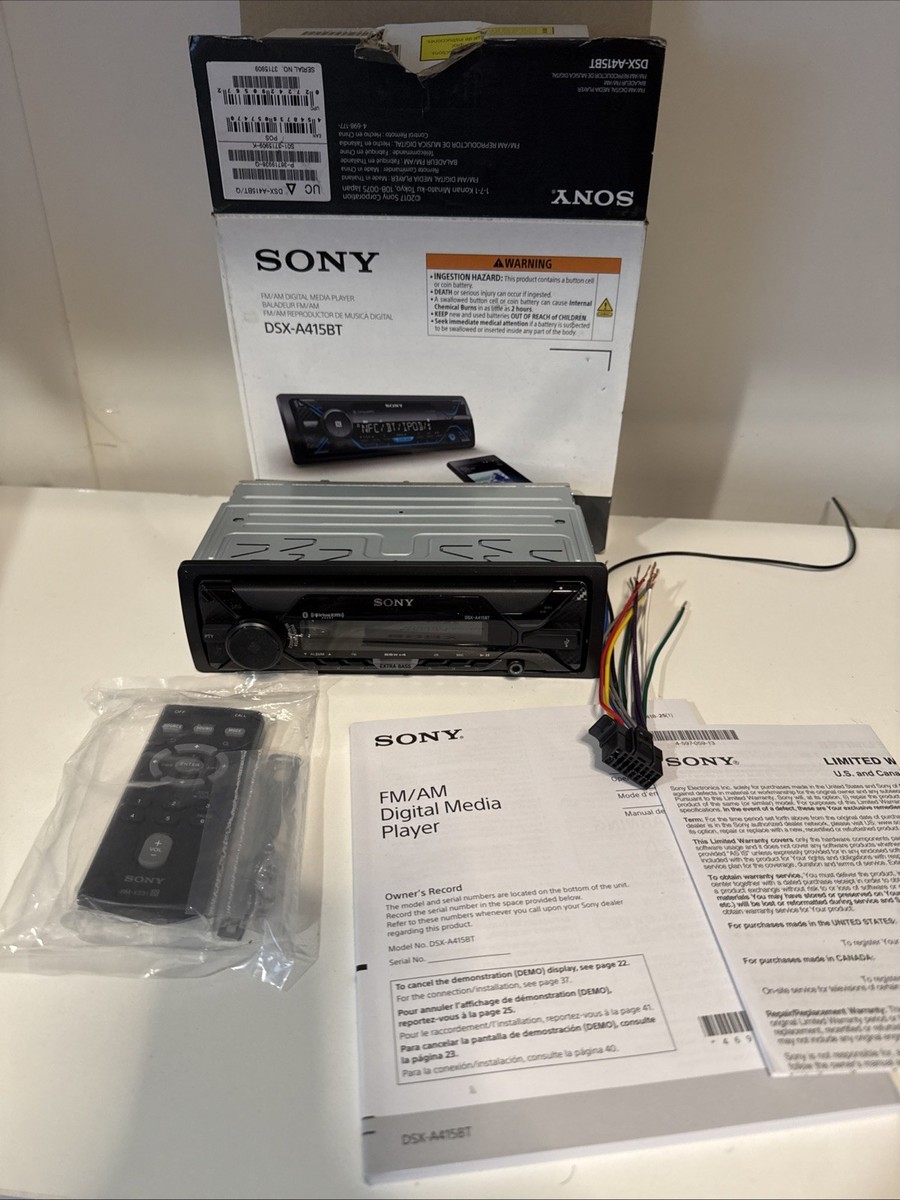
Sometimes the problem is not a fault at all, but a bad setting. The Sony DSX-A415BT has audio controls that can make music sound too flat, too sharp, or too quiet if they are adjusted poorly. Sony DSX-A415BT troubleshooting should always include a quick look at EQ, loudness, balance, fade, and volume limits.
Useful settings to review:
- Equalizer presets
- Bass and treble levels
- Loudness setting
- Balance and fade
- Auto volume or volume limit features
I have seen people turn the bass way up and then assume the speakers are failing because the sound becomes muddy. In reality, the stereo is just being pushed into distortion. A clean test is best: reset the audio settings to flat, then listen again at moderate volume.
If you use an external amplifier, also check whether the RCA outputs and amp gain are set correctly. Bad gain staging can make even a good stereo sound rough.
Solve USB and Media Playback Issues
If USB playback stops working, skips, or fails to read a drive, the issue may be the file format, the USB device, or the port itself. Sony DSX-A415BT troubleshooting in this area usually involves testing with a different USB drive and a simpler music file setup. Not every flash drive behaves the same way in a car stereo.
Try these checks:
- Use a standard USB flash drive, not a phone cable setup
- Format the drive in a compatible file system if needed
- Test with MP3 files first
- Remove very large folders or unusual file names
- Try a different drive to rule out hardware failure
A lot of playback problems come from file structure, not the unit. Very deep folders or weird character names can confuse some stereos. I learned long ago that the simplest test file setup saves time and removes guesswork.
If the port has power issues, the unit may charge a device but still fail to read music properly. That points to a communication or formatting problem rather than a total hardware failure.
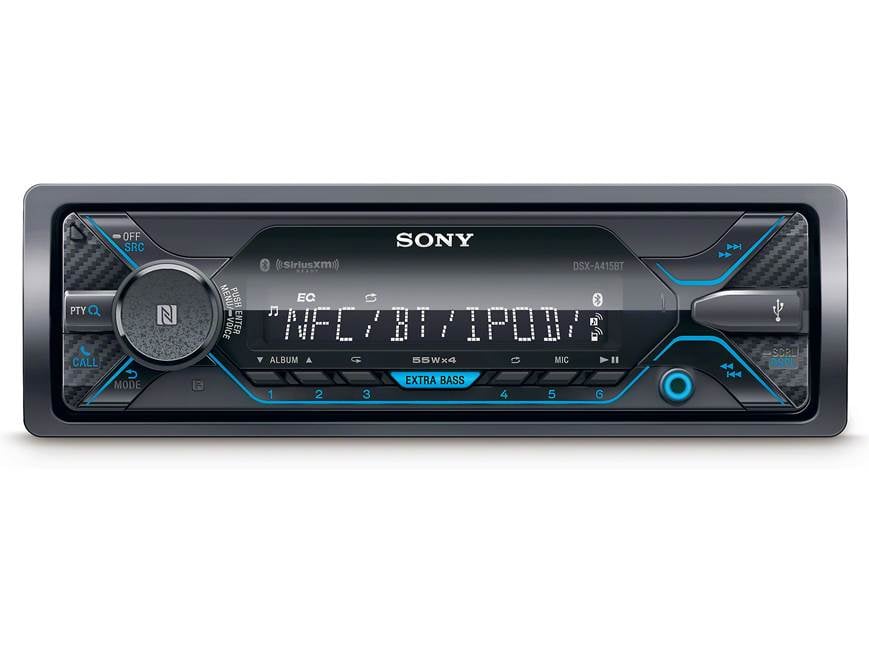
Address Display, Button, and Screen Issues
When the display is dim, flickering, or blank, you may be dealing with power variation, a reset issue, or a backlight problem. Sony DSX-A415BT troubleshooting for display issues starts with checking brightness settings and power stability. If the unit is losing accessory power, the screen can behave unpredictably.
Look at these areas:
- Brightness or dimmer settings
- Vehicle lighting circuit interaction
- Loose harness connections
- Weak ground wire
- Signs of internal hardware failure
If the buttons do not respond, a reset is often the first fix to try. If the problem comes back after a reset, the issue may be physical damage or internal wear. That is less common, but it does happen.
In the field, I have found that shaky dash installations can create intermittent display problems. A head unit that shifts in its mount can tug on wiring, which makes the issue come and go. That kind of problem is frustrating, but it is usually traceable.
When to Check the Fuse or Seek Repair
A blown fuse is one of the most practical things to inspect during Sony DSX-A415BT troubleshooting. If the unit has no power at all, the head unit fuse or the car fuse may have failed. This is especially likely after wiring work, a short circuit, or a sudden power surge.
Signs you may need fuse or repair help:
- No power after confirming wiring
- Repeated fuse failures
- Burn smell near the stereo
- Visible wiring damage
- Unit still dead after reset and fuse replacement
Be careful not to replace a fuse without finding the reason it blew. That is like putting a bandage on a cut without stopping the bleeding. If a new fuse fails again, stop and inspect the wiring before trying another one.
If you are not comfortable testing voltage with a multimeter, this is a good point to call a qualified car audio installer. A careful repair now can prevent more expensive damage later.
Best Troubleshooting Order for Faster Results
The smartest way to handle Sony DSX-A415BT troubleshooting is to follow a clear order. That keeps you from chasing small symptoms while missing the real cause. When I work through car audio problems, I always start with power, then pairing, then audio path, then settings.
Use this order:
- Confirm the unit gets power
- Check fuse and ground
- Reset the stereo
- Re-pair Bluetooth devices
- Test speaker wiring
- Review EQ and audio settings
- Test USB and media playback
- Inspect for hardware damage
This order saves time because it moves from the most common problems to the less common ones. It also helps you avoid swapping parts needlessly. Good troubleshooting is like reading a map before driving into fog.
If you document what you tested, you will spot patterns faster. For example, if the unit fails only when the engine starts, you may be dealing with voltage drop or a bad accessory line. That kind of detail matters a lot.
Frequently Asked Questions of Sony DSX-A415BT Troubleshooting
Why won’t my Sony DSX-A415BT turn on?
Most of the time, this is caused by a wiring, fuse, or ground issue. Check that the yellow and red power wires are getting proper voltage and that the ground is secure.
Why does Bluetooth connect but no sound plays?
This usually means the phone is connected for calls but not for media, or the stereo is not set to the correct source. Remove the pairing, restart both devices, and connect again.
How do I reset the Sony DSX-A415BT?
Use the reset button on the front panel with a pointed object. This can fix freezes, odd behavior, and minor software issues.
Why does the sound cut in and out?
Loose speaker wiring, a weak ground, or a damaged speaker can cause this. Bluetooth interference can also play a role if the issue only happens during wireless playback.
Why does my USB drive not work with the unit?
The drive may be formatted incorrectly, contain unsupported files, or have too many folders. Try a simple drive with MP3 files to test whether the issue is with the media or the stereo.
Can a bad battery cause Sony DSX-A415BT problems?
Yes, a weak car battery or unstable voltage can make the stereo act strangely. Low voltage can lead to resets, pairing problems, or intermittent shutoff.
Conclusion
Sony DSX-A415BT troubleshooting becomes much easier when you work through the basics in the right order. Power, ground, fuse, Bluetooth pairing, speaker wiring, and settings solve most issues without drama. If you test each area calmly, you can usually get the stereo back to normal without replacing parts that still work.
The biggest lesson I have learned is this: simple problems often wear complicated disguises. Start small, stay methodical, and do not skip the obvious checks. If this guide helped, try the steps on your unit, share your results, and keep exploring reliable car audio resources so you can make smarter fixes next time.





