Most Kenwood DMX906S issues come from wiring, settings, Bluetooth, or a simple reset fix.
If you have ever stared at a blank screen, weak sound, or a Bluetooth glitch and wondered what went wrong, you are not alone. Kenwood DMX906S troubleshooting is usually very manageable once you know where to look, and that is exactly what this guide covers. I have worked through enough car audio installs to know that the fix is often small, but finding it takes a calm, step-by-step approach.

49% off Today's Exclusive Deals
Limited-time Exclusive Deals. Check current discount on Amazon.
Check Price on Amazon As an Amazon Associate I earn from qualifying purchases.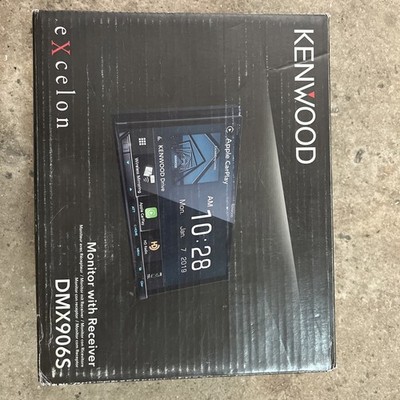
Understanding Kenwood DMX906S troubleshooting
Kenwood DMX906S troubleshooting starts with the basics: power, connections, settings, and firmware. This multimedia receiver is packed with features, which is great, but it also means a small setup issue can look like a big problem. In my experience, most complaints come down to loose wiring, wrong input selection, or a phone that is not paired the right way.
The good news is that the DMX906S is not a fragile unit. It is usually trying to tell you something simple, like “check the parking brake lead,” “confirm the speaker wiring,” or “reconnect Bluetooth.” Once you understand the common failure points, the rest becomes much easier.
49% off Today's Exclusive Deals
Limited-time Exclusive Deals. Check current discount on Amazon.
Check Price on Amazon As an Amazon Associate I earn from qualifying purchases.Common Kenwood DMX906S problems and what they usually mean
Before you start pulling the dash apart, it helps to match the symptom to the likely cause. That saves time and keeps you from chasing the wrong issue.
Common DMX906S symptoms include:
• No power at all, which often points to fuse, ground, or accessory power issues
• Screen turns on but there is no sound, which may mean speaker wiring or mute settings
• Bluetooth will not connect, which is often a pairing or phone permission issue
• Apple CarPlay or Android Auto does not launch, which may be cable, USB, or phone compatibility related
• Radio reception is poor, which can come from antenna connection problems
• The unit keeps rebooting, which may indicate voltage drops or loose harness connections
• Touchscreen is slow or unresponsive, which may be a software glitch or dirty screen issue
In real-world installs, I have seen a “dead” Kenwood turn out to be a single loose ground wire. I have also seen users blame the head unit when the real issue was a cheap USB cable that could charge a phone but could not support data.
49% off Today's Exclusive Deals
Limited-time Exclusive Deals. Check current discount on Amazon.
Check Price on Amazon As an Amazon Associate I earn from qualifying purchases.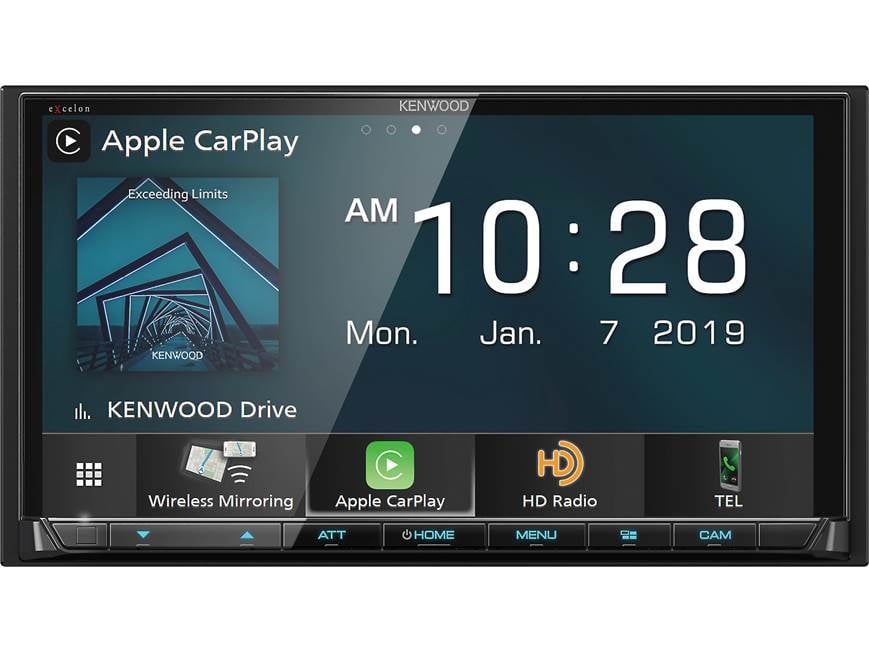
Power and startup issues
If your Kenwood DMX906S will not turn on, start with power first. This is the most common issue, and it is often the easiest to fix.
Check these items in order:
- Confirm the vehicle ignition is in ACC or ON mode
- Inspect the radio fuse and vehicle fuse
- Verify the yellow constant power wire has 12V
- Verify the red accessory wire has 12V when the key is on
- Check that the black ground wire is secure and attached to clean metal
- Make sure the wiring harness is fully seated
If the unit powers on only sometimes, look for voltage drops. A weak battery, bad ground, or poor crimp connection can make the receiver act haunted. I once spent nearly an hour on a system that “randomly died,” only to find a ground screw that was tight enough to fool me but not tight enough to carry a stable load.
If the screen lights up but the unit shuts off while driving, the car may be losing accessory power. That is more common than people think, especially after rushed aftermarket installs.
No sound, low sound, or distorted sound
When the screen works but the audio does not, Kenwood DMX906S troubleshooting should focus on output settings and speaker wiring. The receiver may be fine, but the sound path may not be.
Start with these checks:
• Make sure mute is off
• Increase volume on both the receiver and your phone
• Confirm the correct source is selected
• Check fade and balance settings
• Make sure external amplifiers are turning on, if installed
• Inspect speaker wiring for shorts or reversed polarity
If you use an amplifier, check the remote turn-on wire. A missed remote wire is a classic mistake, and it makes the system seem dead even though the head unit is working perfectly. The same goes for speaker-level to RCA setup mistakes, which can create thin sound, distortion, or no output.
Distorted sound can also come from clipped gain settings, blown speakers, or bad ground noise in the amplifier. The DMX906S itself is usually not the villain here. It is more like the messenger that reveals a problem somewhere else in the chain.
Bluetooth pairing and phone connection problems
Bluetooth is one of the most searched topics in Kenwood DMX906S troubleshooting because it should be easy, but sometimes it is not. Phones remember old devices, permissions change, and the pairing list gets messy over time.
Try this:
- Delete the Kenwood unit from your phone’s Bluetooth list
- Delete the phone from the Kenwood Bluetooth memory
- Restart both devices
- Pair again from scratch
- Confirm contacts, media, and call permissions are enabled
- Turn off nearby Bluetooth devices that may interfere
If a connection drops often, keep your phone close and remove cases or accessories that may interfere with data cables or signals. In my experience, many Bluetooth complaints are actually “memory problems,” not hardware failure. A full re-pair fixes more cases than most people expect.
If hands-free calling works but music streaming does not, the issue may be profile permissions. Phones sometimes allow calling but block media transfer until the user approves it manually.
Apple CarPlay and Android Auto issues
CarPlay and Android Auto are powerful features, but they can be picky. When they fail, the cause is often the cable, the phone, or the USB port rather than the Kenwood DMX906S itself.
Check the following:
• Use a certified data cable, not just a charging cable
• Try a different USB cable if the first one fails
• Use the correct USB port if your install has more than one
• Unlock the phone before connecting
• Allow CarPlay or Android Auto permissions on the phone
• Update the phone operating system and app software
• Restart both the head unit and the phone
A weak cable is one of the biggest hidden problems. I have seen a $5 cable ruin a perfectly good install. The phone would charge, but CarPlay would never load, which made the receiver look broken when the real issue was the cable’s data wires.
Also check whether the phone has any restriction settings, screen time limits, or app permissions blocked. Sometimes the answer is hiding in the phone menu, not the dash.
Touchscreen, display, and response problems
If the display is dim, frozen, or slow to respond, the issue may be simple maintenance or a software glitch. The Kenwood DMX906S is usually responsive, so unusual behavior deserves a closer look.
Things to try:
• Clean the screen with a soft microfiber cloth
• Remove any heavy screen protector that may interfere with touch
• Restart the unit
• Check for firmware updates
• Reset the receiver if the interface keeps freezing
Heat can also affect performance. If the vehicle sits in the sun for a long time, the screen may behave sluggishly until it cools down. That does not always mean failure. It can be similar to a phone acting slow on a hot day.
If the screen is on but very dim, check illumination settings and day/night mode. Some users think the backlight is failing when the unit is simply in low-brightness mode.
Radio reception and antenna issues
Poor AM/FM reception usually means the antenna line needs attention. This is one of those areas where one loose plug can make the whole system feel underwhelming.
Inspect the antenna connection for:
• A loose antenna plug
• A missing antenna adapter
• A damaged antenna cable
• Poor grounding in the vehicle
• An amplifier antenna adapter that is not powered correctly
If reception works in some areas but fades in others, signal quality may be limited by geography or the car itself. That is not always a fault with the Kenwood DMX906S. In some vehicles, the factory antenna system needs a powered adapter to work properly with an aftermarket receiver.
I have seen installers forget the antenna adapter power lead more than once. The radio still turned on, which made the issue feel mysterious, but stations came in weak because the antenna amplifier was never powered.
Resetting the Kenwood DMX906S the right way
A reset can fix temporary software issues, but it should not be your first move unless the unit is frozen. Still, it is a useful part of Kenwood DMX906S troubleshooting.
Use a reset when:
• The screen is frozen
• Menus stop responding
• Bluetooth behaves strangely after updates
• CarPlay or Android Auto will not launch after multiple attempts
• Settings seem corrupted
Before resetting, note any custom settings you want to keep. A reset may clear saved preferences, paired phones, and audio tuning changes. Think of it like starting with a clean desk after a messy week.
If a soft reset does not help, the next step may be a factory reset. That should be used carefully because it wipes more of your settings. If problems return after a reset, the issue is more likely wiring, power, or a phone-related conflict.
Wiring, installation, and vehicle compatibility checks
A large share of Kenwood DMX906S troubleshooting problems begin during installation. That is not a criticism, just reality. Car audio systems depend on clean wiring, solid grounding, and the right adapters.
Check for these install points:
• Correct vehicle-specific harness or interface module
• Secure crimp or solder connections
• No pinched wires behind the dash
• Proper ground connection to bare metal
• Parking brake and reverse signal wiring, if used
• Steering wheel control module setup, if installed
• No exposed wire strands touching other circuits
If the unit acts fine at first and then fails later, vibration may be exposing a weak connection. Cars shake, heat cycles expand and contract metal, and cheap connections eventually show their weakness. I always tell people that car audio is a bit like plumbing: if one joint is weak, the whole system eventually complains.
Vehicle compatibility matters too. Some modern vehicles need data interfaces to retain factory functions like backup camera, steering wheel controls, and accessory power behavior. If those modules are not configured properly, the DMX906S may seem to misbehave when the real issue is the vehicle integration path.
Firmware updates and software stability
Firmware updates can improve performance, fix bugs, and help with phone compatibility. If you have repeated issues with Bluetooth, CarPlay, or random freezes, checking firmware is a smart move.
Update carefully:
- Confirm the exact model version
- Use the correct update files
- Follow the update steps exactly
- Keep the vehicle powered on during the process
- Do not interrupt the update
A failed update can create a bigger problem than the one you started with. So do not rush it. If you are unsure, it is better to verify the file and process twice than to guess once.
From an E-E-A-T standpoint, this is where accuracy matters most. Firmware behavior can differ by version, and Kenwood may release changes that affect stability or smartphone support. If something worked last month and suddenly stopped, software is worth checking before replacing hardware.

A practical Kenwood DMX906S troubleshooting checklist
When I am working through a receiver problem, I keep the process simple. A clean checklist beats random guessing every time.
Use this order:
- Check power and fuse
- Confirm ground and accessory voltage
- Test sound at the head unit
- Verify speaker wiring and amplifier turn-on
- Re-pair Bluetooth devices
- Try a different USB cable for CarPlay or Android Auto
- Inspect antenna and adapter connections
- Restart or reset the unit if needed
- Check firmware updates
- Revisit the installation if the issue remains
This sequence saves time because it separates electrical issues from software and phone issues. That is the key to good Kenwood DMX906S troubleshooting: do not mix symptoms together. A blank screen is a different problem from a failed phone connection, even if both happen in the same car.
Mistakes to avoid during troubleshooting
A few common mistakes can make the process longer than it should be.
Avoid these:
• Replacing the head unit too soon
• Using a charging-only USB cable for data features
• Forgetting to check the ground wire
• Pairing the phone while other Bluetooth devices are active
• Ignoring the amplifier remote lead
• Resetting the unit before saving important settings
• Skipping vehicle adapter checks in modern cars
The biggest mistake I see is impatience. People often assume the most expensive part has failed. In reality, small wiring or setup errors create a lot of false alarms. Slow down, test one thing at a time, and the fix usually reveals itself.
When to seek professional help
Some Kenwood DMX906S troubleshooting tasks are safe for a DIY owner. Others are better left to a pro, especially if the system is tied into factory electronics or a premium amplifier setup.
Get help if:
• The unit has no power after basic checks
• Fuses keep blowing
• You find damaged wiring or burnt connectors
• The vehicle uses a complex factory integration module
• Sound problems continue after verifying wiring and settings
• You are not comfortable testing voltage with a multimeter
A good installer can often pinpoint the issue faster than trial and error. That said, the more you understand the basics, the easier it is to explain the problem clearly and avoid paying for guesswork.
Frequently Asked Questions of Kenwood DMX906S Troubleshooting
Why does my Kenwood DMX906S turn on but have no sound?
This usually points to speaker wiring, mute settings, or an amplifier turn-on issue. Check the volume, balance, fade, and remote wire first before assuming the head unit is faulty.
Why won’t my phone connect to Kenwood DMX906S Bluetooth?
Most of the time, old pairing data or missing permissions are the cause. Delete the connection on both devices, restart them, and pair again from scratch.
Why does Apple CarPlay not work on my Kenwood DMX906S?
The most common cause is a bad or charge-only USB cable. Also make sure your iPhone is unlocked and that CarPlay permissions are enabled.
How do I reset my Kenwood DMX906S?
A soft reset is usually done with the unit’s reset control, while a factory reset is found in the settings menu. Use a reset when the unit freezes or acts unstable, but remember it may erase saved settings.
Why is the touchscreen on my Kenwood DMX906S lagging?
Heat, software glitches, or a dirty screen can cause slow response. Clean the screen, restart the unit, and check for firmware updates if the problem keeps coming back.
Conclusion
Kenwood DMX906S troubleshooting becomes much easier when you break it into simple parts: power, sound, Bluetooth, phone connections, display behavior, and installation details. Most problems are not dramatic failures. They are small setup issues, loose connections, or settings that need a quick correction.
If you take a step-by-step approach, you can save time, avoid frustration, and get the system working the way it should. Start with the basics, trust the process, and do not overlook the simple fixes. If this guide helped, explore more car audio tips, share your experience, or leave a comment with the problem you are facing.





