Sony XAV-AX7000 troubleshooting usually comes down to power, wiring, settings, or a simple reset.
If you are trying to fix Sony XAV-AX7000 Troubleshooting issues fast, you are in the right place. I have worked through enough head unit problems to know that most failures look scary at first, but the real cause is often simple and very fixable. In this guide, I will walk you through the most common Sony XAV-AX7000 troubleshooting steps, what each problem usually means, and how to narrow things down without guessing.

49% off Today's Exclusive Deals
Limited-time Exclusive Deals. Check current discount on Amazon.
Check Price on Amazon As an Amazon Associate I earn from qualifying purchases.
Power Issues and No-Start Problems
One of the most common Sony XAV-AX7000 troubleshooting complaints is that the unit does not turn on at all. In many cases, the problem is not the radio itself. It is usually a wiring issue, a fuse problem, or a missed connection in the vehicle harness.
When I have seen this happen in real installs, the first mistake is usually rushing past the basics. People assume the unit is dead, but the fix is often as simple as checking the yellow constant power wire, the red ignition wire, or the black ground wire.
49% off Today's Exclusive Deals
Limited-time Exclusive Deals. Check current discount on Amazon.
Check Price on Amazon As an Amazon Associate I earn from qualifying purchases.Here is the first thing to check:
- Make sure the vehicle ignition is in the correct position.
- Check the head unit fuse and the car fuse linked to the radio circuit.
- Confirm the ground wire is attached to clean bare metal.
- Verify the red and yellow wires are connected correctly.
- Inspect the harness adapter for loose pins or poor crimps.
If the Sony XAV-AX7000 still does not power on, test the voltage with a multimeter. The yellow wire should usually have constant 12V power, and the red wire should receive switched power when the ignition is on. If either one is missing, the problem is likely in the vehicle side wiring, not the head unit.
A helpful lesson I learned early on is that a bad ground can mimic a dead unit. It is like trying to start a car with one weak link in the chain. Everything else may be fine, but the system still cannot wake up.

49% off Today's Exclusive Deals
Limited-time Exclusive Deals. Check current discount on Amazon.
Check Price on Amazon As an Amazon Associate I earn from qualifying purchases.Screen Freezes, Lag, or Touch Problems
Another common Sony XAV-AX7000 troubleshooting issue is an unresponsive screen or laggy touch behavior. This can happen after a software glitch, a bad accessory connection, or even a startup conflict with another device.
Start with a simple reboot. If the screen is frozen, use the reset procedure from the unit controls or disconnect power briefly if needed. If the problem comes back often, look at recent changes such as a new phone, new USB cable, or recent wiring adjustments.
Try these steps:
- Remove any connected USB devices and test again.
- Disconnect Bluetooth devices and reconnect one at a time.
- Check for firmware updates.
- Use a known good USB cable.
- Reset the unit settings if the issue started after a change.
In my experience, screen lag is often caused by outside devices, not the display itself. A damaged cable or a phone that keeps reconnecting in the background can make the whole system feel slow, almost like a traffic jam on a tiny road.
If touch controls are still off after a reset, the issue may be deeper. In that case, a firmware update or a professional inspection may be needed.
No Sound or Low Sound Output
If the Sony XAV-AX7000 powers on but gives no sound, the cause is often in the audio chain. That can include speaker wiring, amplifier settings, muted output, or a misconfigured sound menu.
This is one of those problems that feels big but usually has a clear path. The head unit may be fine, but one setting or wire can stop the audio from reaching the speakers.
Check the following:
- Make sure mute is off and volume is not set very low.
- Confirm the fader and balance settings are centered.
- Test with different sources like radio, Bluetooth, and USB.
- Check whether an external amplifier is powered on.
- Inspect speaker wires for shorts or loose connections.
If you use an external amp, verify the remote turn-on wire. I have seen more than one install where the unit worked perfectly, but the amp never woke up because the remote signal was missing. That kind of issue can feel confusing because the radio appears normal while the sound stays silent.
Also check any audio settings that may reduce output, such as EQ curves, subwoofer level, or high-pass and low-pass filters. Sometimes a wrong setting makes the sound seem broken when it is only being filtered too heavily.

Bluetooth Pairing and Connection Issues
Bluetooth trouble is another major part of Sony XAV-AX7000 troubleshooting. Phones may fail to connect, disconnect often, or connect without audio. This usually comes from pairing conflicts, old saved devices, or phone settings rather than a broken radio.
A clean re-pair often solves the problem. Delete the pairing from both the head unit and the phone, then pair them again from scratch. I have found that this is much more reliable than repeatedly tapping reconnect and hoping for the best.
Use this process:
- Remove the Sony XAV-AX7000 from your phone’s Bluetooth list.
- Delete the phone from the unit’s stored devices.
- Restart both devices.
- Pair again in close range.
- Test call audio and media audio separately.
If you still have trouble, check whether other phones are trying to connect automatically. Some households have this issue all the time because one car remembers three family phones and keeps grabbing the wrong one. Bluetooth gets messy fast when too many saved devices are involved.
Also make sure the phone OS is up to date. Bluetooth bugs can come from the phone itself, and updating the software can fix odd drops or connection errors.
Apple CarPlay and Android Auto Problems
If CarPlay or Android Auto does not launch, the issue may be the cable, the phone setting, or the USB port. Many Sony XAV-AX7000 troubleshooting cases in this area are caused by using a charging-only cable or a worn cable that cannot carry data reliably.
This is a very common real-world fix. I have seen people swap three settings before realizing the cable was the real villain. The cable looked fine, but it could only charge, not pass data well enough for CarPlay or Android Auto.
Check these points:
- Use an original or high-quality data-capable USB cable.
- Plug directly into the correct USB input.
- Unlock the phone before connecting.
- Allow CarPlay or Android Auto permissions on the phone.
- Restart the phone and the head unit.
If the system recognizes the phone but the app does not start, look at phone permissions and USB mode. On some phones, security prompts can block connection until they are accepted manually. On others, the problem is a dirty USB port that does not hold the cable tightly enough.
If possible, test a second phone. That helps you separate a phone issue from a head unit issue very quickly.

Backup Camera Not Showing
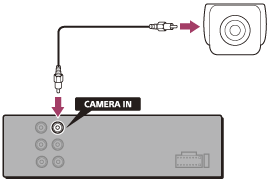
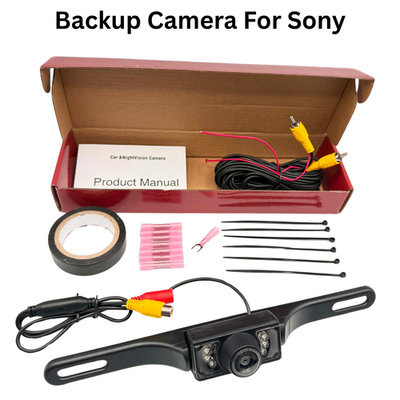
Backup camera problems are another frequent part of Sony XAV-AX7000 troubleshooting. The screen may stay black, not switch automatically, or show a weak or distorted image. This often points to camera power, reverse trigger wiring, or camera format mismatch.
The camera system depends on a few pieces working together. If one link fails, the image will not appear correctly. That is why camera issues can feel random even when the cause is very specific.
Check the following:
- Confirm the camera is receiving power.
- Verify the reverse trigger wire is connected properly.
- Make sure the camera video cable is fully seated.
- Test the camera feed in reverse with the vehicle in a safe location.
- Inspect the camera ground and video path.
If the image appears only sometimes, look for loose connectors or a weak ground. Heat, vibration, and movement can expose a bad connection that seems fine during a static test. I have seen that happen after a new install where the camera worked in the driveway but failed on the road.
Also check the head unit settings for rear camera input behavior. If the unit is not set to switch properly, the camera can be working while the display never changes over.

Sound Distortion, Noise, or Speaker Problems
If the audio sounds distorted, crackly, or noisy, the issue may be in the speakers, amplifier gain, wiring, or system settings. Sony XAV-AX7000 troubleshooting in this area often starts with the most basic audio checks before blaming the head unit.
Distortion is often a sign that one part of the system is being pushed too hard. Think of it like trying to pour too much water through a narrow straw. The signal is there, but the system cannot carry it cleanly.
Common causes include:
- Speaker wires touching each other
- Incorrect amplifier gain settings
- Damaged speakers
- EQ settings boosted too far
- A bad ground causing electrical noise
If you hear alternator whine or engine noise, inspect the ground first. Noise often shows up when the unit is grounded poorly or when signal wires run too close to power wires. Keeping those paths separated can make a big difference.
If distortion happens only at high volume, reduce the gain and test again. A loud system is not always a clean system. The goal is clear sound, not just maximum output.
Firmware Updates and Resetting the Unit
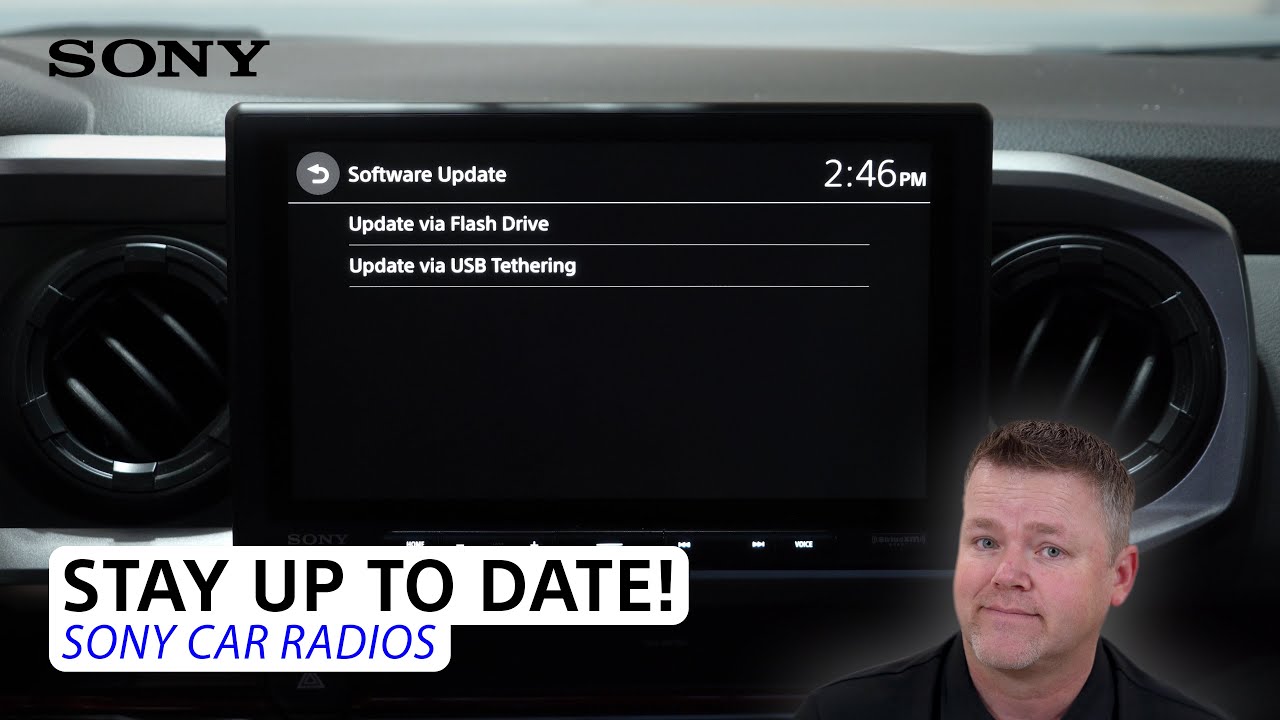
Sometimes Sony XAV-AX7000 troubleshooting needs a software fix. Firmware updates can improve stability, compatibility, and connection behavior. If the unit acts oddly after a phone change or after months of normal use, updating the firmware may help.
Before updating, confirm the current version and follow the proper update steps carefully. Do not interrupt power during the process. That is one of the few times where patience matters a lot, because a failed update can create bigger problems.
Good update habits include:
- Use a stable USB drive if required.
- Follow the update instructions exactly.
- Keep the ignition on during the full process.
- Avoid unplugging anything while updating.
- Reset the unit after the update if recommended.
A factory reset can also help when strange settings are causing trouble. I usually suggest writing down important settings first, because a reset will clear custom audio and connection preferences. That small step saves time later.
Preventing Future Sony XAV-AX7000 Problems
The best Sony XAV-AX7000 troubleshooting plan is the one you do before a failure starts. A clean install, good wiring, and proper cable care can prevent most common problems.
Here is what I recommend from experience:
- Use quality harness adapters and connectors.
- Keep power and signal cables separated where possible.
- Secure all wires so vibration cannot loosen them.
- Use certified USB cables for phone connections.
- Check firmware updates a few times a year.
- Save a copy of your preferred sound settings.
Small habits matter more than people think. A loose cable tucked behind the dash can act fine for months, then fail after a hot day or a long drive. That is why neat wiring is not just for looks. It helps reliability.
If you are installing the unit yourself, take your time with each step. It is better to spend an extra 20 minutes now than to tear the dash apart again later.
Frequently Asked Questions of Sony XAV-AX7000 Troubleshooting
Why won’t my Sony XAV-AX7000 turn on?
The most common reason is a wiring or fuse issue, not a bad unit. Check the yellow constant power wire, red ignition wire, ground connection, and related fuses first.
Why does my Sony XAV-AX7000 have sound but no picture?
This usually points to a screen, input, or system setting problem. If the unit is on and audio works, try a reset and check for loose display connections or incorrect source selection.
Why does CarPlay keep disconnecting on my Sony XAV-AX7000?
A faulty or charge-only USB cable is often the cause. Replacing the cable and reconnecting the phone usually fixes most disconnect problems.
Why is my backup camera not showing on the Sony XAV-AX7000?
The reverse trigger wire, camera power, or video connection may be loose or wired wrong. Also confirm the camera itself is working and the unit is set to switch to the rear camera input.
Can a firmware update fix Sony XAV-AX7000 issues?
Yes, firmware updates can fix bugs, improve phone compatibility, and make the system more stable. It is a good step when problems happen after updates, phone changes, or random glitches.
Why is my audio distorted at higher volume?
This often happens when speaker settings, EQ, or amplifier gain are too high. Lower the gain and check for damaged speakers or loose wiring before increasing volume again.
Conclusion
Sony XAV-AX7000 troubleshooting becomes much easier when you work through the system one piece at a time. Most problems come from wiring, cables, settings, or pairing issues, and those are often fixable without replacing the unit. Once you slow down, test carefully, and use a clean method, the solution usually shows itself.
If your Sony XAV-AX7000 is acting up, start with the basics and move outward from there. Check power, connections, firmware, and device compatibility before jumping to major repairs. If you found this guide helpful, keep it handy, try the steps on your unit, and share your experience or questions so others can learn from it too.






One Comment on “Sony Xav-Ax7000 Troubleshooting: Quick Fixes That Work”