Alpine CDE-175BT troubleshooting usually starts with power, wiring, Bluetooth, or reset issues.
If you’ve used the Alpine CDE-175BT for a while, you already know it is a solid car stereo with good sound and useful Bluetooth features. But like any head unit, it can act up now and then. This guide to Alpine CDE-175BT Troubleshooting will walk you through the most common problems, what usually causes them, and how to fix them without guesswork.

49% off Today's Exclusive Deals
Limited-time Exclusive Deals. Check current discount on Amazon.
Check Price on Amazon As an Amazon Associate I earn from qualifying purchases.Common Alpine CDE-175BT Troubleshooting Basics
Most Alpine CDE-175BT problems come down to a short list of causes: loose wiring, blown fuses, bad ground, phone pairing errors, or a simple setting that got changed by mistake. In my experience, the fastest fix is often the least dramatic one. A careful reset, a wiring check, and a fresh Bluetooth pair solve more issues than people expect.
Before you tear into the dash, start with the basics:
- Make sure the stereo is getting power
- Check the fuse on the head unit and the vehicle fuse box
- Confirm the yellow, red, and black wires are connected correctly
- Inspect the speaker wires for shorts or pinched spots
- Test the Bluetooth connection with another phone
I have seen many Alpine CDE-175BT Troubleshooting cases where the unit looked dead, but the real problem was a loose ground wire behind the dash. That tiny issue can act like a brick wall. Good troubleshooting is a lot like following footprints in fresh snow: the clues are small, but they lead you to the answer.
49% off Today's Exclusive Deals
Limited-time Exclusive Deals. Check current discount on Amazon.
Check Price on Amazon As an Amazon Associate I earn from qualifying purchases.
Alpine CDE-175BT Not Turning On
When the Alpine CDE-175BT will not power up, the issue is usually electrical. The stereo needs constant power, switched power, and a solid ground to boot correctly. If even one of those is missing, the screen may stay dark.
Start here:
- Check the fuse in the Alpine wiring harness
- Check the vehicle’s radio fuse
- Verify the yellow wire has constant 12V
- Verify the red wire gets 12V when the key is on
- Confirm the black ground wire is tight and on clean metal
If the unit still does not turn on, test the wiring with a multimeter instead of guessing. I learned this the hard way years ago when I replaced a stereo twice, only to find a corroded ground point was the real culprit. Alpine CDE-175BT Troubleshooting gets much easier when you stop assuming and start measuring.
49% off Today's Exclusive Deals
Limited-time Exclusive Deals. Check current discount on Amazon.
Check Price on Amazon As an Amazon Associate I earn from qualifying purchases.A few other things to watch for:
- A blown inline fuse near the stereo
- A poor crimp or loose butt connector
- Reversed wiring from an aftermarket harness
- A weak vehicle battery
Alpine CDE-175BT No Sound or Low Sound
If the stereo powers on but you hear nothing, the problem is often in the audio path rather than the head unit itself. This can mean speaker wiring issues, muted output, bad amp settings, or a failed external amplifier if your system uses one.
Check these items:
- Make sure the volume is not all the way down
- Confirm the unit is not muted
- Check fader and balance settings
- Inspect speaker wires for shorts
- Test each speaker one at a time if possible
If your Alpine CDE-175BT is connected to an amplifier, make sure the amp turns on. A bad remote turn-on wire can leave the amplifier asleep while the radio seems fine. I have seen people spend an hour on the head unit when the amp remote wire was the only problem.
Also, watch for:
- Speaker wires touching metal
- A factory amp that needs an adapter
- Incorrect speaker impedance
- A bad RCA connection if using external amplification
Alpine CDE-175BT Bluetooth Problems
Bluetooth is one of the most common Alpine CDE-175BT Troubleshooting topics because it depends on both the stereo and the phone. Pairing can fail, calls can drop, or audio can stutter for simple reasons like memory conflicts or outdated phone settings.
Try this sequence:
- Delete the Alpine unit from your phone’s Bluetooth list
- Delete the phone from the stereo’s paired device list
- Turn Bluetooth off and back on
- Restart the phone
- Pair again from scratch
If the phone connects but sound still cuts out, move the phone closer to the stereo and remove any other paired devices nearby. Bluetooth can get crowded, kind of like trying to talk in a busy coffee shop. I have found that clearing old pairings often fixes stubborn connection problems right away.
Other common causes include:
- An outdated phone operating system
- Interference from USB accessories
- A phone saving battery by limiting Bluetooth activity
- Too many saved devices in the stereo memory
Alpine CDE-175BT Display Not Working
A blank or dim display can be confusing because the stereo may still be on. Sometimes the screen brightness is turned down. Other times, the display itself has a power or hardware issue.
Check the following:
- Adjust the dimmer and display brightness settings
- Make sure the unit is not in night mode
- Inspect the faceplate connection
- Remove and reinstall the faceplate if your model setup allows it
- Perform a reset
If the display flickers or cuts in and out, look for a loose connection behind the dash. Heat and vibration can slowly loosen plugs over time. Alpine CDE-175BT Troubleshooting often reveals that the screen problem is not the screen at all, but a weak connection feeding it.
Alpine CDE-175BT Keeps Resetting
Random resets usually mean power is dropping for a split second. That tiny power loss can happen from a weak ground, bad wiring, or a failing vehicle electrical connection.
Look for these problems:
- Loose yellow or red wire connections
- Bad chassis ground
- Vehicle battery voltage that is too low
- Fuse contacts that are dirty or weak
- A damaged harness adapter
If the reset happens when you hit a bump, suspect a loose wire. If it happens when you crank the car, suspect voltage drop. If it happens at random, inspect the wiring harness carefully. One time, I traced a reset issue to a wire barely hanging on inside a connector. It looked fine from the outside, but a gentle tug showed the truth.
Alpine CDE-175BT CD Playback Issues
If the Alpine CDE-175BT will not read discs, skips, or ejects oddly, the disc mechanism may be dirty or the disc itself may be damaged. Even small scratches can cause playback trouble.
Try these steps:
- Test a different disc
- Clean the disc with a soft cloth
- Check for dirt or debris in the slot
- Avoid warped or cracked discs
- Reset the stereo if the mechanism seems stuck
If the unit refuses to eject, do not force it. A forced eject can make the problem worse. In many cases, a power reset or a gentle inspection is safer than poking around with a tool. This is one of those Alpine CDE-175BT Troubleshooting situations where patience saves money.
Alpine CDE-175BT USB or AUX Not Working
USB and AUX problems are often cable-related. A bad cable, dirty port, or unsupported device format can stop playback even when the stereo itself is fine.
Check these items:
- Try a different USB cable
- Use a different flash drive or phone
- Make sure the USB device is formatted properly
- Clean the USB or AUX port gently
- Test with another audio source
For USB playback, unsupported file types can also cause confusion. If your device is full of odd file names or mixed formats, the stereo may not read it cleanly. I usually recommend using a simple test drive with a few known-good MP3 files first. That saves a lot of time during Alpine CDE-175BT Troubleshooting.
Alpine CDE-175BT Sound Quality Problems
If the stereo works but the sound feels thin, harsh, or uneven, the issue may be tuning rather than hardware. Small changes in EQ, crossover, or bass settings can make a big difference.
Review these settings:
- Bass, mid, and treble levels
- Loudness setting
- High-pass and low-pass filters
- Balance and fader
- Source volume level
Also check the speakers themselves. A blown speaker can sound fuzzy, weak, or distorted. If one side sounds much worse than the other, swap channels if possible to isolate the issue. Good Alpine CDE-175BT Troubleshooting means separating a settings problem from a hardware problem.
When a Reset Helps Alpine CDE-175BT Troubleshooting
A reset is not a magic trick, but it does help when the stereo behaves strangely. It clears temporary glitches, removes pairing conflicts, and can restore normal operation after a small software hang.
Use a reset when:
- Bluetooth will not connect
- The display freezes
- The unit behaves oddly after a wiring change
- The sound settings seem stuck
- The screen or menus stop responding
Before resetting, save any custom settings if possible. After the reset, re-pair Bluetooth devices and recheck audio preferences. I have had cases where a reset fixed a weird menu freeze in seconds. Still, if the root issue is bad wiring, the reset will only hide the problem for a little while.
Best Troubleshooting Order for Alpine CDE-175BT
If you want the fastest path to a fix, follow a simple order. This keeps you from replacing parts you do not need and helps you spot the real cause sooner.
Use this order:
- Check power and ground
- Check fuses
- Check display and settings
- Test Bluetooth with a clean pairing
- Test sound output and speakers
- Inspect USB, AUX, and CD functions
- Reset the unit if needed
This order works because it starts with the most common failures and moves toward the more specific ones. That is how I approach most Alpine CDE-175BT Troubleshooting jobs in the field. It is faster, calmer, and usually cheaper.
Tips to Avoid Future Alpine CDE-175BT Problems
A little prevention goes a long way. Most repeated issues come from shaky installation work, weak electrical connections, or neglected settings.
Here are a few smart habits:
- Use quality wiring connectors
- Ground the unit to clean bare metal
- Keep firmware and phone software up to date when applicable
- Avoid cheap USB cables
- Do not overload the system with too many paired devices
- Secure the harness so it cannot rattle loose
If you install or service car audio often, label your wires and document your settings. That tiny bit of organization can save an hour later. Alpine CDE-175BT Troubleshooting gets much easier when the setup is neat from the start.
Frequently Asked Questions of Alpine CDE-175BT Troubleshooting
Why does my Alpine CDE-175BT turn on but have no sound?
This usually points to speaker wiring, mute settings, or an amplifier issue. Check balance, fader, and volume first, then inspect the speaker leads and amp remote wire.
Why won’t my phone connect to Bluetooth on the Alpine CDE-175BT?
Old pairings often cause Bluetooth problems. Delete the saved connection from both the phone and the stereo, then pair them again from scratch.
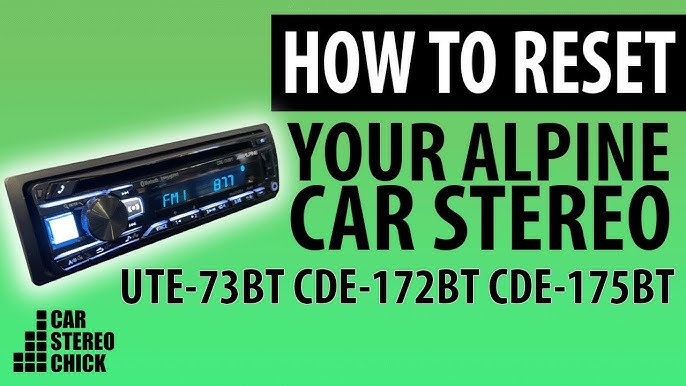
How do I reset the Alpine CDE-175BT?
A reset is typically done with the unit’s reset button or by following the reset steps in the manual. After resetting, you may need to set your audio and Bluetooth preferences again.
Why does my Alpine CDE-175BT keep losing power?
This is usually caused by a loose wire, bad ground, or blown fuse. A weak vehicle battery can also cause brief power drops that make the unit shut off.
What should I check first if my Alpine CDE-175BT won’t turn on?
Start with the fuses, then check the yellow, red, and black wires. If power and ground are correct, the issue may be inside the unit or in the harness connection.
Can a bad USB cable cause Alpine CDE-175BT problems?
Yes, a faulty USB cable can stop charging, data transfer, or music playback. Try a known-good cable and a different device to rule out the cable quickly.
Conclusion
Alpine CDE-175BT Troubleshooting becomes much simpler when you work step by step and stay focused on the basics. Power, ground, fuses, Bluetooth pairing, and clean wiring solve most problems before they turn into bigger headaches.
The key is to test one thing at a time and avoid random parts swapping. If you take a calm, methodical approach, you will usually find the cause faster and with less stress. Try the steps above, make note of what changes, and you will be in a much better spot to fix the issue or explain it clearly to a technician. If this guide helped, keep it handy, explore more car audio tips, and share your own Alpine CDE-175BT Troubleshooting experience in the comments.





