Alpine CDE-172BT troubleshooting usually starts with power, wiring, Bluetooth, or settings issues.
If your Alpine CDE-172BT is acting up, you are not alone. I have seen this model come back to life many times with a few careful checks, and most problems are easier to fix than people expect. In this guide, I’ll walk you through Alpine CDE-172BT troubleshooting in a clear, practical way so you can save time, avoid guesswork, and get your stereo working again.

49% off Today's Exclusive Deals
Limited-time Exclusive Deals. Check current discount on Amazon.
Check Price on Amazon As an Amazon Associate I earn from qualifying purchases.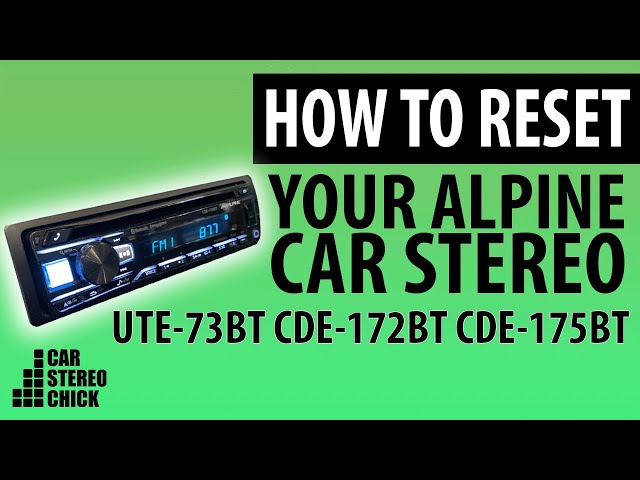
Common signs your Alpine CDE-172BT needs troubleshooting
The Alpine CDE-172BT is a solid head unit, but like any car stereo, it can run into a few classic issues. The good news is that most of them point to a small set of causes.
Here are the most common signs:
49% off Today's Exclusive Deals
Limited-time Exclusive Deals. Check current discount on Amazon.
Check Price on Amazon As an Amazon Associate I earn from qualifying purchases.- No power at all
- Stereo turns on and off by itself
- Bluetooth will not pair
- Phone connects but audio does not play
- Weak sound or no sound from speakers
- Radio stations are fuzzy or missing
- Display looks dim, frozen, or blank
- USB or auxiliary input stops working
In my experience, people often assume the unit is broken when the issue is really a loose wire, bad ground, or simple setting problem. Think of it like a lamp that will not turn on. You do not replace the lamp first. You check the plug, the switch, and the bulb.

Start with the basics before you assume the unit is bad
Before diving into advanced Alpine CDE-172BT troubleshooting, start with the simple checks. These steps solve a surprising number of problems.
- Confirm the ignition is in the correct accessory or on position
- Check the stereo fuse and the car fuse box
- Make sure the faceplate is seated properly
- Inspect the wiring harness for loose connections
- Verify the ground wire is firmly attached to bare metal
- Test whether the issue happens with the car running and off
A weak or unstable power supply is one of the most common causes of Alpine CDE-172BT issues. If the unit loses memory, resets, or shuts off when you hit a bump, that often points to a power or ground problem, not a dead radio.
49% off Today's Exclusive Deals
Limited-time Exclusive Deals. Check current discount on Amazon.
Check Price on Amazon As an Amazon Associate I earn from qualifying purchases.I once saw a CDE-172BT that seemed completely dead, but the real issue was a poor ground under the dash. Once that connection was cleaned and tightened, the stereo worked like nothing had ever happened.
Alpine CDE-172BT troubleshooting for no power
If your Alpine CDE-172BT will not turn on, start here. No power usually means the unit is not getting the voltage it needs, or one of the protection points is interrupting the circuit.
Check the fuse first
Look at the fuse on the unit and the fuse in the car. If either one is blown, replace it with the same rating. Never use a larger fuse, since that can create a safety risk.
Inspect the wiring connections
Make sure these wires are secure:
- Yellow wire for constant power
- Red wire for switched power
- Black wire for ground
If the yellow wire is disconnected, the unit may lose memory. If the red wire is missing power, the stereo may not turn on with the key.
Test the ground
A weak ground is a classic cause of Alpine CDE-172BT troubleshooting headaches. The ground should connect to clean, bare metal on the vehicle chassis. Paint, rust, or loose screws can break the circuit.
Look for protection mode behavior
If the unit briefly powers up and then shuts down, there may be a short in the speaker wiring or a problem inside the installation. Disconnecting speakers one by one can help isolate the issue.
Alpine CDE-172BT troubleshooting for Bluetooth problems
Bluetooth is one of the most useful features on the Alpine CDE-172BT, but it can be picky if the pairings get messy.
Delete old pairings
If the stereo has too many saved devices, pairing may fail. Clear the Bluetooth memory on both the stereo and your phone, then try again.
Make sure Bluetooth is visible
On your phone, turn Bluetooth on and keep the screen open during pairing. Some phones hide nearby devices if the search window closes too fast.
Reboot both devices
A simple restart often helps. Turn off the car, shut down your phone, wait a minute, then try again. This clears small connection glitches.
Check for interference
Other paired phones, tablets, or nearby wireless devices can confuse the connection. I have found that moving one step away from the car and retrying can sometimes help with stubborn pairing issues.
Update your phone
A phone update can break or improve Bluetooth behavior. If the Alpine CDE-172BT worked before and suddenly stopped, the phone may be the real cause.
Alpine CDE-172BT troubleshooting for sound issues
If the unit powers on but the sound is weak, distorted, or missing, the problem may be in the speaker wiring, settings, or the car speakers themselves.
Check the fader and balance settings
It sounds simple, but this gets missed a lot. If the fader is pushed fully to the front or rear, or balance is set all the way left or right, it can seem like a speaker is dead.
Inspect speaker wiring
Loose or shorted speaker wires can trigger sound problems. Make sure the wires are not pinched behind the dash or touching metal.
Test each speaker
Listen to each speaker one at a time by adjusting balance and fader. This helps you find whether one channel is weak or if the whole system is affected.
Check EQ and loudness settings
Too much bass boost or extreme EQ can cause distortion. Reset the sound settings if the audio suddenly sounds muddy or harsh.
Look for damaged speakers
If one speaker crackles, buzzes, or cuts out at higher volume, the speaker itself may be worn out. This is common in older vehicles exposed to heat and moisture.
Alpine CDE-172BT troubleshooting for radio reception issues
Poor FM or AM reception can make a good stereo feel broken, but the root cause is often outside the head unit.
Check the antenna connection
Make sure the antenna plug is fully seated in the back of the Alpine CDE-172BT. A loose antenna cable can dramatically reduce reception.
Inspect the antenna mast
If your vehicle uses a powered or retractable antenna, confirm that it is extending properly. A broken mast or motor can weaken the signal.
Look at antenna adapter compatibility
Some vehicles need an adapter for the factory antenna lead. If the wrong adapter is used, reception may be weak or noisy.
Consider local signal strength
Not every reception issue is the stereo’s fault. Buildings, mountains, and distance from broadcast towers can affect radio performance.
Alpine CDE-172BT troubleshooting for USB and aux input issues
When USB or auxiliary input stops working, the problem may be as simple as the cable or as tricky as a dirty port.
Try a different cable
USB cables wear out fast. If the unit does not read your phone or flash drive, test another cable first.
Check the file format
For USB playback, some files or devices may not be supported. A simple test with a known-good USB drive can rule this out.
Clean the port
Dust or lint in the USB or aux port can block contact. Use gentle cleaning methods only, and avoid anything sharp that could damage the pins.
Verify the source selection
Make sure the stereo is actually set to USB or auxiliary mode. I have seen people chase a “broken” input that was just on the wrong source.
When the display is blank, dim, or frozen
Display problems often feel worse than they are. The Alpine CDE-172BT may have a setting issue, power issue, or internal fault.
Check the dimmer settings
The display may be set to dim with headlights on. That can make it look like the screen is failing when it is really just using the brightness control.
Reset the unit
A soft reset can clear temporary glitches. If the screen is frozen, this is one of the fastest fixes to try.
Inspect voltage stability
If voltage drops while starting the car or using accessories, the display may flicker or freeze. Weak batteries and poor grounds can create this kind of behavior.
Watch for heat
Extreme cabin heat can affect electronics. If the issue happens mostly after the car sits in the sun, temperature may be part of the problem.
How to reset the Alpine CDE-172BT safely
A reset can solve minor software or memory problems, but it should be done carefully.
Use a reset when:
- The unit freezes
- Bluetooth acts strangely
- Settings seem corrupted
- The stereo behaves unpredictably after a power loss
Before resetting:
- Write down your sound settings if you want to restore them later
- Disconnect and reconnect power only if needed and done safely
- Follow the unit’s manual for the proper reset method
A reset will not fix damaged wiring, blown speakers, or a bad antenna. It is a helpful step, but not a magic cure.
Step-by-step Alpine CDE-172BT troubleshooting checklist
If you want a simple order of operations, use this checklist.
- Check power and fuse
- Confirm ground connection
- Inspect all wiring harness plugs
- Test Bluetooth pairing again
- Try another phone
- Test speaker balance and fader
- Check antenna connection
- Test USB or aux with a different cable
- Reset the unit
- If needed, inspect for shorted speaker wires
This order saves time because it moves from the most common problems to the more complex ones. In the shop, that approach usually finds the issue faster than random trial and error.
Mistakes to avoid during Alpine CDE-172BT troubleshooting
Some fixes make things worse if you rush.
- Do not keep replacing fuses without finding the cause
- Do not use oversized fuses
- Do not twist wires together without proper connection methods
- Do not ignore the ground wire
- Do not assume Bluetooth problems always mean the stereo is faulty
- Do not force cables into ports if they do not fit cleanly
A careful install is often the best repair. Most car audio problems are not dramatic. They are small connection issues that snowball into big frustration.
When to repair, replace, or get professional help
If the Alpine CDE-172BT still fails after basic troubleshooting, the issue may be deeper. Internal circuit damage, failed ports, or water exposure can be harder to fix at home.
You may want professional help if:
- The unit has power but no output on any channel
- The stereo shuts down after every reset
- You find burned wires or melted connectors
- The display stays dead after fuse and power checks
- The unit was exposed to water or severe heat
For older head units, repair cost matters too. Sometimes a professional diagnosis is worth it if you want to preserve the original system and avoid guessing.
Frequently Asked Questions of Alpine CDE-172BT Troubleshooting
Why does my Alpine CDE-172BT turn on and then shut off?
This usually points to a wiring issue, shorted speaker wire, or weak power supply. Check the ground, fuse, and speaker connections first.
Why won’t my phone pair with the Alpine CDE-172BT?
Old saved pairings, phone Bluetooth glitches, or a busy device list can block pairing. Delete the old connection on both devices and try again with a fresh setup.
Why is there no sound even though the stereo turns on?
The issue may be in the speaker wiring, balance and fader settings, or the speakers themselves. Also check whether the unit is muted or set to the wrong source.
Why does my Alpine CDE-172BT lose settings when I turn off the car?
That usually means the constant power wire is not getting steady voltage. The yellow wire or fuse connection may be loose or miswired.
Can a bad antenna cause my Alpine CDE-172BT to stop working?
A bad antenna will not stop the unit from powering on, but it can cause weak or poor radio reception. If Bluetooth and USB work fine, the antenna is likely the issue.
Conclusion
Alpine CDE-172BT troubleshooting becomes much easier when you work through the basics in a calm, step-by-step way. Most problems come down to power, ground, wiring, Bluetooth memory, or simple settings rather than a failed stereo.
If you check the common causes first, you can solve many issues without replacing parts you do not need. Use the checklist, stay patient, and test one change at a time so you know what actually fixed the problem. If this guide helped, keep exploring more car audio tips and share your own troubleshooting win in the comments.





