Most JVC KW-V850BT problems come from wiring, settings, Bluetooth pairing, or firmware glitches.
If you are dealing with JVC KW-V850BT Troubleshooting, you are in the right place. This unit is a solid double-DIN receiver, but like any car stereo, it can act up when a cable is loose, a setting is wrong, or the firmware needs a reset. I’ve worked through enough head unit issues over the years to know that the fix is often simpler than it first looks, and this guide will walk you through the most common problems step by step.

49% off Today's Exclusive Deals
Limited-time Exclusive Deals. Check current discount on Amazon.
Check Price on Amazon As an Amazon Associate I earn from qualifying purchases.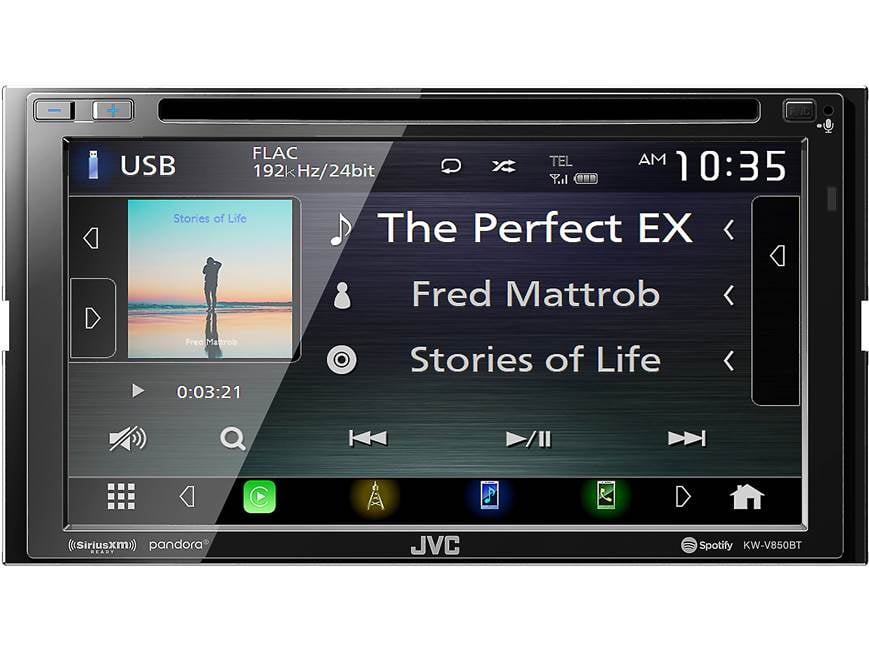
Common JVC KW-V850BT Problems and What They Usually Mean
The JVC KW-V850BT Troubleshooting process starts with identifying the symptom. Most issues fall into a few predictable groups, and each one points to a different cause. That is good news, because it saves time and keeps you from replacing parts you do not need.
Here are the most common complaints:
49% off Today's Exclusive Deals
Limited-time Exclusive Deals. Check current discount on Amazon.
Check Price on Amazon As an Amazon Associate I earn from qualifying purchases.• No power at all: Usually a fuse, ground, or constant power issue
• Unit turns on and off: Often a weak ground, loose harness, or vehicle voltage problem
• No sound: May be speaker wiring, mute settings, or amp control issues
• Bluetooth will not connect: Usually pairing, memory, or phone compatibility problems
• Screen is frozen or blank: Often a software glitch or display setting issue
• CarPlay or Android Auto fails: Commonly caused by cable, phone, or USB port issues
In my experience, people often assume the stereo is bad when the real issue is in the harness, the fuse, or a setting that got changed by accident. The JVC KW-V850BT is reliable, but it still depends on clean power, good wiring, and correct setup.
Start with the Basics Before You Dig Deeper
Before you get into advanced JVC KW-V850BT Troubleshooting, check the simple stuff first. I have seen many “dead” radios come back to life because of one loose connector or one blown fuse. That is why a calm, step-by-step check is always the smartest move.
Use this quick checklist:
49% off Today's Exclusive Deals
Limited-time Exclusive Deals. Check current discount on Amazon.
Check Price on Amazon As an Amazon Associate I earn from qualifying purchases.• Confirm the vehicle ignition is in the correct position
• Check the radio fuse and vehicle fuse box
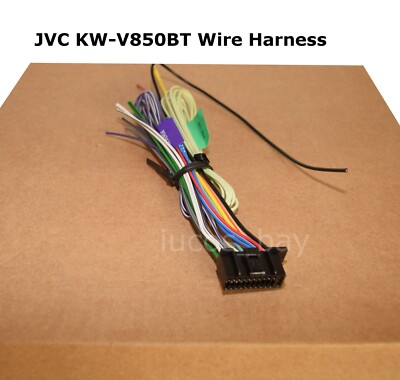
• Inspect the wiring harness for loose or damaged pins
• Make sure the ground wire is firmly attached to bare metal
• Confirm the yellow constant power wire and red accessory wire are connected correctly
• Check if the unit is in demo mode, mute mode, or display-off mode
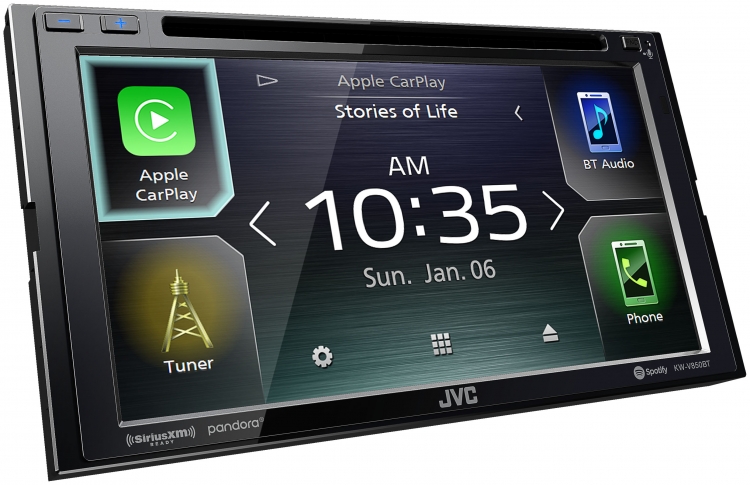
If you recently installed the unit, recheck every connector. A slightly loose power plug can cause random resets, and a poor ground can make the screen flicker or the system reboot. That kind of issue feels mysterious, but it is often just a weak electrical path.
How to Fix a JVC KW-V850BT That Will Not Turn On
A no-power problem is one of the most common JVC KW-V850BT Troubleshooting complaints. The good news is that it usually comes down to power, fuse, or ground. The bad news is that you have to test each one carefully.
Try this order:
-
Check the fuse behind the unit
Remove the stereo and inspect the inline or rear fuse. A broken fuse link means the circuit is open. -
Test the vehicle accessory power wire
The red wire should only get power when the ignition is on. If it does not, the unit will stay off. -
Confirm the yellow constant power wire
This wire keeps memory settings alive. If it has no voltage, the unit may not boot correctly. -
Inspect the ground connection
A weak ground can make the unit behave like it has no power at all. Attach it to clean, bare metal. -
Look for pinched or damaged wiring
A crushed wire behind the dash can break power delivery or cause a short.
A mistake I have seen more than once is using a weak ground point, like painted metal or a loose bracket. That may work for a day, then fail when the car vibrates. If the unit powers on only sometimes, assume the ground or accessory feed is unstable first.
Fixing Random Resets, Freeze-Ups, and Black Screens
If your display freezes, goes black, or keeps rebooting, the issue may be electrical or software-related. This is one of those problems that can feel like the whole unit is failing, but it is often a voltage drop or a bad connection. The JVC KW-V850BT Troubleshooting process here should focus on stability.
Common causes include:
• Low voltage during engine start
• Loose harness connections
• Poor ground wire contact
• Faulty USB accessory or phone cable
• Corrupted settings or temporary software glitch
• Remove and reconnect the harness plugs
• Disconnect all USB devices and test the unit alone
• Reset the receiver to factory settings
• Turn off any unused accessories connected to the stereo
• Test the unit with the engine on and off to spot voltage drops
A lot of car audio issues appear only during crank because the battery voltage dips hard for a second. If the receiver is wired poorly, that dip can trigger a reboot. I usually advise people to test with the engine running and compare that with accessory mode, because the difference often tells the whole story.
Solving Bluetooth Pairing and Connection Problems
Bluetooth is one of the most searched topics in JVC KW-V850BT Troubleshooting, and for good reason. It is convenient when it works, but it can get messy if the phone remembers old pairings or the stereo’s memory is full. The fix is often a clean reset of the pairing process.
Try these steps:
- Delete the JVC unit from your phone’s Bluetooth list
- Delete your phone from the receiver’s paired device list
- Turn Bluetooth off and back on on your phone
- Reboot the phone
- Put the receiver into pairing mode again
- Re-pair from scratch
Also check these details:
• Make sure the phone software is up to date
• Make sure the receiver firmware is current
• Stay within normal Bluetooth range during pairing
• Avoid pairing while other nearby devices are trying to connect
• Turn off VPN or odd battery saver modes if your phone acts unstable
One lesson I learned the hard way: if pairing keeps failing, do not keep tapping retry over and over. Clear both sides and start fresh. It is like trying to open a jammed door with the wrong key again and again. The right approach is to reset the lock first.
No Sound, Low Sound, or One Side Not Playing
When the screen works but the audio does not, the problem is often in the speaker wiring, amp setup, or mute settings. The JVC KW-V850BT Troubleshooting steps here should separate head unit issues from amplifier or speaker issues. That saves a lot of guesswork.
Check the following:
• Confirm the volume is not muted
• Make sure fader and balance are centered
• Verify the speaker wires are connected correctly
• Check for a blown amplifier fuse if you use an external amp
• Make sure the amp remote wire is connected
• Inspect for shorted speaker wires touching metal
If only one side is silent, test the speaker wire pair for that channel. If all channels are silent, the issue may be mute mode, a protection mode, or an amp power problem. On installs with aftermarket amplifiers, the remote turn-on lead is a frequent culprit. If that wire is not sending a signal, the amp stays asleep.
How to Fix CarPlay or Android Auto Problems
Many owners run into smartphone integration issues and immediately blame the receiver. In reality, the phone, the cable, and the USB port often matter just as much. For JVC KW-V850BT Troubleshooting, this is one of the most practical areas to check carefully.
Try this process:
• Use a high-quality data cable, not a charge-only cable
• Try a different USB cable
• Clean the phone’s charging port
• Remove old CarPlay or Android Auto profiles
• Restart the phone and the receiver
• Check whether the phone’s operating system supports the latest app version
A weak or damaged cable can charge the phone but still fail at data transfer. That is a sneaky problem because the phone appears to connect, but CarPlay does not launch. I always tell people to test with a short, known-good cable first before blaming the unit.
When the Touch Screen Does Not Respond Properly
If the screen is sluggish, inaccurate, or not responding, you may be dealing with a software issue or a display calibration problem. Sometimes grease, heat, or a protective film can also affect touch response. This part of JVC KW-V850BT Troubleshooting is usually straightforward once you isolate the cause.
Try these fixes:
• Wipe the screen with a clean microfiber cloth
• Remove any screen protector that may interfere
• Restart the unit
• Reset the system settings
• Check whether the vehicle cabin is extremely hot or cold
Extreme temperatures can make touch response less reliable for a while. If the issue improves after the cabin cools down or warms up, that is a good clue. If the display still behaves badly after a reset, the touchscreen panel may need service.
Factory Reset, Firmware, and Safe Recovery Steps
A reset is often the smartest move when normal JVC KW-V850BT Troubleshooting does not solve the issue. The unit may be stuck in a weird state after a failed pairing, bad setting change, or temporary software fault. A full reset can clear that up.
Before resetting:
• Write down your sound settings
• Save radio presets if possible
• Unpair your phone first if you can still access menus
• Remove USB devices and memory cards
After resetting:
• Test basic power and sound first
• Reconnect Bluetooth one device at a time
• Recheck clock, display, and audio settings
• Update firmware if available and recommended by the manufacturer
Firmware updates can help with stability, compatibility, and bug fixes. I always recommend using only the correct file and following the update steps carefully. A failed update can create a much bigger problem than the one you started with.
Preventing Future Problems with the JVC KW-V850BT
Good troubleshooting is not just about fixing problems. It is also about keeping them from coming back. With the JVC KW-V850BT, many issues can be prevented by using solid installation habits and simple maintenance.
Best practices include:
• Use proper crimping or soldering on all connections
• Protect wiring with tape, loom, or heat shrink
• Keep the ground short and secure
• Use quality USB and charging cables
• Avoid overloading the electrical system with poor accessories
• Update firmware only when needed and only with the correct file
Think of the stereo like a small house with three main needs: power, signal, and stability. If one of those is weak, the whole system shakes. A careful install now saves you from chasing ghost problems later.
Frequently Asked Questions of JVC KW-V850BT Troubleshooting
Why does my JVC KW-V850BT keep restarting?
This usually points to unstable power, a weak ground, or a loose harness connection. It can also happen if the vehicle voltage drops too low during startup.
Why is my Bluetooth connected but there is no audio?
The phone may be connected for calls but not for media audio. Check the Bluetooth profile settings on both the phone and the receiver, then reconnect from scratch if needed.
Why does my JVC KW-V850BT screen stay black but the buttons light up?
That often means the unit has power but the display signal or screen setting is wrong. Try a reset, check brightness settings, and inspect the display wiring if the unit was recently installed.
Can a bad USB cable cause CarPlay problems?
Yes, a bad cable is one of the most common causes. Some cables charge the phone but cannot transfer data well enough for CarPlay or Android Auto.
Should I reset the unit before taking it in for service?
Yes, a factory reset is a smart first step because it clears many software-related issues. If the problem remains after that, the issue is more likely wiring, hardware, or a phone compatibility problem.
Conclusion
JVC KW-V850BT Troubleshooting is much easier when you work from the basics outward. Start with power, ground, and wiring, then move to Bluetooth, USB, sound, and display issues. In many cases, the fix is not a failed unit at all, but a small connection problem or setting that needs attention.
If you take your time and test one thing at a time, you will save money and avoid a lot of frustration. Try the steps in this guide, note what changes, and keep your install clean and stable. If this helped, leave a comment, share your experience, or explore more car audio guides to keep your system running smoothly.





