Boss Audio BVCP9685A problems usually come from wiring, settings, Bluetooth, or a weak power source.
If you’re dealing with Boss Audio BVCP9685A troubleshooting, the good news is that most issues are fixable without replacing the unit. I’ve seen this kind of head unit act up for simple reasons like a loose ground wire, a bad fuse, or a phone setting that blocks Bluetooth. In this guide, I’ll walk you through the most common BVCP9685A problems, how to diagnose them step by step, and the practical fixes that save time, money, and a lot of frustration.

49% off Today's Exclusive Deals
Limited-time Exclusive Deals. Check current discount on Amazon.
Check Price on Amazon As an Amazon Associate I earn from qualifying purchases.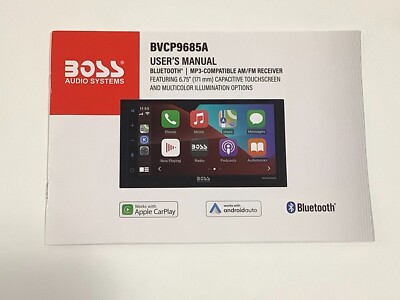
What the Boss Audio BVCP9685A Is and Why It Can Act Up
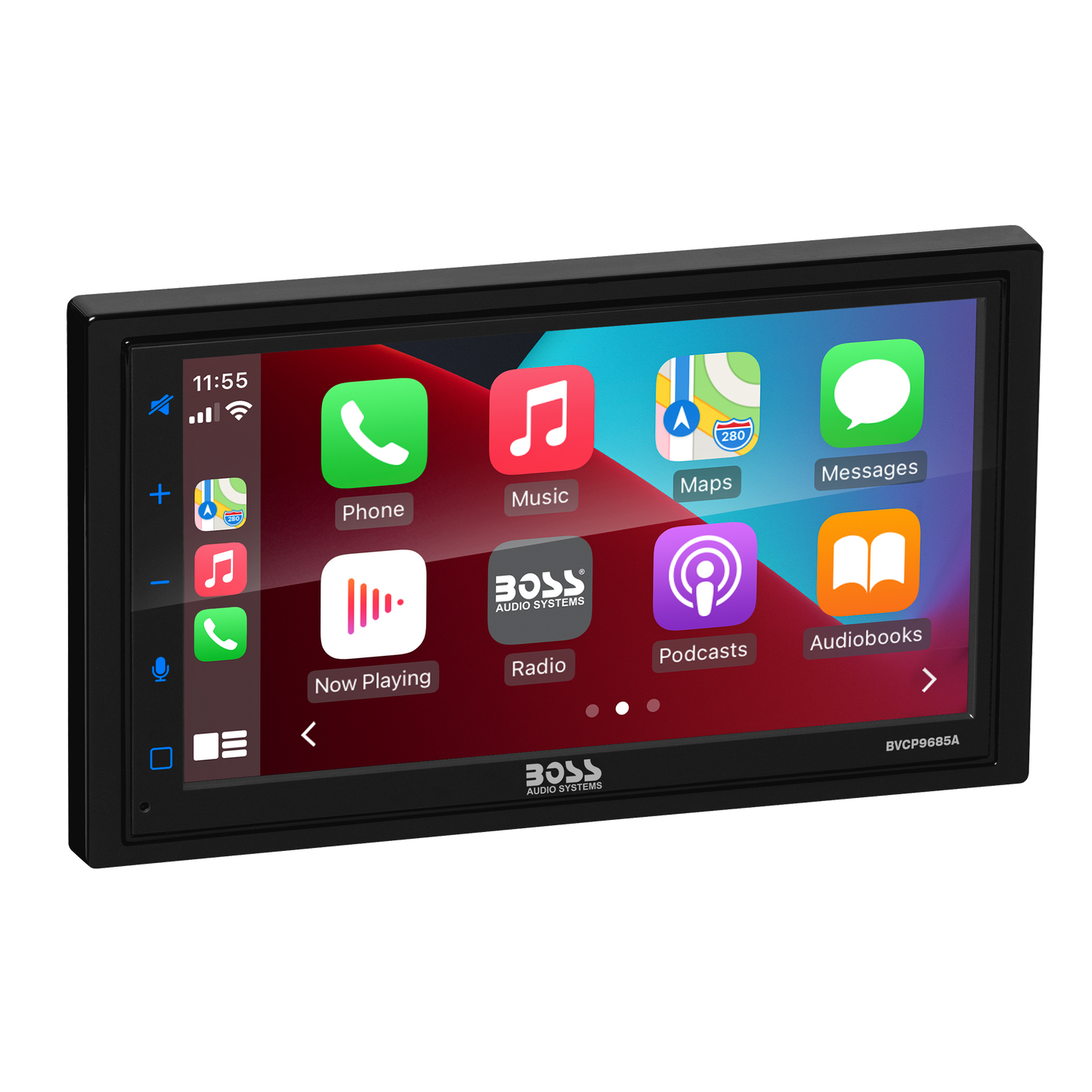
The Boss Audio BVCP9685A is a double-DIN multimedia receiver built for Apple CarPlay and Android Auto use. It is popular because it gives you a modern screen, app access, music control, and hands-free calling at a lower price point than many factory-style systems.
Like most aftermarket head units, it depends on clean wiring, stable voltage, and proper phone pairing. When any of those pieces slip, the unit can freeze, reboot, lose sound, or stop connecting. That is why Boss Audio BVCP9685A troubleshooting often starts with power and connection checks before anything else.
49% off Today's Exclusive Deals
Limited-time Exclusive Deals. Check current discount on Amazon.
Check Price on Amazon As an Amazon Associate I earn from qualifying purchases.In my experience, people often assume the screen itself is bad when the real issue is much simpler. A loose RCA cable, a weak vehicle battery, or an incorrect parking brake wire setup can mimic a serious failure.

Common Boss Audio BVCP9685A Problems
The Boss Audio BVCP9685A can show a small set of repeat problems. Once you know the pattern, it becomes much easier to narrow down the cause.
Common issues include:
49% off Today's Exclusive Deals
Limited-time Exclusive Deals. Check current discount on Amazon.
Check Price on Amazon As an Amazon Associate I earn from qualifying purchases.• The unit will not power on
• The screen turns on, then shuts off
• No sound from speakers
• Bluetooth will not connect
• CarPlay or Android Auto will not launch
• Touchscreen response feels delayed or inaccurate
• The radio keeps resetting
• Camera view does not appear when reversing
These issues usually fall into one of four buckets: power, wiring, phone connection, or software behavior. That simple framework helps you troubleshoot in a calm, logical way instead of guessing.
First Checks Before Deep Troubleshooting
Before you open panels or swap parts, start with the easy checks. This saves time and avoids making a small issue worse.
Use this quick process:
- Turn the ignition on and confirm the car battery is healthy
- Check the head unit fuse and vehicle fuse linked to the radio circuit
- Confirm the black ground wire is firmly attached to clean metal
- Make sure the red accessory wire gets power only when the key is on
- Inspect the yellow constant power wire for steady 12V power
- Reseat the main harness connector and any RCA plugs
- Reboot the phone and the head unit if possible
I’ve made the mistake of chasing a “bad radio” for too long when the actual problem was a loose ground under the dash. That kind of miss happens all the time, especially after a fresh install.
Boss Audio BVCP9685A Troubleshooting for Power Problems
Power problems are the most common reason the BVCP9685A acts strange. If the unit has no power, random restarts, or a black screen, start here.
The unit will not turn on
If the display stays dark, check these items first:
• The fuse on the radio harness
• The vehicle’s radio fuse in the fuse box
• The yellow constant power wire
• The red accessory wire
• The black ground wire
A head unit needs a clean 12V supply and a solid ground. If the ground point is painted, rusty, or loose, the unit may act dead even when the fuse is fine.
The unit turns on and off repeatedly
This usually points to weak voltage or a bad connection. It can also happen if the vehicle battery is low, especially after long periods of sitting.
Try this:
• Start the engine and test again
• Check battery voltage if you have a multimeter
• Tighten the ground connection
• Look for pinched wiring behind the dash
When I troubleshoot Boss Audio BVCP9685A units, random rebooting almost always leads back to power instability. The fix is often boring, but that is usually a good thing.
The screen turns on but goes black
If the backlight comes on and then the screen goes black, the display may be entering a fault state. It can also happen because of an internal software hiccup or a wiring issue with illumination or accessory power.
Try a full reset first. If that does not help, verify that the accessory and constant wires are wired correctly and not swapped.
Boss Audio BVCP9685A Troubleshooting for Sound Problems
No sound is one of the most frustrating issues because the unit looks like it is working. The screen lights up, music appears to play, but nothing comes through the speakers.
No sound from any speaker
Start with the obvious checks:
• Make sure the volume is not muted
• Confirm fader and balance settings are centered
• Check whether the external amplifier, if installed, has power
• Inspect speaker wiring for shorts or disconnects
• Confirm the head unit’s speaker outputs are connected correctly
If the vehicle uses a factory amplifier, you may also need an interface or amp turn-on lead. Without that signal, the system may never wake up the amp, which makes it seem like the radio has failed.
Sound cuts in and out
Intermittent sound often means a loose speaker wire, damaged harness, or poor RCA connection. It can also happen if the amplifier is overheating or entering protect mode.
Look for:
• Loose pins in the harness
• Crushed wires behind the dash
• RCA cables not fully seated
• Factory amp issues
• Speaker impedance problems
A quick test is to gently wiggle the harness while audio plays. If sound drops in and out, you likely found a connection issue.
Distorted or weak sound
If audio sounds thin, fuzzy, or too quiet, the issue may be gain staging, EQ settings, or speaker damage. In some cases, the head unit is set to a source with low output or the external amp is poorly tuned.
Adjust one thing at a time:
• Reset EQ to flat
• Lower bass boost
• Check speaker polarity
• Test another source like radio or USB
• Compare front and rear channels
Boss Audio BVCP9685A Bluetooth and Phone Connection Troubleshooting
Bluetooth and smartphone integration are a big part of why people buy this unit. So when CarPlay, Android Auto, or basic Bluetooth fails, it feels like the whole system is broken.
Bluetooth will not pair
If your phone cannot find the unit or pairing keeps failing, try these steps:
• Delete the Boss unit from your phone’s saved devices
• Delete the phone from the head unit’s Bluetooth memory
• Turn Bluetooth off and back on
• Restart both devices
• Keep the phone close to the screen during pairing
Also check whether another device is already connected. Many head units can behave oddly when too many saved connections pile up.
CarPlay or Android Auto will not launch
For wired smartphone integration, the cable matters more than people think. A charge-only cable may power the phone but not support data, which breaks CarPlay or Android Auto.
Check the following:
• Use a high-quality data-capable USB cable
• Plug into the correct USB input
• Unlock the phone before connecting
• Confirm CarPlay or Android Auto is enabled in phone settings
• Check whether app permissions are blocked
If the connection still fails, try a different phone. That helps you separate a phone issue from a head unit issue.
Connection drops during use
A connection that keeps cutting out often comes from cable strain, a weak USB port, or a phone case interfering with the plug. It can also happen if the cable is too long or poor quality.
Try this:
• Replace the USB cable
• Remove the phone case
• Avoid sharp bends near the connector
• Test the same phone in another car
• Test another phone in the Boss unit
In real-world installs, I have seen more “bad radio” complaints caused by cheap cables than by the receiver itself. It is a small detail, but it matters a lot.
Boss Audio BVCP9685A Screen and Touch Issues
A screen problem does not always mean the display is broken. Sometimes the issue is calibration, cold weather, or a brief software glitch.
Touchscreen is unresponsive
If touch input lags or does nothing, try a reset first. Then clean the screen with a soft microfiber cloth, since dust and residue can affect sensitivity.
Other checks:
• Power-cycle the unit
• Remove any screen protector
• Check for firmware updates if available
• Make sure the unit is not frozen on a hidden menu
Screen is dim or hard to read
Brightness issues can come from the illumination wire, display settings, or daytime lighting conditions. If the screen looks washed out, check the brightness menu and any night mode settings.
Also confirm the dimmer wire is not tied into the wrong circuit. A miswire there can make the screen stay in night mode all the time.
Display shows strange lines or glitches
Random lines, flickers, or pixel issues can point to a display fault, a loose ribbon connection, or electrical interference from poor grounding. If the problem happens only when the engine is running, alternator noise or voltage instability may be involved.
Camera, Radio, and Steering Wheel Control Problems
The BVCP9685A is often installed with backup cameras and steering wheel control interfaces. These features are helpful, but they depend on correct wiring and setup.
Backup camera does not appear
If the camera screen stays black when you shift into reverse, check:
• Reverse trigger wire connection
• Camera power source
• Video input cable
• Camera ground
• Vehicle reverse light signal
If the camera shows video manually but not when reversing, the reverse trigger wire is the likely suspect.
Radio reception is weak
Poor AM/FM reception may come from a missing antenna adapter, loose antenna plug, or a faulty vehicle antenna amplifier. This is especially common in newer vehicles with powered antennas or factory antenna modules.
Make sure the antenna adapter matches the vehicle and that the antenna lead is fully seated.
Steering wheel controls do not work
Steering wheel controls usually need a compatible interface module and correct programming. If they stop responding, the module may have lost power or need to be reprogrammed.
Check:
• Power and ground to the interface
• Correct wire mapping
• Vehicle compatibility
• Module programming steps
Resetting the Boss Audio BVCP9685A
A reset can solve simple software problems and is worth trying early in the process. Think of it like restarting a phone that froze mid-task.
Use the reset function if available:
- Turn the vehicle off
- Press the reset button or follow the unit’s reset method
- Wait a few seconds
- Power the unit back on
- Reconnect the phone and test again
If the system still acts up after a reset, move back to power, wiring, and source checks. A reset helps with temporary glitches, but it will not fix a loose connection or a bad ground.
Step-by-Step Boss Audio BVCP9685A Troubleshooting Workflow
When I troubleshoot a Boss Audio BVCP9685A, I follow the same order each time. That keeps things simple and prevents wasted effort.
1. Confirm power
Check that the yellow constant wire and red accessory wire both have proper voltage. Confirm the black ground wire is secure and attached to bare metal.
2. Test the fuse
Inspect the in-line fuse and the vehicle fuse. Replace only with the correct rating.
3. Reboot the system
Restart the unit and the phone. Many software issues disappear after a clean reboot.
4. Test one feature at a time
Check radio, Bluetooth, USB, CarPlay, Android Auto, and camera functions separately. This helps isolate the fault.
5. Swap cables and devices
Test with another USB cable and another phone if possible. That quickly tells you whether the problem is external.
6. Inspect the harness
Look for bent pins, loose plugs, and damaged insulation. Small wiring flaws can cause big headaches.
Preventive Tips to Avoid Future Problems
A little prevention goes a long way with aftermarket head units. Good installation habits reduce most Boss Audio BVCP9685A troubleshooting later on.
Helpful habits include:
• Use quality wiring connectors
• Keep all grounds short and clean
• Avoid cheap USB cables
• Secure the harness so it does not rattle loose
• Leave enough slack for dash removal
• Test all functions before reassembling the dash
• Keep the phone software updated
One lesson I learned the hard way: do not rush the final testing step. A unit may seem fine in the shop, then fail once the dash is fully reinstalled if a wire was barely hanging on.
When to Replace the Unit or Get Professional Help
Not every issue is worth solving at home. If the unit has internal damage, repeated boot failure, or screen failure after all basic checks, professional service may be the better path.
You should get help if:
• The unit has no power after verified wiring checks
• The screen shows permanent damage
• The unit overheats or smells burnt
• The sound stage is dead even after rewiring
• You are not comfortable testing with a multimeter
A good installer or car audio technician can test voltage, signal, and harness behavior faster than guesswork. That can save both time and money.
Frequently Asked Questions of Boss Audio BVCP9685A Troubleshooting
Why does my Boss Audio BVCP9685A keep rebooting?
This is usually caused by unstable power, a weak ground, or a loose harness connection. It can also happen if the vehicle battery is low or the accessory wire is wired incorrectly.
Why is there no sound from my Boss Audio BVCP9685A?
No sound often comes from muted settings, speaker wiring issues, or a missing amplifier turn-on signal. If your car uses a factory amp, that is one of the first things to check.
Why won’t my phone connect to CarPlay or Android Auto?
The most common cause is a bad USB cable or the wrong USB port. Phone settings, permissions, or an outdated connection profile can also block the link.
How do I reset the Boss Audio BVCP9685A?
Use the reset method built into the unit, usually through a reset button or a menu option. After resetting, reconnect your phone and test the unit again before changing anything else.
Why does my backup camera not show when I shift into reverse?
This is often a reverse trigger wire or camera power issue. Check the video cable, ground, and reverse light signal to make sure the camera is getting the right input.
Is the Boss Audio BVCP9685A hard to install?
It is manageable for someone with basic car audio knowledge, but the wiring must be done carefully. The most common installation mistakes involve ground, accessory power, and factory amp integration.

Conclusion
Boss Audio BVCP9685A troubleshooting becomes much easier when you focus on the basics first: power, ground, wiring, cables, and phone settings. Most problems are not random at all. They are the result of one small connection, one weak cable, or one setup step that got missed.
If you work through the checks in order, you can solve many issues without replacing the unit. Take your time, test one thing at a time, and trust the simple fixes before assuming the worst. If this guide helped, keep it handy for future installs, share it with another driver, or leave a comment with the issue you’re still working through.





